Forge
 Joshua Walls2k downloads
Define the structure your vault should have, then let Forge enforce it. Lint for drift, normalize metadata, and apply auditable bulk changes with confidence.
- Overview
- Scorecard
- Updates62
Keep your Obsidian vault organized, reliable, and useful as it grows.
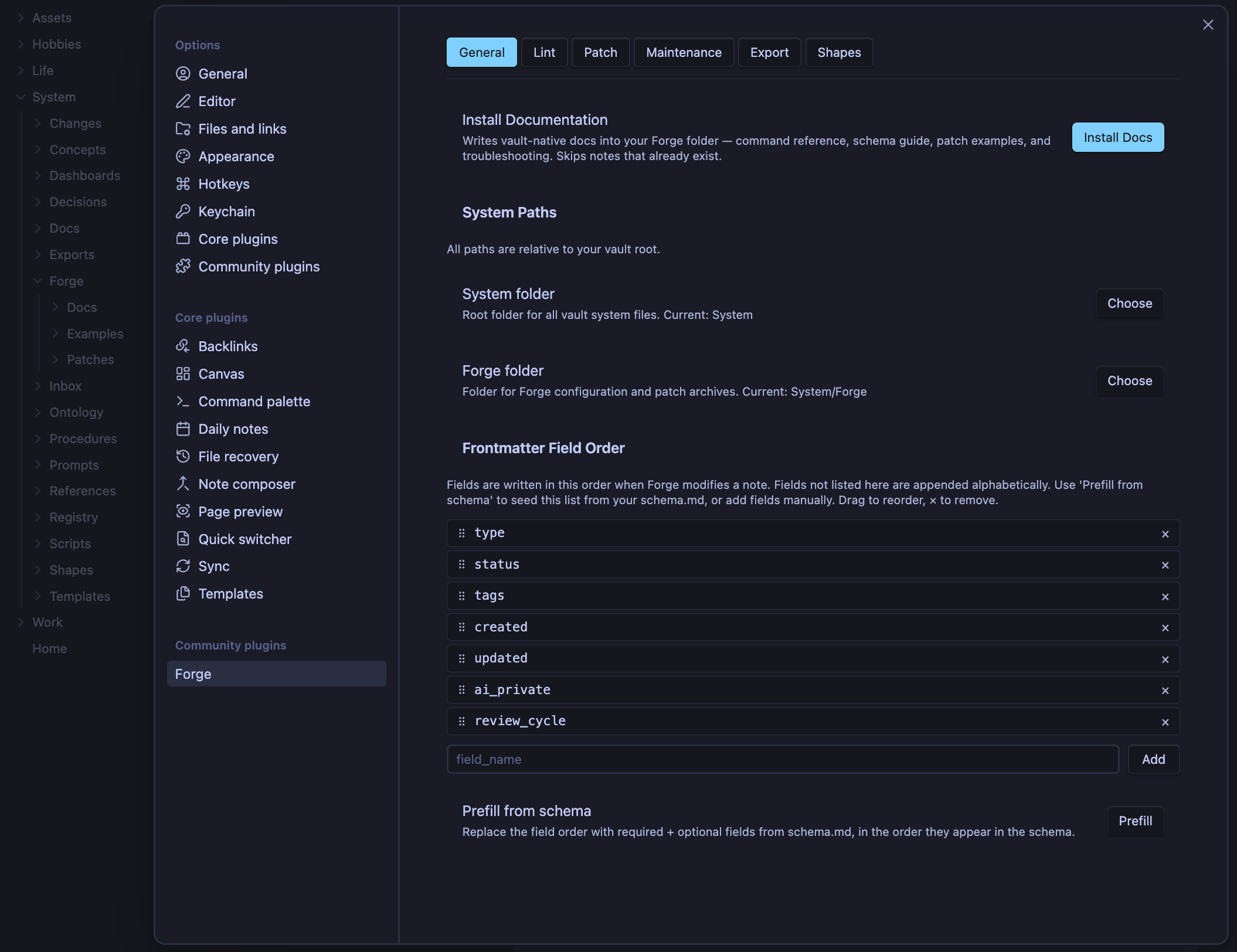
Forge helps you maintain consistent metadata, repair structural drift, standardize notes, and build more dependable Dataviews, Bases, dashboards, exports, and automation workflows.
Whether your vault holds projects, research, journals, client work, tasks, notes, or personal systems, Forge helps everything keep working together over time.
Most vaults start simple.
Then, slowly:
- fields get renamed
- tags drift apart
- templates change
- old notes stop matching new workflows
- dashboards miss results
- Dataview queries become fragile
- Bases become less useful
- exports become noisy
Forge helps keep your vault consistent without forcing you into a rigid system.
What Forge Does
Forge provides maintenance and structure tooling for Obsidian vaults:
- Schema validation
- Vault linting
- Frontmatter normalization
- Tag normalization
- Bulk note update workflows
- Vault repair tools
- Reusable note structure validation
- Cached Forge health views for Obsidian Bases
- Relationship indexes
- Vault exports
- Maintenance workflows
- Vault-installed documentation
- Copy-ready examples
Think of it as:
Maintenance tooling for long-lived Obsidian vaults.
Or more simply:
Forge helps your vault stay clean, consistent, and dependable over time.
Why Consistency Matters
Many Obsidian workflows depend on predictable metadata and structure.
That includes:
- Dataview
- Bases
- dashboards
- templates
- graph relationships
- automation workflows
- AI-assisted workflows
- note queries
- exports
When metadata is consistent, your tools can find the right notes.
When metadata drifts, your tools become unreliable.
Examples:
projectvsprojectsactivevsin-progresstypevsnote_type- missing frontmatter
- duplicated tags
- malformed YAML
- old templates mixed with new templates
Forge helps keep your vault structure predictable so your queries, Bases, dashboards, and workflows continue working months or years later.
The goal is not rigid control.
The goal is durable consistency.
Who Forge Is For
Forge is useful for anyone whose vault has started to grow beyond manual cleanup.
It works well for:
- personal knowledge systems
- project vaults
- research vaults
- journals
- writing systems
- task systems
- client workspaces
- team/shared vaults
- Dataview-heavy vaults
- Bases-driven workflows
- AI-assisted note systems
You do not need a perfect vault to use Forge.
Forge is designed for real vaults: uneven, evolving, useful, and alive.
Installation
Community Plugins
Search for Forge in Settings → Community Plugins and click Install.
Enable Forge after installation. After any update, click Reload plugins from the command palette so Obsidian registers the latest plugin files.
Manual Installation
Build the plugin from source:
npm install
npm run build
Copy these files into your vault plugin folder:
.obsidian/plugins/forge/
Required files:
manifest.json
main.js
styles.css
Then enable Forge in Settings → Community Plugins.
After installation or updates, click Reload plugins from the command palette so Obsidian reloads Forge and registers the latest plugin files.
Forge 3 Upgrade Notes
Forge 3 requires Obsidian 1.10.0 or newer. It does not require a note or settings migration.
After updating:
- Run Reload plugins from the command palette.
- Enable the Bases core plugin if you want to use the Forge health layout.
- Run Refresh Forge health once to populate clean-versus-unscanned cache data.
Existing lint, Shape, and review findings remain visible before that first refresh. Obsidian 1.13 and newer also exposes individual Forge controls through native settings search; Obsidian 1.10–1.12 continues to use Forge's existing settings renderer.
Quick Start
1. Install the Documentation
Run:
Forge: Install Documentation
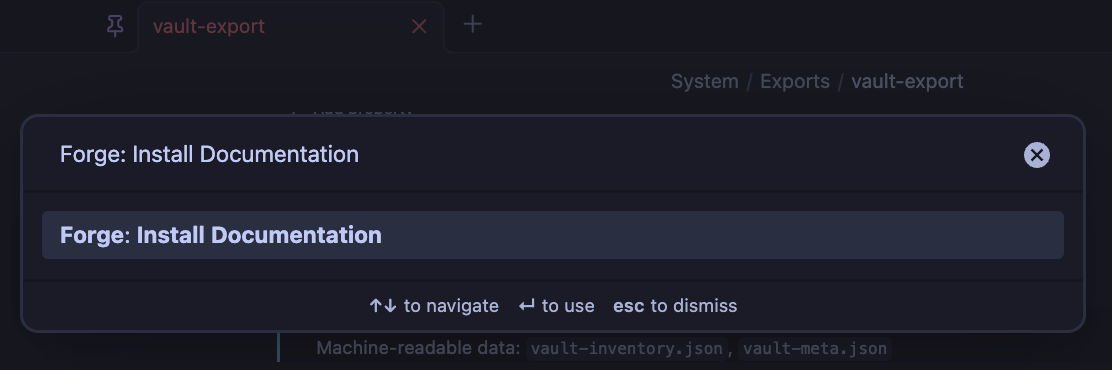
Forge installs a complete documentation and examples system directly into your vault.
Typical structure:
{{forge}}/
├── Docs/
├── Examples/
├── Patches/
├── Schemas/
├── Shapes/
└── Exports/
2. Open the Start Guide
Read:
Docs/1. Start Here.md
The installed vault docs are the main Forge documentation.
They include:
- setup walkthroughs
- schema guides
- lint workflows
- repair workflows
- export documentation
- shape systems
- Forge Health for Bases
- settings references
- troubleshooting guides
- operational examples
- copy-ready templates
The README gives the overview.
The installed docs are the field guide.
3. Run Your First Vault Lint
Run:
Forge: Run Vault Lint
Forge scans your vault for structural inconsistencies such as:
- missing metadata
- malformed frontmatter
- inconsistent tags
- schema violations
- stale fields
- shape mismatches
- structural drift
The results are grouped into actionable categories so you can improve your vault gradually.
Core Features
Schema Validation
Schemas define the structure you want your notes to follow.
They can describe:
- required fields
- allowed values
- note types
- review schedules
- metadata expectations
- folder rules
- tag rules
Example:
frontmatter:
  required:
    - name: status
      type: enum
      values:
        - draft
        - active
        - archived
Schemas help keep notes predictable.
That makes Dataview queries, Bases, dashboards, exports, and automations easier to trust.
Vault Linting
Forge validates notes against your schemas and structural rules.
Linting can detect:
- missing frontmatter
- malformed YAML
- invalid metadata
- inconsistent tags
- outdated fields
- schema violations
- stale review cycles
- shape mismatches
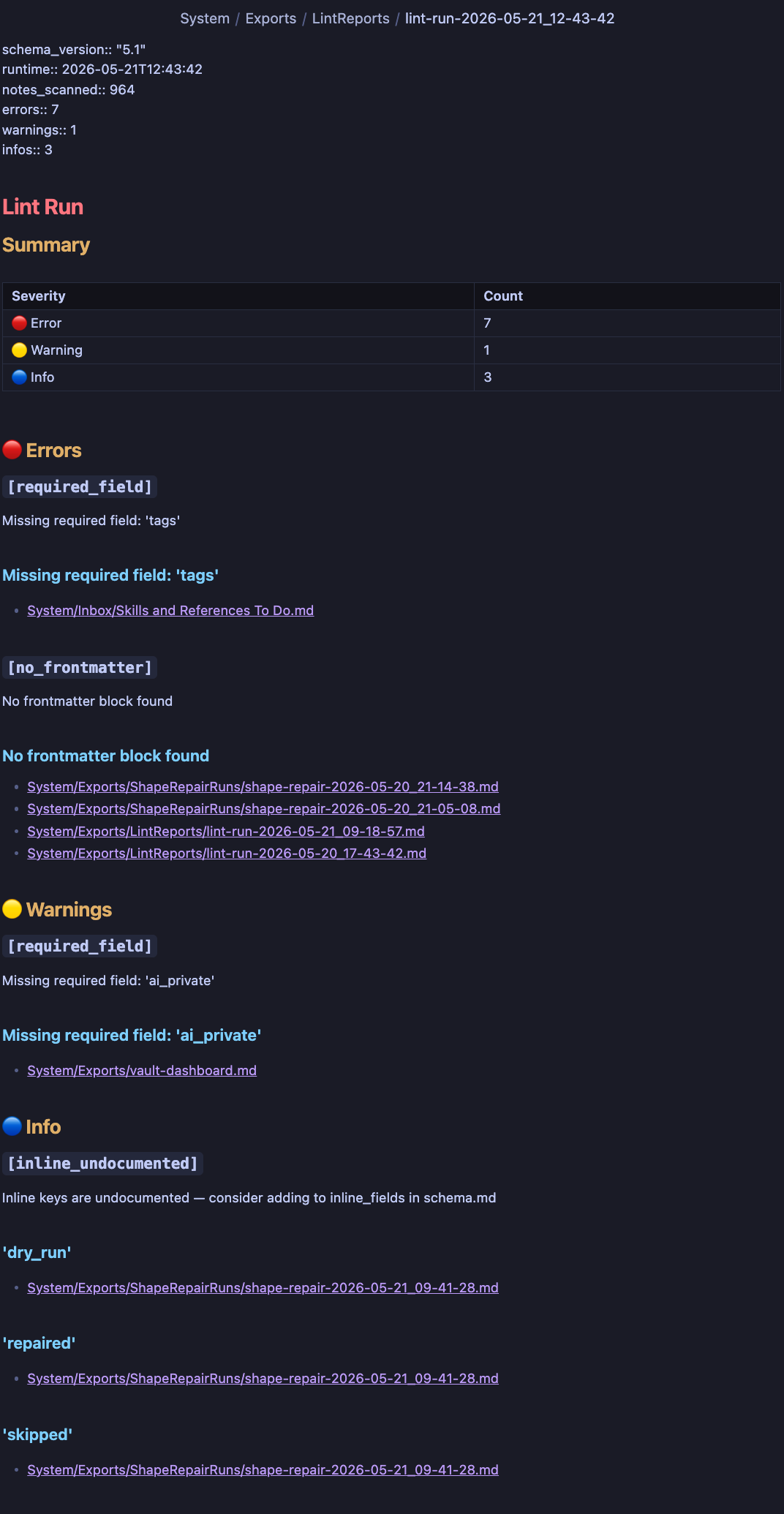
Forge groups findings by severity so you can prioritize structural problems incrementally instead of fixing everything at once.
Forge Health for Bases
Forge 3 adds a Forge health layout to Bases. It maps the active Base result set to cached vault lint, Shape lint, and review results without writing health fields into your notes or scanning the vault when Base filters change.
The view distinguishes errors, warnings, notes needing review, clean notes, and notes that were not included in the latest scan. Its options control minimum severity, clean and unscanned visibility, and grouping by health status.
Enable the Bases core plugin, reload plugins, then choose Forge health from the Base view menu. Use Refresh Forge health once after upgrading so clean and not-scanned notes can be distinguished.
Forge 3 requires Obsidian 1.10.0 or newer because it uses the Bases API as a first-class plugin surface.
Normalization
Normalization keeps metadata formatting clean and predictable.
Forge can:
- sort tags
- deduplicate tags
- standardize frontmatter ordering
- normalize metadata structure
- reduce formatting drift
Small inconsistencies compound over time.
Normalization keeps the vault tidy before small cracks become weird little YAML goblins.
Detailed normalization workflows and before/after examples are included in the installed docs.
Patch Engine
Patches are reusable operational workflows stored as markdown notes.
They can be used for:
- vault migrations
- metadata repair
- bulk edits
- note movement
- field updates
- structural cleanup
Example:
# Patch

```yaml
operations:
  - op: set_field
    target: "Projects/Home.md"
    field: status
    value: active
```
Patch workflows support:
- dry runs
- backups
- restore operations
- conditional execution
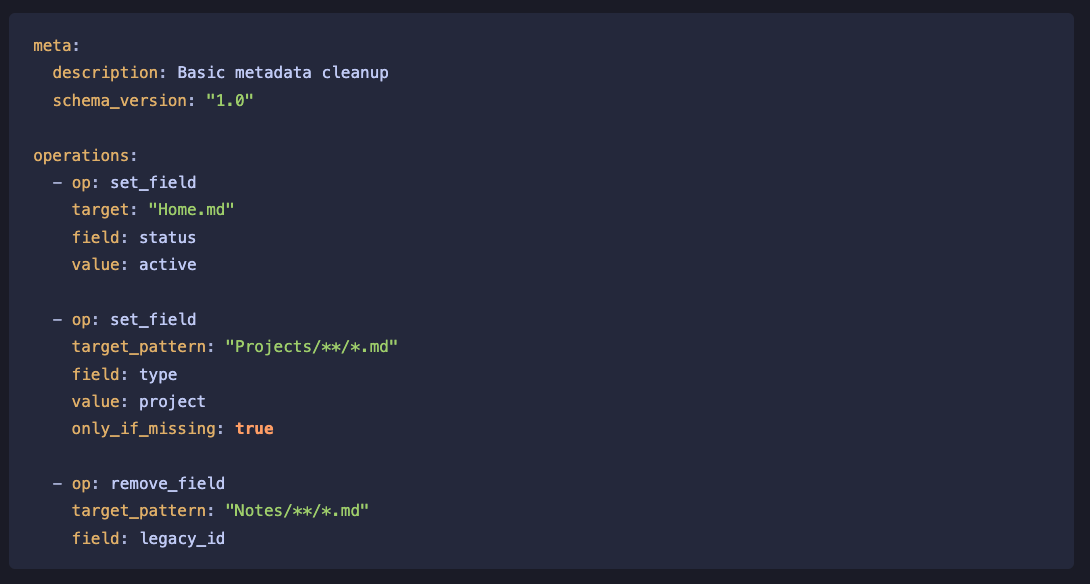
Additional patch walkthroughs and repair workflows are included in the installed docs and examples.
Vault Repair
Forge can generate repair operations from lint findings.
Repair workflows help fix:
- malformed frontmatter
- invalid fields
- missing metadata
- inconsistent tags
- structural mismatches
Repair actions are previewable and reversible.
Repair walkthroughs and recovery examples are included in the installed docs.
Shapes
Shapes are reusable structural blueprints for note systems.
They help validate organization beyond simple metadata.
Shapes are useful for:
- project workspaces
- meeting notes
- research pipelines
- client records
- operational runbooks
- content workflows
Forge supports:
- recursive shape matching
- namespaced shapes organized in subfolders
- dynamic heading placeholders for titles, dates, and similar per-note text
- shape linting
- template refinement
- repair workflows
- dry runs
- restore support
Complete shape examples and recursive validation walkthroughs are included in the installed docs.
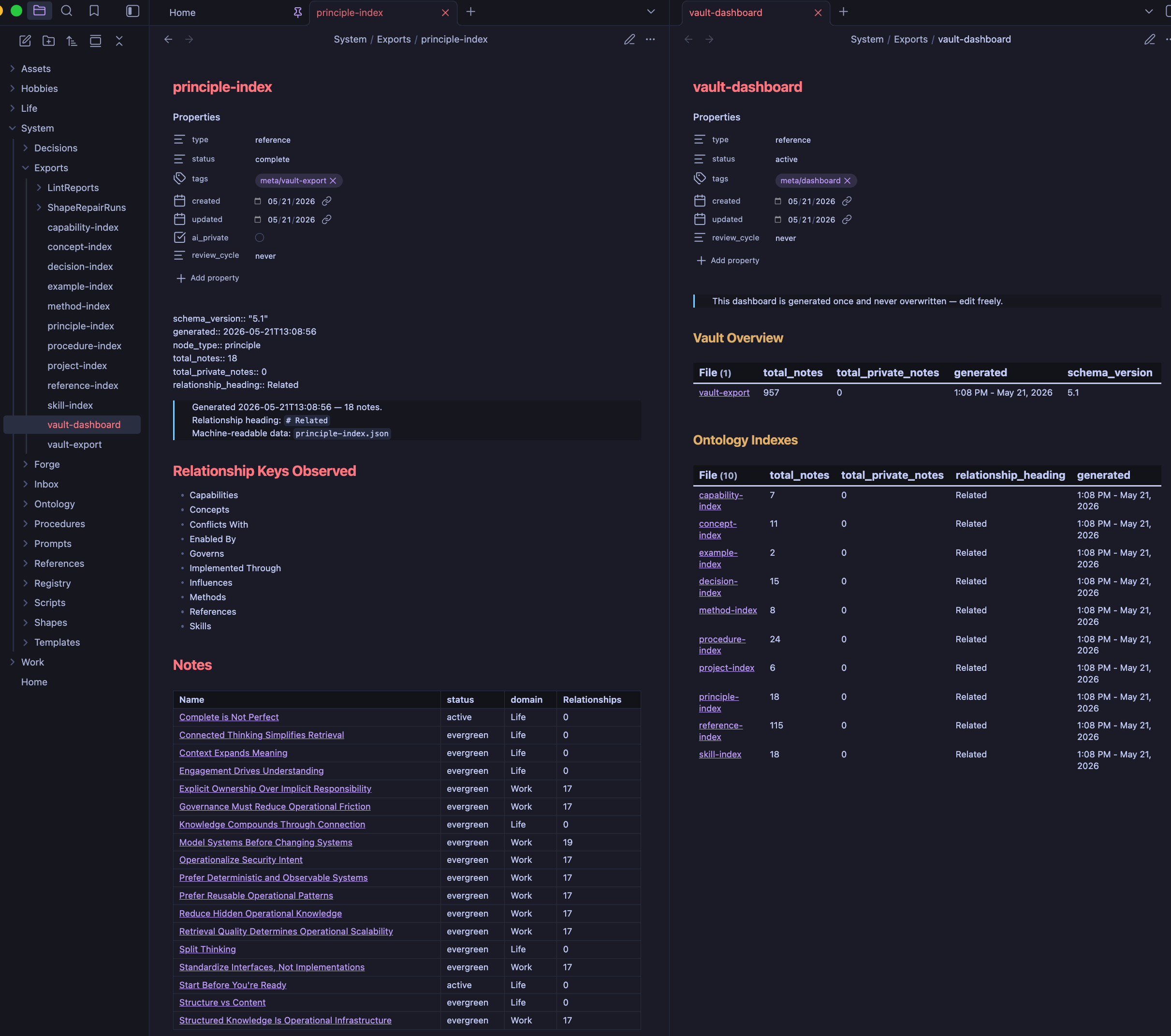
Relationship Indexes
Forge can build relationship indexes from your notes.
This helps surface how ideas, projects, people, systems, and topics connect across your vault.
Relationship indexes make larger vaults easier to:
- navigate
- query
- audit
- visualize
- export
- use with AI workflows
Forge calls these ontology indexes because they map relationships between notes and concepts across the vault.
You do not need to be an ontology expert to use them.
Export System
Forge exports structured vault data for dashboards, AI tooling, audits, and external workflows.
Export Vault Overview generates:
vault-inventory.jsonvault-meta.jsonvault-export.md
Export Ontology Index generates relationship indexes from configured note headings.
Exports are useful for:
- AI context generation
- vault dashboards
- metadata audits
- reporting
- external integrations
- archival workflows
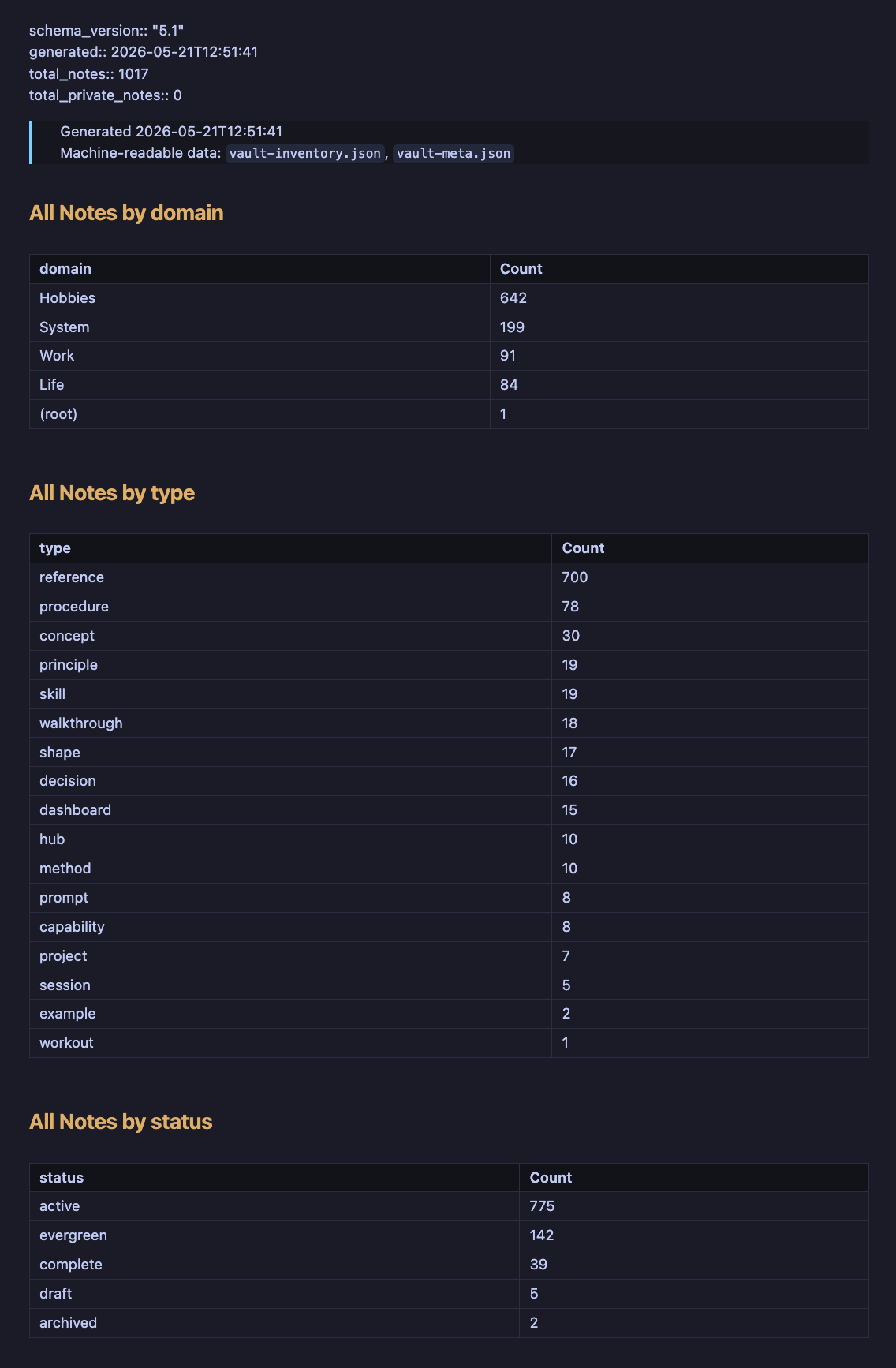
Additional export examples and dashboard walkthroughs are included in the installed docs.
Example Packs
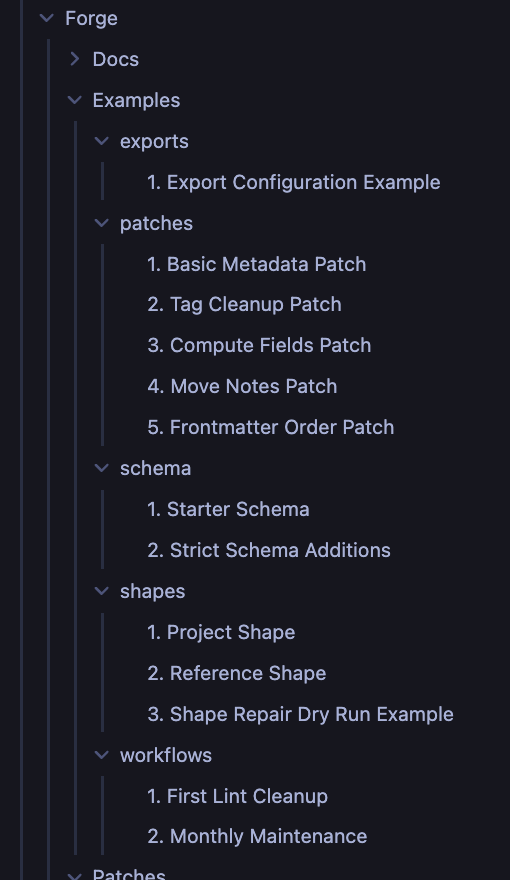
Forge installs organized examples directly into your vault.
Examples include:
- starter schemas
- lint workflows
- patch operations
- repair examples
- shape systems
- export workflows
- maintenance routines
The examples are designed to be copied and adapted to your own vault.
Works Well Alongside
Forge complements tools like:
- Dataview
- Bases
- Templater
- Metadata Menu
- QuickAdd
- dashboard notes
- AI-assisted workflows
Forge focuses on the layer underneath those tools:
clean, consistent, queryable structure.
Commands
| Command | Purpose |
|---|---|
Forge: Install Documentation |
Install vault docs and examples |
Forge: Run Vault Lint |
Validate vault structure against schemas and rules |
Forge: Validate Schema |
Validate schema configuration |
Forge: Normalize Tags |
Sort and deduplicate tags |
Forge: Normalize Frontmatter |
Reorder frontmatter consistently |
Forge: Apply Vault Patch |
Execute structured patch operations |
Forge: Vault Repair |
Generate repair operations from lint findings |
Forge: Restore Patch Run |
Restore files from previous patch backups |
Forge: Vault Maintenance |
Run maintenance workflows |
Forge: Rename Dataview Folder |
Safely update Dataview folder references |
Forge: Export Vault Overview |
Generate inventory and metadata exports |
Forge: Export Ontology Index |
Build relationship indexes from note structures |
Detailed command walkthroughs and examples are included in the installed documentation.
Settings
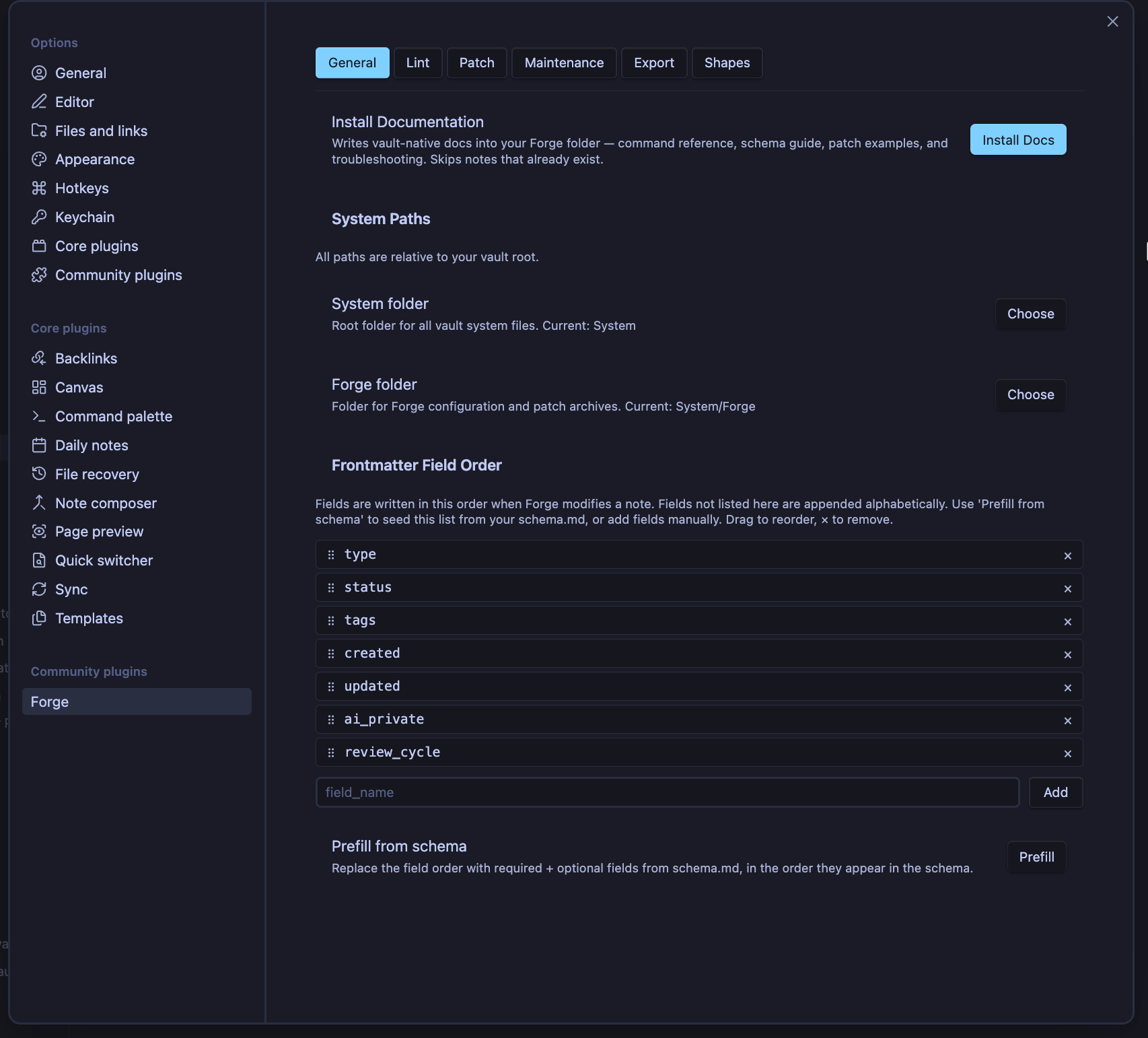
Forge includes dedicated settings sections for:
- General configuration
- Schema management
- Vault linting
- Patch execution
- Shapes
- Export configuration
- Maintenance
- Advanced operations
Every setting is documented in the installed vault docs.
On Obsidian 1.13 and newer, Forge exposes individual native controls to Settings search with inline validation where supported. Obsidian 1.10–1.12 retains the same settings and persistence behavior through Forge's existing renderer.
When Obsidian Sync or another device changes Forge settings, Forge shows an explicit reload prompt in Vault Health. Choose Reload to apply the synced values to the running plugin; Forge does not silently replace active settings.
Safety Philosophy
Forge is intentionally conservative.
The plugin emphasizes:
- explicit operations
- dry-run workflows
- reversible changes
- restore support
- operational visibility
- predictable behavior
You stay in control of vault modifications.
Recommended practices:
- Use Git for large vaults
- Backup before major operations
- Test schemas incrementally
- Run linting before patch execution
- Use dry runs before repair workflows
Development
npm install
npm run build
Release assets are generated from the plugin root.
Philosophy
Knowledge systems naturally drift over time.
Fields change. Templates evolve. Workflows shift. Old notes stop matching new structures.
Forge exists to help your vault remain:
- Consistent
- Queryable
- Repairable
- Reliable
- Maintainable
Not through rigidity.
Through sustainable structure and practical maintenance over time.
License
MIT