Finance Manager
 Dmitry1k downloads
Учёт доходов и расходов по счетам прямо в заметках Obsidian
- Overview
- Scorecard
- Updates7
Track income and expenses directly in your Obsidian notes.
Each note is a separate account (cash, card, crypto wallet, etc.).
Translations: 🇷🇺 Документация на русском языке (Russian)
Version: 2.2.0 | Min Obsidian Version: 1.8.7
Installation
Option 1: Manual
npm install
npm run build
Copy the contents of dist/ to .obsidian/plugins/finance-manager/
Then: Obsidian Settings → Community plugins → enable Finance Manager.
Option 2: Via BRAT
- Install BRAT plugin (Beta Reviewers Auto-update Tool)
- Run command:
BRAT: Add a beta plugin for testing - Enter repo:
https://github.com/dimanchello/obsidian-finance - Confirm → plugin installs automatically
Language
Plugin auto-detects language from Obsidian settings:
- 🇷🇺 Russian (default)
- 🇬🇧 English
Usage
Insert in any note:
```finance-account
```
On first open the plugin automatically inserts an id: <hex> line into the block — a unique account identifier. This lets you rename or move the note without losing data.
Use Insert account template command from the command palette.
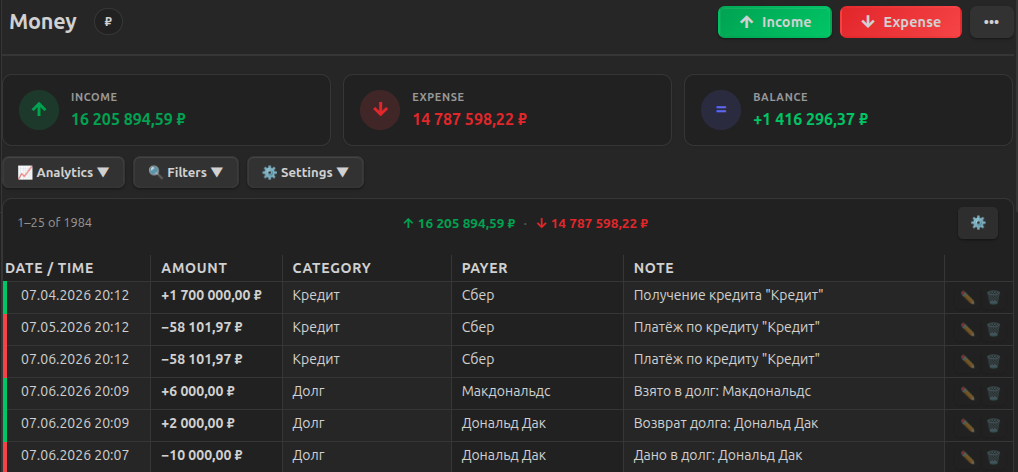
Features
Tab Navigation
Each account has four tabs, switched via the ••• menu:
- Records — income and expenses
- Debts — debt tracking
- Credits — loans with payment schedules
- Deposits — savings with interest accruals
Account
| Name | Click the title → edit inline |
| Currency | Click the badge next to the title → select from list or custom |
Records
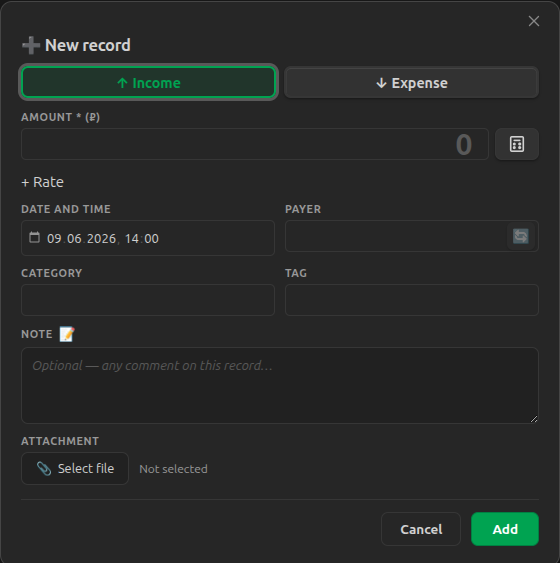
- Only Amount is required
- Date and Time side by side
- Smart autocomplete: entering a category or payer auto-fills amount, tag, and the other field from the last matching record (shows "✨ data substituted" badge)
- Note — visually highlighted with accent color
- Internal operations: 🔄 button in the "Payer" field marks a record as internal — excluded from stats. Filter "Internal" in the filter panel shows only such records.
- Calculator: 🧮 button in the amount field opens a built-in calculator
Table
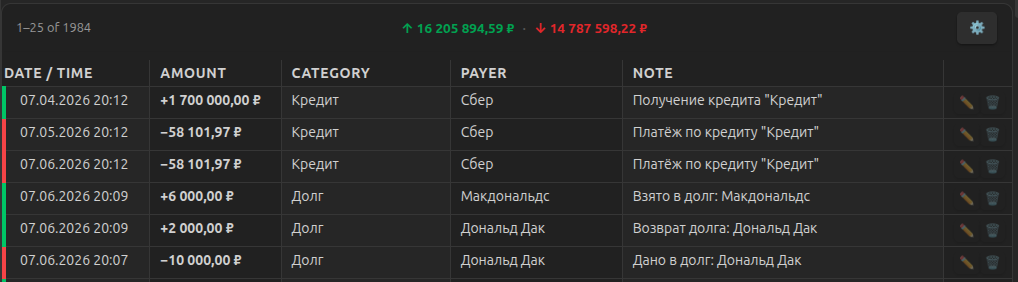
- Desktop: full table with sticky header
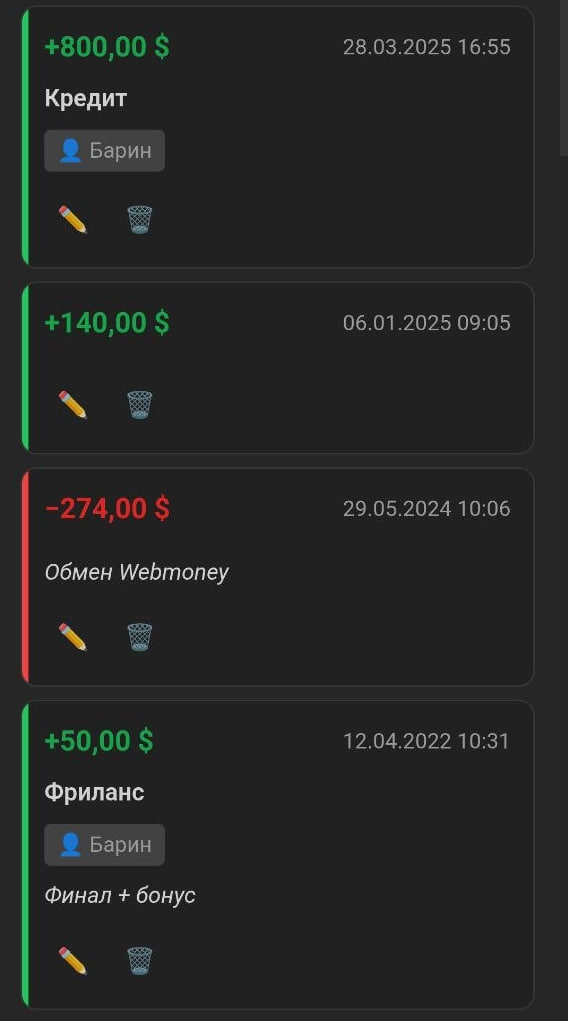
- Mobile: each record renders as a card with field labels
- Column visibility: show/hide columns via ⚙️ menu — settings persist across Obsidian restarts
Filters & Sorting
- Search across all fields
- Filter by type (income/expense), category, tag, payer, dates
- Sort by date, amount, category, date added
- Filter state persists per note
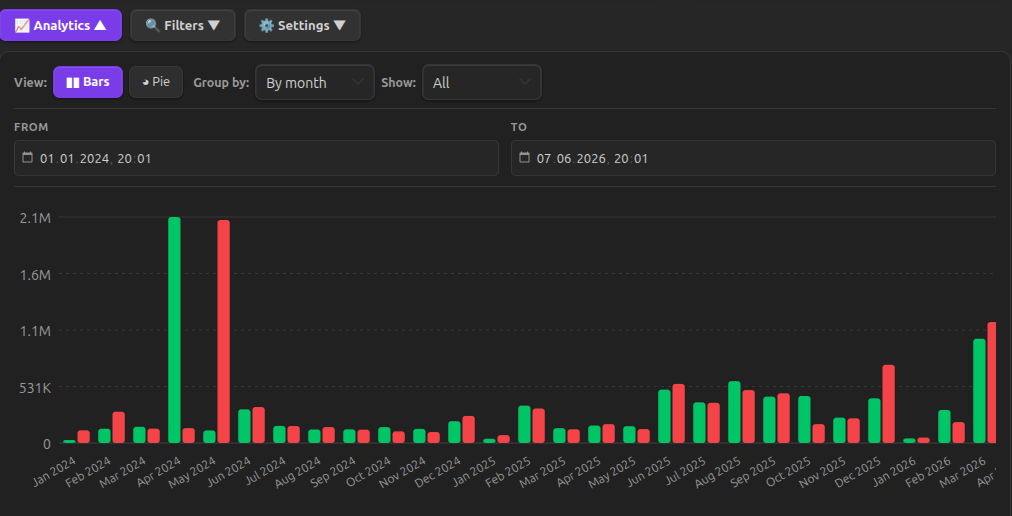
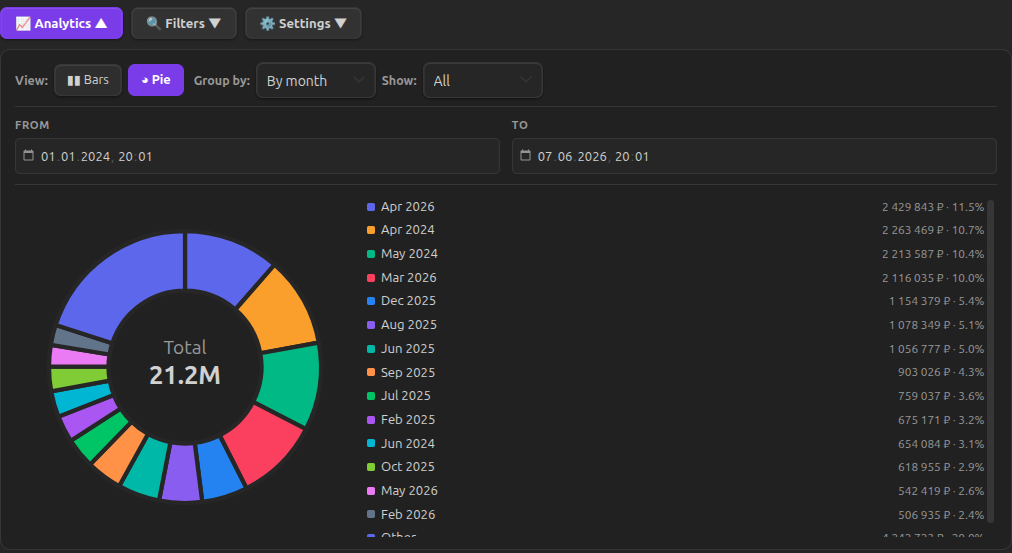
Analytics
- Statistics: income, expenses, balance (including debts)
- Charts by category and month
Attachments
- Photo receipts and documents
- Attached to records and open in Obsidian
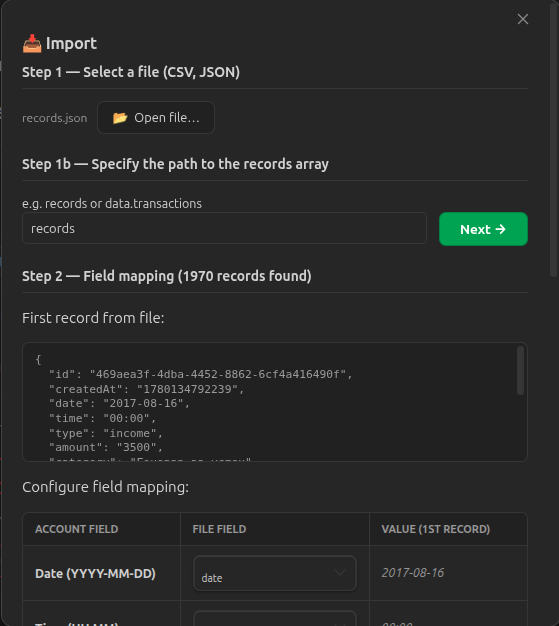
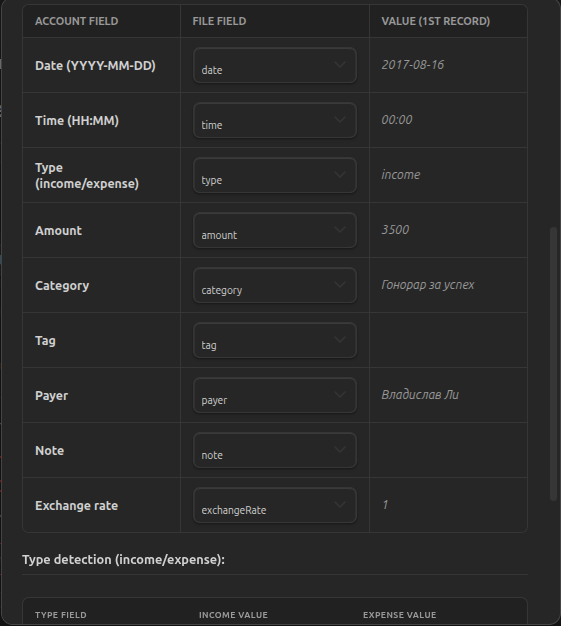
Import / Export
Export: CSV, JSON, XML
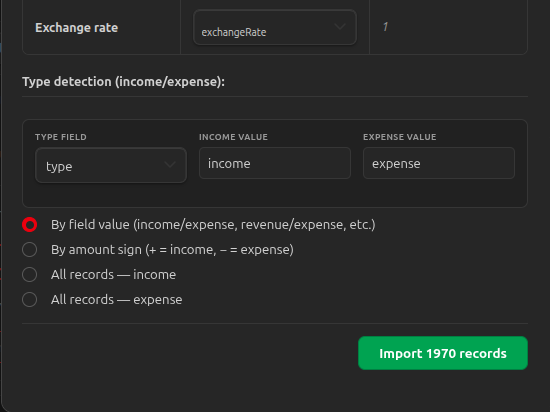
Import:
- Select file (.csv / .json / .xml)
- For JSON — specify array path (e.g.
data.records) - For XML — specify record tag (auto-detected)
- Map file fields to account fields
- Choose type detection: by field, by amount sign, or all income/expense
- Click "Import"
Exchange rate is imported only when explicitly specified in the file and not equal to 1. Empty value or rate = 1 is not stored.
Debts
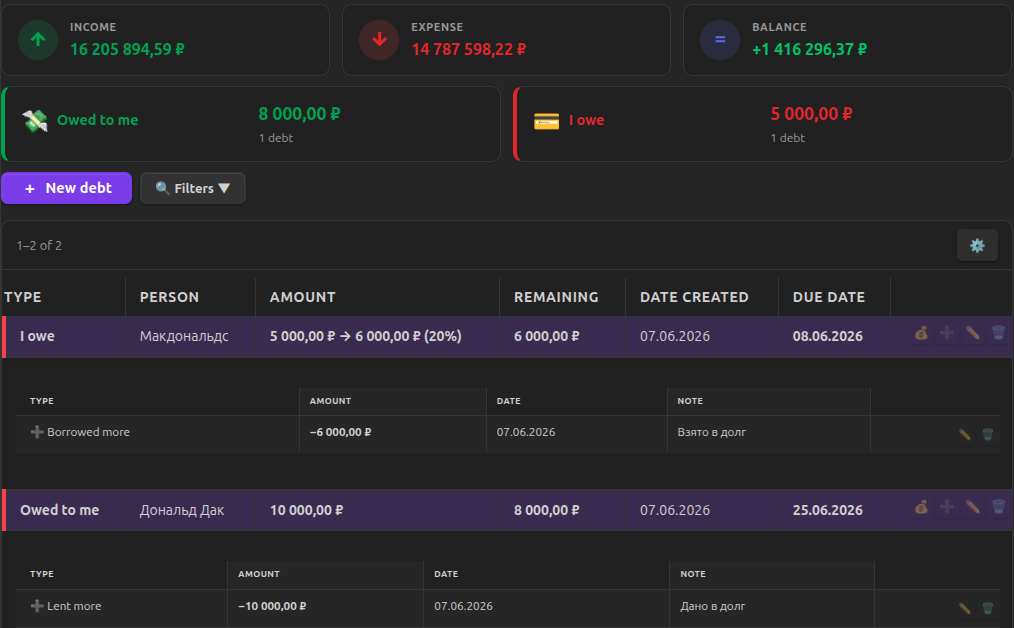
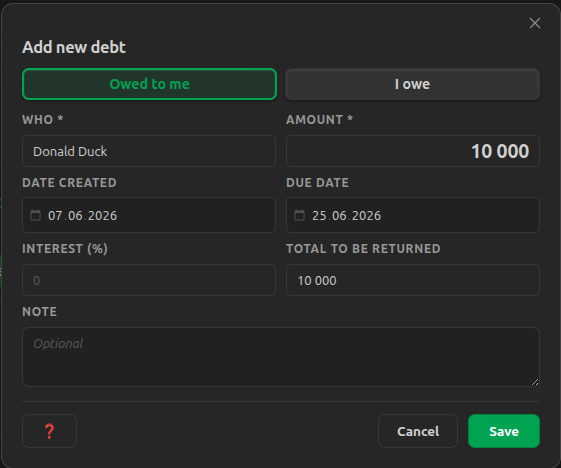
- Two directions: "Owed to me" (lent) and "I owe" (borrowed)
- Payment tracking: borrow → repay
- Auto-calculated balance accounting for all additional disbursements
- Interest rate and due date
- Filters by status (paid/unpaid), direction, person, dates
- Movement history for each debt
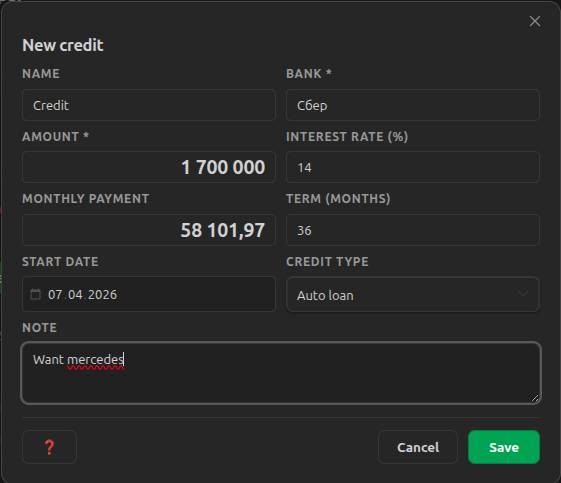
Credits
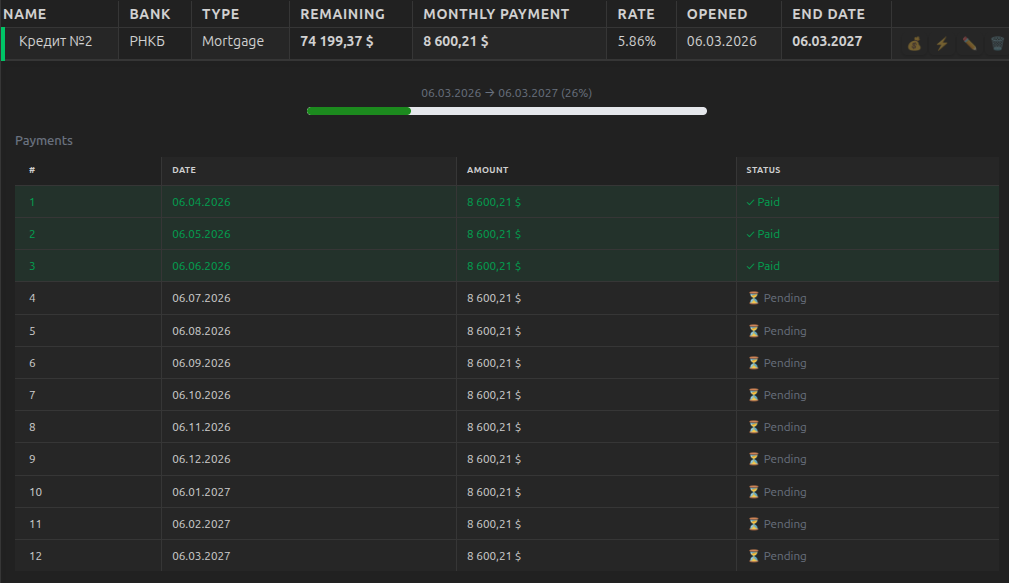
- Types: consumer, auto loan, mortgage
- Monthly payment schedule
- Automatic payment creation and expense records
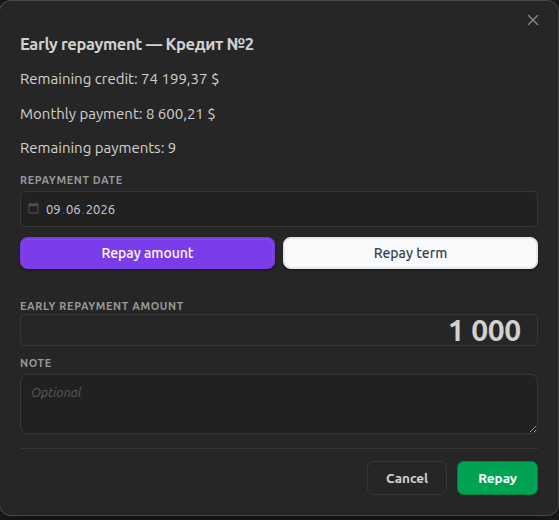
- Early repayment (reduce amount or term)
- Status tracking: active / paid
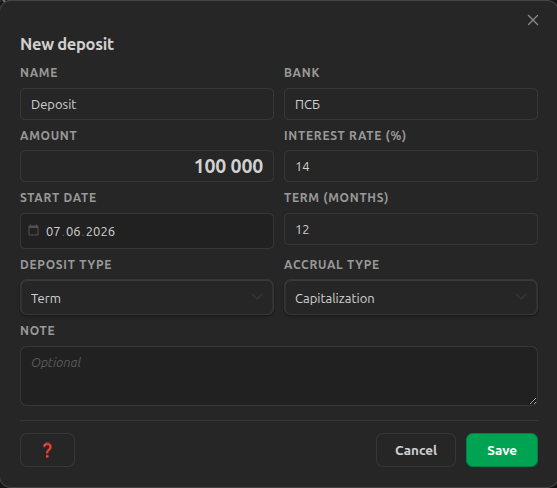
Deposits
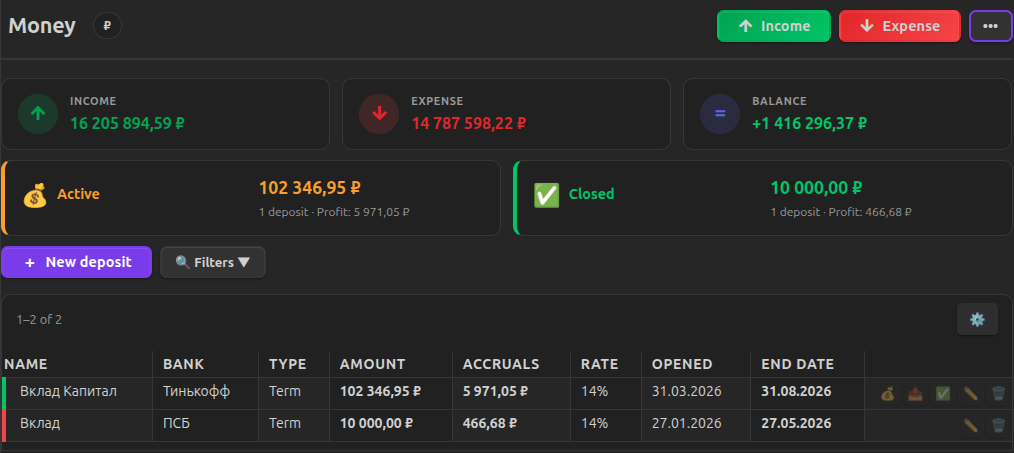
- Types: term, demand, savings
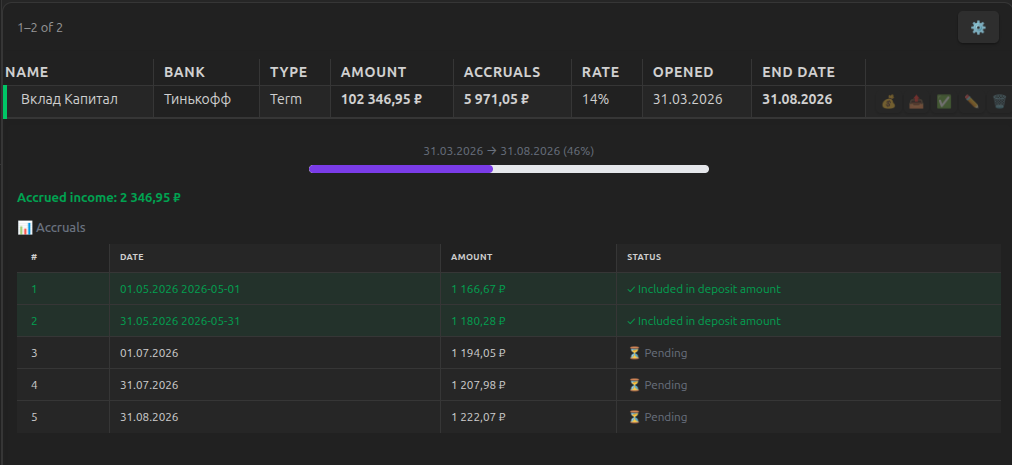
- Automatic interest calculation based on actual calendar days (rate × days / 365)
- Accrual type: to account or capitalization
- Top-ups and partial withdrawals
- Automatic income records on interest accrual
- Automatic deposit closure at term end
Plugin Settings
- Default currency for new accounts
- Currency management: add, remove, reorder currencies via drag-and-drop
- Records per page
Commands
Find orphaned accounts — shows data folders whose id does not appear in any note. This can happen if a note was deleted or its finance-account block was removed. The command lets you delete such folders manually.
Data Structure
Data is stored in .obsidian/plugins/finance-manager/accounts/{accountId}/ in separate JSON files:
.obsidian/plugins/finance-manager/accounts/{accountId}/
  meta.json       # name, currency, accent color, note path
  records.json    # income/expense records
  debts.json      # debts
  credits.json    # credits
  deposits.json   # deposits
  exchanges.json  # currency exchanges
  state.json      # filter state and column visibility settings
meta.json
{
  "version": 4,
  "name": "Sberbank Card",
  "currency": "₽",
  "accentColor": "#7c3aed"
}
records.json
{
  "version": 4,
  "records": [
    {
      "id": "uuid",
      "createdAt": 1700000000000,
      "date": "2024-11-15",
      "time": "14:30",
      "type": "expense",
      "amount": 1500.00,
      "category": "Groceries",
      "tag": "food",
      "payer": "Ivan",
      "note": "Supermarket",
      "attachmentPath": "",
      "isInternal": false
    }
  ],
  "categories": ["Groceries", "Transport"],
  "tags": ["food"],
  "payers": ["Ivan"]
}
Development
npm run dev     # Watch mode
npm run build   # Build to dist/
npm test        # Unit tests
npm run lint    # ESLint check
Roadmap
- CRUD records with date and time
- Inline account name editing
- Per-account currency
- Filters and sorting with persistence
- Pagination
- Statistics (income/expenses/balance)
- Smart autocomplete
- Attachments (photo receipts)
- Import CSV/JSON/XML with field mapping
- Export CSV/JSON/XML
- Mobile responsive layout
- Debt system
- Analytics with charts
- Multi-language (RU/EN)
- Internal operations (excluded from stats)
- Credit management
- Deposit management
- Auto-accruals for deposits and payments for credits
- Table column visibility
- Built-in calculator
License
MIT