Finally A Reader
 david-fcp1 downloads
Read and annotate PDFs and EPUBs with no learning curve, a clean layout, sidebar annotation tracker, and one click to turn annotations into Markdown
- Overview
- Scorecard
- Updates3
PDF++ has the most features of Obsidian readers, but is clunky for some workflows, and doesn't work with EPUBs. Zotero might be the best annotation app, but you might want to keep everything in Obsidian.
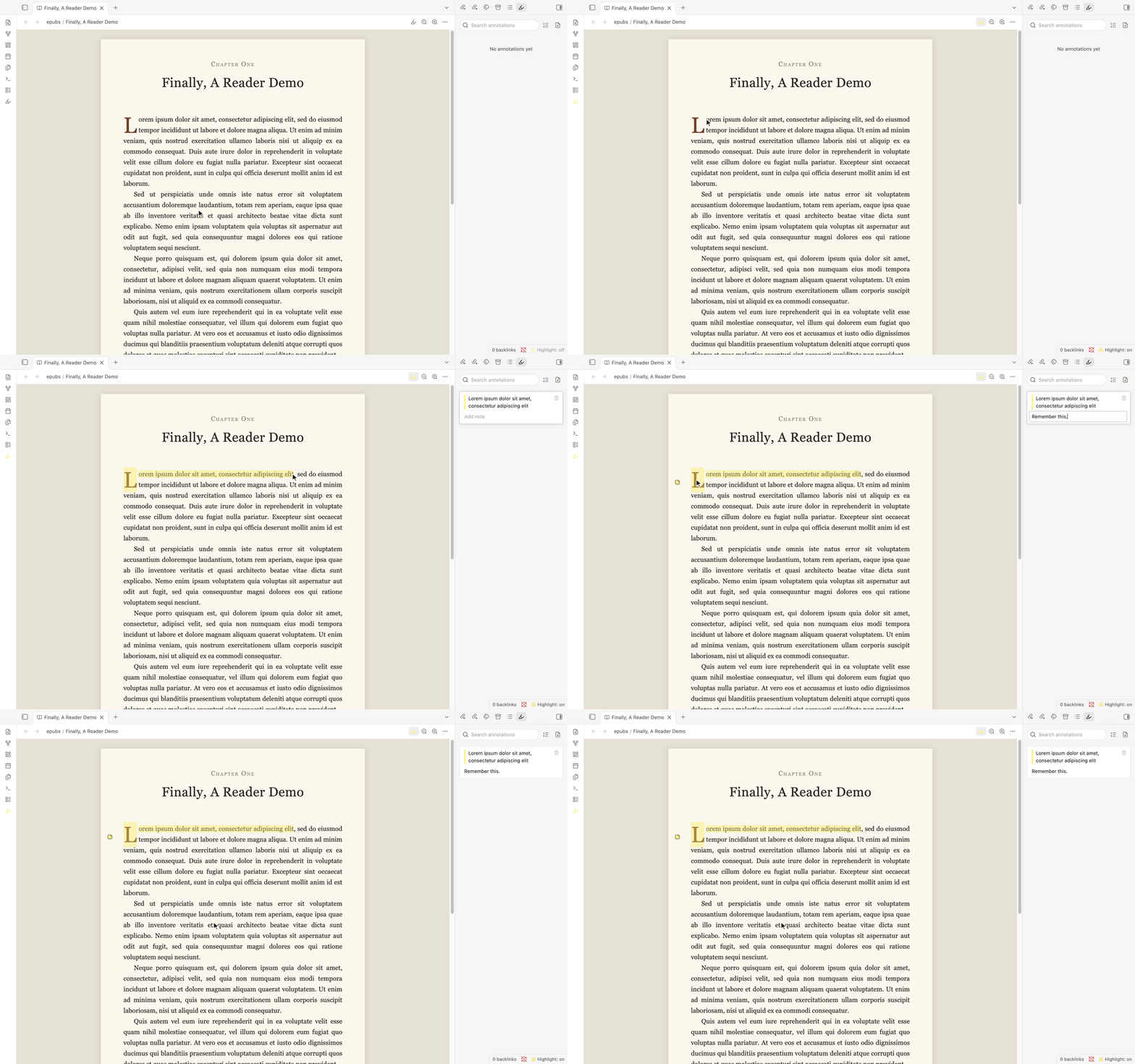
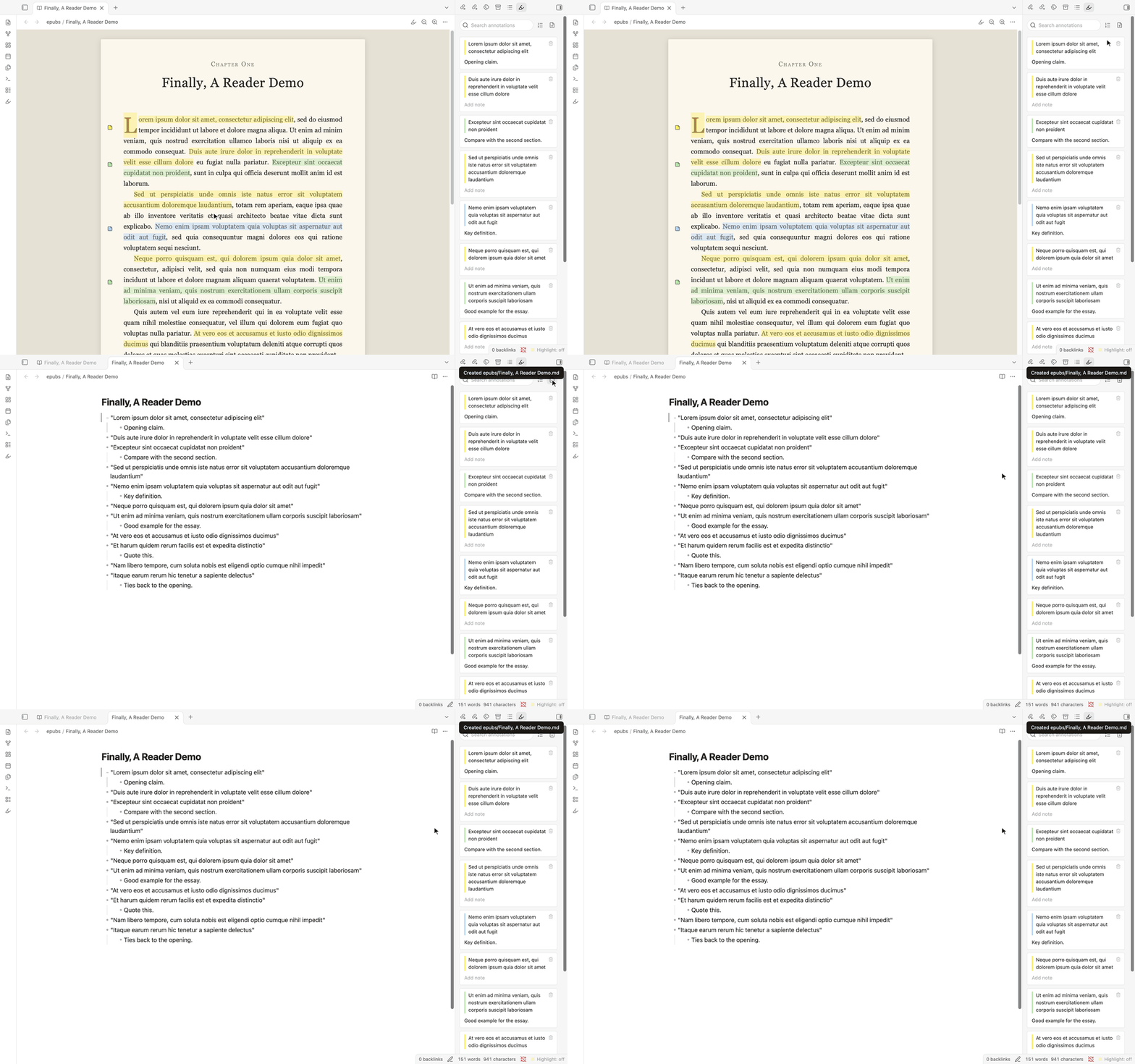
This plugin suits anyone who wants to simply highlight and add notes to a PDF or EPUB file, keep track of those annotations in a sidebar, and then be able to instantly generate a markdown file containing all of those notes.
For me, this replaces both Zotero AND my clunky or invasive EPUB readers. Enjoy!
Other features
- Search your annotations in the sidebar
- Undo and redo functionality (this is rare!)
- Add, subtract, and choose your own highlight colours
- Hover preview for footnotes, endnotes, and chapters
- Formatting for the markdown file can be changed in the settings
- Reorder annotations by date added or where they appear in the document
- Optional dictionary (default off)
Notes
- Want Zotero's citation functions? Just point an AI at a folder of notes and sources, and it will generate citations in whatever style you like.
- Want to read comics or e-books made for two page spreads? This plugin is not for you. Sorry!
Possible additions
- Quickly link to your AI to ask questions.
- Text-to-speech. This keeps getting better and better. I would rather wait a few generations before trying to add this. Or, probably, you'll just have your own computer-wide text to speech feature, instead of one specific to Obsidian.
- RSS / Webclipper integration. I would love to more easily shift my reading into Obsidian.
- To stop vault bloat, I might add a command to move sources to a folder outside of the vault once you're done with them. I would also like a "Recall" command that would bring them back in quickly if needed, keeping all of the annotation links in place.
- Integrate with a source library that shows progress, drag and drop sources to indicate priority, and that auto-detects new PDF and EPUB files in the vault.
Installing
From the community plugin library.
Or if by hand: copy main.js, manifest.json
and styles.css into <vault>/.obsidian/plugins/finally-a-reader/ and
enable the plugin in Settings, then Community plugins.
PDFs open in Obsidian's own PDF viewer, which the plugin works alongside.
EPUBs open in the plugin's reader. If another plugin already opens EPUBs, only one of them can; disable the other to use this one for books.
Where your annotations live
For refs/paper.pdf, the annotations are kept in refs/paper.annotations.json.
For refs/book.epub, they are kept in refs/book.epub.annotations.json. The
extension stays in the name so that a PDF and an EPUB with the same name can't
share one file.
That file is plain JSON, so it syncs, diffs and backs up like anything else. Rename or move a document in Obsidian and its annotations file goes with it; outside Obsidian, in Finder or Explorer, move the two together. If it is ever unreadable, the document opens with its annotations read-only rather than starting over, so there is something left to recover.
Licence
MIT. See LICENSE.