
- Overview
- Scorecard
- Updates4
This plugin was created to help users easily apply retrieval practice right inside Obsidian. ( Retrieval practice is a long-term memory technique introduced in The Study Algorithm. A common way to use this technique is through self-testing, like giving yourself a mini quiz. )
The purpose of this plugin is to make self-testing extremely quick and easy.
Because it’s so simple, users are more likely to give it a try, repeat it, and feel less stressed when learning — which ultimately supports their learning.
Learning with Easy Test
- Quickly go through books or materials, underlining key points.
- Based on underlined key points, create a short Obsidian note.
- Immediately test what you’ve learned using a plugin.
- Test again the next morning.
To get the benefits of this plugin, it’s best to test yourself often. That’s why I highly recommend step 4
Features
Core
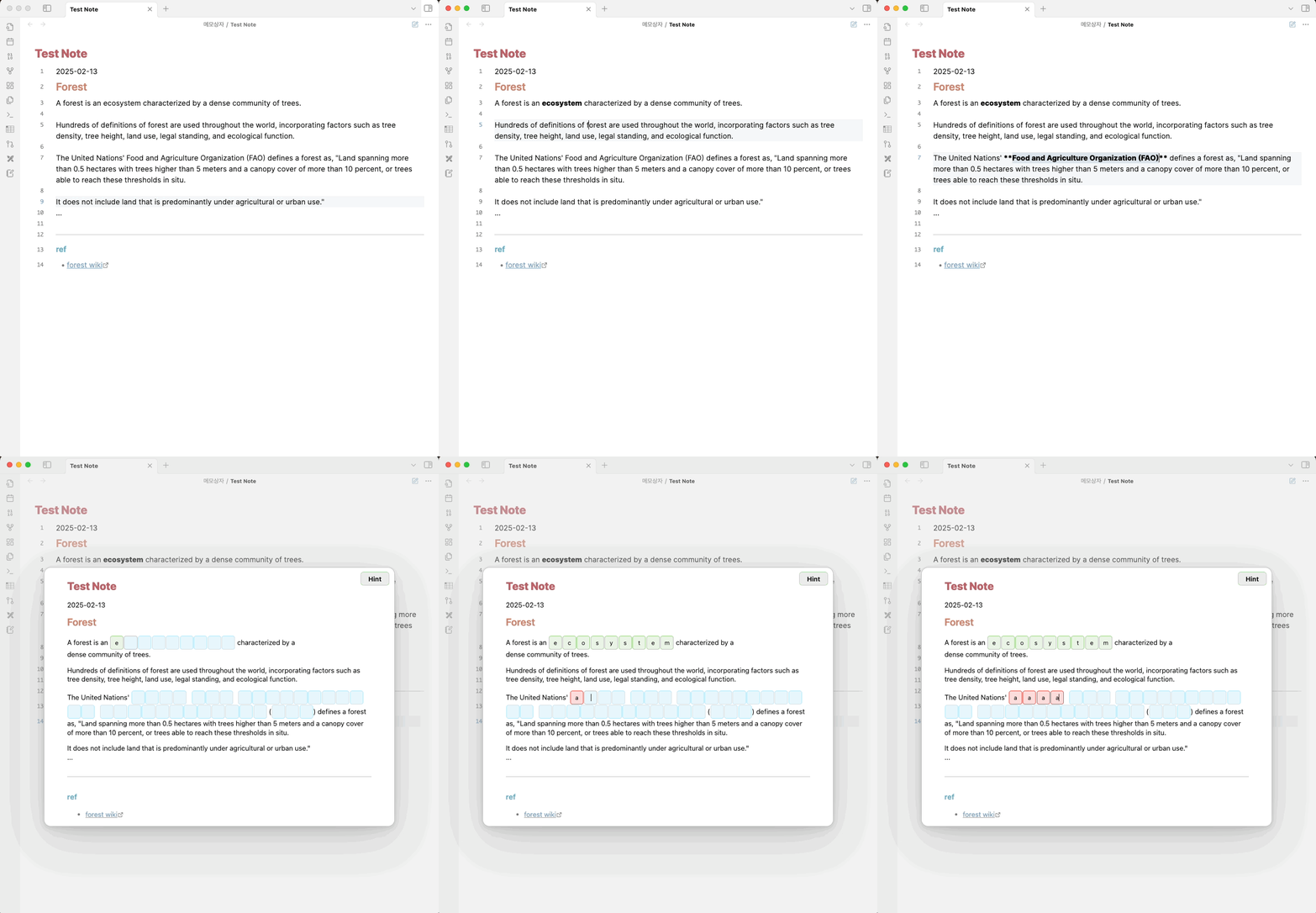
- The plugin extracts bold text (bold) from the active editor and converts it into HTML input fields.
- Displays the converted content in a modal for easy interaction ( click the ribbion button or use hotkey ).
- Then user can enter their answers and check them in real time.
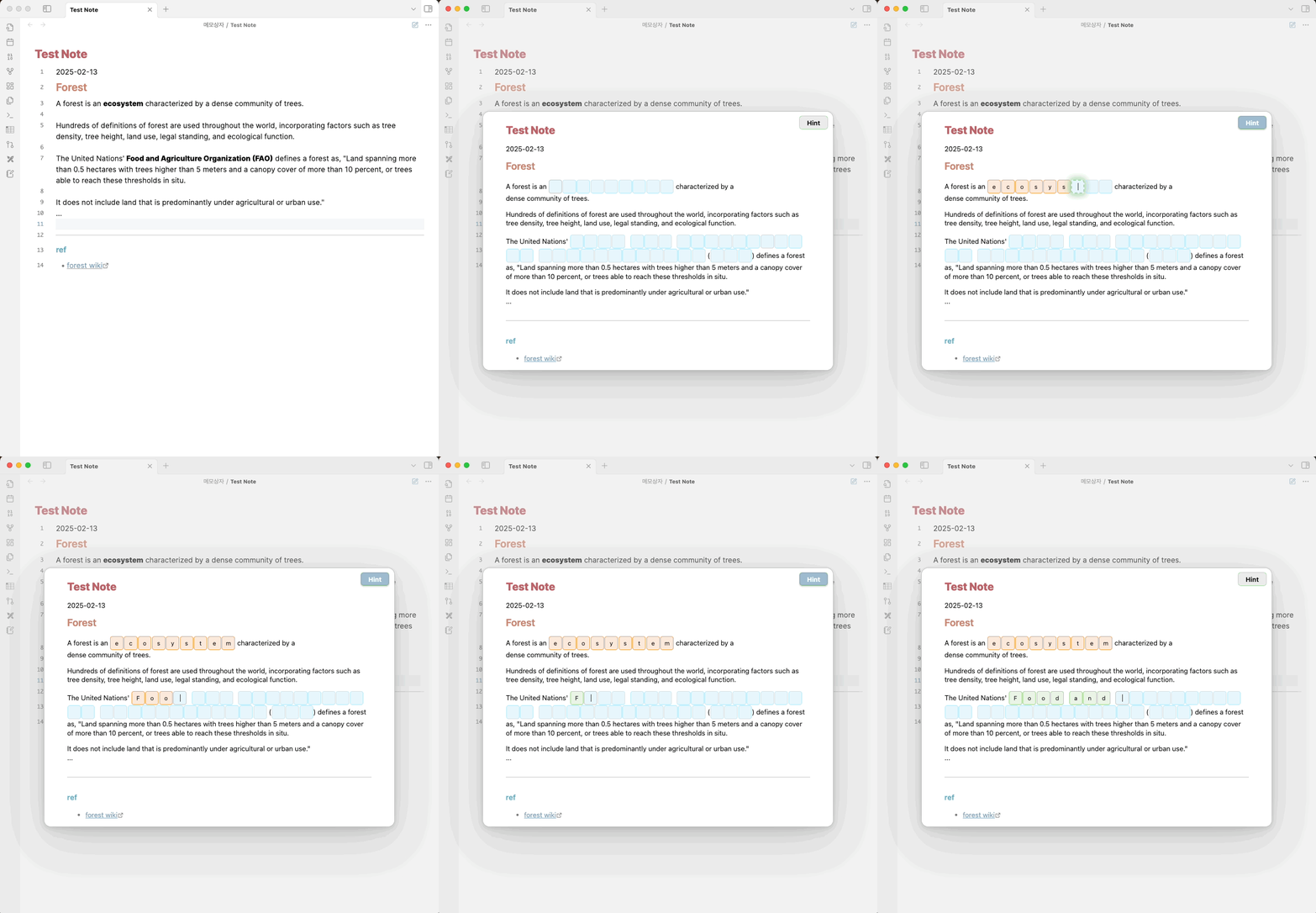
Hint
- Users can also check the answer of the focused input field by clicking the Hint button located in the upper right corner
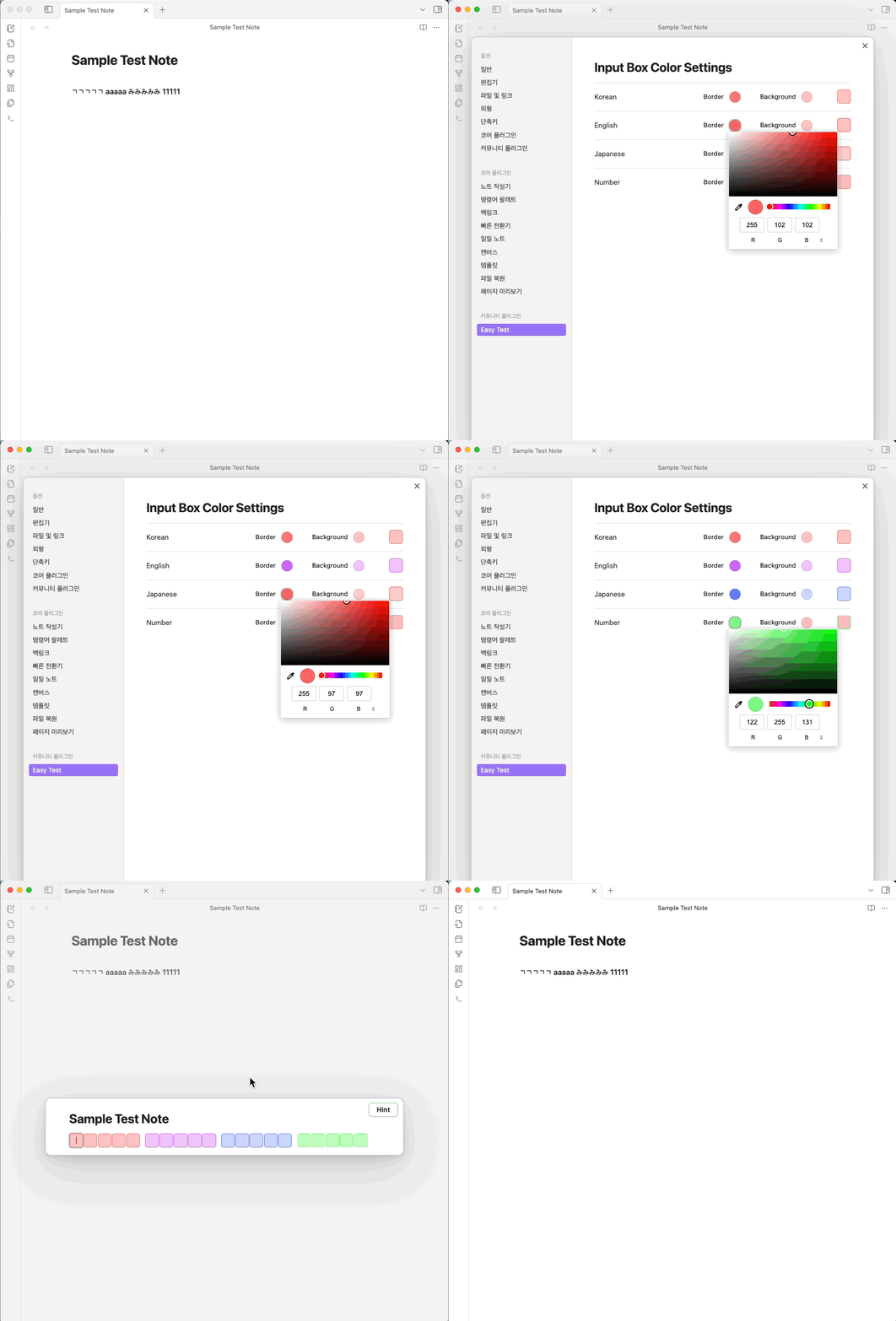
Settings
- User can easily configure input box colors (border & background) through a live-preview interface for seamless customization
HealthGood
ReviewCaution
About
Extract bolded text from the active editor and convert each item into interactive input fields displayed in a modal. Enter answers, check them in real time, and reveal hints for the focused question to run quick, repeatable self-tests.Details
Current version
1.2.0
Last updated
Last year
Created
2 years ago
Updates
4 releases
Downloads
896
Compatible with
Obsidian 0.15.0+
Platforms
Desktop, Mobile
License
MIT
Author