Draw Steel Elements
 steelcompendium4k downloads
Components to support the Draw Steel TTRPG by MCDM.
- Overview
- Scorecard
- Updates42
Some helper elements for the MCDM Draw Steel TTRPG
IMPORTANT: This plugin does NOT (yet) work in "Live Preview" mode.
Please use this form to report bugs if you find them!
You can see Element Documentation Here or see below.
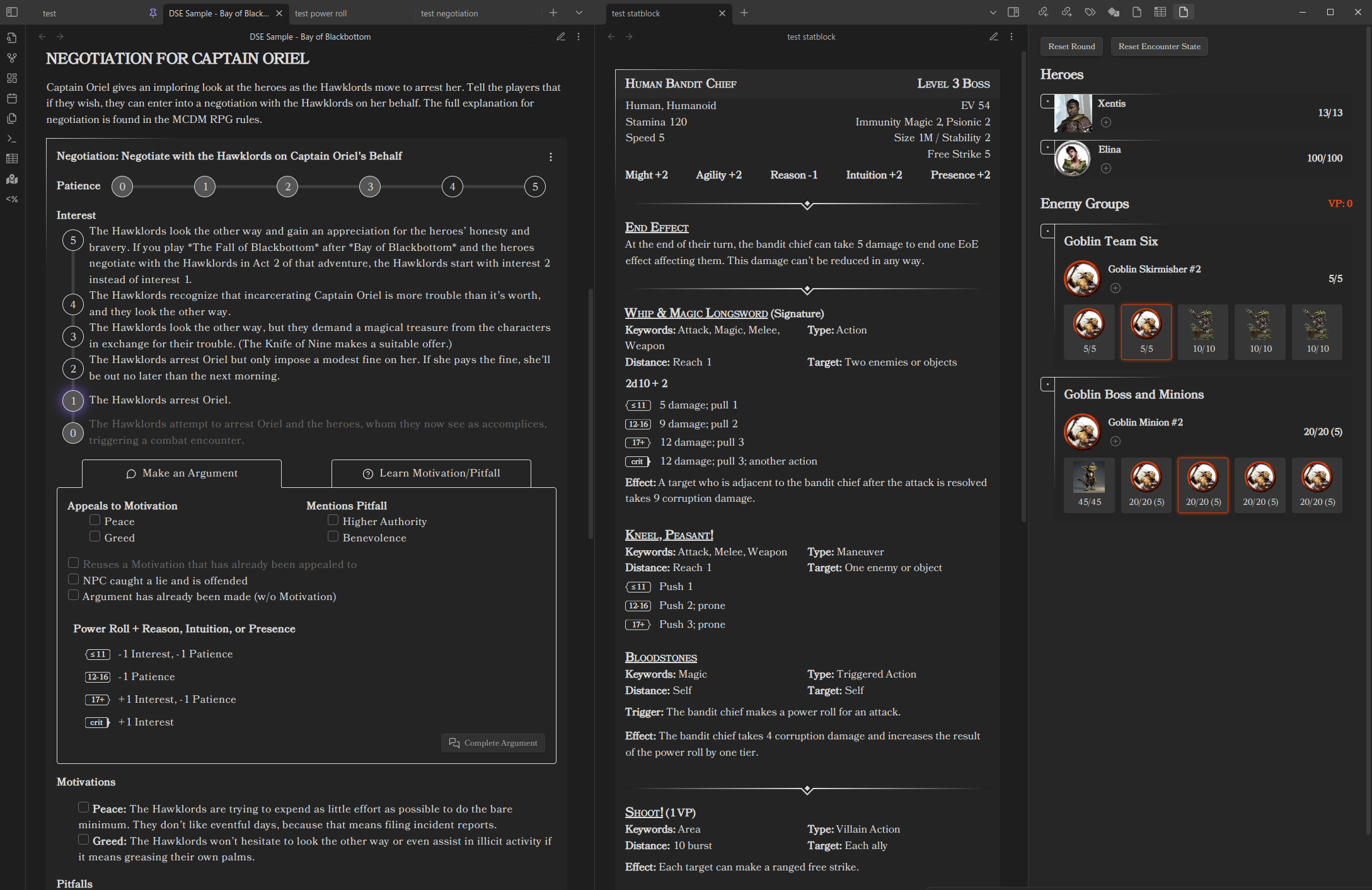
Elements
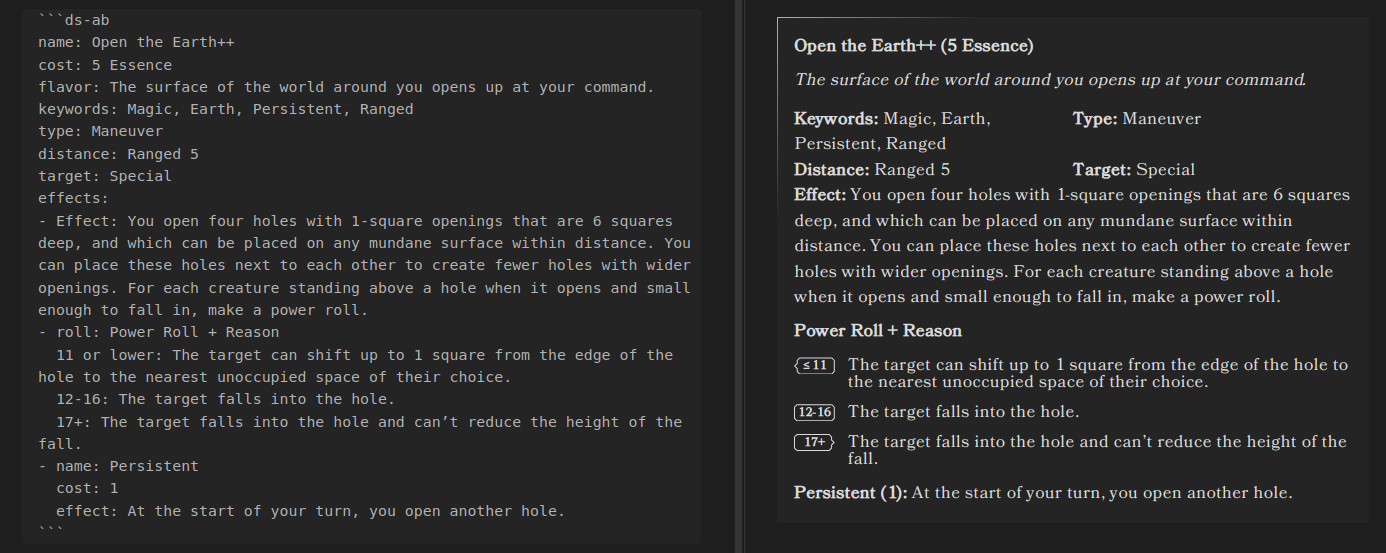
Features Element
The Features Element is used to quickly format Tests, Abilities, Resistance Rolls, and other Power Rolls.
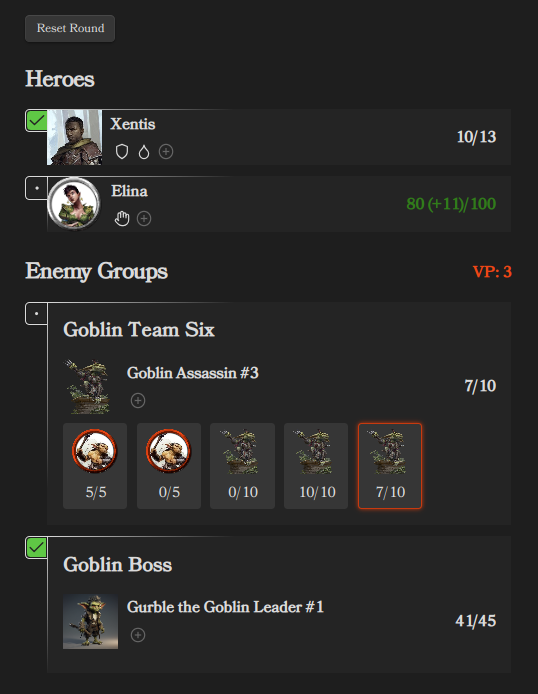
Initiative Tracker Element
The Initiative Tracker Element is used to manage and run encounters.
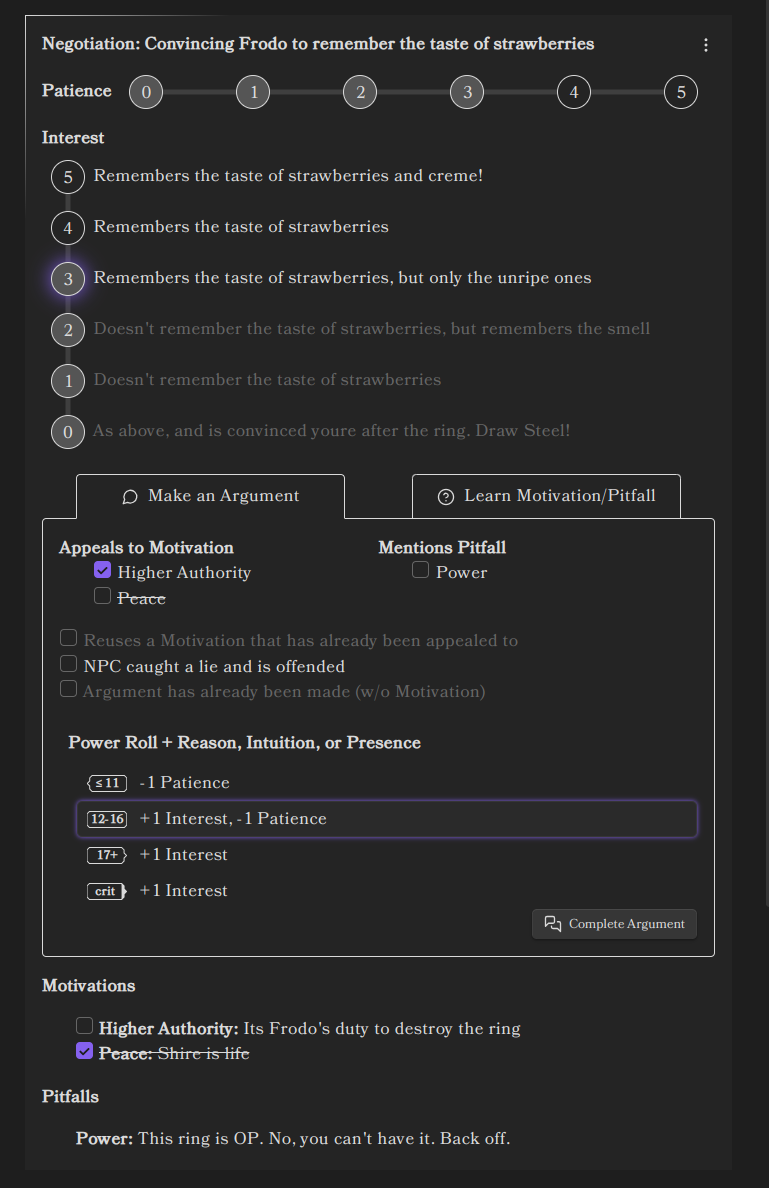
Negotiation Tracker Element
The Negotiation Tracker Element is used to manage and run negotiations.
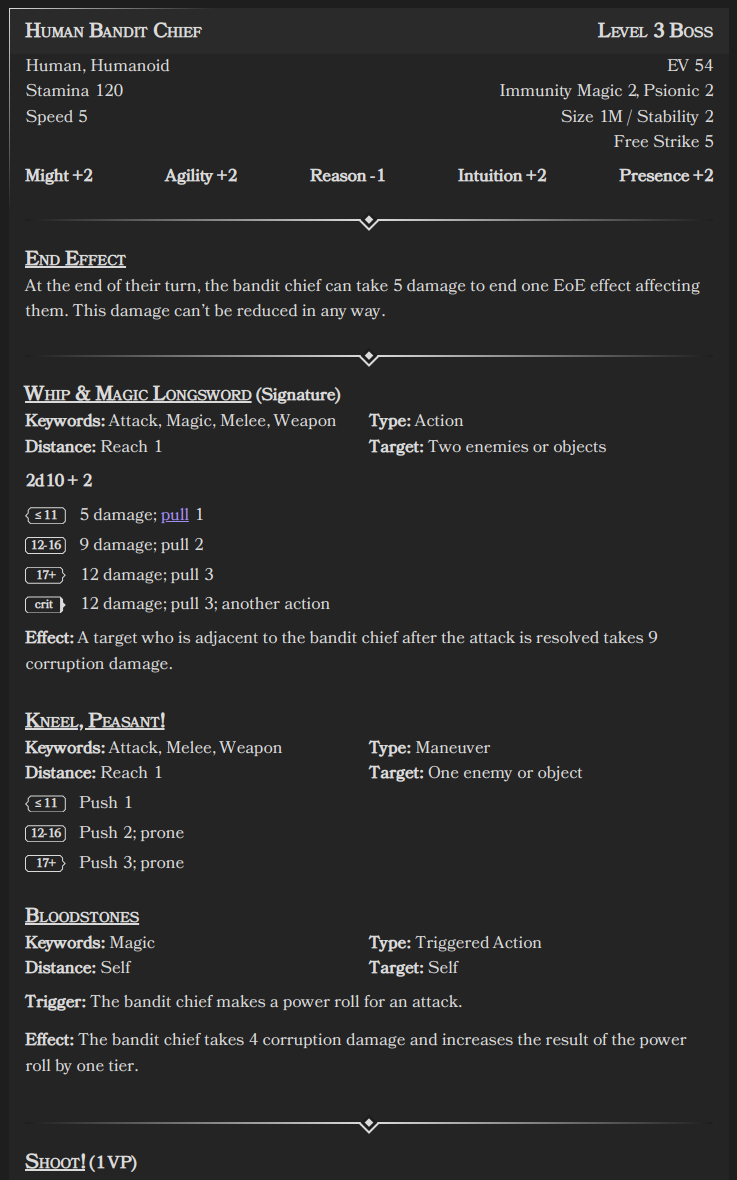
Statblock Element
The Statblock Element is used to display statblocks.
Horizontal Rule Element
The Horizontal Rule Element is used as an alternative <hr> mimicking the Draw Steel design
Future work
- Optionally add hidden header for a Power Roll Element for linking
- Support Live Preview mode
- Add ability to roll Power Rolls from Power Roll Element
- Integrate with the dice plugin
- Something with statblocks...
- Something with encounter building...
- Negotiation tracker
- Party tracker (XP, Victories)
- Text parser for generating power-roll admonitions from raw copied text
Known Issues
- No support for Live Preview
- This repo is in a very primitive state
Development
See the changelog for changes
Build
npm ito install depsnpm run devto build and watch
Release
- Make sure the
manifest.jsonhas the right release version- This should be semver without the
vprefix
- This should be semver without the
- Update
CHANGELOG.md - Create release in github
- Tag should match
manifest.json - Tag and release name should match
- Upload the files
manifest.json,main.js,styles.cssas binary attachments
- Tag should match
HealthExcellent
ReviewCaution
About
Format Tests, Abilities, Resistance rolls and Power Rolls with a Features element, display statblocks, and insert a Draw Steel–style horizontal rule. Manage and run encounters with an Initiative Tracker and run negotiations with a Negotiation Tracker. Be aware Live Preview is not yet supported.Details
Current version
6.0.2
Last updated
Yesterday
Created
2 years ago
Updates
42 releases
Downloads
4k
Compatible with
Obsidian 0.15.0+
Platforms
Desktop, Mobile
License
MIT