Search...Search plugins and themes...
⌘K
Sign in
  • Get started
  • Download
  • Pricing
  • Enterprise
  • Account
  • Obsidian
  • Overview
  • Sync
  • Publish
  • Canvas
  • Mobile
  • Web Clipper
  • CLI
  • Learn
  • Help
  • Developers
  • Changelog
  • About
  • Roadmap
  • Blog
  • Resources
  • System status
  • License overview
  • Terms of service
  • Privacy policy
  • Security
  • Community
  • Plugins
  • Themes
  • Discord
  • Forum / 中文论坛
  • Merch store
  • Brand guidelines
Follow us
DiscordTwitterBlueskyThreadsMastodonYouTubeGitHub
© 2026 Obsidian

Dialogue Stats

CarloCarlo73 downloads

Word count and dialogue percentage for the active note in the status bar. Thresholds and colors are yours to set.

Add to Obsidian
  • Overview
  • Scorecard
  • Updates2

Word count and dialogue percentage for the note you are writing, in the status bar.

Words: 1,694  |  Dialogue: 34%
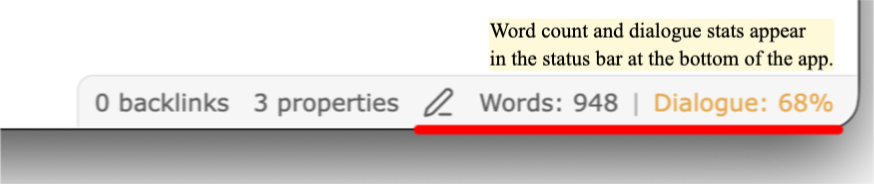
Status bar showing Words and Dialogue percent

The dialogue number changes color. Low, target, and high each get a color you choose.

Settings

Settings → Community plugins → Dialogue Stats. You get:

  • A live preview of the status bar for the current note
  • Two sliders for the low and high thresholds
  • Three native color pickers
  • A toggle to show or hide the status bar item
  • A reset button

Every change saves at once.
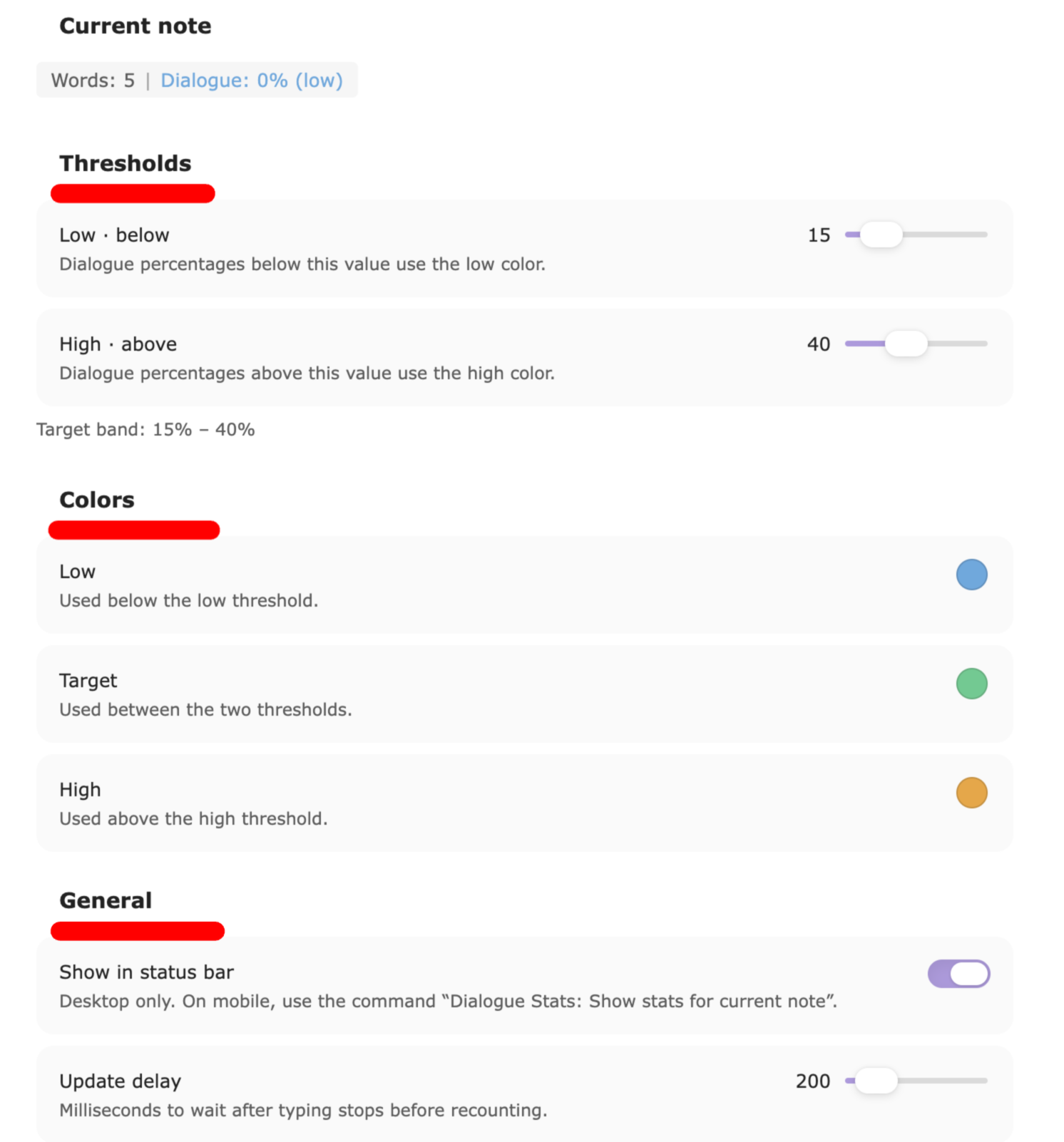
Settings tab with sliders and color pickers

Mobile

Obsidian mobile has no status bar. Use the command Dialogue Stats: Show stats for current note. It shows the numbers in a notice.

How it counts

  • YAML front matter at the top of the note is skipped.
  • Markdown headings and horizontal rules are skipped.
  • Dialogue is any text between double quotes. Straight " and curly “ ” both count.
  • Words are split on whitespace.
  • Dialogue % = dialogue words ÷ all body words, rounded to the nearest whole percent.

Em-dash dialogue with no quotation marks is not counted. Quoted signs, letters, and thoughts are counted.

The counting core is shared with the Dialogue Stats VS Code extension. Same file, same numbers, in both apps.

Install by hand

  1. Build: npm install && npm run build
  2. Copy main.js, manifest.json, and styles.css into <vault>/.obsidian/plugins/dialogue-stats/
  3. Reload Obsidian and enable the plugin under Community plugins.

Development

npm install
npm run dev     # watch build
npm test        # unit tests for the counting core
npm run build   # production build

Starter vault

A ready-made vault with the plugin installed, sample chapters, and a walkthrough is kept alongside this repo during development. After any change, npm run install:vault rebuilds and copies main.js, manifest.json, and styles.css into it. The script expects the vault at ../basic-obsidian-vault.

License

MIT. See LICENSE.

HealthExcellent
ReviewPassed
About
Display live word count and dialogue percentage for the current note in the status bar, with dialogue color-coded by low/target/high thresholds. Preview the status bar, toggle its visibility, and show stats on mobile via a command.
WritingStatus bar
Details
Current version
0.1.1
Last updated
3 weeks ago
Created
3 weeks ago
Updates
2 releases
Downloads
73
Compatible with
Obsidian 1.13.0+
Platforms
Desktop, Mobile
License
MIT
Report bugRequest featureReport plugin
Sponsor
Buy Me a Coffee
Author
CarloCarloblossomz37
carlo-v-santiago.com
GitHubblossomz37
  1. Community
  2. Plugins
  3. Writing
  4. Dialogue Stats

Related plugins

WebNovel Assistant

An all-in-one writing studio for novel and story writers. Features accurate word count tracking, daily goals, story timeline board, plot foreshadowing manager, chapter corkboard, and character lore gr

Better Word Count

Count the words of selected text in the editor.

Reading Time

Add the current note's reading time to the status bar.

LanguageTool Integration

Advanced grammar and spell checking, powered by LanguageTool.

ChatGPT MD

A seamless integration of ChatGPT, OpenRouter.ai and local LLMs via Ollama into your notes.

Longform

Helps you write and edit novels, screenplays, and other long projects.

Text Generator

Generate text content using GPT-3 (OpenAI).

Typewriter Mode

Typewriter scroll, writing focus, current line highlight, paragraph dimming, and more!

TTRPG Content Generator

A fantasy content generator for all your TTRPG and world-building needs.

Keep the Rhythm

Turns out watching your word count go up is all the motivation you need.