Darkroom
 Consonance Trad69 downloads
Play A Dark Room inside your vault. Ported from the original open-source game by Doublespeak Games.
- Overview
- Scorecard
- Updates6
Bring A Dark Room — a minimalist text adventure — ported into Obsidian.
Only the implementation method was changed without adjusting the game: The native view of Obsidian was used for re-construction, and some display adaptations were made specifically for Obsidian.
This transfer does not include audio files, so, unfortunately, you won't be able to hear the game sound effects.
If any errors occur, please submit an Issue to me HERE.
What this is
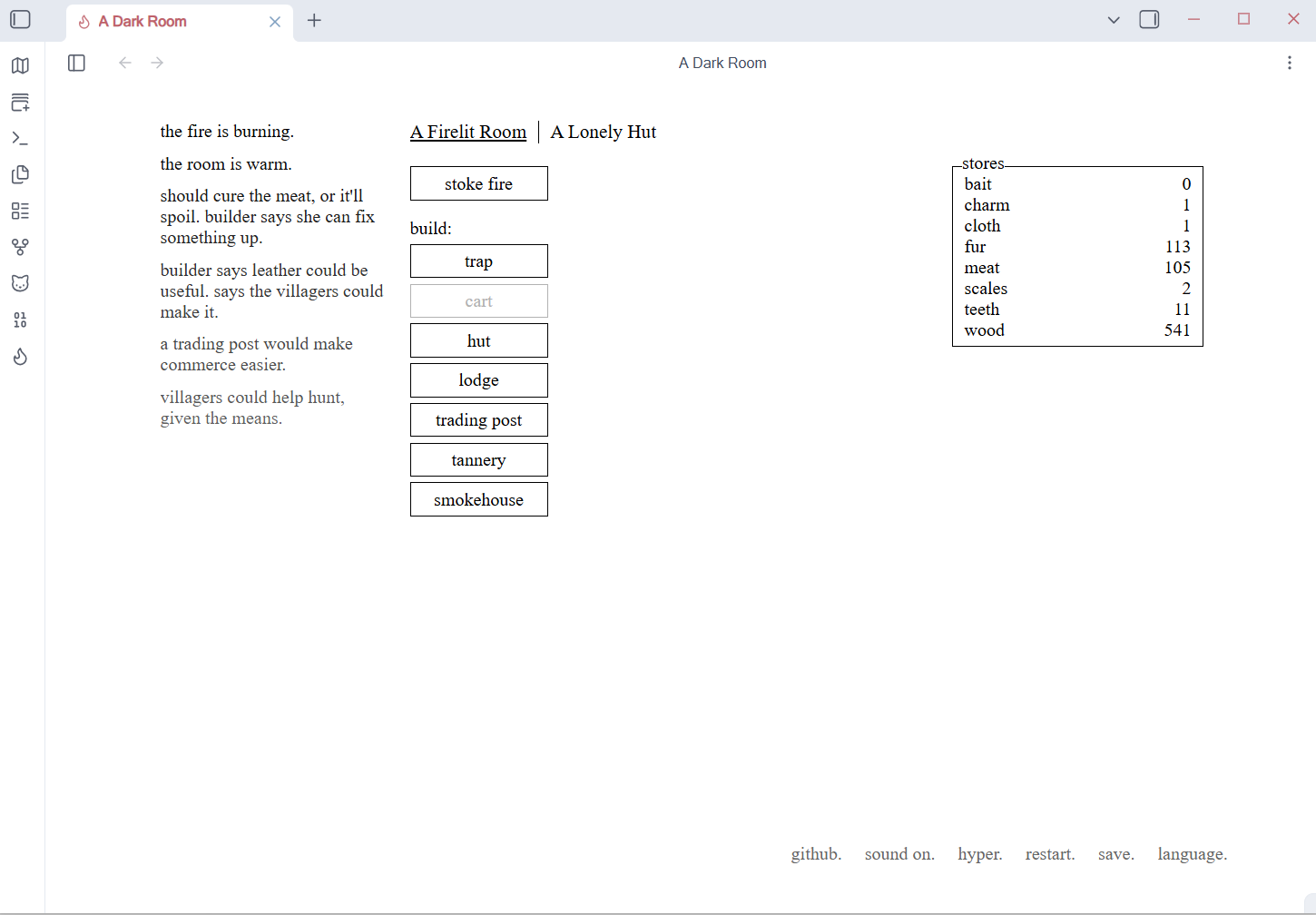
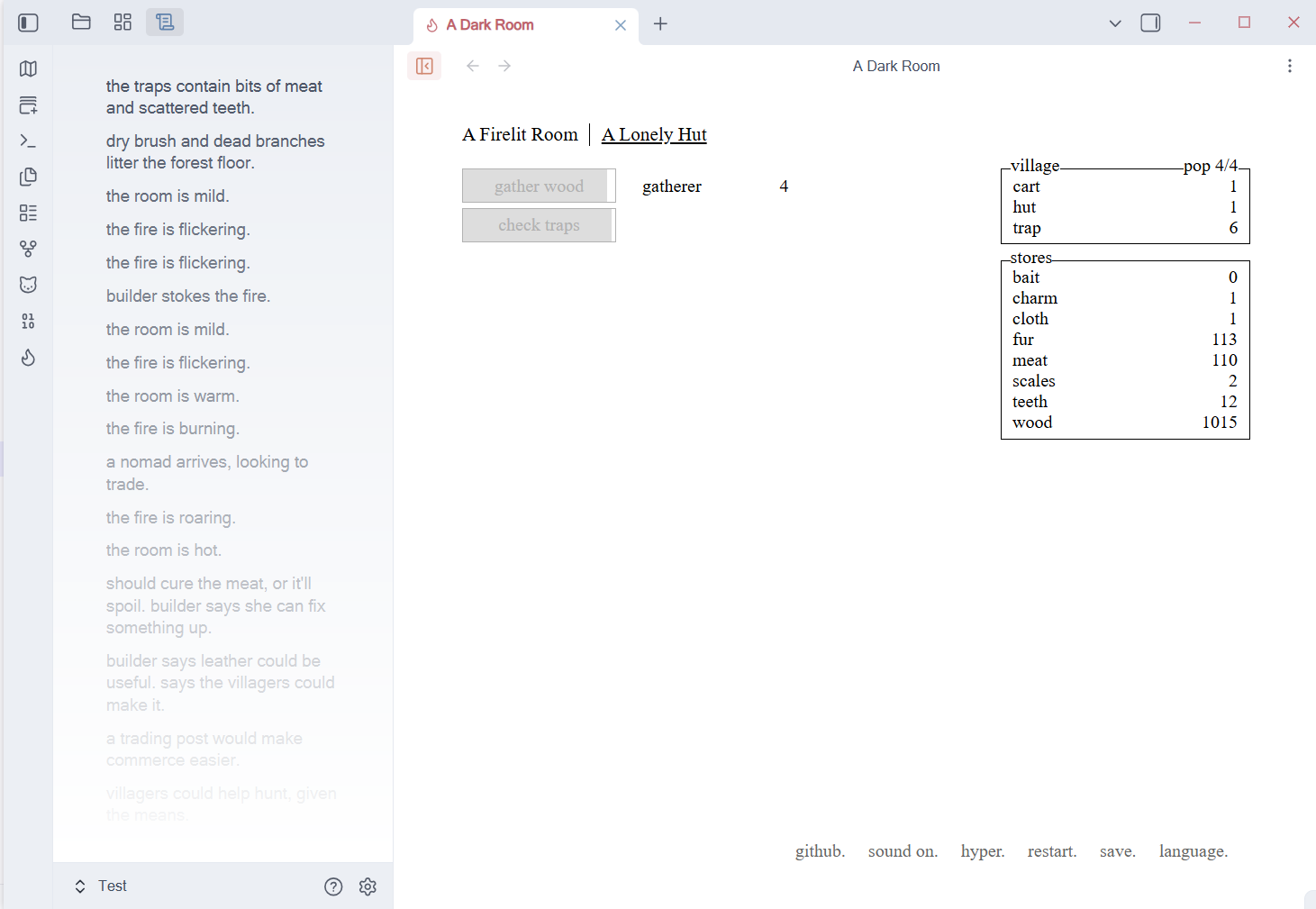
A Dark Room begins with a dying fire. You light it in the dark; someone is drawn to the light. You send them out to scavenge, raise a village, and eventually walk into the empty world outside. It has almost no graphics — just text, whitespace and pacing.
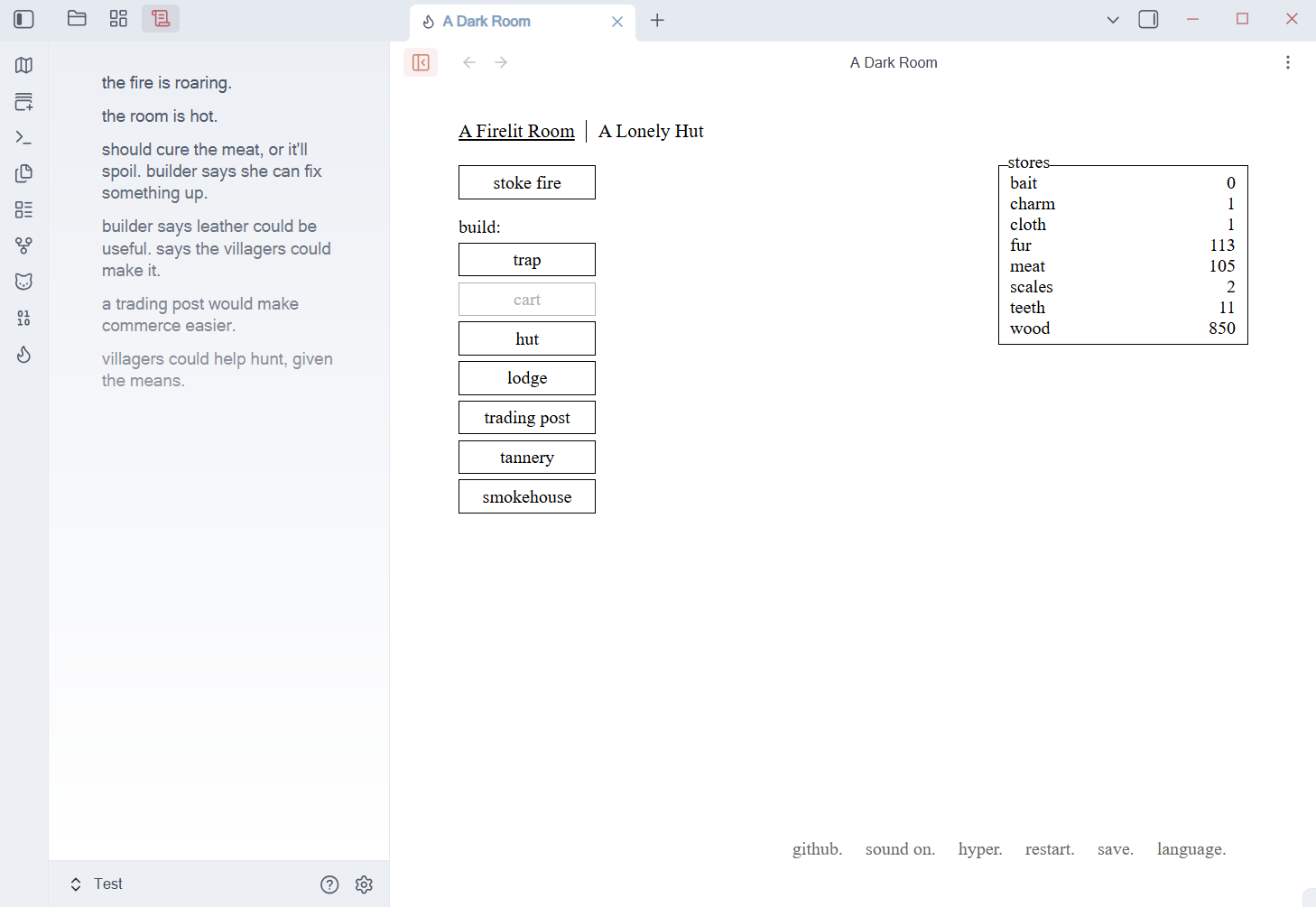
This plugin turns it into a native Obsidian view rather than an embedded web page: the game renders directly into Obsidian's DOM, wired into the plugin lifecycle, save persistence and the command palette, and it exposes a public API for other plugins to hook into.
This port is silent — the original's sound effects and music are not bundled.
The interface ships with all 25 languages that upstream provides, and defaults to English (which is the upstream text itself, so no translation table is involved). Switch languages from the in-game menu at the bottom-right — its rightmost entry is the language picker, exactly as in the original. Your choice is remembered.
The look follows your Obsidian theme: light and dark are detected automatically, and the game paints no background of its own so your theme shows through.
Effects
⚠️ Provenance and license
This plugin is not the original game. It is a port; the game itself was made by someone else. Please note the attribution below.
| Original work | A Dark Room — A Minimalist Text Adventure |
| Author / copyright | Michael Townsend / Doublespeak Games |
| Upstream repository | https://github.com/doublespeakgames/adarkroom |
| Pinned commit | 1fada4620b6c66bd07bf15a3f1eb8223df8bc1d7 (upstream v1.4) |
| Original license | Mozilla Public License 2.0 (MPL-2.0) — full text in A-DARK-ROOM-MPL-2.0.md |
| Adapter layer license | MIT — see LICENSE |
| Full provenance & changes | THIRD_PARTY_NOTICES.md |
The upstream source is redistributed in src/game/upstream/ — every file there is byte-for-byte identical to the upstream tarball, except the stylesheets: css/** and lang/zh_cn/main.css were scoped once and folded into the root styles.css, which is now maintained by hand and is no longer generated at build time. Source availability under MPL-2.0 §3.2 is satisfied by the vendored tree plus the upstream repository linked above. Every change this plugin makes to the runtime code is applied at build time, only to the generated artifacts, and is itemised in the buildTimeTransforms field of src/game/upstream.meta.json.
This port is not affiliated with or endorsed by Doublespeak Games. The name and content of "A Dark Room" belong to its original author.
Install
Manual install:
- Build the artifacts (or download a release), then copy
main.js,styles.cssandmanifest.jsoninto<your vault>/.obsidian/plugins/obsidian-darkroom/ - Enable Darkroom under Settings → Community plugins
Usage
Open the game from the ribbon icon (a flame) or the command palette:
| Command | What it does |
|---|---|
| Darkroom: Open A Dark Room | Opens (or focuses) the game view in a main-workspace tab |
| Darkroom: Toggle compact mode | Moves the notification feed into Obsidian's left sidebar so the game body narrows from 920px to 700px — handy when the view is too narrow for the full layout. There is also a button for this at the left end of the view's title bar |
| Darkroom: Reset game | Clears the save and starts over (same as the in-game restart) |
Notes:
- The game body always lives in the main editor area; only the notification feed can move to a sidebar.
- Progress is saved automatically, and the save file lives in the plugin's own
data.json— so it syncs along with your vault - The in-game save menu can export / import save codes
- The in-game github menu entry opens this plugin's repository
Development
npm install
npm run dev        # watch + incremental build
npm run build      # production build, output in output/
npm run typecheck  # type check
npm run build first runs the build-time codegen (parses the upstream index.html and concatenates the scripts into an isolated runtime), then hands off to esbuild. The stylesheets are not generated: the root styles.css is the single, hand-maintained stylesheet.
Layout
styles.css                the plugin's only stylesheet (hand-maintained; see its header)
src/
  main.ts                 plugin entry point, commands, runtime lifecycle
  settings.ts             persisted settings (language, compact mode)
  api/                    public API surface for other plugins
  view/
    DarkroomView.ts       the game view (main editor area) + title-bar button
    DarkroomPanelView.ts  sidebar view that hosts panels moved out of the game
  game/
    upstream/             A Dark Room upstream source (MPL-2.0; stylesheets excluded)
    upstream.meta.json    provenance, vendored/excluded lists, build-time change log
    runtime/              adapter code injected into the generated runtime
    generated/            build-time generated artifacts (not committed)
scripts/                  build-time codegen scripts