Daily Board
 Ash Otis1 downloads
See your daily notes as a board of week cards, or one long stream you can write in. Shows focus time, open tasks and the day's prompt from your notes.
- Overview
- Scorecard
- Updates1
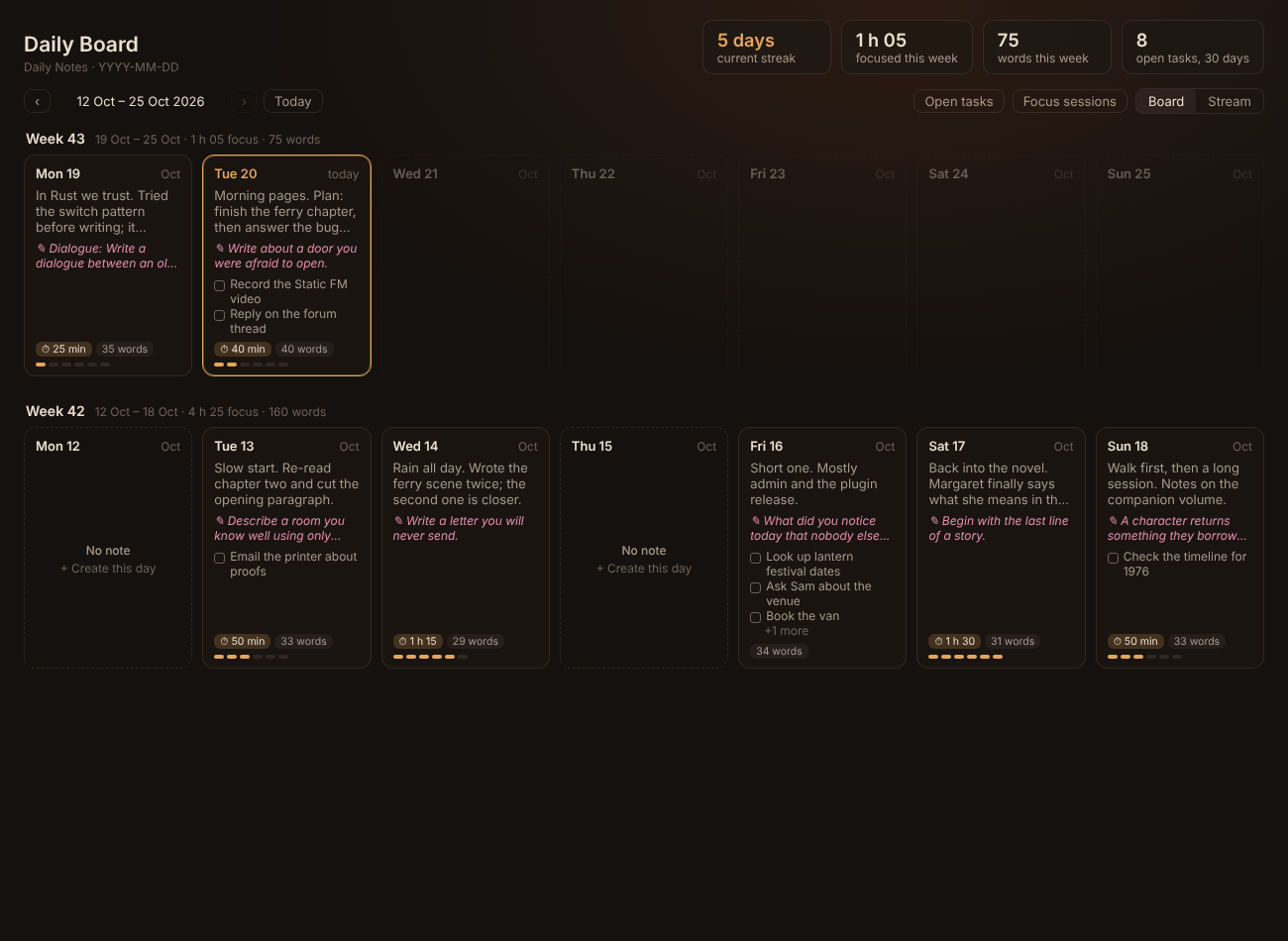
Your daily notes as a board. Each week is a row of cards, Monday to Sunday, so you can see at a glance what you wrote, what you focused on and what's still open. Switch to Stream to read and edit the days one after another, Logseq-style.
What it shows
- A card for every day with the first lines you wrote, the writing prompt (from a heading such as
## Reflection, which One Page uses), your open tasks, focus time and word count, plus a small heat bar. - Missed days are dashed cards. Click one to create that day's note from your daily notes template. Future days are faded.
- Totals: current streak, time focused this week, words this week and open tasks from the last 30 days.
- Filters: show only days with open tasks, or only days with focus sessions.
- Focus time adds up lines like
Focused 25 min, which Lantern Focus writes, so it works with any timer that logs the same way.
Click a card to jump to that day in the stream. Ctrl/Cmd-click opens the note itself.
Stream
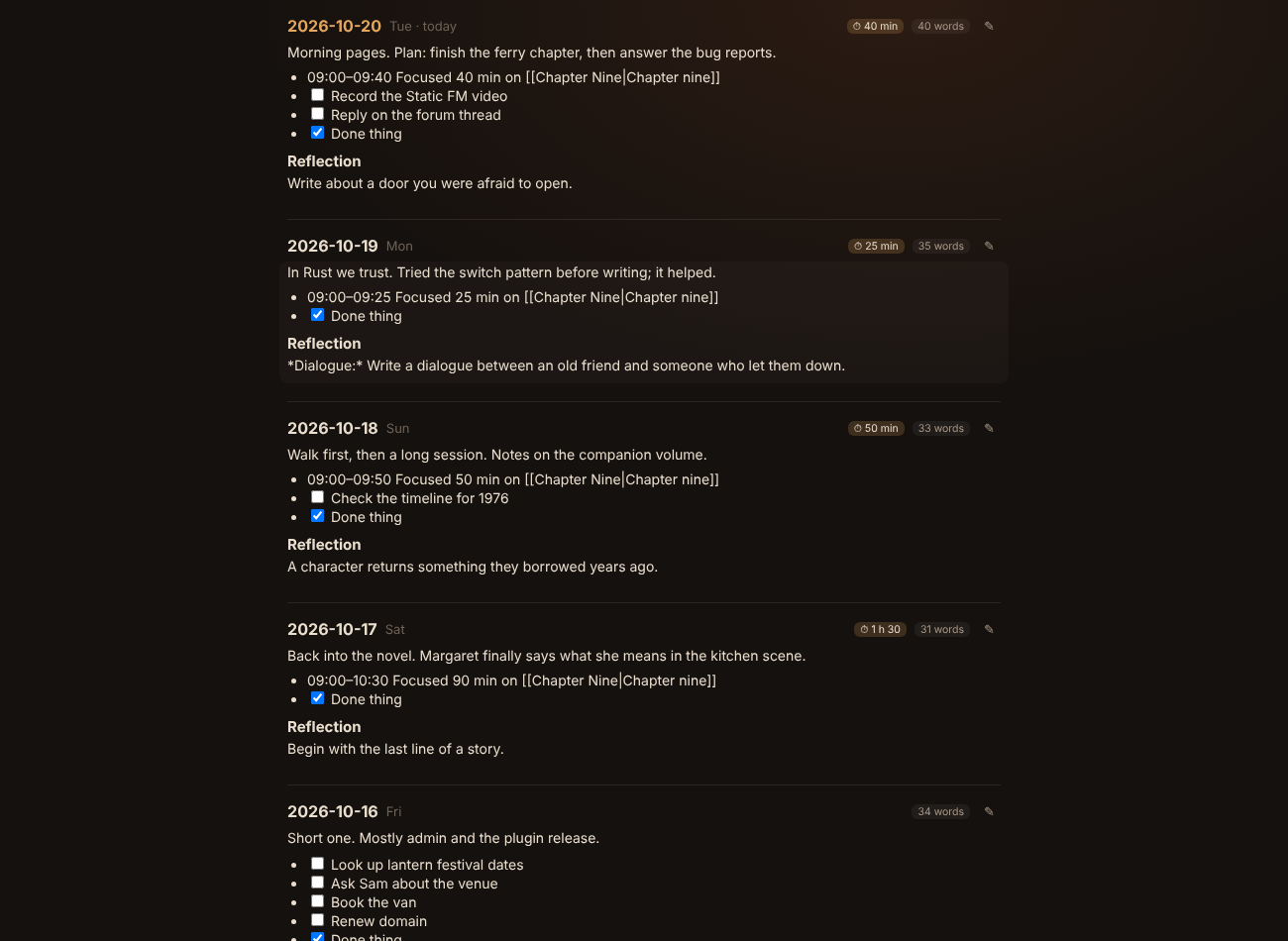
The stream shows your recent days in full, newest first. Tick tasks right there. Click the pencil (or double-click the text) to edit a day in place; it saves as you type. Press Esc or Ctrl+Enter to finish. Missed days show a Create button, and Show earlier days loads more.
Settings
- Daily notes: uses the core Daily Notes plugin's folder, date format and template by default. Turn that off to set your own.
- Include subfolders: finds daily notes in folders inside your daily notes folder too, such as an
Archivefolder, by file name. On by default. New days are still created in the main folder. - Prompt heading: the heading whose first line is shown as the day's prompt (default
Reflection). - Layout: week starts on Monday or Sunday, how many weeks the board shows, how many days the stream shows.
- Background: None (your theme shows through), two built-in aurora pictures, any picture from your vault (with Darken and Blur), or Static Aurora (live colours).
Static Aurora (live colours)
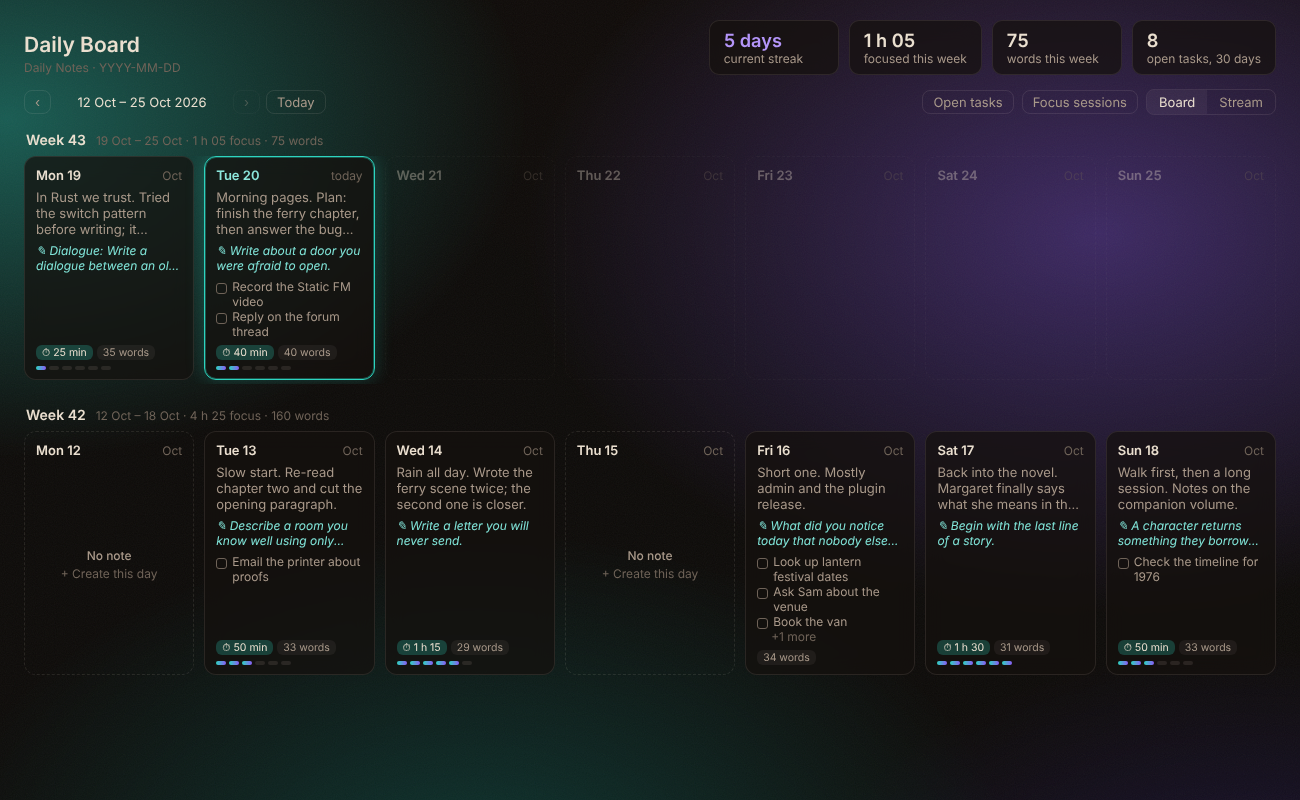
Made for the Static Aurora theme. The board shows the theme's drifting aurora glows, and today's card, the focus pills, prompts and heat bars take on the same colours. When Static FM, Aurora MP3 or Hi-Fi Tuner recolour the theme, the board changes with it. Glow and Darken sliders set how strong it is. With another theme it uses Static Aurora's default colours.
- Open when Obsidian starts: makes the board your home page.
The board uses your theme's colours, so it fits any theme.
Privacy and network
Daily Board makes no network requests. It only reads your daily notes, and only writes to them when you tick a task, edit a day or create a missing day.
Support
If you like it, you can buy me a coffee. Bugs and ideas: issues.
GNU AGPL v3 or later © AshOtis.