Convert url to preview (iframe)
 fhachez108k downloads
Convert a URL (e.g. YouTube) into an iframe (preview).
- Overview
- Scorecard
- Updates5
Transform any URL into a preview.
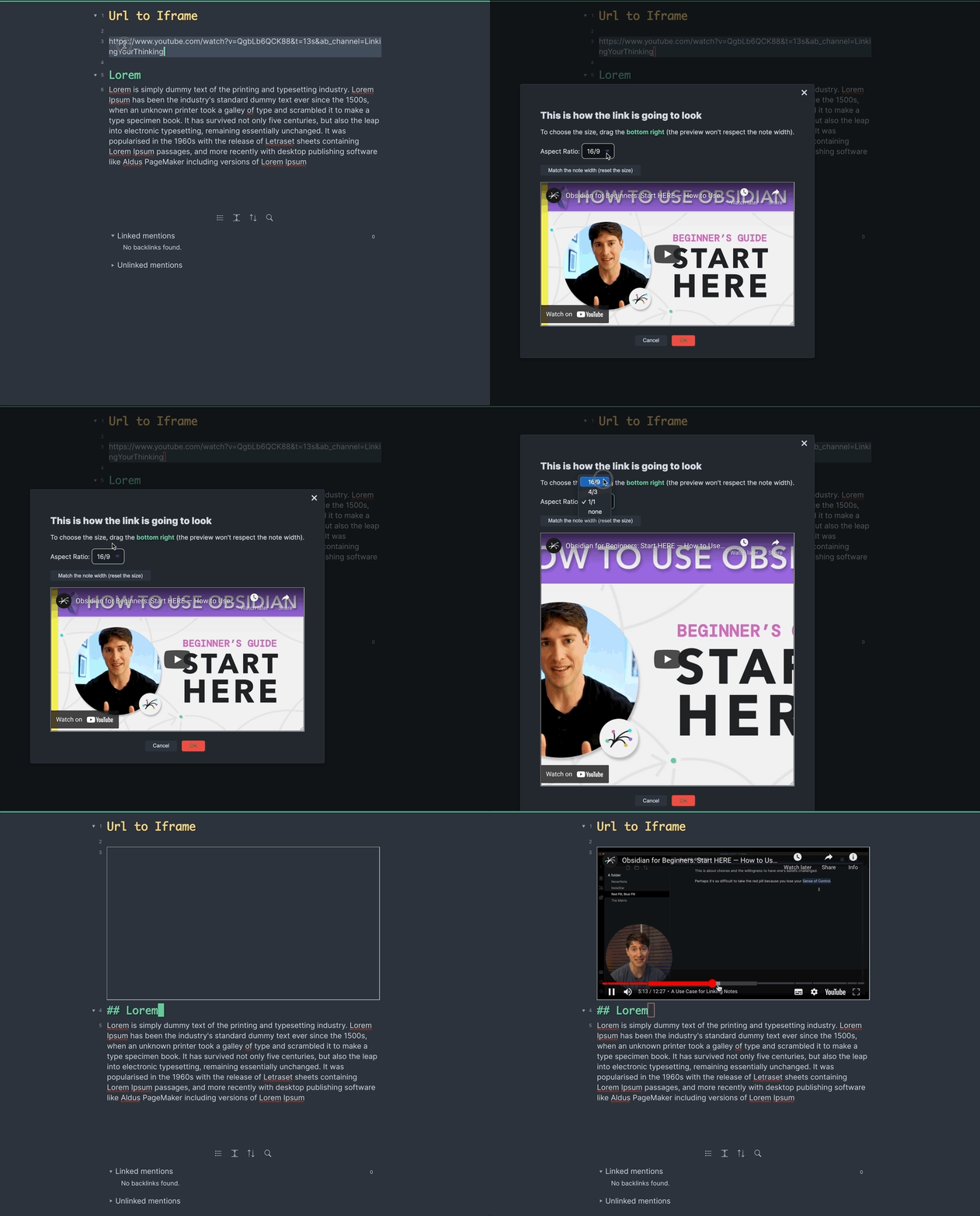
- Select an url
- right click on it (or use the command
Convert to Url Preview) - Click on
Url to Preview/Iframe.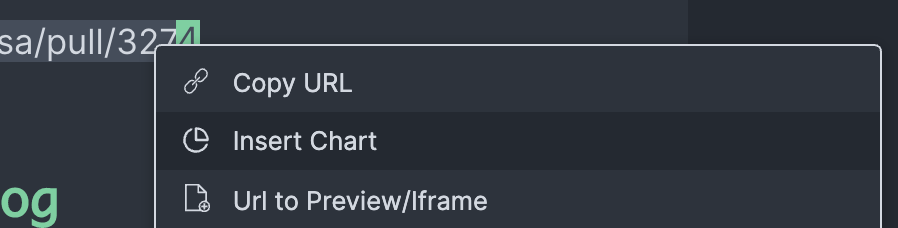
The default hotkey is cmd + alt + i.
Installation
Support for 3rd party plugins is enabled in settings (Obsidian > Settings > Third Party plugin > Safe mode - OFF) To install this plugin, download zip archive from GitHub releases page. Extract the archive into /.obsidian/plugins.
Change log
0.5.0
- Always allow full screen for the iframe. In the future it will be an option
- Enable mobile mode.
0.4.0
- Instead of doing a custom mapping to embed for YouTube, we now rely on the OEmbed standard. Thanks to https://www.npmjs.com/package/oembed-parser
- This allows to preserve the timestamp on Youtube and to get default size for many websites.
- Add contextual menu (right click on a link)
0.3.0
- Simplify the output when using a recent Obsidian download, by leveraging
aspect-ratiocss.
0.2.0
- Update: the keybinding from
Mode + Shift + ItoAlt + I(Issue 4) - Only output the app name in the console (Issue 3)
- Add a aspect Ratio (defaults to 16:9 aspect ratio). (Kankaristo).
- Make sure the iframe can work without the CSS class. (Kankaristo)
- Fix the bad resizing when using Sliding Panes Plugin (Issue 1) (Kankaristo)
- Better user messages and README.md (Kankaristo)
- Preserve Youtube's timestamp Issue 14
- Allow full screen iframes Issue 8
0.1.0
First release
Thank you
HealthFair
ReviewRisks
About
Convert any URL into an embedded iframe preview directly inside your note. Preserve YouTube timestamps and rely on OEmbed for correct sizing, allow fullscreen and responsive aspect ratios, and embed links via right-click or command.Details
Current version
0.5.0
Last updated
4 years ago
Created
6 years ago
Updates
5 releases
Downloads
108k
Platforms
Desktop, Mobile