Content Highlight
 thisiselijah1 downloads
A maintained and customized fork of the Highlightr plugin by chetachi.
- Overview
- Scorecard
- Updates1
This is an active fork of chetachi's original Highlightr Plugin. For details on the original features, demo, and changelog, please reference the original repo.
What's New in 2.0.0
This fork has been completely overhauled from the ground up to provide a robust, fast, and native Obsidian experience.
Core Optimizations & Features:
- Native Markdown Syntax (
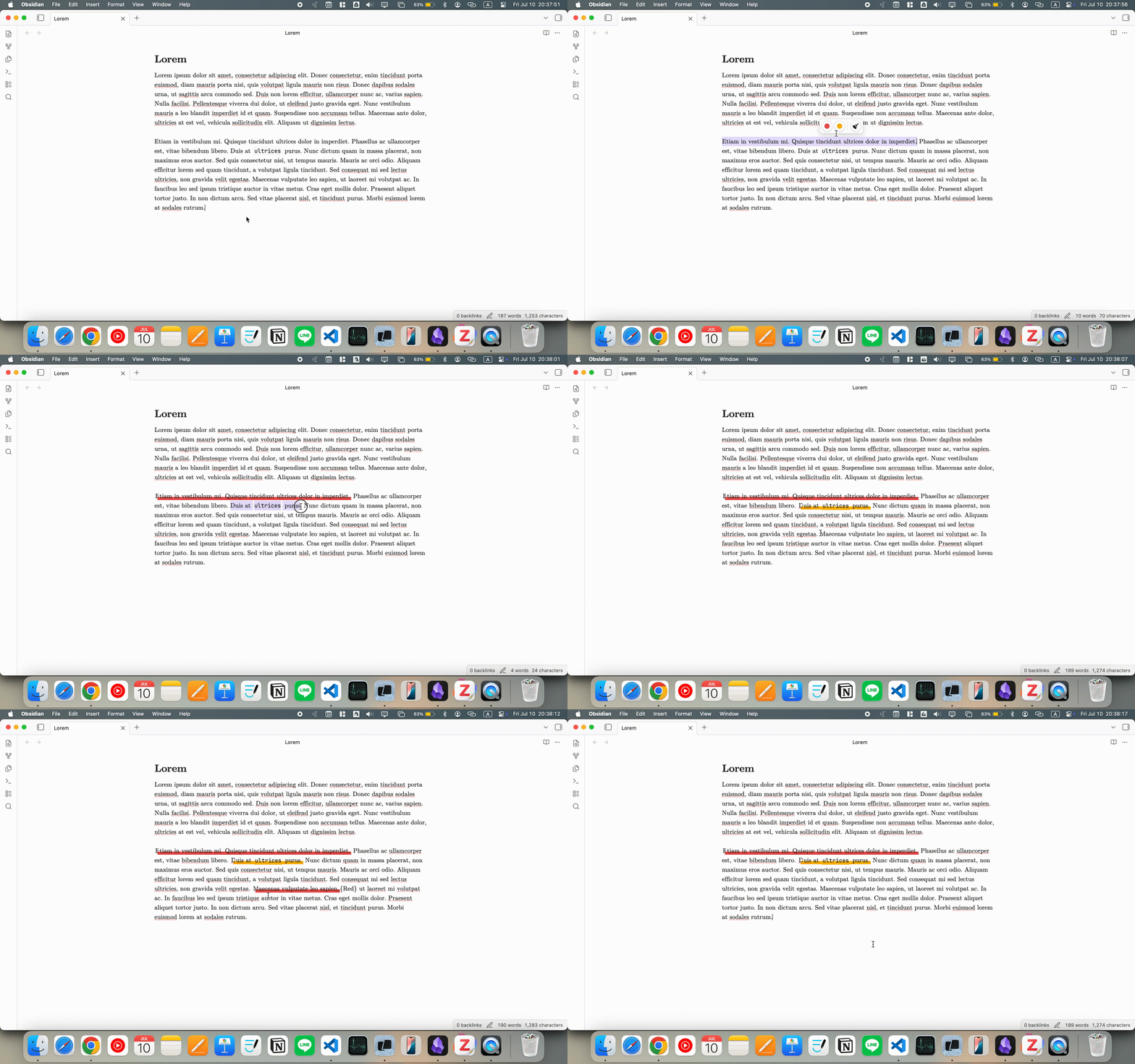
==text=={Color}): Replaced the invasive<mark>HTML injection with clean, native Markdown highlighting. Your notes remain highly legible in raw text and stay fully compatible with Obsidian's core parser. - Modern Floating Menu: The floating toolbar has been redesigned with sleek, customizable circular buttons. It now tracks your selection perfectly, appearing only when needed to keep your workflow fast and uninterrupted.
- Smart Eraser Tool 🧹: The highlight removal logic is now incredibly intelligent. You no longer need to perfectly select a highlight to remove it. Simply place your cursor anywhere inside a highlight, or drag across multiple overlapping highlights, and click the erase button to cleanly strip the formatting.
Demo
Installation
Download the necessary files and place them within your Obsidian plugins folder, or install via the Obsidian community plugin store if available.
Star History
License
This project is licensed under the MPL-2.0 License.
HealthGood
ReviewRisks
About
Highlight text with native Markdown (==text=={Color}) to keep notes readable and fully Obsidian-compatible. Use a sleek floating toolbar that appears on selection and a smart eraser to remove highlights by cursor placement or by dragging across overlapping highlights.Details
Current version
2.0.0
Last updated
2 months ago
Created
2 months ago
Updates
1 release
Downloads
1
Compatible with
Obsidian 0.12.8+
Platforms
Desktop, Mobile
License
MPL-2.0