Claudian Plus
 wuyifan-code3k downloads
A Codex-first enhanced Claudian fork for local-first knowledge work in Obsidian.
- Overview
- Scorecard
- Updates10
简体中文 | English
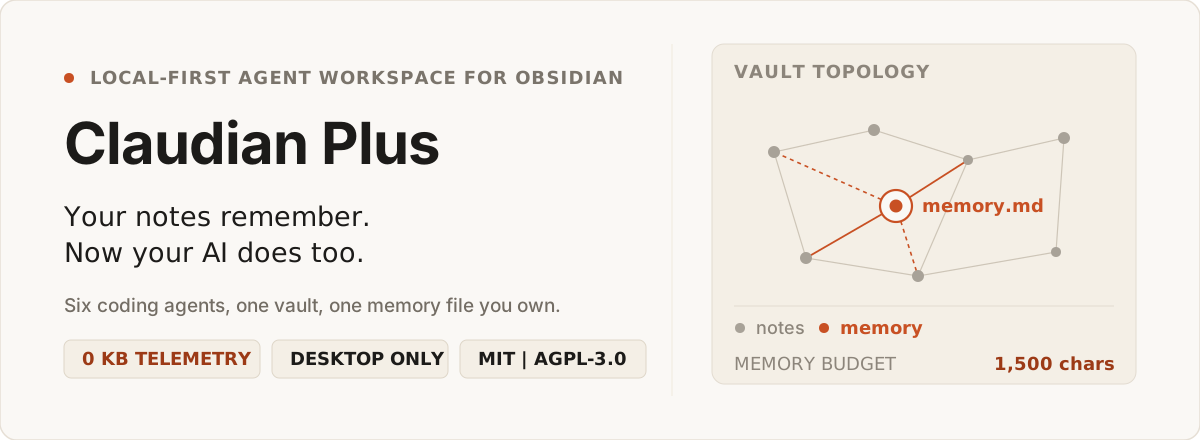
Your notes remember. Now your AI does too.
Six coding agents in one Obsidian vault, with a memory file you own.
Claudian Plus puts provider-backed coding agents in your Obsidian sidebar. Codex is the default; Claude, Kimi, OpenCode, Pi, and Antigravity plug into the same conversation model. When a session ends, its decisions do not evaporate — they are distilled into .claudian-plus/memory.md, a plain Markdown file inside your vault that you can read, edit, or delete.
01 / Watch it work
A 30-second animated overview of how the pieces fit together:
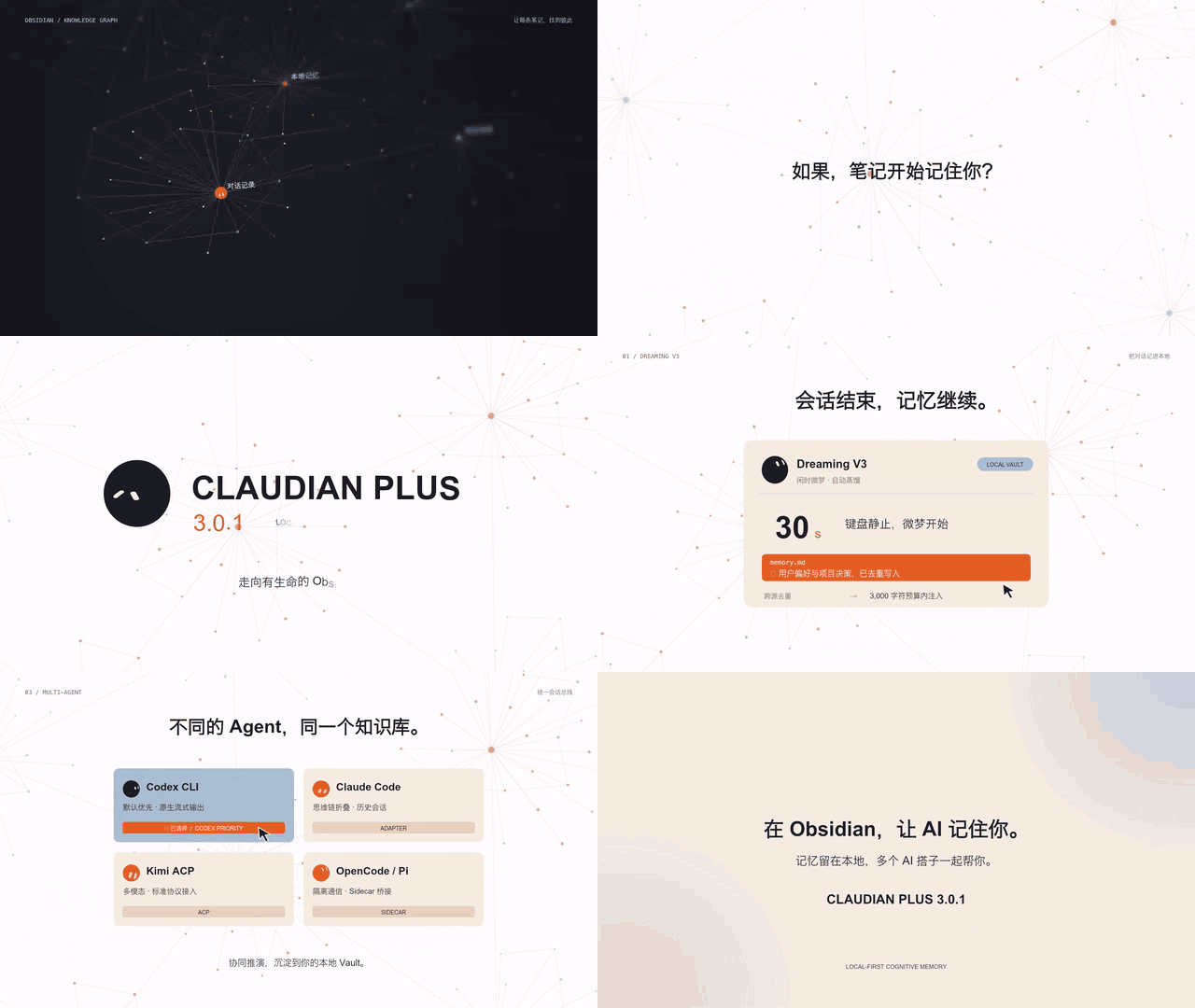
Click for the full-quality 30s 720p version.
Three things worth noticing
- Context arrives as references, not pasted text.
@note,@folder, and drag-and-drop resolve against the vault you already have open. - Memory lands in a file you can open. No database, no sync service — just
memory.mdsitting in your file list next to your notes. - The provider switches without the conversation breaking. Each provider keeps its own session history, so a session can move between Codex, Claude, Kimi, and OpenCode.
02 / Why it is different
Most AI plugins treat conversation history as disposable text. Claudian Plus treats a session as a working record: context enters, decisions distill into memory, and the result stays searchable weeks later.
| What you need | Typical AI extension | Claudian Plus |
|---|---|---|
| Continuity across sessions | Erased when the window closes | Memory distilled into memory.md, injected into later prompts |
| Provider choice | Locked to one vendor's web assumptions | Codex by default, plus Claude, Kimi, OpenCode, Pi, and Antigravity |
| Vault context | Manual copy-paste into a chat box | @note, @folder, drag-and-drop, Canvas, frontmatter queries |
| Data sovereignty | Sessions indexed on someone else's server | Every prompt, session, and memory stays under .claudian-plus/ |
| Long-session focus | A wall of tool calls and reasoning noise | Floating outline collapses the noise into clickable ticks |
03 / What this is not
- Not a cloud service. No telemetry or analytics code ships in this plugin. Network calls are made by the provider CLI you configure, from your machine.
- Not a chat window bolted onto a note app. Your memory is a Markdown file in your vault, not a row in someone's database.
- Not a promise that every provider behaves the same. Capabilities differ per provider and are declared explicitly, because the codebase is written so no feature can silently assume parity.
04 / How memory actually works
Conversations end; memory continues. The pipeline is deliberately boring — four steps, no timers, and nothing written behind your back.
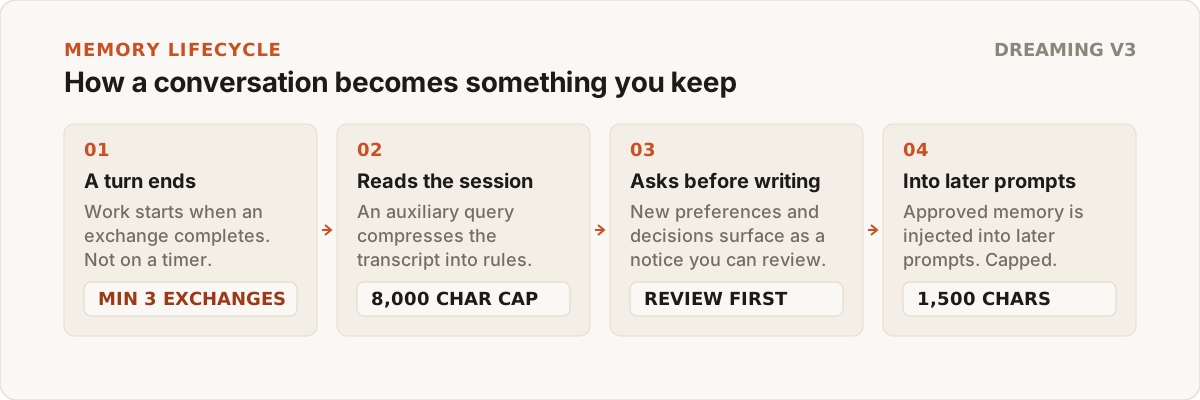
- It is gated on real usage, not on a stopwatch. Distillation is evaluated when a turn completes, and only once a session has at least 3 exchanges. A separate hourly check consolidates older logs when a full interval has passed, and startup consolidates anything accumulated while Obsidian was closed.
- Input is capped before the model sees it. The transcript handed to the auxiliary query is truncated at 8,000 characters, so distillation cost stays bounded on long sessions.
- Nothing is written silently. Newly extracted preferences and decisions surface as a notice and wait in Settings for you to accept.
- Output is capped before it reaches your prompt. Approved memory is injected within a 1,500 character budget by default, split across a 350-character profile layer and a 500-character project layer. All three are adjustable in Settings → Memory & Consciousness.
- You can always pull the plug.
Open memory fileshows you exactly what has been distilled, and the file is plain Markdown.
Memory is opt-in.
memoryEnableddefaults to on, but the consciousness and auto-memory switches — the ones that send a transcript to an auxiliary query — default to off on new installations, because distilled memory contains personal context. Turn them on in Settings → Memory & Consciousness when you want it.
05 / Providers and the dependency rule
Three layers, one direction of dependency: vault context feeds a provider-neutral core, which dispatches to provider adaptors. Feature code depends on core contracts, never on provider internals.
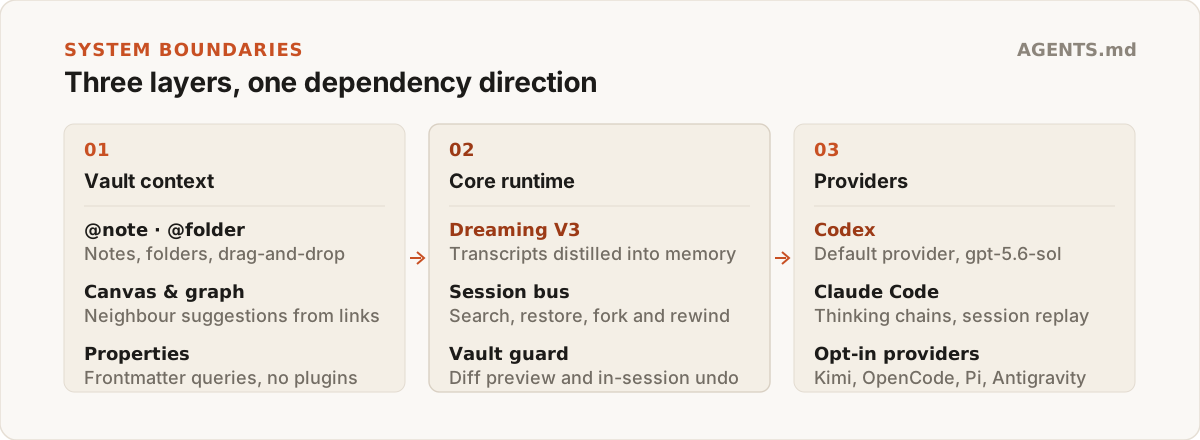
- Codex CLI — enabled by default. Default model
gpt-5.6-sol, with native streaming output overcodex app-server. - Claude Code — enabled by default. Thinking-chain folding, permission modes, and native project history replay.
- Kimi — opt in. ACP integration with dynamic model and command discovery, per-tool approval dialogs, and multimodal image attachments.
- OpenCode — opt in. ACP agent over a sandboxed sidecar process.
- Pi — opt in. RPC-mode sidecar that runs on Node built-ins and a bundled TypeBox, so it still works when external tool dependencies are missing.
- Antigravity — opt in, print mode only. Wraps the
agyCLI with per-host CLI paths and a per-turn print timeout. Its capabilities are declared conservatively: only print mode is verified end-to-end, so persistent runtime, plan mode, rewind, fork, images, MCP, and shared skills are all reported as absent rather than assumed.
Kimi, OpenCode, Pi, and Antigravity are disabled on a fresh install and are enabled per provider in Settings. Only Codex and Claude start enabled.
06 / Install
Method 1 — from a release (recommended)
- Download
main.js,manifest.json, andstyles.cssfrom the latest release. - In your vault, create
.obsidian/plugins/claudian-plus/. - Copy the three files into it.
- In Obsidian, open Settings → Community plugins, refresh the list, and enable Claudian Plus.
Requirements: Obsidian 1.11.4 or later, desktop only. Claudian Plus talks to local agent CLI processes and the desktop filesystem, so there is no mobile build.
Method 2 — from source
Requires Node.js 24 and at least one provider CLI: Codex, Claude Code, Kimi, OpenCode, or Pi.
git clone https://github.com/wuyifan-code/Claudian-plus.git
cd Claudian-plus

npm ci
npm run typecheck
npm run build
Tip: set OBSIDIAN_VAULT=D:\Obsidian\My Vault in .env.local and npm run build will copy the build artifacts straight into your vault.
07 / Command reference
All sixteen commands registered by the plugin:
| Command | What it does |
|---|---|
Open chat view |
Opens the Claudian Plus sidebar workspace |
Quick agent input |
Sends a focused prompt using the active editor selection |
New tab |
Opens another conversation tab |
New session (in current tab) |
Starts a fresh session without leaving the tab |
Close current tab |
Closes the active conversation tab |
Inline edit with AI |
Edits the selected text in place |
Summarize current note |
Summarizes the note you are in |
Suggest tags for current note |
Proposes tags from the note's content |
Create MOC for topic |
Builds a map-of-content note for a topic |
Open memory file |
Opens the memory file distilled by Dreaming V3 |
Cleanup expired short-term memories |
Drops short-term entries past their lifetime |
Dream: consolidate short-term memories |
Runs memory consolidation on demand |
Scan vault knowledge |
Rebuilds the local vault knowledge index |
Undo last canvas write |
Reverts the last approved Canvas edit in this session |
Check provider CLI health |
Reports missing, outdated, or misconfigured provider CLIs |
Copy startup diagnostics |
Copies a startup report for bug reports |
Conversation search lives in the sidebar itself rather than the command palette.
08 / Privacy and data layout
Everything the plugin knows lives inside your vault:
<your vault>/
├── .claudian-plus/
│   ├── claudian-plus-settings.json    # shared settings + per-provider config
│   ├── memory.md                      # distilled, injectable memory
│   └── sessions/
│       └── *.meta.json                # per-session metadata
├── .claudian/                         # legacy data, read non-destructively
└── .obsidian/plugins/claudian-plus/
    ├── main.js
    ├── manifest.json
    └── styles.css
- No telemetry. There is no analytics or tracking code in
src/. Whatever leaves your machine leaves through the provider CLI or API endpoint you configured. - No migration surprises. Legacy data under
.claudian/is detected and migrated without deleting the original. - Settings writers merge. Provider-owned configuration is merged rather than overwritten, so switching versions does not wipe your setup.
09 / Development and verification
npm run dev                  # build CSS + esbuild watch
npm run typecheck            # TypeScript boundary checks
npm run lint                 # ESLint, including obsidianmd rules
npm run test                 # unit and integration suites
npm run test:watch           # re-run tests on change
npm run test:coverage        # coverage report
npm run test:architecture    # cross-layer dependency boundaries
npm run check:performance    # bundle ceiling + cold-evaluation timing
Two of these are worth knowing about before you open a pull request:
test:architectureenforces the dependency rule in section 05 — feature code may not import provider internals.check:performancefails the build ifmain.jsexceeds a 3.6 MB ceiling, and warns when median cold module evaluation exceeds a 50 ms indicator.
main.js is a build product and is not tracked. styles.css and versions.json are tracked for distribution — regenerate them with npm run build:css and npm run version rather than editing them by hand.
Start with AGENTS.md. It is the canonical cross-agent guide, and each scoped area under src/ has its own AGENTS.md with local rules.
10 / Built on
Claudian Plus is built on the work of two upstream projects:
| Upstream project | Author | License | Contribution |
|---|---|---|---|
| Claudian | Yishen Tu | MIT | Obsidian agent workspace, provider abstraction, chat session foundation |
| Codian | BCS1037 / BCS | AGPL-3.0 | Live Composer, file explorer actions, shared Skills manager, provider settings |
Original and Claudian-derived code is licensed MIT; Codian-derived code retains AGPL-3.0 obligations. See LICENSE and NOTICE for file-level attribution.