Checkbox Time Tracker
 udus1224k downloads
Insert timestamp when you check off the checkbox
- Overview
- Scorecard
- Updates28
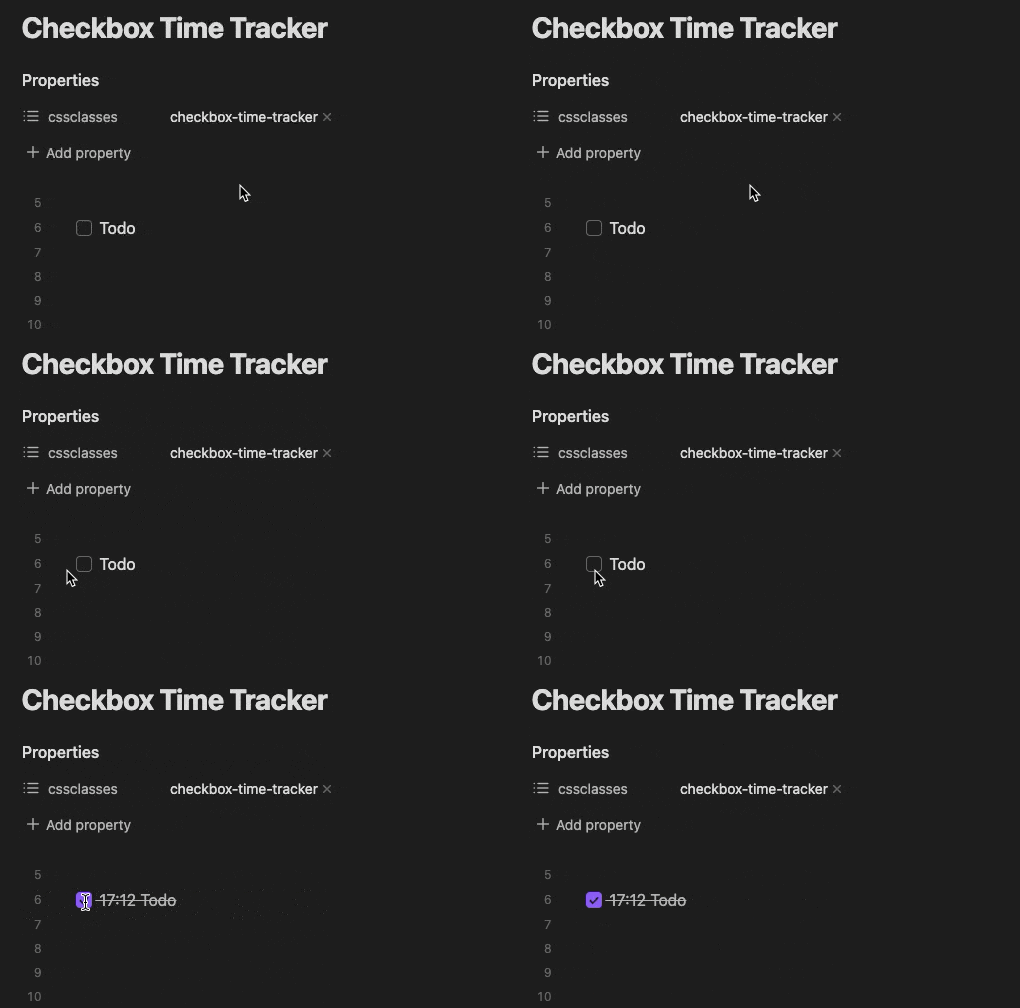
Insert timestamp when you check off the checkbox. Examples are below.
The default timestamp format is HH:mm and if you want to include the end time, use HH:mm-HH:mm
You can also insert date, like: YYYY-MM-DD HH:mm
For more information, see Settings.
Screenshots
Click the checkbox to insert the current time.
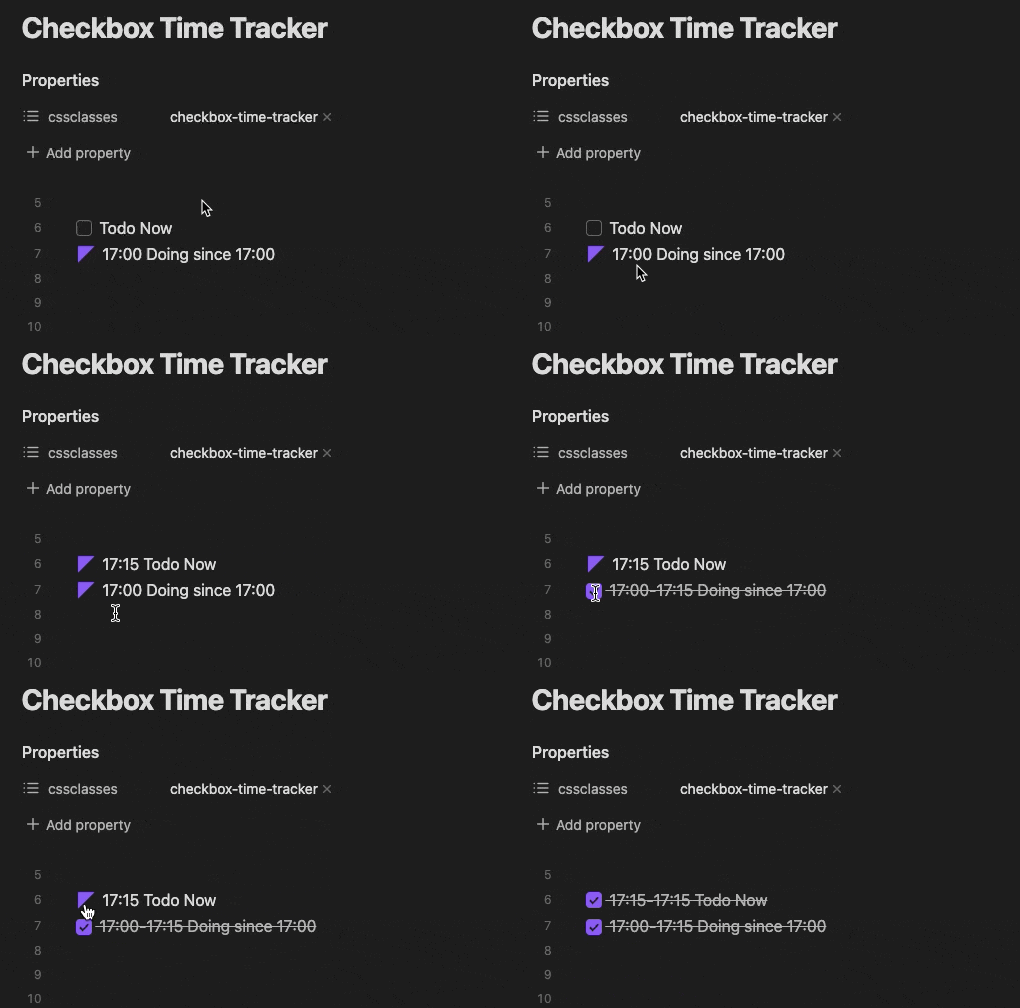
By enabling Doing Status, you can also insert start and end times.
Installation
Installation from Obsidian's community plugins:
- Open Settings > community plugins
- Turn off 'Safe mode'
- Click 'Browse' button to browse plugins
- Search for 'Checkbot Time Tracker'
- Click 'Install' button
or via this url
Install the plugin using BRAT
- Install the BRAT plugin
- Open
Settings->Community Plugins - Disable safe mode, if enabled
- Browse, and search for "BRAT"
- Install the latest version of Obsidian 42 - BRAT
- Open
- Open BRAT settings (
Settings->Obsidian 42 - BRAT)- Scroll to the
Beta Plugin Listsection Add Beta Plugin- Specify this repository:
udus122/checkbox-time-tracker
- Scroll to the
- Enable the
Checkbox Time Trackerplugin (Settings->Community Plugins)
Usage
- Add the
checkbox-time-tracker(default, can be changed by setting) class to thecssclassesproperty of the page on which you want to enable time tracking - Then, when you check the checkbox on that page, the timestamp will be inserted.
Settings
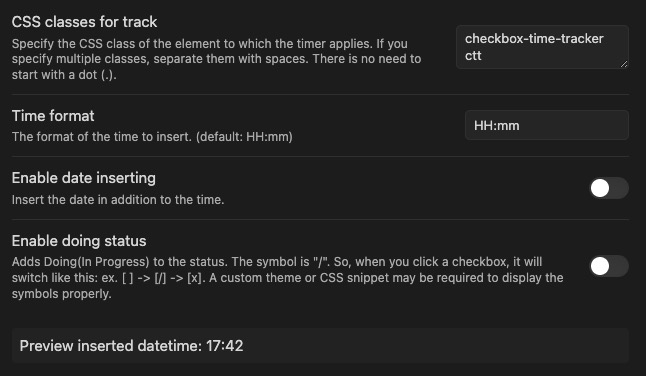
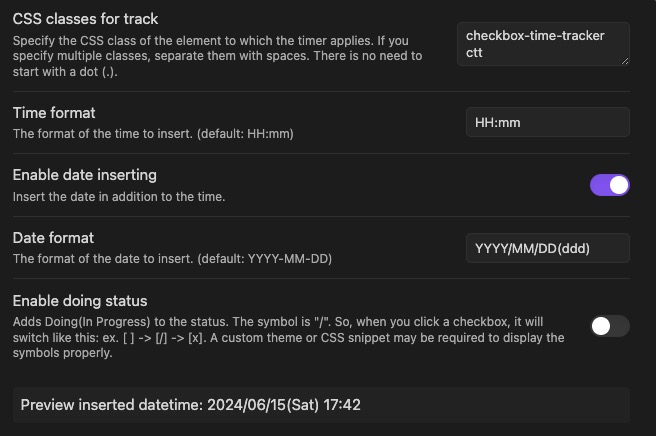
You can insert the date in addition to the time, and enable the doing status to record the start and end time.
Here are some examples:
Default
This setting inserts the date as follows: - [x] 12:00 ...
Display start and end dates including the day of the week
This setting inserts the date as follows: - [x] 2024/01/01(Mon) 12:00 - 2024/01/01 13:00 ...
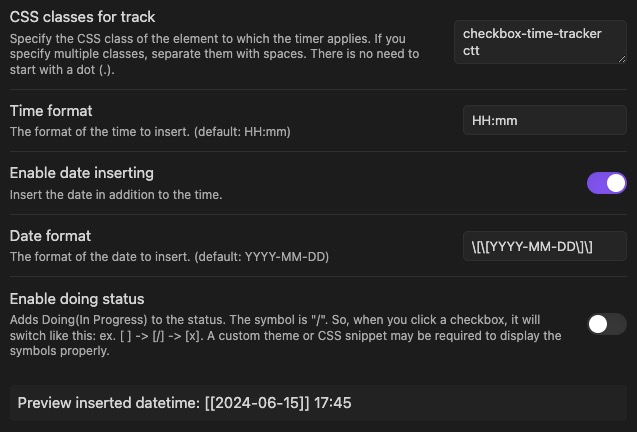
Display the start and end dates with links to daily notes
This setting inserts the date as follows: - [x] [[2024-01-01]] 12:00 ...
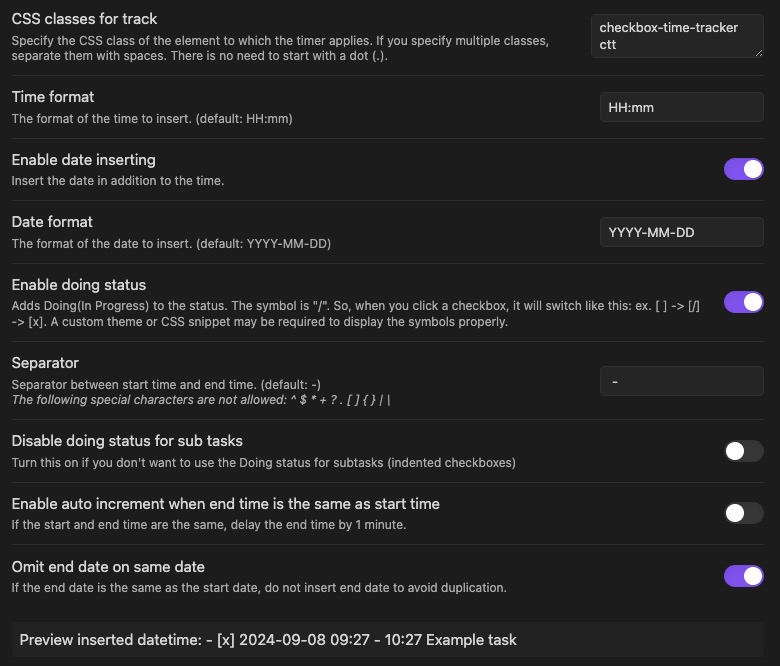
Omit end date if the start and end date are the same to avoid duplication
This setting inserts the date as follows: - [x] 2024-01-01 12:00 - 13:00 ...
Doing status style
This plugin does not include styling for the Doing status (- [/]).
Please refer to the following CSS snippet to install it.