Cards4Links
 Matthew700 downloads
Paste URLs to generate beautiful card-styled links in 3 possible way (normale, minimal and compact) or group links with a scrollable carousel.
- Overview
- Scorecard
- Updates11
Paste URLs to generate beautiful card-styled links in Obsidian.
Turn any URL into a rich visual card with title, description, thumbnail, favicon, and host — directly in your editor. No more ugly raw links.
Visit my repo: https://github.com/Mats324/cards4links
How to Use
Method 1: Paste & Enhance command
Use the command palette → "Paste URL and enhance to card link".
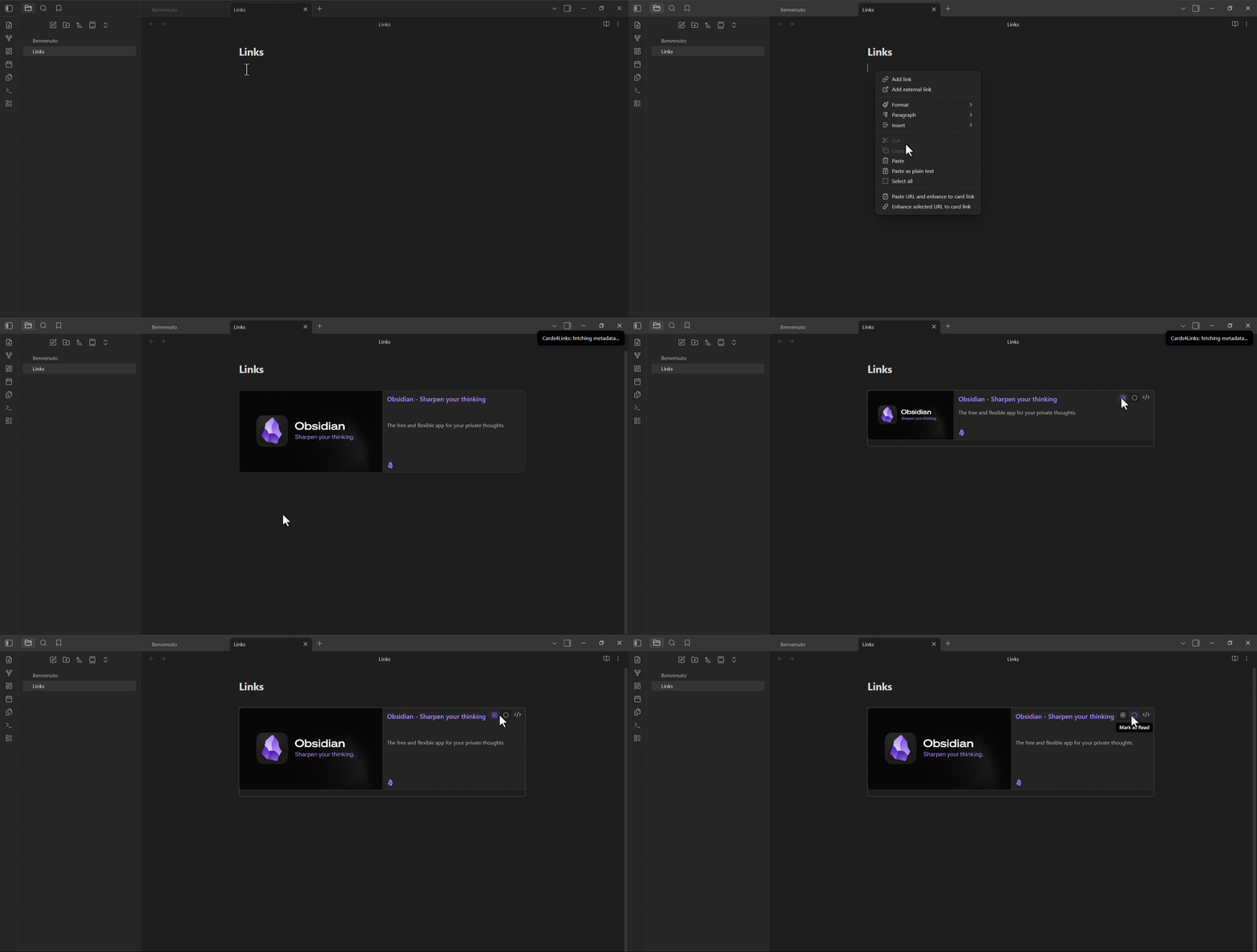
Method 2: Paste a URL (auto-enhance)
Enable "Enhance default paste" in settings, then paste any URL normally.
Method 3: Select & Enhance
Select a URL (or markdown link) and run "Enhance selected URL to card link" (Ctrl+Shift+E).
Method 4: Right-click
Right-click in the editor → "Paste URL and enhance to card link".
Main Features
- Paste & Enhance — Paste a URL and instantly get a styled card
- Context Menu — Right-click any URL to enhance it
- Enhance on Hover — Hover a URL in the editor to reveal a polished "Convert to card" action (custom popover, icon + label, configurable tooltip lifetime)
- Rich Metadata — Auto-fetches Open Graph data (title, description, image)
- Multiple Views — Choose between Card, Compact, and Minimal layouts
- Watched/Read Tracking — Mark video cards as "Watched" and articles as "Read"
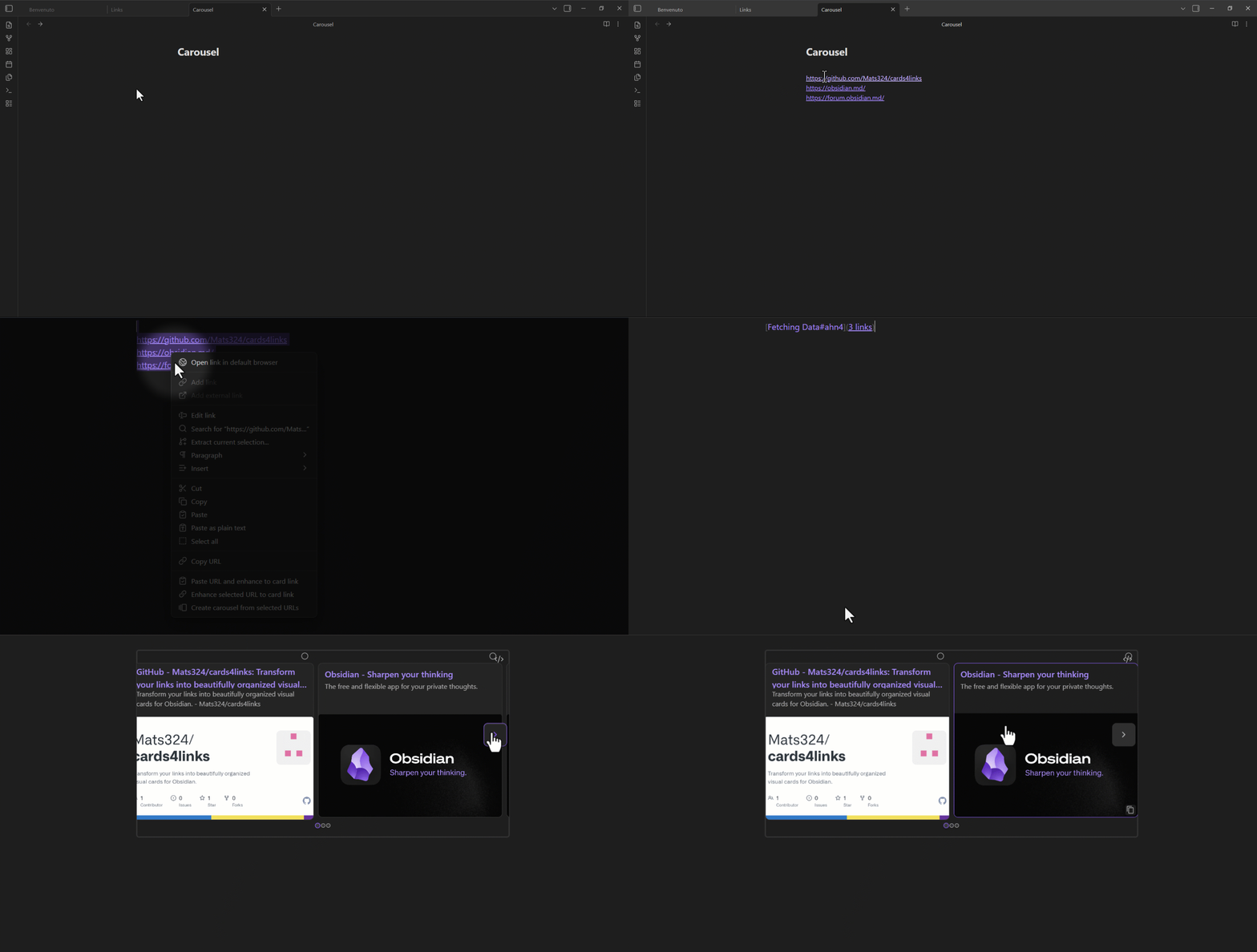
- Carousel — Combine multiple URLs into a scrollable card carousel (separate with
---or select 2+ URLs) - Responsive — Looks great on desktop and mobile
- Card Theme — Force light or dark card colors independently of Obsidian
- Image Caching — Download images to vault for offline access (TTL configurable)
- Cache Cleanup — Browse and delete cached images from a dedicated modal
- Localized (EN/IT) — Interface language follows Obsidian, with an optional manual override (Settings → Language)
- Milestone Notifications — Get useful tips as you create your 1st, 5th, 10th… card, plus a welcome notice on first activation
- Card Counter — Track how many cards you've created (visible in Settings, with a reset option), plus a global lifetime total that is never reset
Specific Features
- Image Placeholder — Click a broken or missing thumbnail to set a custom image URL
- Description Placeholder — Click to add or edit the card description
- Custom Thumbnails — Display on the right, left, or hide entirely
- Quick Settings —
Ctrl+Shift+,to open plugin settings directly
Carousel
Select 2+ URLs and run "Create carousel from selected URLs" (Ctrl+Shift+C) to generate a scrollable card carousel.
Views for a single card
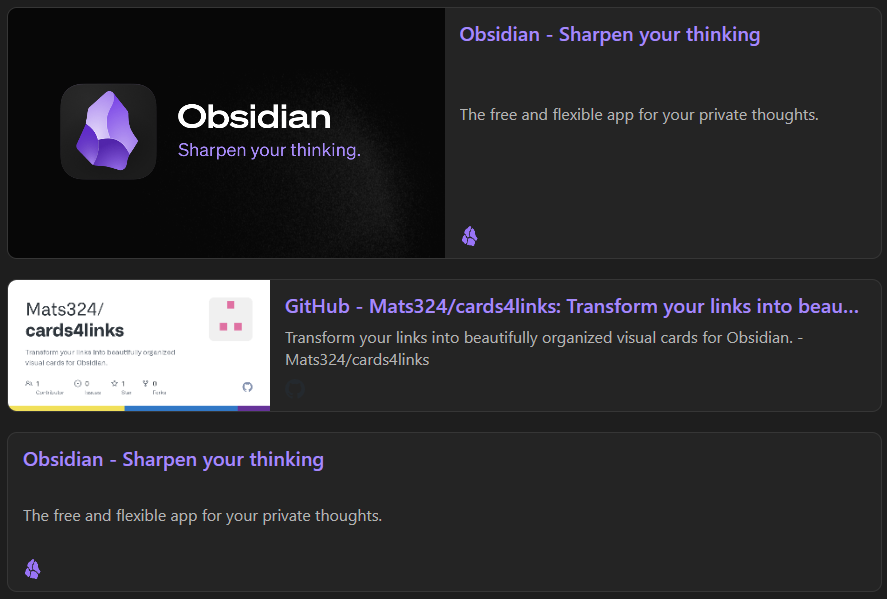
| View | Description |
|---|---|
| Card | Full card with thumbnail, title, description, host |
| Compact | Smaller card, shorter description, smaller thumbnail |
| Minimal | No thumbnail, single-line description |
Installation
Requires Obsidian 1.13.0 or later.
From Obsidian Community Store (pending)
- Open Obsidian Settings → Community Plugins
- Browse → Search "Cards4Links"
- Install & Enable
From GitHub (via BRAT)
- Install the BRAT plugin
- Add the repo:
Mats324/cards4links - Enable Cards4Links
Settings
Settings are organized into four sections.
Paste & Integration
| Setting | Description |
|---|---|
| Enhance Default Paste | Auto-fetch metadata when pasting a URL |
| Show Commands in Menu | Show in right-click context menu |
| Enhance on Hover | Hover a URL to reveal a "Convert to card" action |
| Tooltip Lifetime | How long the hover tooltip stays visible (0–5 s) |
Card Style
| Setting | Description |
|---|---|
| Default Card View | Default view: Card / Compact / Minimal |
| Card Theme | Default / Light / Dark |
| Thumbnail Position | Right / Left / No thumbnail |
| Enable Watched/Read | Track watched/read status on cards (enabled by default) |
Image Cache
| Setting | Description |
|---|---|
| Cache Images Locally | Download card images to vault for offline access |
| Cache Storage | Global folder / Per note |
| Cache Folder Name | Folder path for cached images (global mode) |
| Cache TTL | How long before re-downloading (7–180 days / Never) |
| Manage Cache | Browse and delete cached images from a dedicated modal |
Plugin
| Setting | Description |
|---|---|
| Language | 🌐 Auto (follows Obsidian) / 🇬🇧 English / 🇮🇹 Italiano |
| Cards Created | Cards generated since last reset (with Reset button) plus a total lifetime count that is never reset |
❤️ Support
License
GNU General Public License v3.0