Search...Search plugins and themes...
⌘K
Sign in
  • Get started
  • Download
  • Pricing
  • Enterprise
  • Account
  • Obsidian
  • Overview
  • Sync
  • Publish
  • Canvas
  • Mobile
  • Web Clipper
  • CLI
  • Learn
  • Help
  • Developers
  • Changelog
  • About
  • Roadmap
  • Blog
  • Resources
  • System status
  • License overview
  • Terms of service
  • Privacy policy
  • Security
  • Community
  • Plugins
  • Join the community
  • Discord
  • Forum / 中文论坛
  • Merch store
  • Brand guidelines
Follow us
DiscordTwitterBlueskyThreadsMastodonYouTubeGitHub
© 2026 Obsidian

Canvas Mindmap

quorafindquorafind137k downloads

Make your canvas work like a mindmap.

Add to Obsidian
  • Overview
  • Scorecard
  • Updates21
  1. Install the plugin
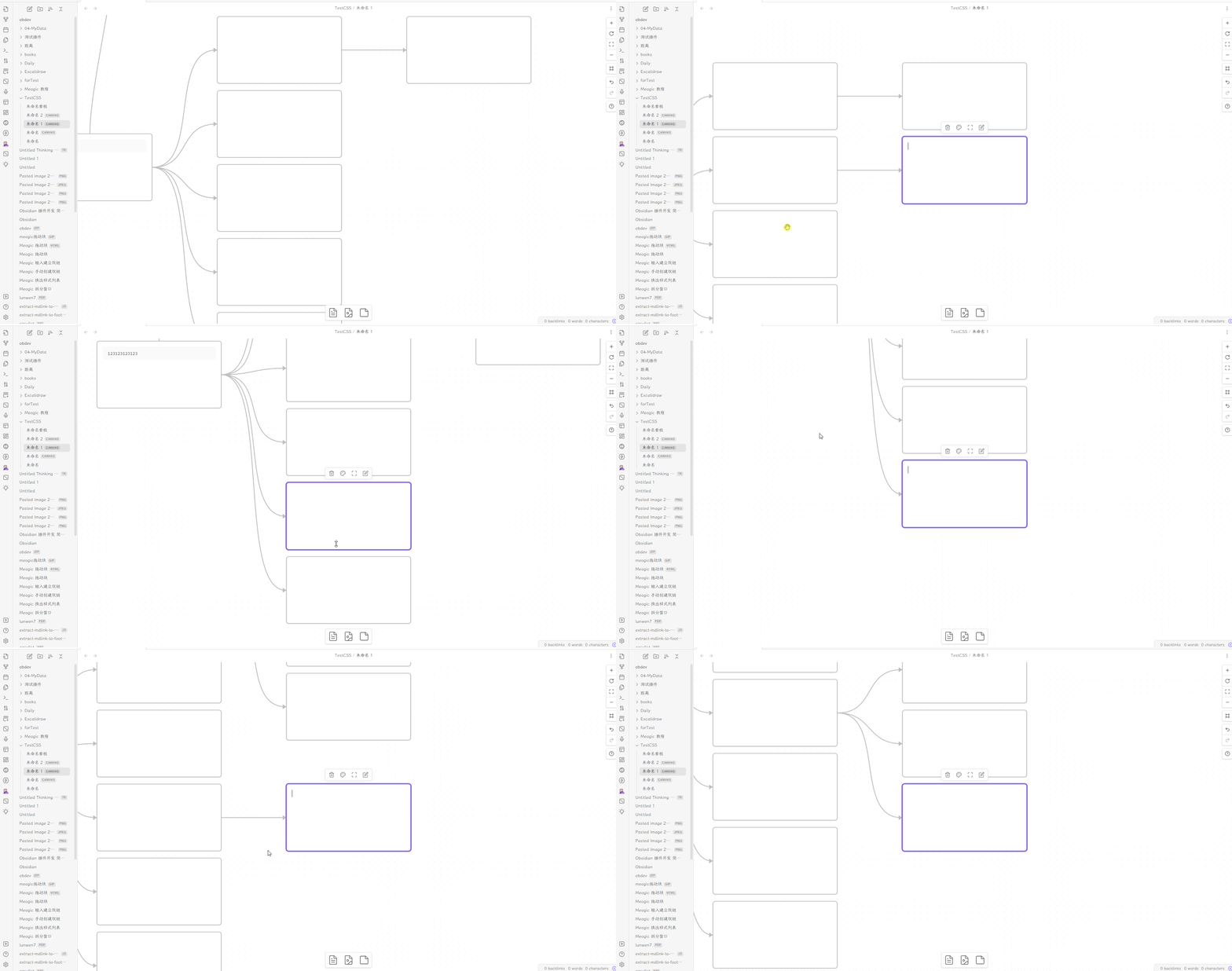
  2. Create a new canvas
  3. Create a node in the empty canvas
  4. Select the node and the press Tab to create a child node (You need to exit edit mode first by pressing Escape)
  5. Select the child node and press Enter to create a brother node
  6. Done, you get a mindmap.

Features

  • Auto layout for specific direction
  • Select node's tree
  • Change color for node's edges

Hotkeys

  • Press Enter to create brother card; (You can change this hotkey in setting)
  • Press Tab to create child card;
  • Press Alt + ←/→/↓/↑ to navigate between nodes;
  • Press Cmd / Ctrl + ←/→/↓/↑ to create floating nodes;
  • Press Cmd / Ctrl + Shift + ←/→/↓/↑ to create child nodes;

Commands

  • Create child node
  • Create sibling node
  • Create floating node
  • Open changelog
  • Enter/exit edit mode

Showcase

showcase

How to Install

  • Obsidian: Available on Obsidian Plugin Market
  • BRAT: Add quorafind/canvas-mindmap to BRAT.
  • Manual: Download the latest release. Extract and put the three files (main.js, manifest.json, styles.css) to {{obsidian_vault}}/.obsidian/plugins/obsidian-canvas-mindmap.
58%
HealthFair
ReviewCaution
About
Create mind maps on Obsidian canvases with hierarchical nodes and auto-layout for specific directions. Add child, sibling, or floating nodes with hotkeys, navigate between nodes, select node subtrees, and change node edge colors for visual grouping.
CanvasVisualizationNavigation
Details
Current version
1.0.2
Last updated
2 years ago
Created
3 years ago
Updates
21 releases
Downloads
137k
Compatible with
Obsidian 1.4.0+
Report bugRequest featureReport plugin
Sponsor
Buy Me a Coffee
Support
Author
quorafindquorafind
github.com/Quorafind/
GitHubquorafind
  1. Community
  2. Plugins
  3. Canvas
  4. Canvas Mindmap

Related plugins

Advanced Canvas

Supercharge your canvas experience. Create presentations, flowcharts and more.

Strange New Worlds

Reveal networked thought and the strange new worlds created by your vault.

Graph Banner

Display a local graph view to the note header

Breadcrumbs

Visualise the hierarchy of your vault using a breadcrumb trail or matrix view.

Map View

An interactive map view for your notes.

Simple CanvaSearch

Quickly fuzzysearch notes, cards and their content and shift focus to them within the currently opened canvas.

Notes Explorer

Explore your notes as cards in gallery or masonry view. A new way to revise your content.

Notebook Navigator

Alternative file browser with folders, tags, properties, shortcuts, previews, keyboard navigation, drag and drop, and pinned notes.

Recent Files

Display a list of recently opened files.

Maps

Adds a map layout to bases so you can display notes as an interactive map view.