
- Overview
- Scorecard
- Updates43
This is an Obsidian plugin which can easily open bookmarks.
Open bookmarks with the following commands:
Open modal: Open bookmarks with keeping the keyboard home positionSearch: Search and open bookmarks
Before using this plugin, please do the following:
- Enable the Bookmarks core plugin (
Settings→Core plugins→Bookmarks). - Add bookmarks. (See this official help page for instructions on how to add them.)
[!NOTE]
- Supported: The following bookmark types.
- Bookmark a file
- Bookmark a folder
- Bookmark a search term
- Bookmark a graph
- Bookmark a heading
- Bookmark a block
- Bookmark a url (Only Desktop App)
How to use
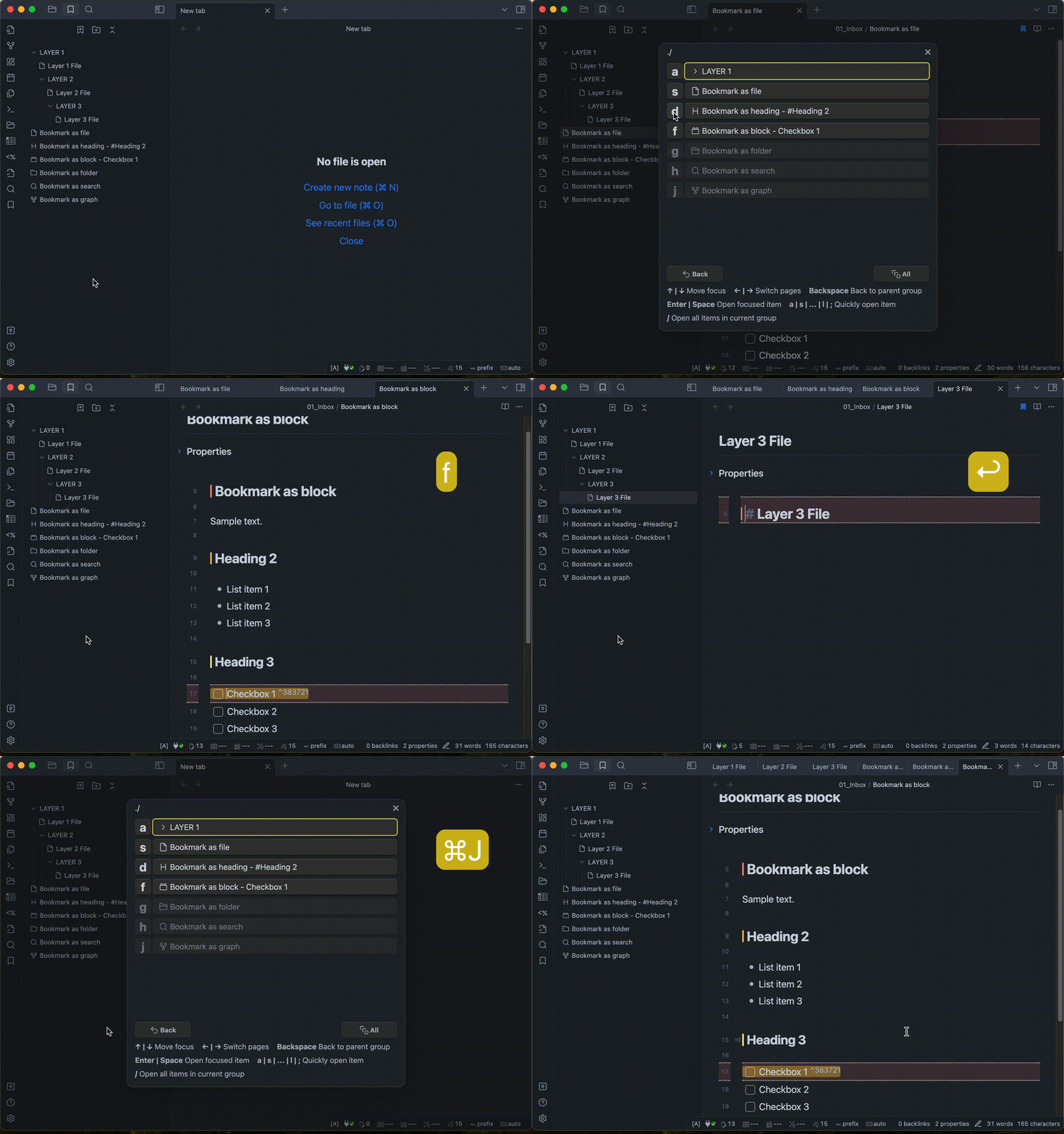
Open modal: Open bookmarks with keeping the keyboard home position
- Call the modal in one of the following ways.
- Using hotkey. (recommend)
- Click the icon(
Open modal) from the Ribbon. - Selecting
Bookmarks Caller: Open modalfrom the command palette.
- Select the bookmark you wish to open in one of the following ways.
- Press the one-letter key displayed to the left of the item name. (recommend)
- Move the cursor with arrow keys and select the item.
- Click on the item name with the mouse cursor.
- If you want to open all of the bookmarks in the current group, in one of the following ways.
- Using shortcut key. (recommend)
- Click "All" button.
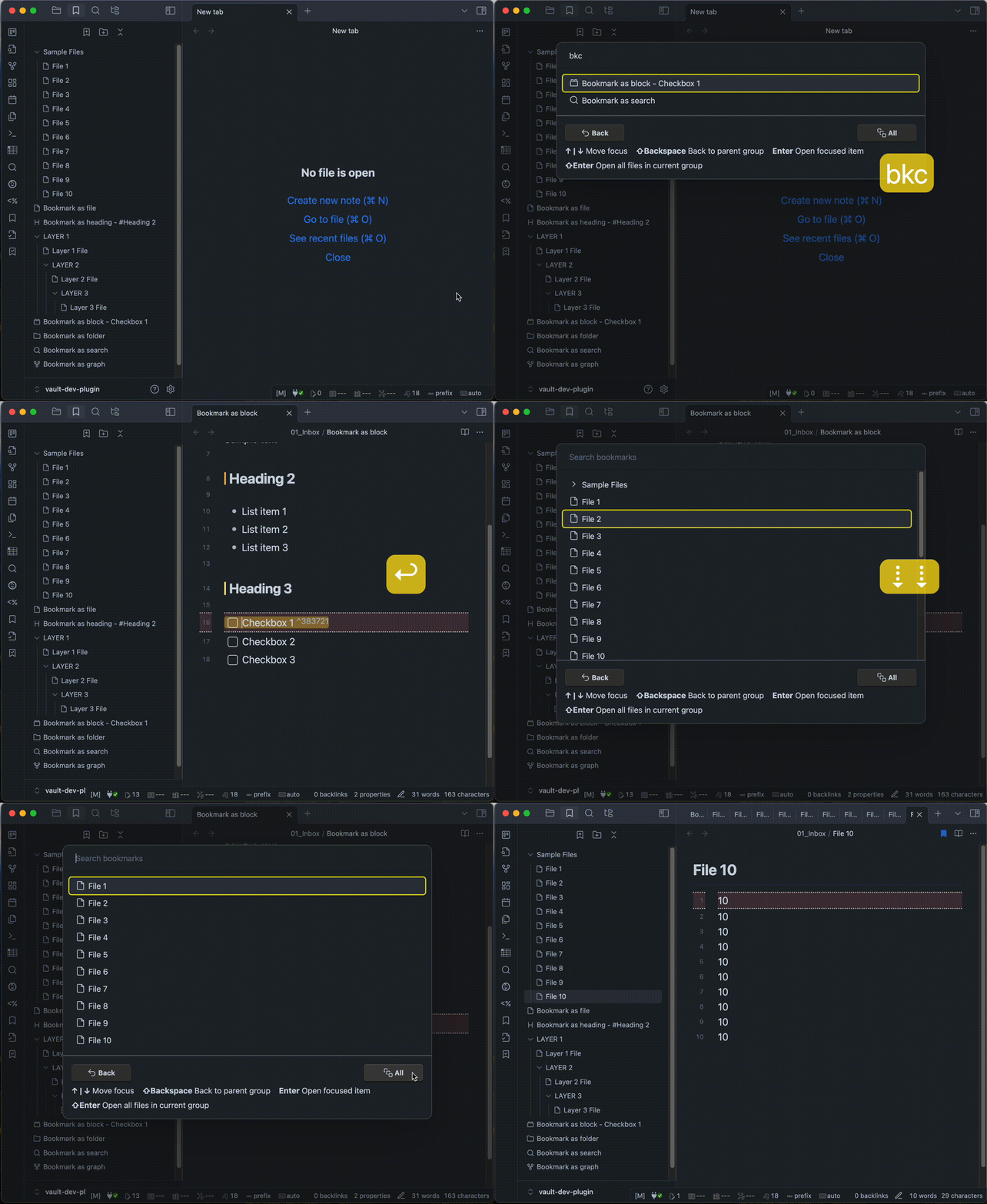
Search bookmarks: Search and open bookmarks
- Call the modal in one of the following ways.
- Using hotkey. (recommend)
- Click the icon(
Search) from the Ribbon. - Selecting
Bookmarks Caller: Searchfrom the command palette.
- Enter keywords to find a bookmark.
- Select the bookmark you wish to open in one of the following ways.
- Move the cursor with arrow keys and select the item.
- Click on the item name with the mouse cursor.
- If you want to open all of the bookmarks in the current group, in one of the following ways.
- Using shortcut key (
Shift + Enter). (recommend) - Click "All" button.
- Using shortcut key (
Copy bookmarks.json to clipboard
- Call the command in one of the following ways.
- Using hotkey.
- Selecting
Bookmarks Caller: Copy bookmarks.json to clipboardfrom the command palette.
[!NOTE]
- This is an experimental feature. It may be discontinued in the future.
Installation
You can find and install this plugin through Obsidian’s Community Plugins Browser.
For detailed steps or alternative installation methods, click here.
HealthExcellent
ReviewSatisfactory
About
Open and search bookmarks from a fast, keyboard-first modal to launch files, folders, searches, graphs, headings, blocks or URLs. Open items with one-letter keys, arrow selection, or clicks, and open entire bookmark groups in a single action.Details
Current version
0.6.11
Last updated
4 weeks ago
Created
3 years ago
Updates
43 releases
Downloads
5k
Compatible with
Obsidian 1.9.10+
Platforms
Desktop, Mobile
License
MIT