BibTeX Scholar
 liu-qilong2k downloads
A complete BibTeX citation management solution designed for contextual, frictionless literature reviews and paper writing--right inside your notes.
- Overview
- Scorecard
- Updates11
BibTeX Scholar is a reference management plugin built entirely on Obsidian to supercharge your research workflow. Replace cluttered folder-based libraries with contextual, flexible, Markdown-powered literature notes--directly in your knowledge base 🧠
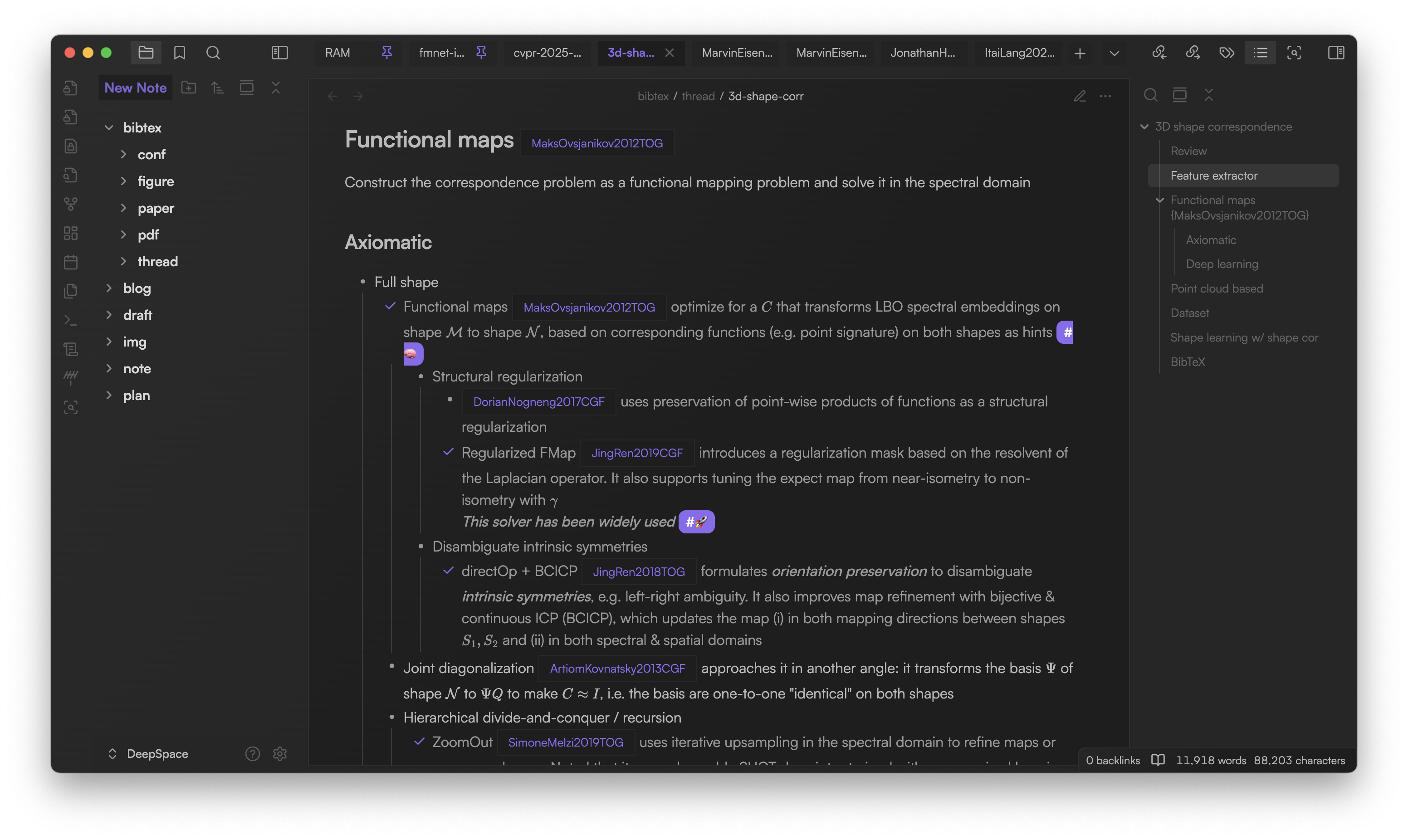
Why choose BibTeX Scholar? 💡
Traditional reference managers organize papers in flat folders, leading to the lack of context:
- Which paper builds upon which? 🧐
- How are concepts and methods evolving? 🔄
- What are the key contributions and relationships? 🔑
- How do research trajectories and comparisons look? 📈
- There is a paper mentioning [...], but I can't find it now! 😩
As your library grows, it’s easy to lose track. BibTeX Scholar lets you manage your literature the way researchers actually think--using context-rich, narrative notes:
### New LLM papers from ICLR 2025

- Transfusion `{ChuntingZhou2025ICLR}` Combines next-token prediction for text and diffusion-based learning for images in a single transformer. Bridges the modality gap without image quantization #🧠

- Embedding
    - `{AlexIacob2025ICLR}` Decouples embedding layers for robust multi-lingual training, improving generalization
    - `{ZiyueLi2025ICLR+}` Studies decoder-only embeddings and MoE layers. Weighted sum > concatenation
    - `{KihoPark2025ICLR}` Shows hierarchical concepts are orthogonally encoded in representations #🧠
With BibTeX Scholar, you can:
- Use nested bullets, tables, or flowcharts for relationships and comparisons 📊
- Summarize insights and connections in context 💡
- Manage citations seamlessly as you write and think ✍️
- Grow your literature knowledge base organically 🪴
See real examples of top AI conference notes at liu-qilong.github.io/note
Core features 🚀
- Add BibTeX anywhere: Insert BibTeX code blocks in any note.
- Cite anywhere: Instantly cite papers via smart
`{ID}`or`[ID]`inline formats with autocomplete - Rich citation popover: Hover for title, authors, abstract & quick actions (open associated paper note, attach PDF, search mentions, copy BibTeX/LaTeX keys, etc.)
- Global search/filter panel: Find and filter papers from all your entries
- One-click copy: Export all BibTeX entries for LaTeX manuscripts
- PDF & notes management: Attach PDFs and link notes to each entry
Getting started ⚙️
Installation
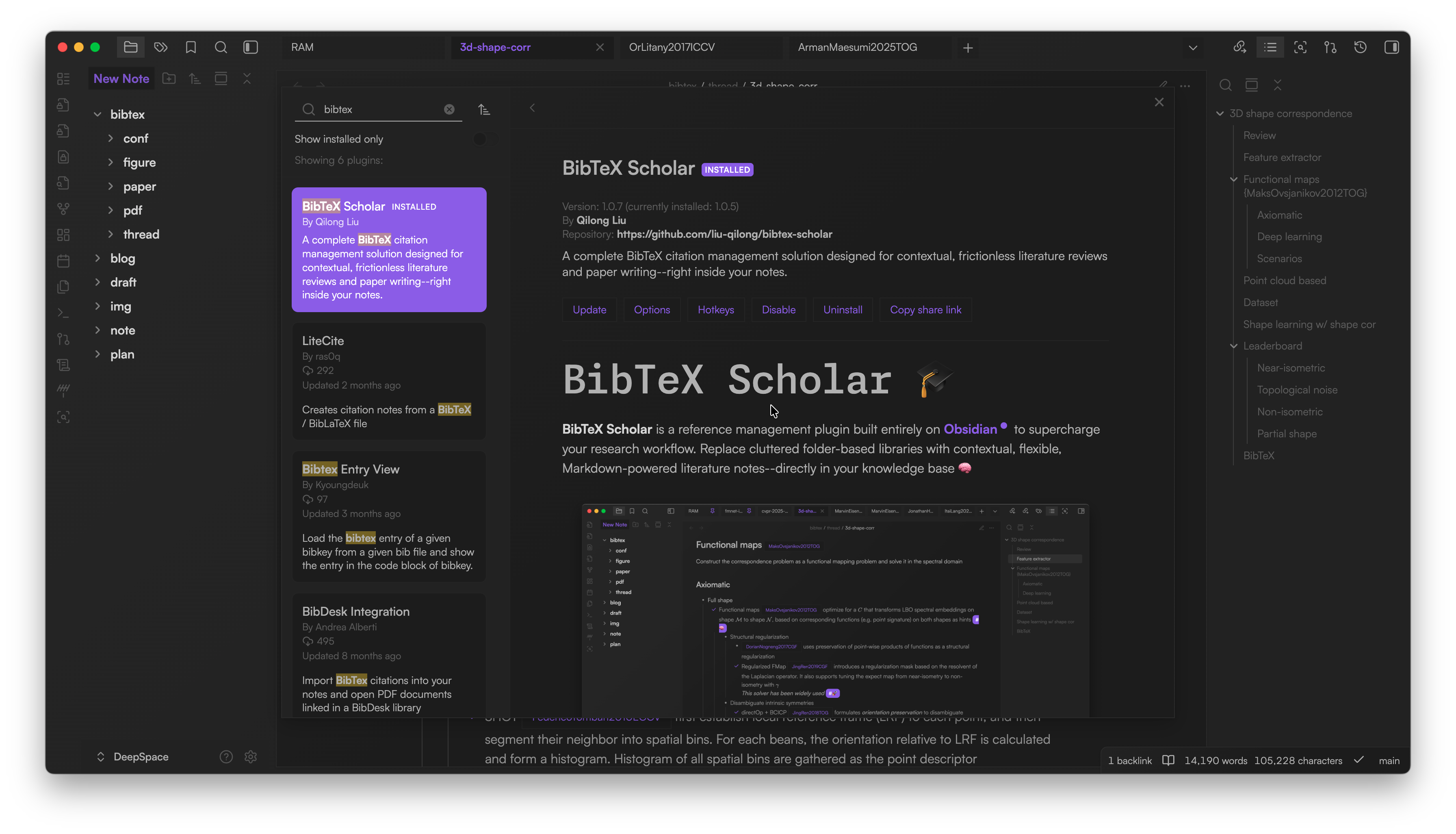
- Install Obsidian and create your vault
- Go to Settings > Community plugins > Browse > Search for "BibTeX Scholar"
- Install and enable the plugin
- Start adding and managing BibTeX references as Markdown!
If you'd like to install it manually:
- Clone this repository and place it under your Obsidian vault's
.obsidian/pluginsdirectory npm installto install dependenciesnpm run devto compile the plugin- Enable the plugin in Obsidian settings
Fetch BibTeX entries
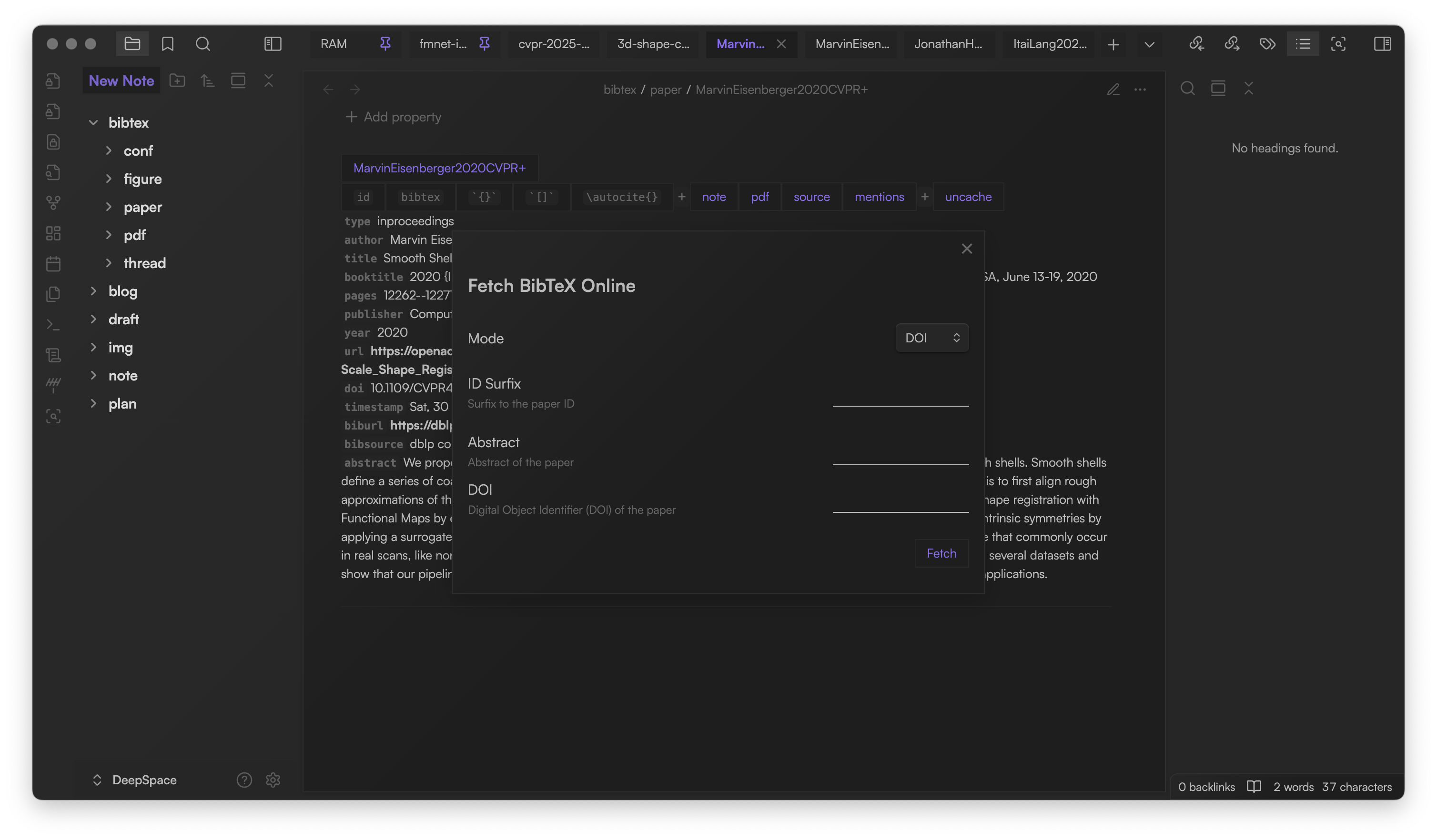
- Click the
 icon in the left ribbon
 - Enter a DOI. Optionally add a custom ID suffix or abstract (For example, you can add conference names as suffixes)
- Fetches BibTeX from online sources, copies it to clipboard
- Paste the fetched BibTeX into your note (see next section)
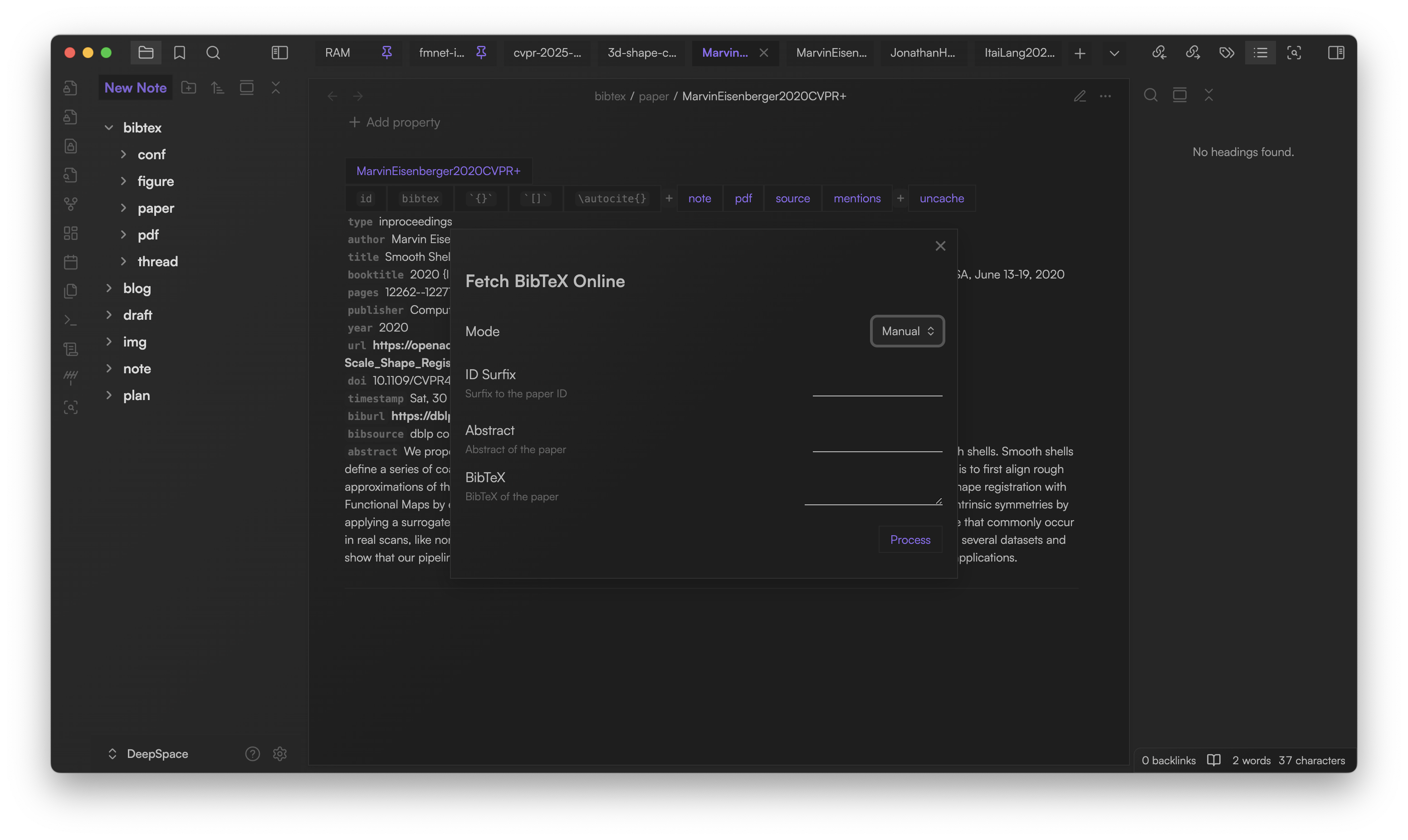
You can switch to Manual mode to paste BibTeX code directly. Sometimes copying BibTeX from DBLP and Google Scholar is even more convenient than finding the DOI.
You can change the default mode in the plugin settings.
Add BibTeX entries
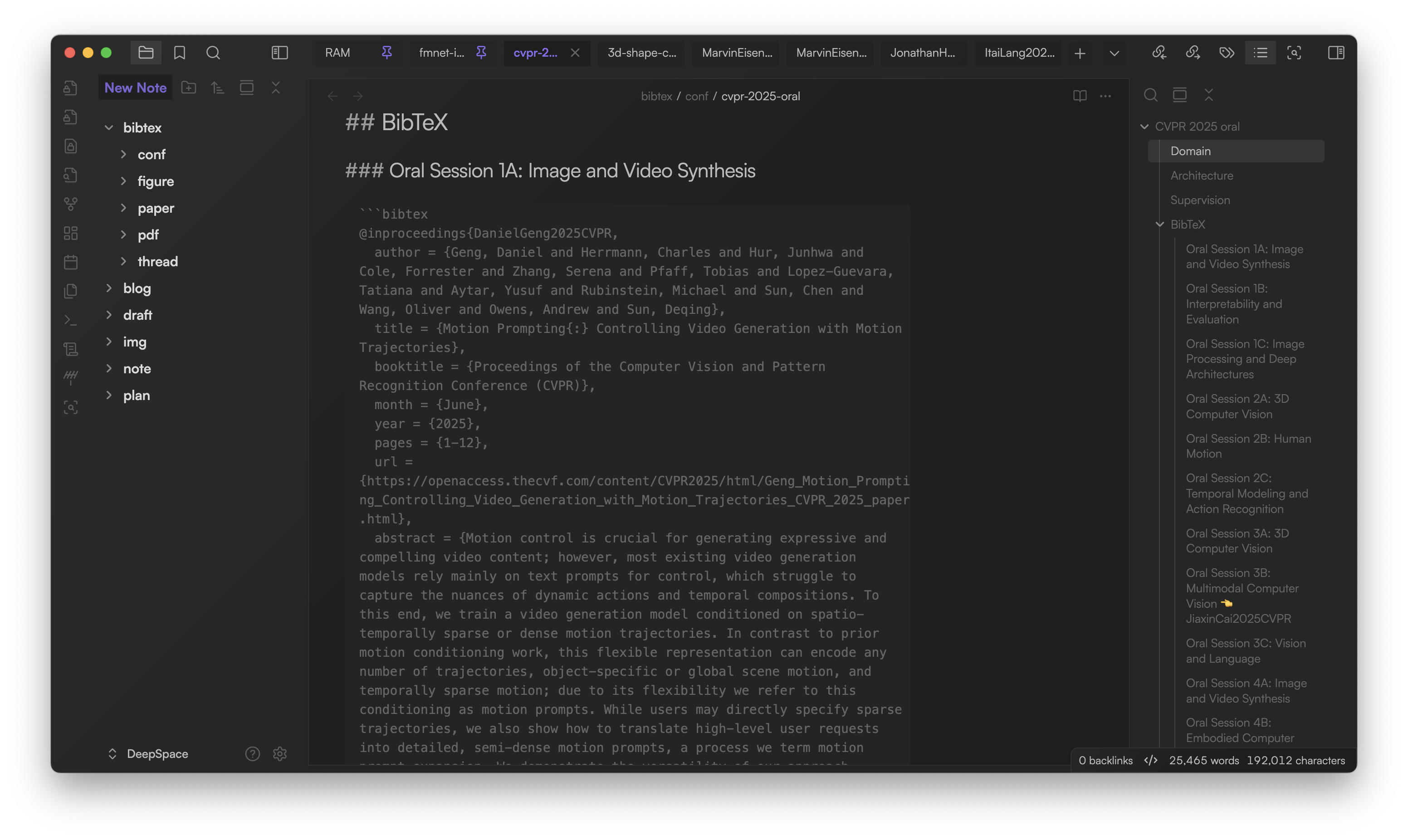
Create a ```bibtex code block in any note. You can add multiple entries per block.
P.S. If you use live preview editing mode, you are not recommended to put too many entries in the same block. It may not render properly.
```bibtex
@inproceedings{ChuntingZhou2025ICLR,
  title = {Transfusion{:} Predict the Next Token and Diffuse Images with One Multi-Modal Model},
  author = {Chunting Zhou and LILI YU and Arun Babu and Kushal Tirumala and Michihiro Yasunaga and Leonid Shamis and Jacob Kahn and Xuezhe Ma and Luke Zettlemoyer and Omer Levy},
  booktitle = {The Thirteenth International Conference on Learning Representations},
  year = {2025},
  url = {https://openreview.net/forum?id=SI2hI0frk6},
  abstract = {We introduce Transfusion, a recipe for training a multi-modal model over discrete and continuous data.Transfusion combines the language modeling loss function (next token prediction) with diffusion to train a single transformer over mixed-modality sequences.We pretrain multiple Transfusion models up to 7B parameters from scratch on a mixture of text and image data, establishing scaling laws with respect to a variety of uni- and cross-modal benchmarks.Our experiments show that Transfusion scales significantly better than quantizing images and training a language model over discrete image tokens.By introducing modality-specific encoding and decoding layers, we can further improve the performance of Transfusion models, and even compress each image to just 16 patches.We further demonstrate that scaling our Transfusion recipe to 7B parameters and 2T multi-modal tokens produces a model that can generate images and text on a par with similar scale diffusion models and language models, reaping the benefits of both worlds.},
}

@inproceedings{TianzhuYe2025ICLR,
  title = {Differential Transformer},
  author = {Tianzhu Ye and Li Dong and Yuqing Xia and Yutao Sun and Yi Zhu and Gao Huang and Furu Wei},
  booktitle = {The Thirteenth International Conference on Learning Representations},
  year = {2025},
  url = {https://openreview.net/forum?id=OvoCm1gGhN},
  abstract = {Transformer tends to overallocate attention to irrelevant context. In this work, we introduce Diff Transformer, which amplifies attention to the relevant context while canceling noise. Specifically, the differential attention mechanism calculates attention scores as the difference between two separate softmax attention maps. The subtraction cancels noise, promoting the emergence of sparse attention patterns. Experimental results on language modeling show that Diff Transformer outperforms Transformer in various settings of scaling up model size and training tokens. More intriguingly, it offers notable advantages in practical applications, such as long-context modeling, key information retrieval, hallucination mitigation, in-context learning, and reduction of activation outliers. By being less distracted by irrelevant context, Diff Transformer can mitigate hallucination in question answering and text summarization. For in-context learning, Diff Transformer not only enhances accuracy but is also more robust to order permutation, which was considered as a chronic robustness issue. The results position Diff Transformer as a highly effective and promising architecture for large language models.},
}
```
Edit the block to update entries. Reload the note if changes don’t display.
P.S. I've scraped all papers from some top AI conferences in this repo, with both .bib and .md formats. The .md files are fully compatible for this plugin. You can give it a try.
P.S. I personally don't like to add all papers from those conferences, as each of them contains thoughts of papers. Usually, I only keep the Oral section for skimming them through.
Inline citation
- Use
`{ID}`for a compact, hoverable reference - Use
`[ID]`for always-expanded details
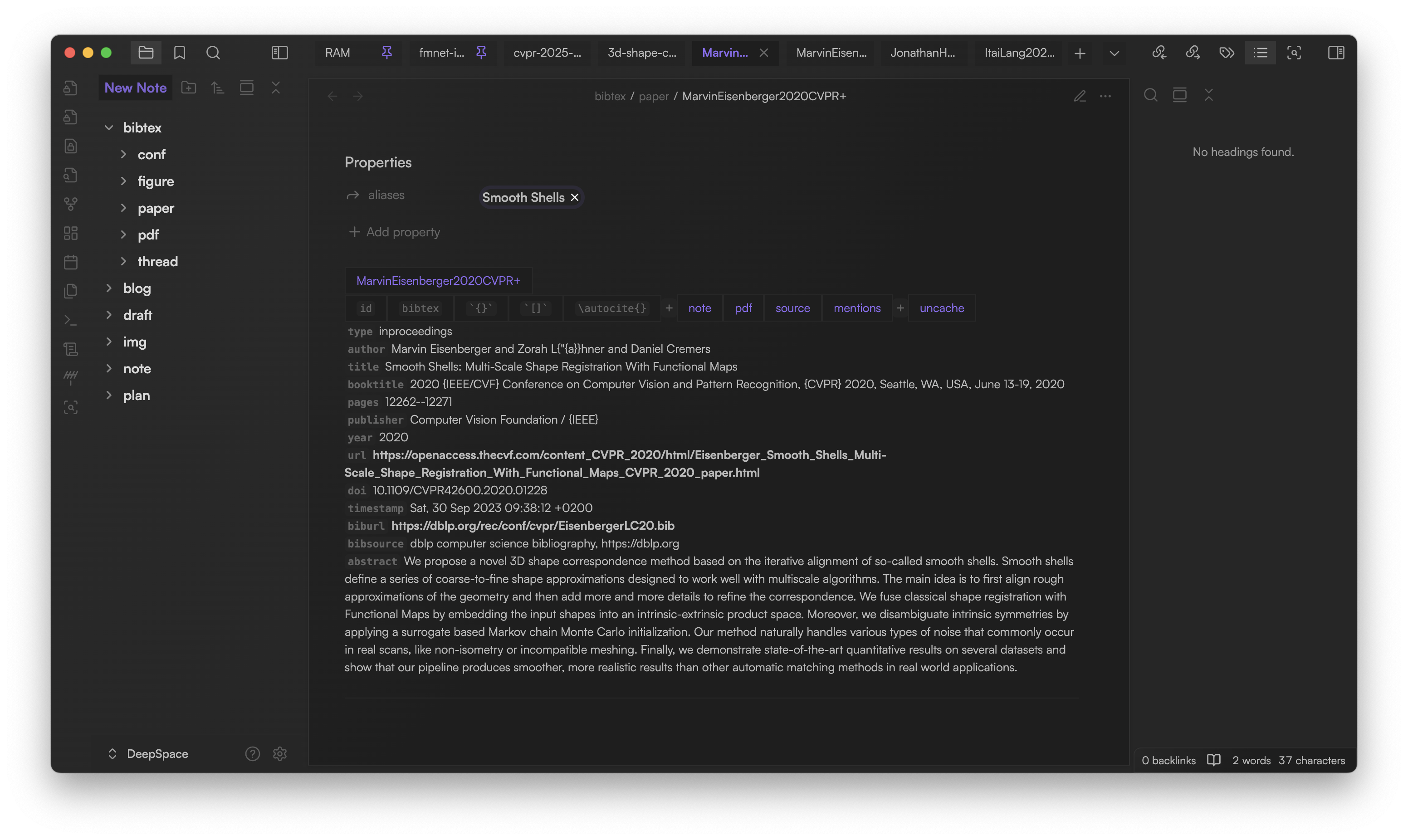
As you can see here, following the title are the utility buttons and paper details. There are 3 groups of utilities:
- Copyable:
id: Copy paper's IDbibtex: Copy paper's BibTeX source (omitting abstract)`{}`: Copy paper's ID in`{ID}`format (collapsed paper element)[]: Copy paper's ID in[ID]format (expanded paper element)\autocite{}: Copy paper's ID in\autocite{ID}format (LaTeX citation)
- Related resources:
- note: Create/open the paper's associated note (You can change the default folder to place your paper notes in the plugin's setting)
- pdf: Attach PDF to the paper (You can change the default folder to place your PDFs in the plugin's setting)
- source: Open the Obsidian note that contains the paper's source BibTeX code
- mentions: Search all mentions of the paper, including the inline citations and the Obsidian internal links to the associated paper notes
- uncache: Remove paper from cache
- P.S. The paper will be removed from the database. However, its source BibTeX code and all mentions won't be removed automatically
- P.S. If you reopen the note containing the paper's BibTeX code, it will be re-added to the database
Custom template for paper notes
The note button creates/opens the associated paper note. If you want, you can overwrite the default template for the paper note: plugin settings > Custom note template path. When filled, the plugin uses the template to create the next note in the folder specified as Default paper note folder.
You can also use Templater plugin for more advanced functionality and customizability. Please make sure that Templater plugin is installed and enabled, and the setting Trigger Templater on new file creation is enabled in the Templater plugin settings.
Example template: paper-note-template.md
Copy all BibTeX
When writing LaTeX manuscript, it's very convenient to copy all BibTeX entries at once and place it to your .bib file. Just click the button  on the left ribbon.
Paper panel
You can click  on the left ribbon to open the paper panel to the right sidebar. From there, you can search and filter your papers easily:
- You can search with various queries separated with
;: e.g.John;2020 - You can filter specific fields: e.g.
author:John;year:2020
You can open multiple paper panels and draw them to the place you want.
Future plan 🤖
AI-powered features and more workflow enhancements are on the way!
Feedback & issues ❌
Please report bugs, suggest features, or ask questions on GitHub Issues.