BibDesk Integration
 alberti421k downloads
Import BibTex citations into your notes and open PDF documents linked in a BibDesk library
- Overview
- Scorecard
- Updates8
This plugin integrates BibTeX libraries with the PDF++ plugin in Obsidian, enabling you to manage and open PDFs associated with bibliography entries directly from Obsidian. It works with external BibTeX files, parsing them in the background for a seamless experience.
[!NOTE] This plugin works with any standard BibTeX library. However, some features are designed specifically for libraries maintained with BibDesk on macOS, such as resolving
bdsk-file-<NUMBER>fields — macOS bookmarks that allow seamless file access even if files are renamed or moved.
Unlike most BibTeX plugins for Obsidian, this plugin is designed to handle large libraries with 10,000+ papers:
- parsing runs on a dedicated background thread to keep the UI responsive (no freezing, not even for an instant)
- using a custom high-performance parser built with Peggy makes parsing large BibTex files faster than any TypeScript-based BibTeX parsers I could test, and even BibDesk's own parser.
Additional Features
- Automatic reloading: The BibTeX library is also watched for changes and re-parsed automatically in the background whenever the
bibfile is updated - External Library Support: Your BibDesk library does not need to reside within your Obsidian vault, making it ideal for large libraries (several GBs).
- Integration with PDF++: Opens PDFs stored outside your Obsidian vault via the PDF++ plugin.
Screenshots
Configuration Pane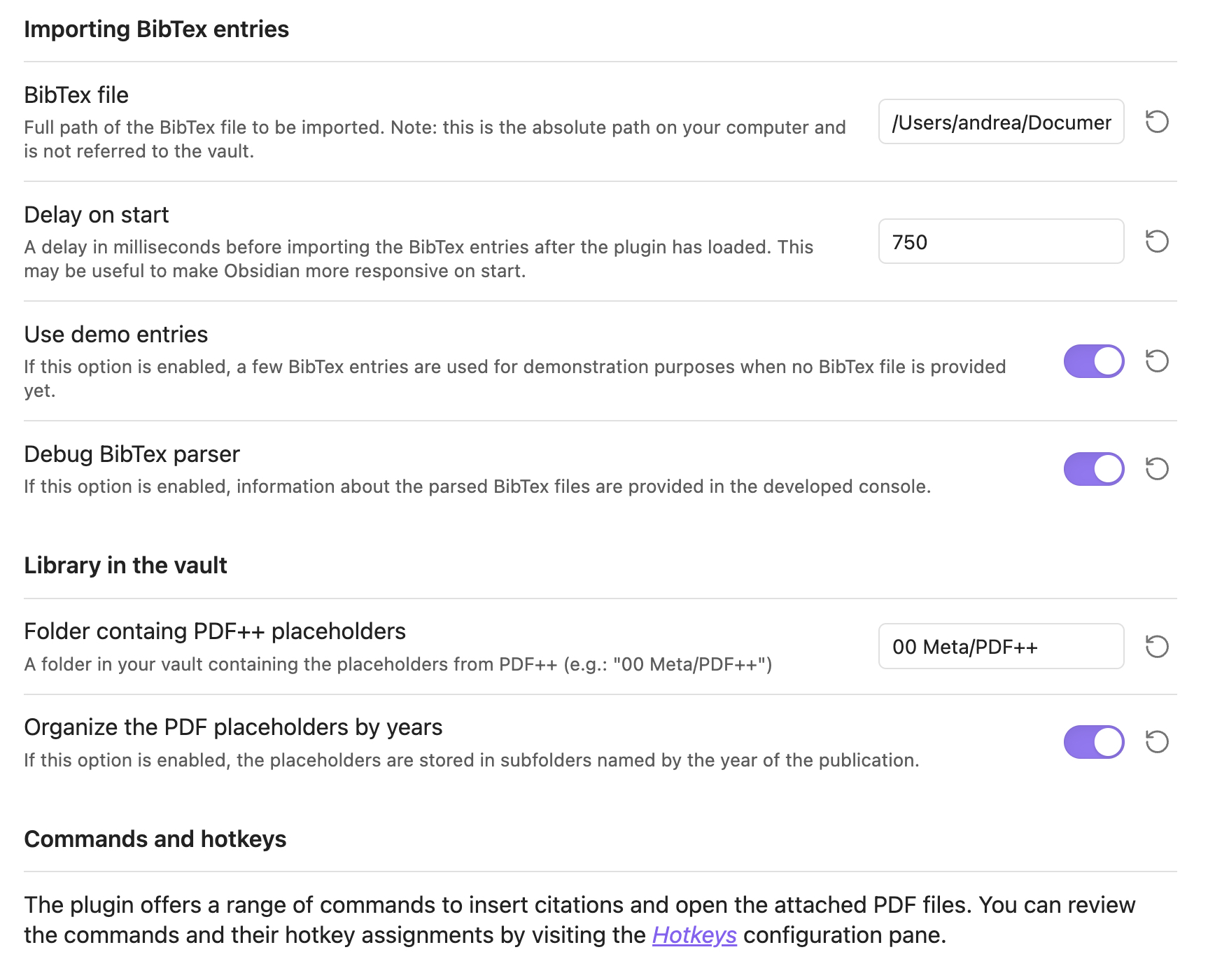
Fuzzy Search Modal for Paper Selection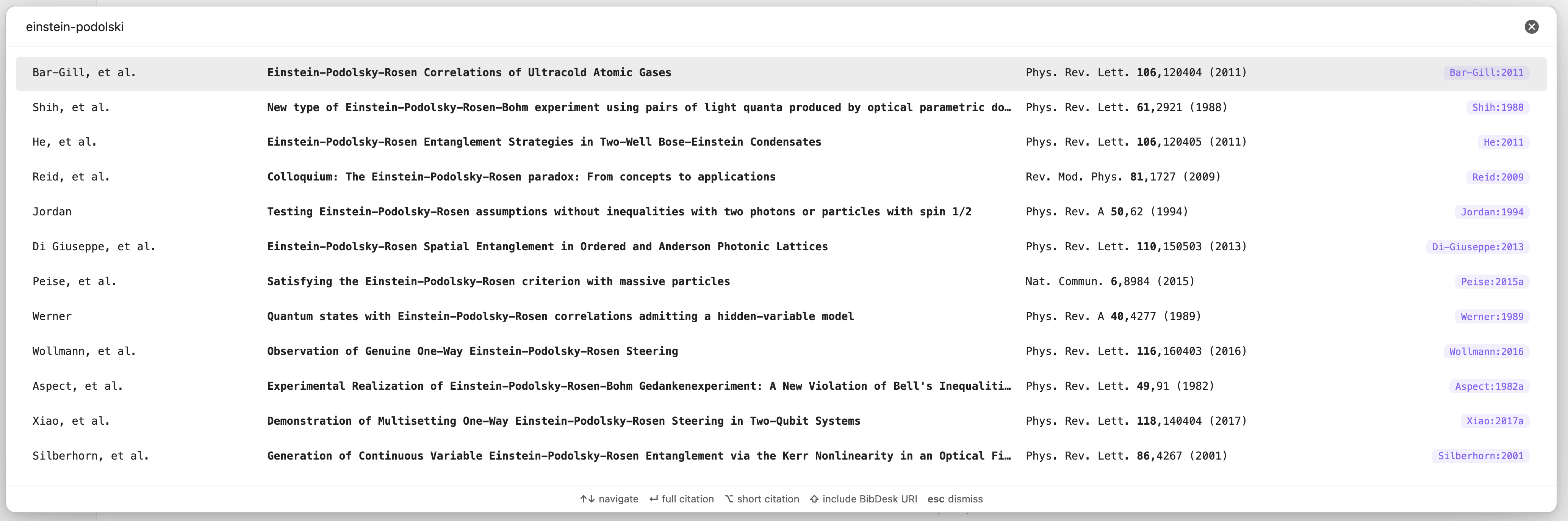
Recommended Hotkeys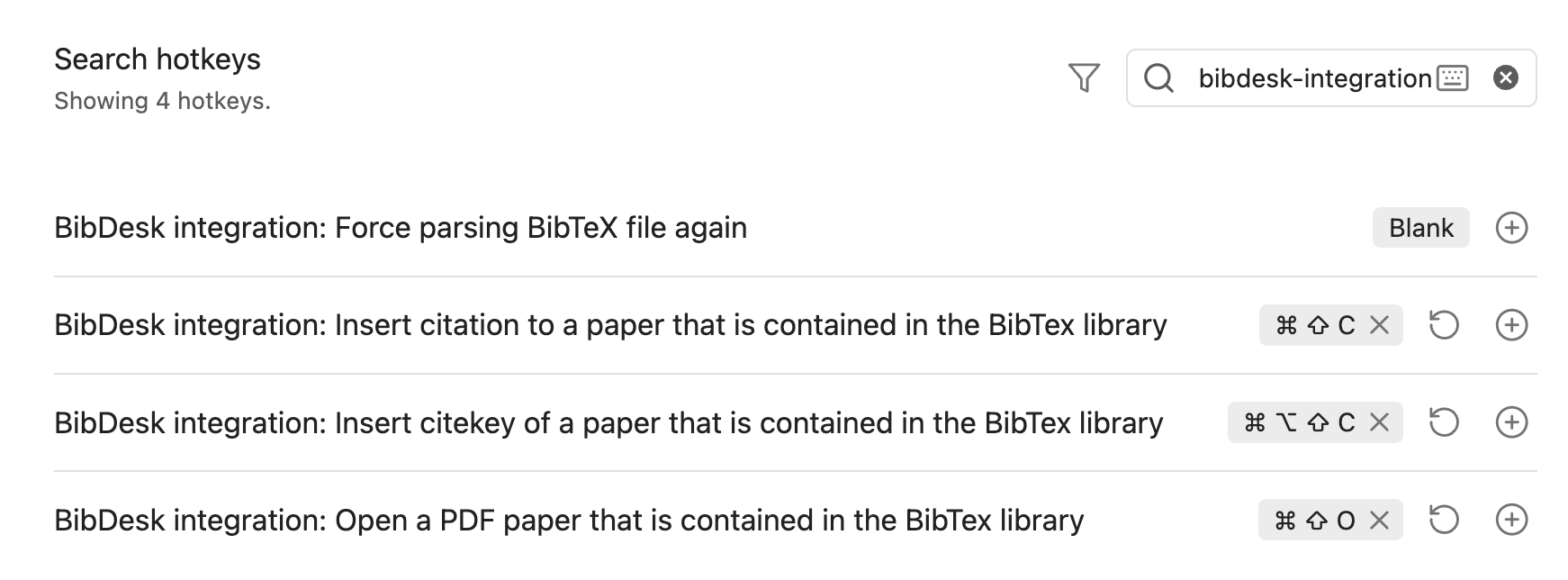
Installation
To install the plugin manually, follow these steps:
Clone the Repository:
git clone https://github.com/alberti42/obsidian-bibdesk-integration.gitInstall Node.js Packages:
npm installGenerate the Parser for BibTeX Files:
npm run grammarBuild the macOS Bookmark Resolver:
npm run bookmark_resolverEnsure you have the
swiftccompiler available via the command line. Refer to Xcode’s documentation if needed.Transpile the Plugin:
npm run buildVerify Output: Ensure that the
distfolder containsstyles.css,bookmark_resolver,main.js, andmanifest.json.Copy or Link Plugin Files to Obsidian:
- Create the plugin folder in your vault:
mkdir -p <YOUR_VAULT_FOLDER>/.obsidian/plugins/bibdesk-integration - Copy or create symbolic links from the
distfolder to the plugin folder created in step 7. This is helpful if you plan to further develop the plugin.
- Create the plugin folder in your vault:
Support the Project
If you find this plugin helpful, consider supporting its development:

About the Author
- Author: Andrea Alberti
- GitHub: alberti42
- Donations:
Please feel free to contribute or report any issues in the GitHub repository.