Search...Search plugins and themes...
⌘K
Sign in
  • Get started
  • Download
  • Pricing
  • Enterprise
  • Account
  • Obsidian
  • Overview
  • Sync
  • Publish
  • Canvas
  • Mobile
  • Web Clipper
  • CLI
  • Learn
  • Help
  • Developers
  • Changelog
  • About
  • Roadmap
  • Blog
  • Resources
  • System status
  • License overview
  • Terms of service
  • Privacy policy
  • Security
  • Community
  • Plugins
  • Themes
  • Discord
  • Forum / 中文论坛
  • Merch store
  • Brand guidelines
Follow us
DiscordTwitterBlueskyThreadsMastodonYouTubeGitHub
© 2026 Obsidian

BaseForm

Tyler CarrolTyler Carrol512 downloads

Create editable form views for Bases.

Add to Obsidian
BaseForm screenshot
BaseForm screenshot
BaseForm screenshot
  • Overview
  • Scorecard
  • Updates15

Scc Count Badge

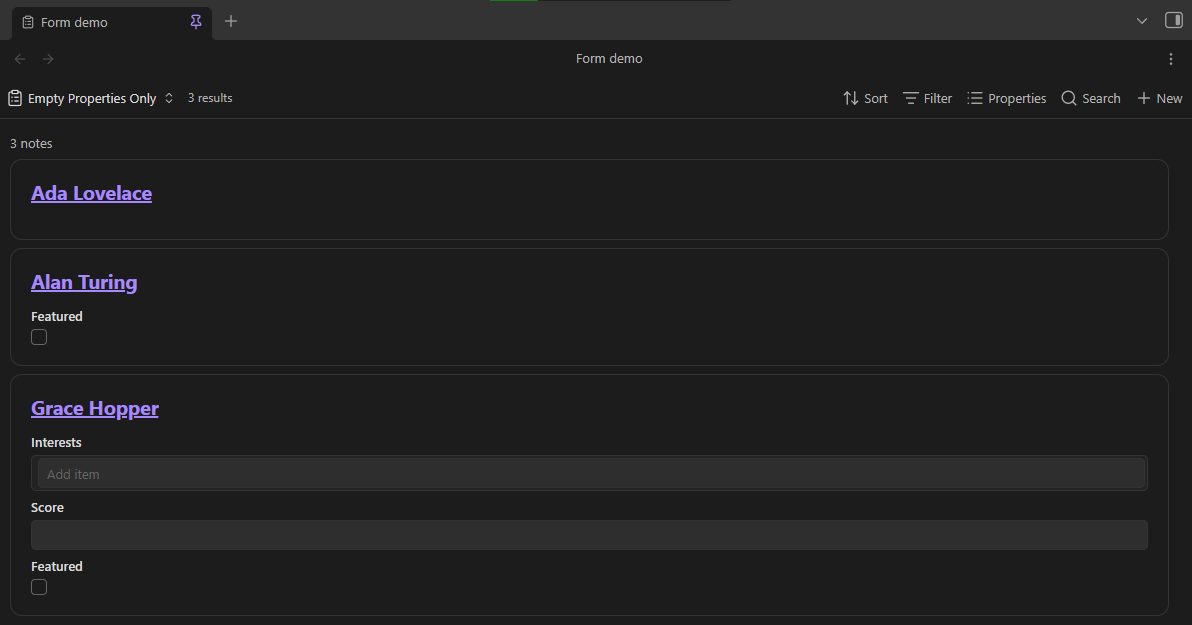
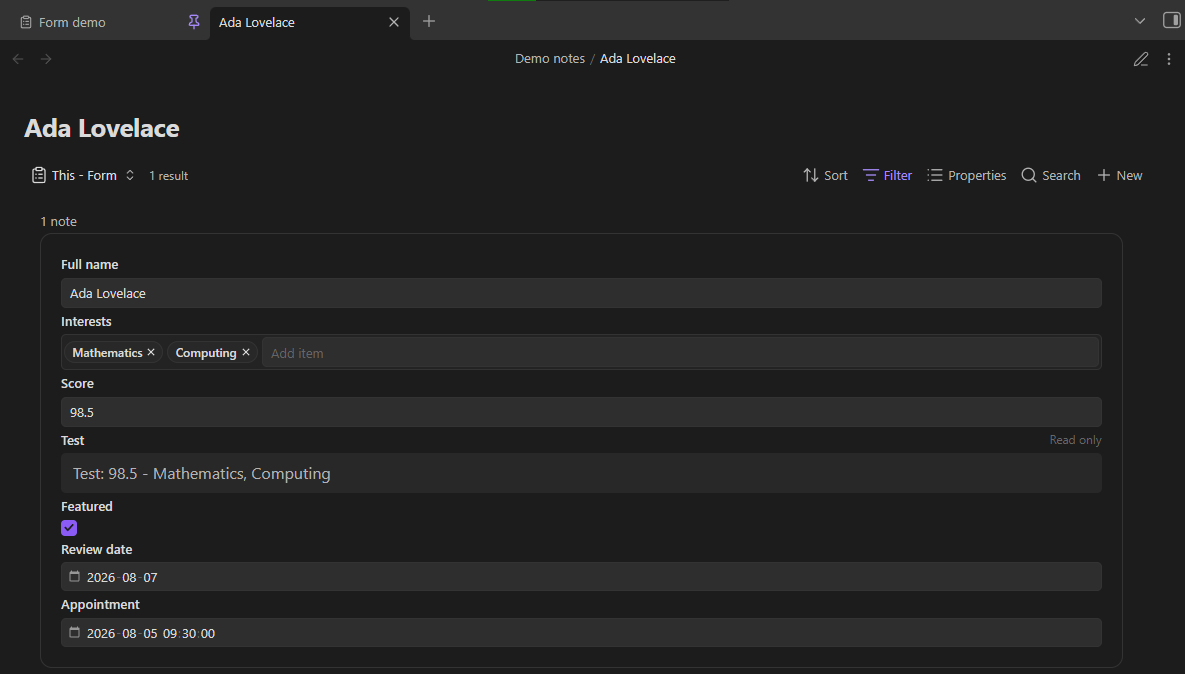
BaseForm adds an editable Form view to Obsidian Bases. Each note is displayed as an interactable form, with the selected properties stacked vertically.

Features

  • Edit text, list, number, checkbox, date, and date-and-time properties.
  • Autocomplete in text and list fields.
  • Save changes directly to note frontmatter with Obsidian's file API.
  • Use the property order and display names set in the Bases toolbar.
  • Show each matching note as its own form.
  • Control file name visibility, empty-only fields, existing-only fields, and item spacing for each Form view.
  • Show file and formula properties as read-only values.
  • Run locally on desktop and mobile, with no external services.

Examples
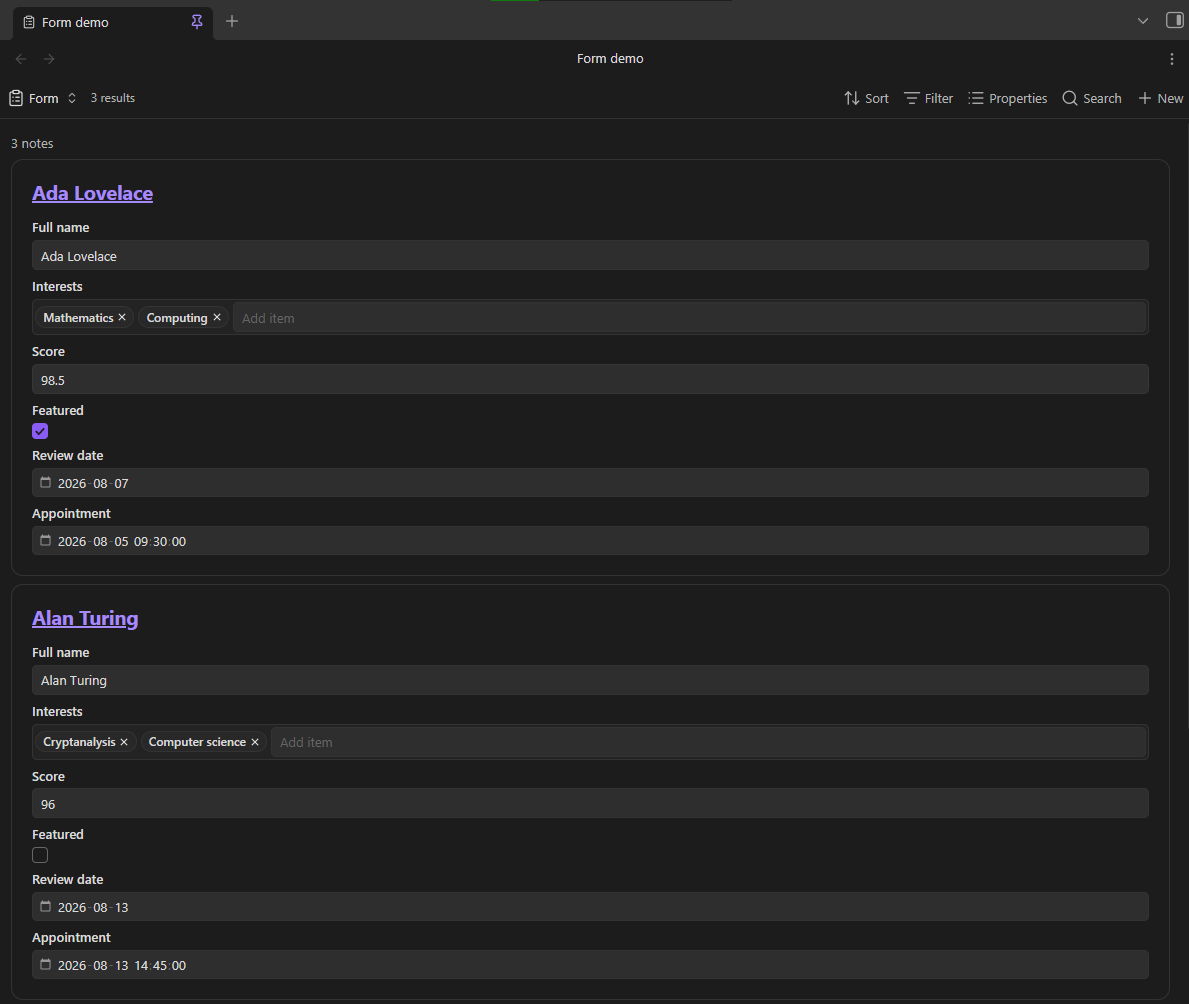
All Forms

Empty Properties Only

This Form Only

Requirements

  • Obsidian 1.13.0 or later.
  • The Bases core plugin must be enabled.

Use

  1. Install and enable BaseForm.
  2. Open or create a .base file.
  3. Add a view, then select Form.
  4. Use Properties in the Bases toolbar to choose and reorder the form fields.
  5. Use the view options to show or hide file names, show only empty property inputs, show only existing property inputs, and adjust item spacing.
  6. Edit a field, then move focus away from it to save the value.

List fields use one item per line. If you clear a number, date, or date-and-time field, BaseForm keeps the property with an empty value. File and formula properties stay visible, but you cannot edit them.

BaseForm uses Obsidian's assigned property types when they are available. If an untyped property is empty in every matching note, BaseForm first uses a text field.

BaseForm shows some values as read-only to prevent accidental data loss. This includes nested data, non-text lists, and date-and-time values with timezone suffixes.

Demo vault

The repository includes base-form-demo-vault. It contains a configured base and sample notes for every supported property type. See base-form-demo-vault/README.md for the walkthrough.

Install for development

  1. Install dependencies:
    npm install
    
  2. Build the plugin:
    npm run build
    
  3. Copy main.js, manifest.json, and styles.css to:
    <Vault>/.obsidian/plugins/base-form/
    
  4. Enable Settings → Community plugins → BaseForm.

For watch mode, run npm run dev. On Windows, ./scripts/build-to-demo-vault.ps1 builds the plugin and installs it into the included demo vault.

Validate changes

npm run lint
npm test
npm run build

Privacy

BaseForm runs locally. It does not make network requests, collect analytics, or send vault data anywhere.

HealthExcellent
ReviewPassed
About
Add an editable Form view to Bases and display each matching note as its own interactable form. Edit text, list, number, checkbox, date, and date-and-time properties and save changes directly to note frontmatter with Obsidian's file API. Show file and formula properties as read-only and control file-name visibility, empty-only fields, and item spacing per view.
BasesData
Details
Current version
0.8.2
Last updated
Last week
Created
Last month
Updates
15 releases
Downloads
512
Compatible with
Obsidian 1.13.0+
Platforms
Desktop, Mobile
License
MIT
Report bugRequest featureReport plugin
Sponsor
Buy Me a Coffee
Support
Author
Tyler CarrolTyler Carroltylercarrol
GitHubtylercarrol
  1. Community
  2. Plugins
  3. Bases
  4. BaseForm

Related plugins

TaskNotes

Note-based task management with calendar, pomodoro and time-tracking integration.

Maps

Adds a map layout to bases so you can display notes as an interactive map view.

Tracker

Track occurrences and numbers in your notes.

Charted Roots

Family tree visualization with GEDCOM/Gramps import and Canvas/PDF/Markdown export. Charts, maps, timelines, citations, fictional calendars. For genealogists, worldbuilders, and TTRPG campaigns.

Kanban Bases View

A kanban-style drag-and-drop custom view for Bases.

Datacore

An even faster reactive query engine for the data obsessed.

Meld Encrypt

Hide secrets in your notes.

Keep the Rhythm

Turns out watching your word count go up is all the motivation you need.

JupyMD

Jupyter notebook support within your vault for interactive programming, live outputs, and notebook syncing. Supports many programming languages.

Dynamic Views

Elegant grid and masonry card views for Bases.