Search...Search plugins and themes...
⌘K
Sign in
  • Get started
  • Download
  • Pricing
  • Enterprise
  • Account
  • Obsidian
  • Overview
  • Sync
  • Publish
  • Canvas
  • Mobile
  • Web Clipper
  • CLI
  • Learn
  • Help
  • Developers
  • Changelog
  • About
  • Roadmap
  • Blog
  • Resources
  • System status
  • License overview
  • Terms of service
  • Privacy policy
  • Security
  • Community
  • Plugins
  • Themes
  • Discord
  • Forum / 中文论坛
  • Merch store
  • Brand guidelines
Follow us
DiscordTwitterBlueskyThreadsMastodonYouTubeGitHub
© 2026 Obsidian

Auto Tags

li-xiu-qili-xiu-qi28 downloads

Analyze and tag your document with one click for efficient note organization using AI.

Add to Obsidian
  • Overview
  • Scorecard
  • Updates1

English Version

auto tags 是一个 Obsidian (https://obsidian.md) 插件,通过使用各种大型语言模型(LLM)来分析并为你的文档一键生成标签。

该插件会分析你当前编辑器中打开的文档内容以及你历史上使用过的标签(若有),返回最多 5 个你之前使用过的相关标签,并最多生成 3 个全新的建议标签。

本项目继承自 lucagrippa/obsidian-ai-tagger,并在此基础上进行了代码更新和功能增强。

📚 文档

  • 快速开始
  • 标签生成器设计
  • 开发指南

🚀 快速开始

本项目继承自 lucagrippa/obsidian-ai-tagger,并在此基础上进行了代码更新和功能增强。

🚀 快速开始

  1. 在 Obsidian 的社区插件中安装并启用本插件。
  2. 在插件设置中,输入你的 API 密钥(支持 OpenAI、Ollama 等兼容服务)。
  3. 选择模型(如 GPT-4o mini)。

📝 使用

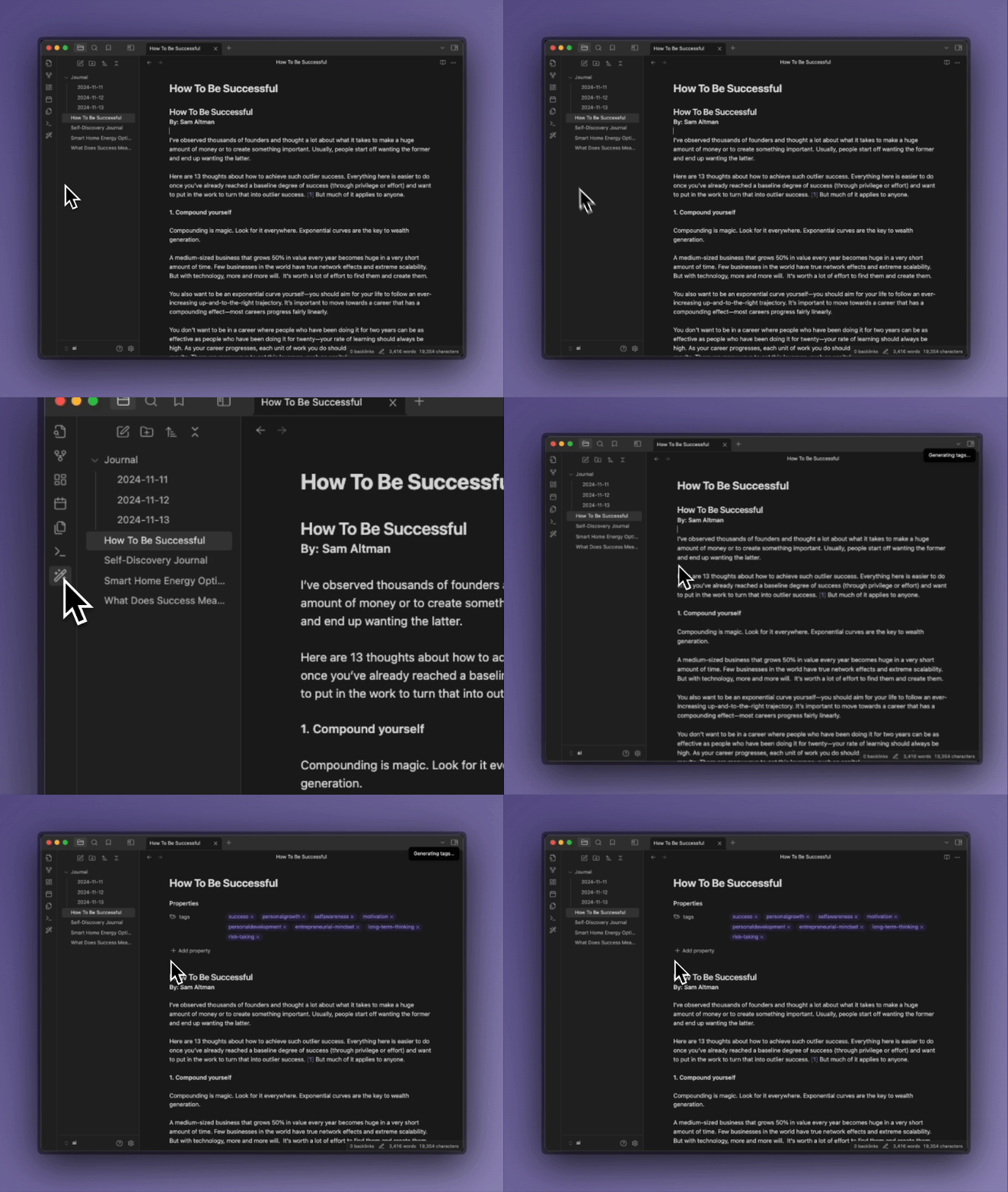
一键标记

  • 点击左侧边栏的"魔杖"图标来标记当前笔记

    一键标记

基于选中文本的标记

  • 高亮文本并使用命令面板(Ctrl/Cmd + P)→ "Generate tags"
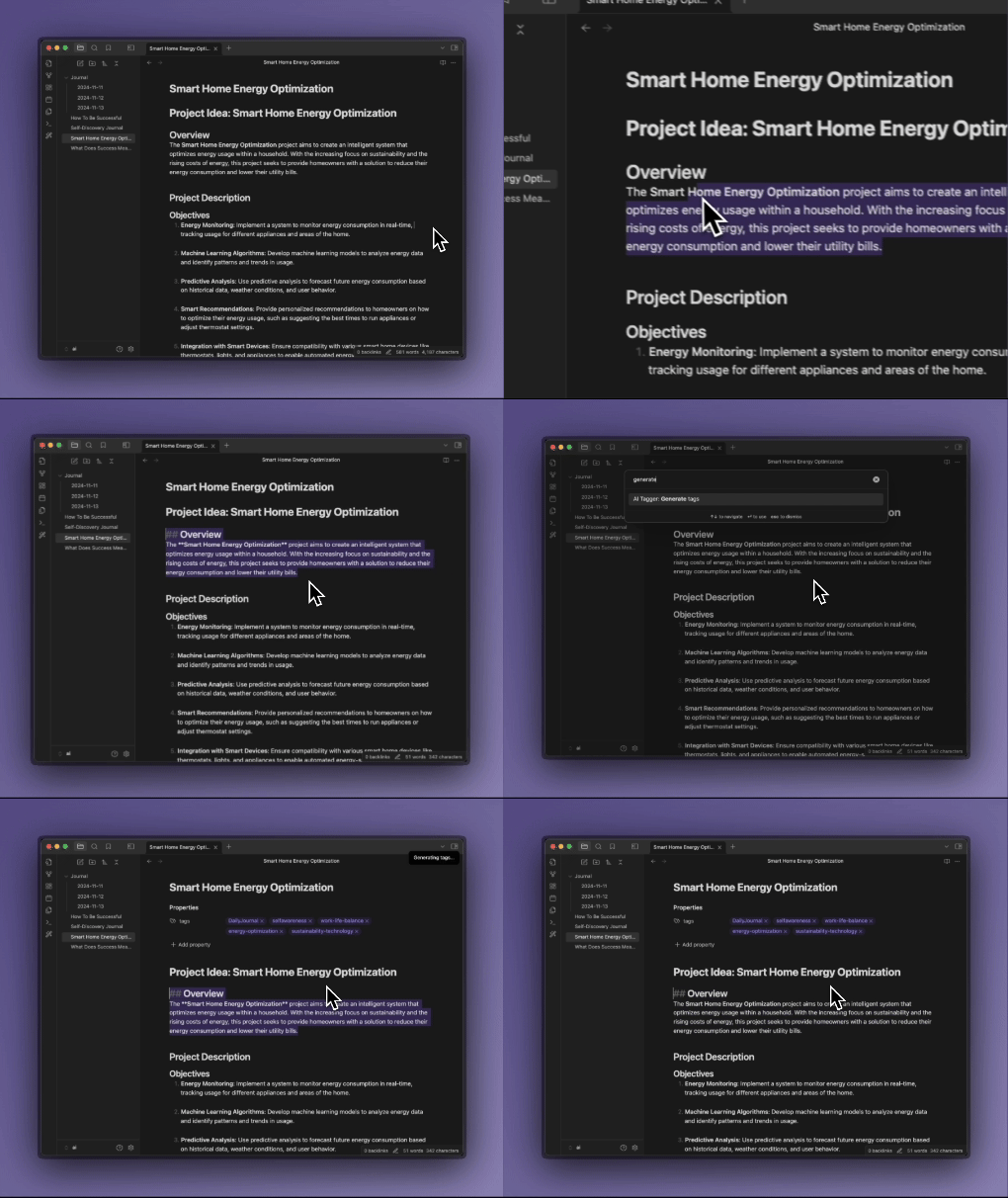
    精确标记

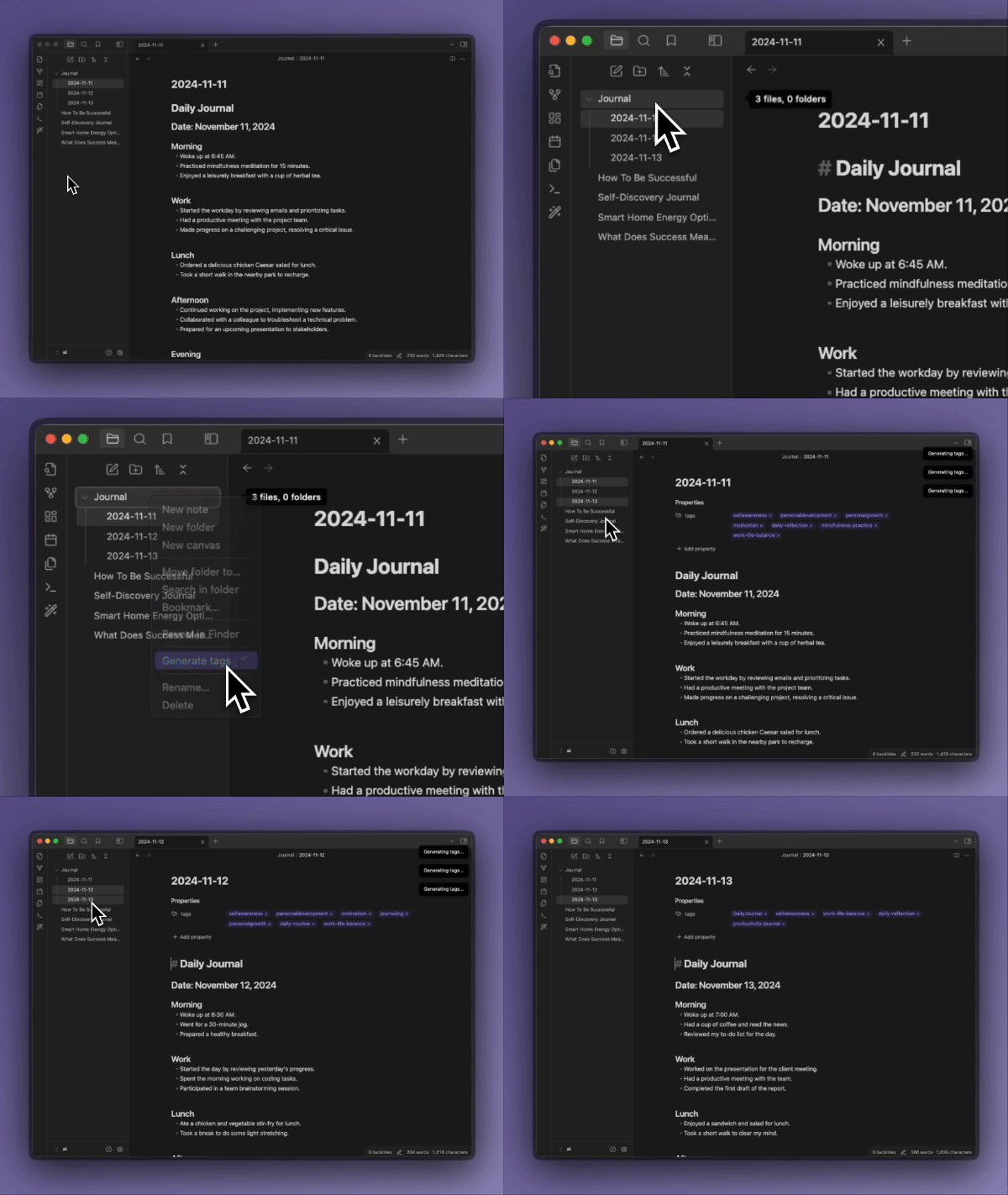
批量标记

  • 右键点击文件或文件夹来标记多个文档

    多文件标记

🔧 配置选项

  • 自定义端点:设置替代 API 端点(支持openai sdk、Ollama 等兼容服务)

  • 小写标签:强制所有标签为小写

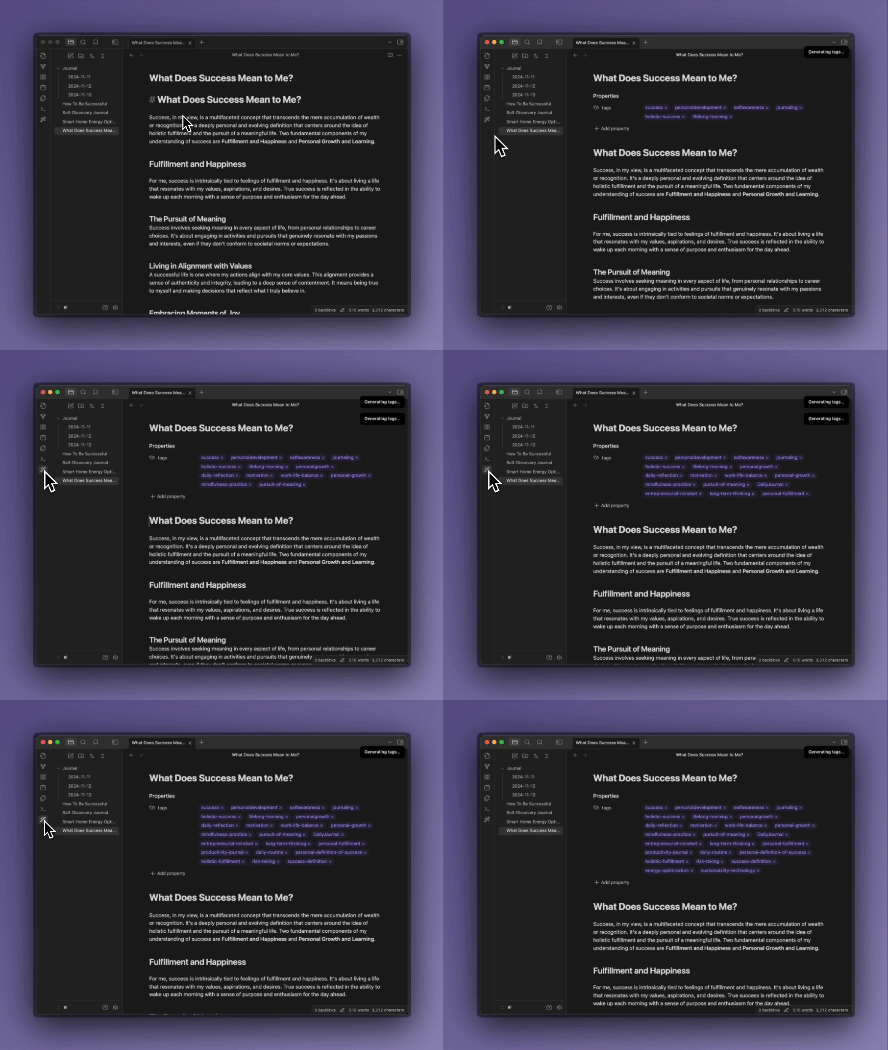
  • 上下文感知:插件考虑现有标签以避免重复

    上下文感知标记

🔧 功能

1. 设置管理

  • 加载和保存插件设置,包括 OpenAI API 密钥、模型名称、基础 URL 和提示语言。
  • 支持默认设置的初始化和用户自定义配置。
  • 通过插件设置标签页允许用户配置 API 密钥、模型选择(如 GPT-4o mini)和语言偏好。

2. 标签生成

  • 使用 AI(OpenAI)为文档内容生成相关标签。
  • 支持去除 frontmatter 后的纯内容进行标签生成。
  • 基于整个仓库的所有标签作为上下文,生成更相关的标签。
  • 避免重复生成现有标签。
  • 分析文档内容,返回最多 5 个相关现有标签和最多 3 个新建议标签。
  • 支持中文和英文提示语言,使用预定义的系统提示和示例。

3. 标签应用

  • 将生成的标签添加到文档的 frontmatter 中。
  • 支持追加新标签到现有标签列表。
  • 使用 Obsidian 的 processFrontMatter API 更新文档元数据。

4. 递归标签生成

  • 支持为单个文件生成标签。
  • 支持为文件夹及其所有子文件递归生成标签。
  • 允许批量处理多个文件,提高效率。

5. 用户界面集成

  • 工具栏图标:在 Obsidian 左侧工具栏添加图标按钮,用于为当前活动文档生成标签。
  • 编辑器命令:添加命令用于为选区或整个文档生成标签,支持命令面板调用。
  • 文件菜单选项:在文件右键菜单中添加选项,用于为单个或多个文件生成标签,支持右键批量操作。

6. 用户通知

  • 在生成标签过程中显示进度通知。
  • 成功或失败时提供相应反馈。
  • 使用 Obsidian 的 Notice API 显示消息,如生成中、成功或错误提示。

🔗 更多信息

  • 快速开始使用
  • 开发文档
  • 许可证

🤝 贡献

如果你发现 bug 或想要新功能,欢迎提交 Issue 或 PR。

75%
HealthGood
ReviewCaution
About
Generate relevant tags for notes using large language models that analyze the current file and your vault's tag history. Append tags to frontmatter, return up to five previously used tags plus up to three new suggestions, and run on single files or recursively across folders for batch tagging.
TagsAIFiles
Details
Current version
0.0.1
Last updated
6 months ago
Created
6 months ago
Updates
1 release
Downloads
28
Compatible with
Obsidian 0.15.0+
Platforms
Desktop, Mobile
License
MIT
Report bugRequest featureReport plugin
Author
li-xiu-qili-xiu-qi
github.com/li-xiu-qi
GitHubli-xiu-qi
  1. Community
  2. Plugins
  3. Tags
  4. Auto Tags

Related plugins

Claudian

Embeds Claude Code/Codex as an AI collaborator in your vault. Your vault becomes agent's working directory, giving it full agentic capabilities: file read/write, search, bash commands, and multi-step workflows.

Gemini Scribe

Allows you to interact with Gemini and use your notes as context.

ChatGPT MD

A seamless integration of ChatGPT, OpenRouter.ai and local LLMs via Ollama into your notes.

Tars

Text generation based on tag suggestions, using Claude, OpenAI, Ollama, Kimi, Doubao, Qwen, Zhipu, DeepSeek, QianFan & more.

Notebook Navigator

A better file browser and calendar inspired by Apple Notes, Bear, Evernote and Day One.

Local REST API & MCP Server

Unlock your automation needs by interacting with your notes over a secure REST API.

QuickAdd

Quickly add new notes or content to your vault.

Recent Files

Display a list of recently opened files.

Omnisearch

Intelligent search for your notes, PDFs, and OCR for images.

Copilot

Your AI Copilot: Chat with Your Second Brain, Learn Faster, Work Smarter.