Artifact Embed
 LeonYew-Ley998 downloads
Embed interactive HTML files, URLs, or inline HTML as Claude-style sandboxed artifact cards inside notes.
- Overview
- Scorecard
- Updates3
English · 中文
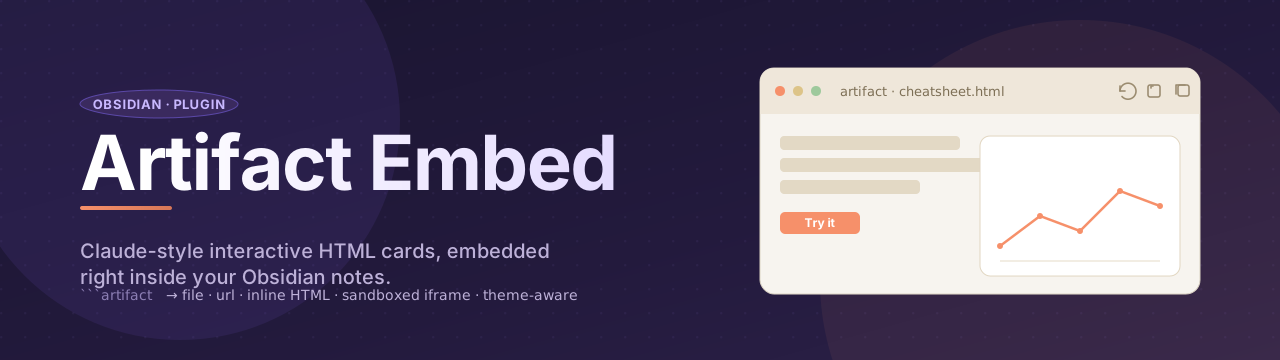
Artifact Embed lets you drop interactive HTML — local files, remote URLs, or inline source — straight into your Obsidian notes as Claude-Desktop-style cards. Each artifact runs in a sandboxed iframe, inherits your Obsidian theme variables, and gives you a tiny toolbar to reload, open externally, or copy the source.
Demo
Why?
Plain Obsidian only renders Markdown. If you want a tabbed cheatsheet, a chart widget, or a self-contained mini-tool inside a note, your choices are: (a) paste raw HTML and pollute the note's global CSS, (b) launch a dedicated HTML viewer in a separate tab, or (c) iframe a URL into a sidebar pane. None of these put a polished, sandboxed, theme-aware artifact card inline next to your prose. That's what this plugin does.
Features
- One unified syntax — a single
```artifactcode block that auto-detects whether its body is a path, a URL, or inline HTML. - Sandboxed by default — every artifact runs in
<iframe sandbox="allow-scripts">with no same-origin access; iframe JS can't reach your vault, cookies, orwindow.parent. - Theme-aware — Obsidian's CSS custom properties (
--background-primary,--text-normal,--font-text, …) are injected into the iframe, sovar(--text-normal)inside your HTML follows light/dark mode. - Card chrome with toolbar — 🔄 reload · 🌐 open externally · 📋 copy source.
- Works in both Reading mode and Live Preview — piggybacks on Obsidian's native post-processor pipeline, no separate CodeMirror plugin needed.
- Per-block overrides — first line of the code block can carry directives like
height=600 title="My Demo".
Usage
Embed a vault file
```artifact
Assets/cheatsheet.html
```
Embed an external URL
```artifact
https://example.com/
```
Many production sites set
X-Frame-Options: DENYor a strict CSP — those will refuse to render inside an iframe. That's the remote site's choice, not the plugin's limitation.
Inline HTML
```artifact
height=320 title="Counter"
<!doctype html>
<html>
<body>
  <button id="b">+1</button>
  <span id="n">0</span>
  <script>
    let count = 0;
    document.getElementById('b').onclick = () => {
      document.getElementById('n').textContent = ++count;
    };
  </script>
</body>
</html>
```
Detection rules
The plugin classifies the code block body by these rules:
| Body looks like | Treated as |
|---|---|
Single line starting with http:// or https:// |
external URL → <iframe src=…> |
Single line ending in .html/.htm, no < chars |
vault path → load file → <iframe srcdoc=…> |
| Anything else | inline HTML → <iframe srcdoc=…> |
Directives (optional first line)
If the first line of the code block matches key=value syntax (and contains no <), it's parsed as directives:
| Key | Effect | Default |
|---|---|---|
height |
iframe height in px | 480 |
title |
text shown in the card header | source path / URL / inline HTML |
height=600 title="Big chart"
<svg>…</svg>
Generating compatible HTML with Claude
Claude (and other Anthropic-flavored artifact generators) defaults to its own CSS token system — --color-background-primary, --color-text-primary, --font-sans, --border-radius-lg, etc. None of those variables exist in Obsidian, so the artifact renders with no background, no border, and fallback fonts.
To make Claude reliably emit theme-aware HTML for this plugin, the full rule set is packaged as a reusable Skill at skills/artifact-embed/SKILL.md. The Skill covers Obsidian-native variable mapping, sandbox constraints, output format, and a migration table for existing Anthropic-style artifacts.
How to use the Skill
- Claude Code / Claude Agent SDK — drop the
skills/artifact-embed/directory into your project (or symlink it into~/.claude/skills/artifact-embed/). Claude will auto-invoke it whenever you ask for an Obsidian artifact widget. - claude.ai web / Claude Desktop — open
SKILL.md, copy its body, and paste it as the system prompt (or the first message) of a new project or conversation. - Other LLMs — the file is plain Markdown; paste it as a system prompt to ChatGPT, Gemini, or any tool you use to generate HTML.
Minimal skeleton the Skill produces:
<style>
  .card {
    background: var(--background-primary);
    color: var(--text-normal);
    border: 1px solid var(--background-modifier-border);
    border-radius: var(--radius-m);
    padding: 1rem;
    font-family: var(--font-text);
  }
  .card code {
    font-family: var(--font-monospace);
    background: var(--background-secondary);
    padding: 1px 6px;
    border-radius: var(--radius-s);
  }
</style>
<div class="card">…</div>
Workflow
- Load the Skill into your Claude environment (see the three options above).
- Ask Claude to build whatever widget you want — cheatsheet, calculator, chart, mini-tool.
- Copy the returned HTML into your note inside a
```artifactfence, or save it asAssets/whatever.htmland reference it with```artifact\nAssets/whatever.html\n``. - Reload the note; the artifact now follows your Obsidian theme (light/dark, custom snippets, font overrides).
Already have an existing Claude artifact using
--color-*tokens? Either re-run it through the Skill to regenerate, or apply the find-and-replace mapping in the Skill's migration table.
Install
This plugin isn't in the community plugin browser yet. To install from source:
- Download
manifest.json,main.js, andstyles.cssfrom the latest release (or clone this repo) - Drop them into
<your-vault>/.obsidian/plugins/obsidian-artifact-embed/ - Reload Obsidian (
Ctrl+P→ Reload app without saving) - Open Settings → Community plugins, enable Artifact Embed
Security model
The iframe is sandboxed with allow-scripts allow-forms allow-popups allow-modals. allow-same-origin is deliberately omitted. Consequences:
- ✅ Scripts inside the iframe run normally
- ✅ Forms, popups, modals work for self-contained tools
- ❌ Iframe JS cannot read or write
window.parent,document.cookie,localStorage, or vault state - ❌ Iframe JS cannot make same-origin requests to your filesystem
If you ever need that kind of access, you almost certainly want a different plugin (Templater, Dataview JS, CustomJS). This one's design line is: render untrusted HTML safely.
Limitations / known gaps
- No content-aware auto-resize. Height is fixed (default 480px); override per block via
height=…. Auto-resizing would require sending apostMessagefrom inside every embedded document, which we deliberately don't enforce. - Remote sites with strict frame policies won't load. That's a server-side block — no plugin can defeat it.
- No settings tab in v0.1. Default height / sandbox flags are hard-coded for now.
Examples
See examples/test-note.md — drop it into a vault to verify all three syntaxes render correctly.
Banner credit
The banner is hand-written SVG (docs/banner.svg) — no external tooling needed. If you want to make your own plugin banner, popular free options include:
- Figma — most common, free tier, great export to PNG/SVG
- Penpot — fully open-source Figma alternative
- Canva — template-driven, fastest for non-designers
- Excalidraw — sketchy aesthetic, also exists as an Obsidian plugin
- Satori — generate banners from JSX, programmatically (FOSS, by Vercel)
License
MIT © LeonYew-Ley