Annotation Inbox
 theluckystrike1 downloads
Pull your Hypothesis web highlights, page notes and tags into your vault as one note per page, with incremental resync that skips duplicates and never recreates notes you deleted. Unofficial, not made by Hypothesis.
- Overview
- Scorecard
- Updates1
Annotation Inbox pulls your Hypothesis web highlights, page notes and tags into your vault as one note per page. It resyncs from where it stopped, skips what it already has, and does not make a note again after you delete it.
Unofficial. Not made by or affiliated with Hypothesis. Hypothesis is a trademark of its owner. This plugin only reads your own annotations through the public Hypothesis API, with a developer token that you make yourself.
Features
Sync now, from a command or the ribbon
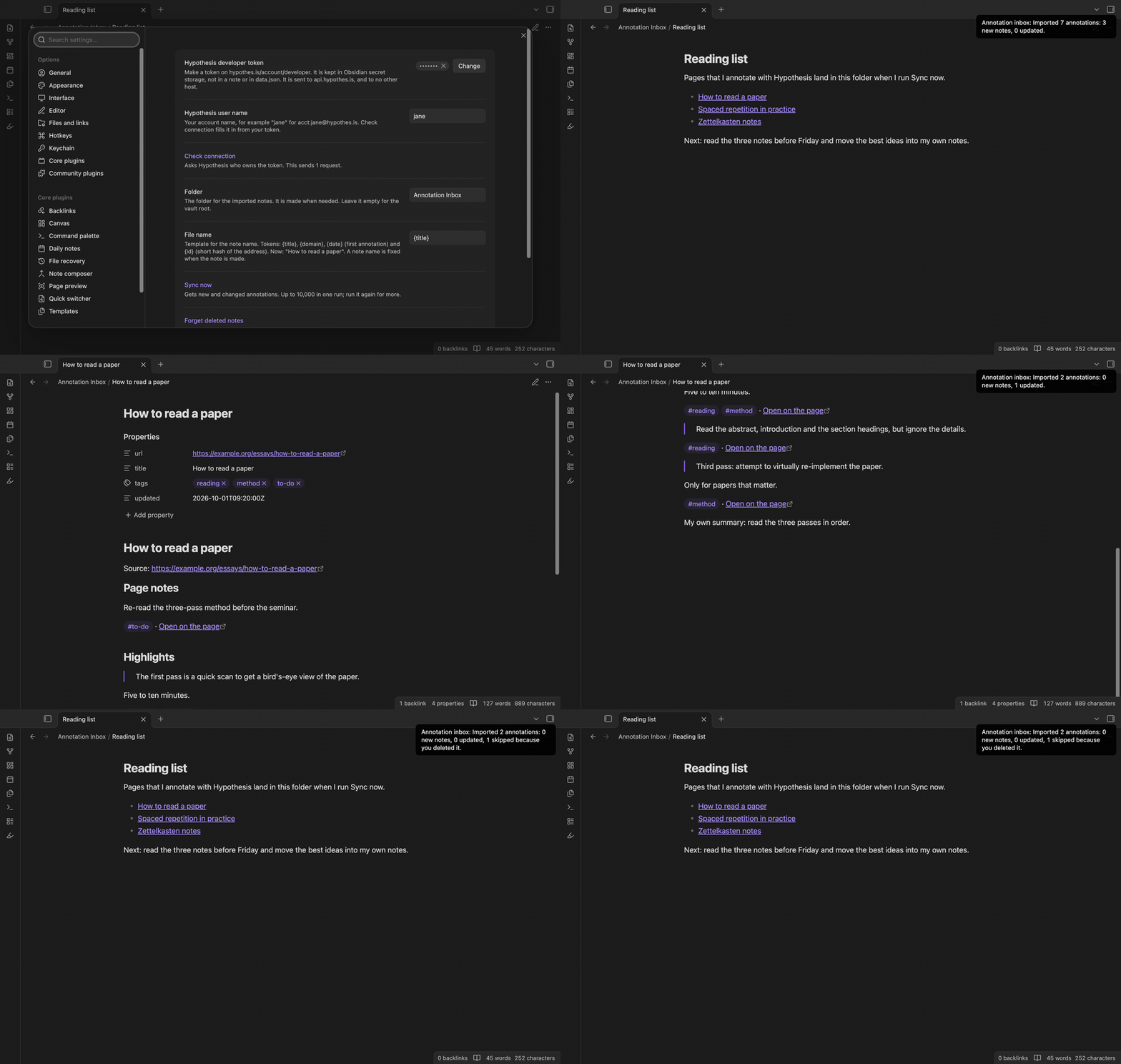
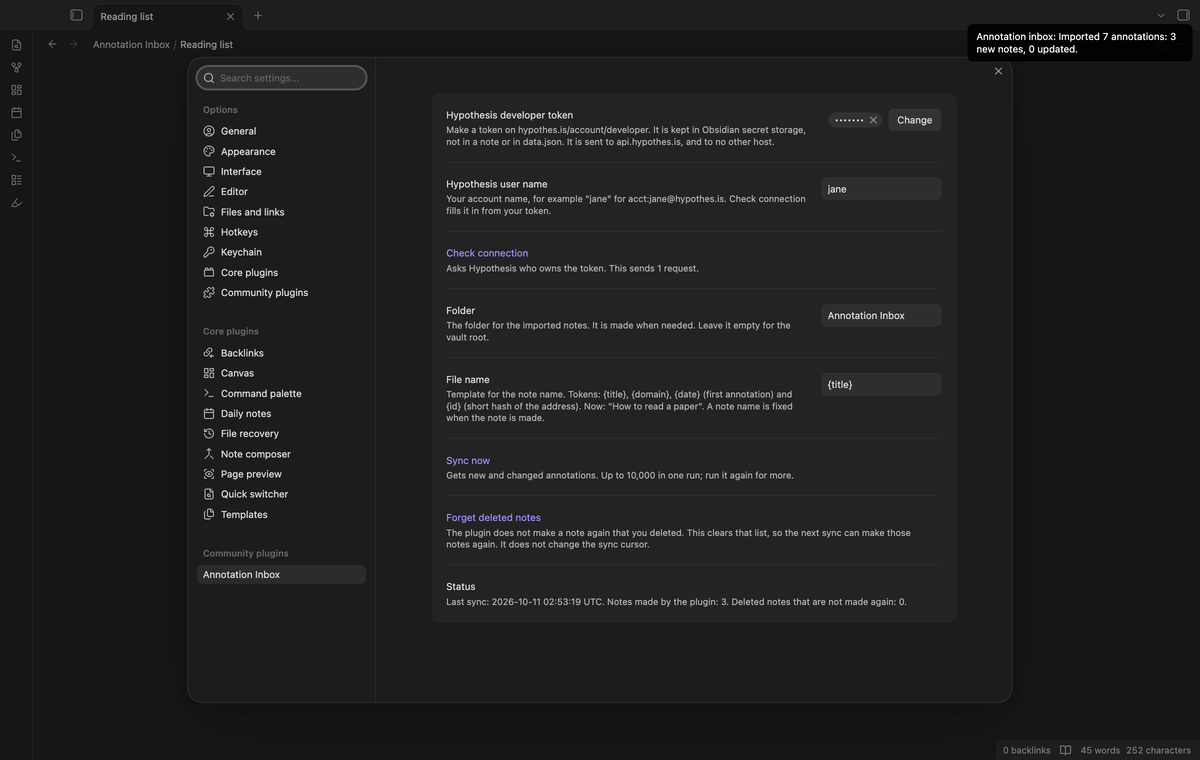
Select the highlighter icon in the ribbon, or run the command "Annotation Inbox: Sync now". The plugin asks Hypothesis for your annotations, oldest change first, in pages of 200. It waits one second between requests. After the sync, a notice tells you what happened, for example "Imported 7 annotations: 3 new notes, 0 updated."
One run reads up to 10,000 annotations. If your account is larger, the notice says so. Run Sync now again to continue from the saved cursor.
One note per page
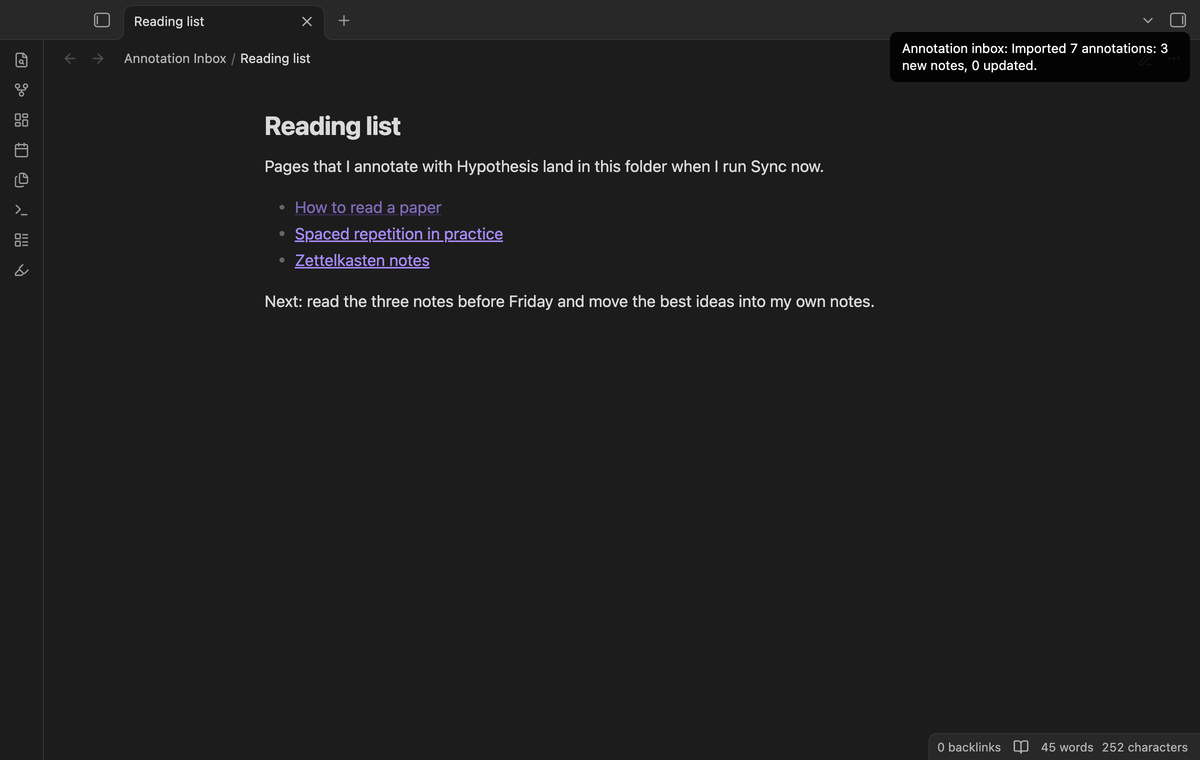
Every page that has an annotation gets one note in the folder that you choose. The properties hold url, title, tags and updated. The tags are the tags of the annotations on that page, in the form that Obsidian accepts: Reading List becomes Reading-List, and 2026 becomes tag-2026.
Under the title, page notes come first, then highlights in the order of the page when the note is made. Highlights that arrive in a later sync go at the end of the list. Each highlight is a quote, then your comment, then its tags and a link that opens the highlight on the page. Each block starts with a comment line, <!-- ai:ID time -->, that the next sync uses to find the block. Reading view does not show it.
Resync without duplicates
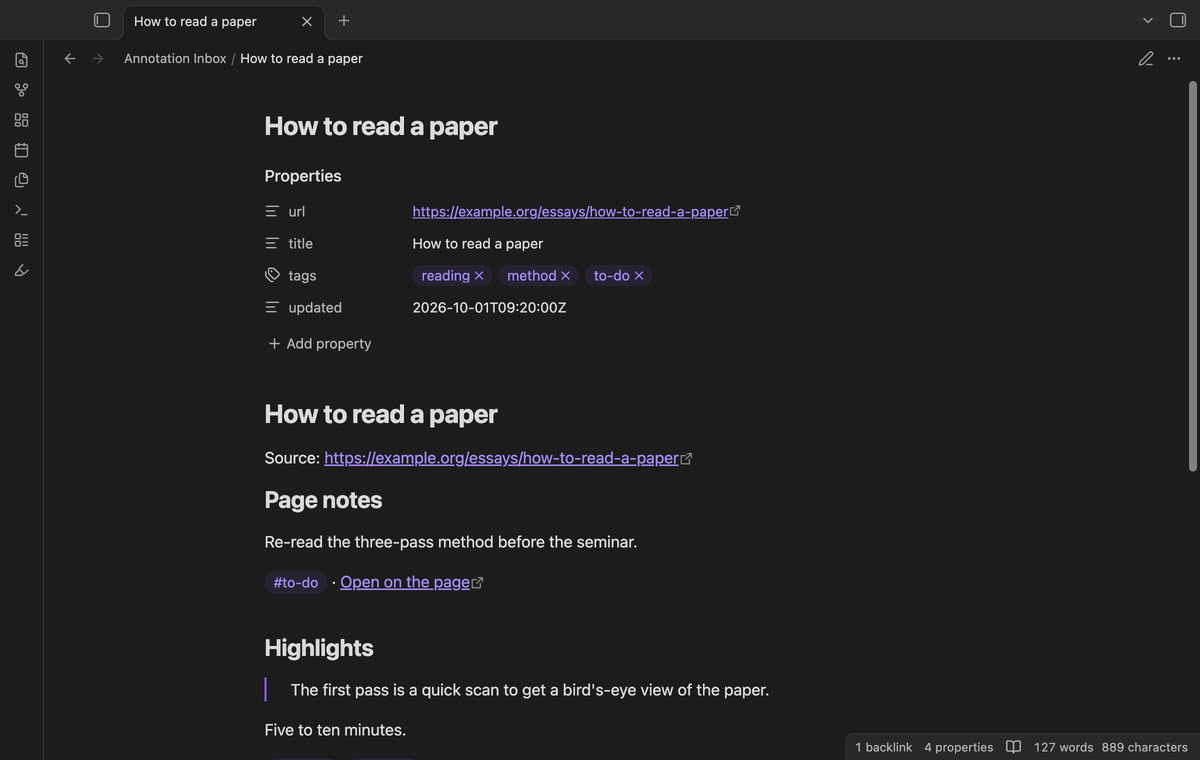
The plugin keeps a cursor: the latest update time that it has read. The next sync starts one second before it, so two annotations with one time cannot be missed. The overlap returns a few annotations again. These rules handle them:
- A block is found by the id in its marker. It is replaced only when the annotation is newer than the marker.
- A new annotation goes to the end of its section.
- If nothing changed, the note is not written, and its modified time stays the same.
- Text that you write outside the two marker comments (
annotation-inbox:startandannotation-inbox:end) is never touched. - If you edit a block and the annotation does not change on Hypothesis, your edit stays. If the annotation does change, the block is replaced with the new text.
Notes that you delete stay deleted
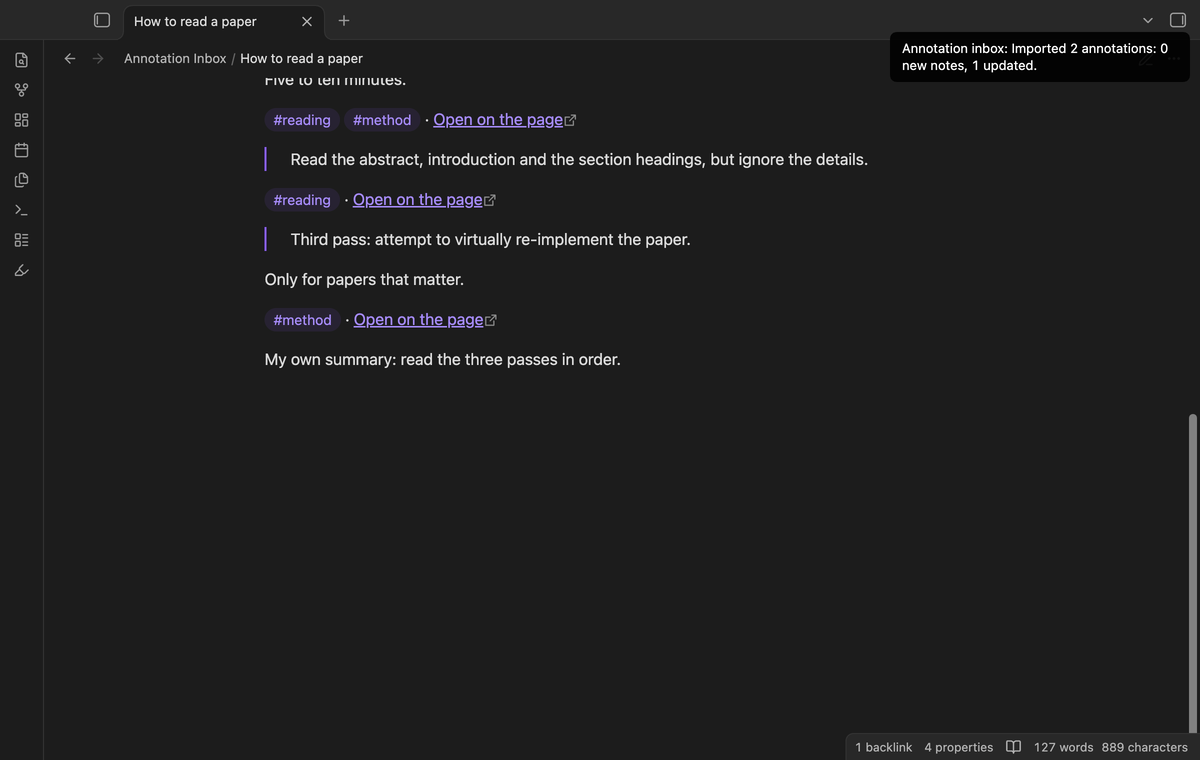
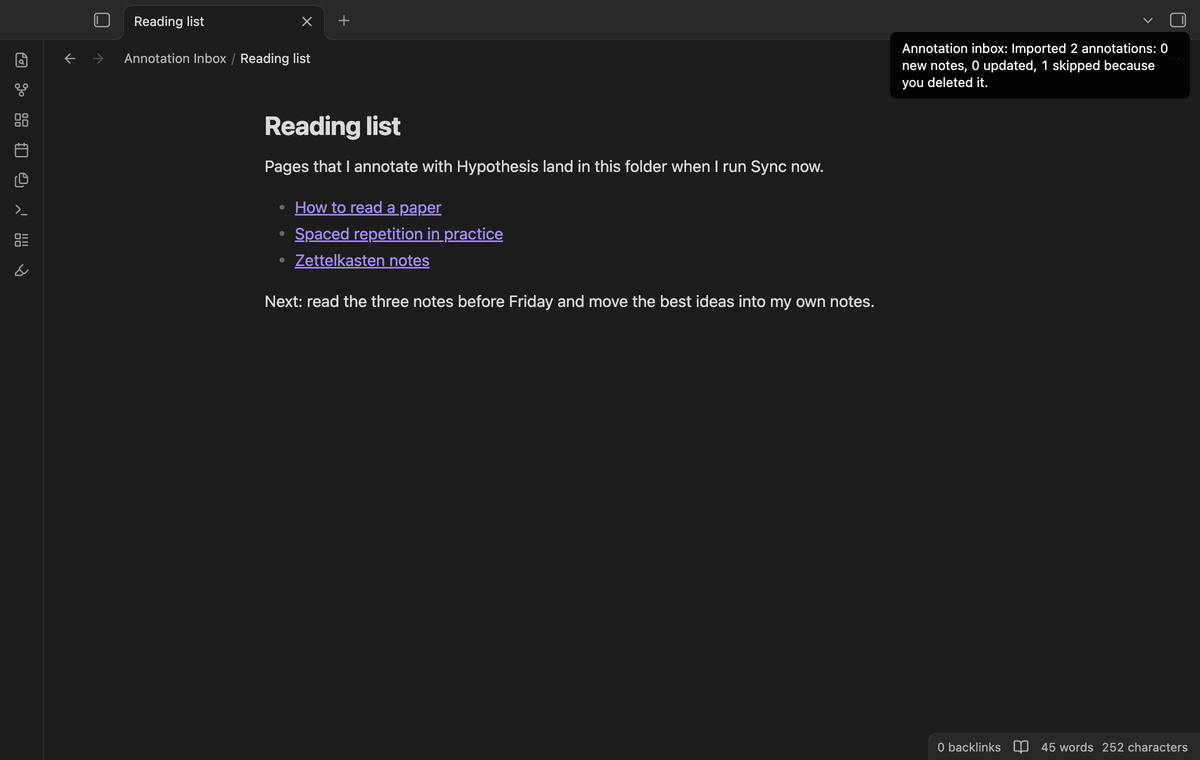
When you delete a note that the plugin made, the plugin remembers the page. Later annotations on that page do not bring the note back. This also works when you delete the note while Obsidian is closed. If you only moved a note, the plugin finds it by its url property.
The notice then says how many pages it skipped, for example "1 skipped because you deleted it". To get a note back, run "Forget deleted notes" and sync again.
Folder and file name
Choose the folder in the settings. An empty folder means the vault root. The file name comes from a template with four tokens: {title}, {domain}, {date} (the day of the first annotation on the page) and {id} (eight characters from the address). The default is {title}. Characters that break file names or links (\ / : * ? " < > | # ^ [ ]) are replaced, and names are cut at 100 characters. When two pages have one title, the second note is Title (2). The name is fixed when the note is made, so a new template does not rename old notes.
Install
When Annotation Inbox is listed in the community directory, open Settings, then Community plugins, then Browse, and search for "Annotation Inbox". Select Install, then Enable.
To install by hand, download main.js, manifest.json and styles.css from the latest release. Put the three files in <vault>/.obsidian/plugins/annotation-inbox/. Restart Obsidian or reload the list of community plugins, then turn on Annotation Inbox.
Usage
- Log in to Hypothesis in your browser and open hypothes.is/account/developer. Select Generate your API token and copy it.
- In Obsidian, open Settings, then Annotation Inbox. Select the token field and paste the token.
- Select Check connection. Hypothesis answers with your account name, and the plugin fills in the user name. You can also type it, for example
janeforacct:[email protected]. - Run Sync now.
The plugin reads your own annotations, public and private. Replies and hidden annotations are skipped. It never creates, changes or deletes an annotation on Hypothesis.
If a sync stops because of an error, the notes that were made stay, and the cursor moves only as far as the annotations that were read. A wrong token gives the message "Hypothesis did not accept the token". HTTP 429 (too many requests) makes the plugin wait for the time in the Retry-After header (30 seconds when there is none), then try again, at most two times.
Settings
| Setting | What it does |
|---|---|
| Hypothesis developer token | Kept in Obsidian secret storage, not in a note and not in data.json. |
| Hypothesis user name | Your account name. 3 to 30 characters: letters, digits, . or _. |
| Check connection | Sends one request and fills an empty user name. |
| Folder | Where the notes go. Made when needed. Empty means the vault root. |
| File name | The template for the note name. |
| Sync now | Same as the command and the ribbon button. |
| Forget deleted notes | Clears the list of notes that are not made again. |
| Status | Time of the last sync, the number of notes, the number of deleted notes. |
FAQ
Is this made by Hypothesis?
No. It is an unofficial plugin by an independent developer. It uses the public Hypothesis API with your own token. For help with your Hypothesis account, ask Hypothesis.
Does it work on a phone or a tablet?
Yes. It has no desktop-only code. It uses the request function of Obsidian and no Node module.
Does it sync automatically?
No. You select Sync now. This keeps the number of requests under your control.
What happens to an annotation that I delete on Hypothesis?
Nothing. The search API does not list deleted annotations, so the plugin cannot see them. The block stays in your note until you delete it.
Does it import groups, replies or PDFs?
It imports every annotation of yours that the search API returns for your user name, including annotations in groups that you belong to. Replies are skipped. A PDF that has no web address gets a note under the identifier that Hypothesis gives it.
Is there a limit on requests?
Hypothesis does not publish a rate limit for this call. The plugin sends at most one request each second and waits when Hypothesis answers 429.
Which older plugin is this?
The older plugin "Hypothesis" by weichenw is no longer in the community directory. This plugin does the same job, shares no code with it, and has another id and note layout. It does not read the notes of the older plugin.
Payment, account and network
Annotation Inbox is free. It has no paid features, no license key, no trial and no sign in of its own. It needs a Hypothesis account, which is free, because the token comes from that account.
The plugin makes network requests to one host, api.hypothes.is, and only when you run Sync now or Check connection. Each request is a read (HTTP GET). It sends your developer token in the Authorization header, and your Hypothesis user name and the sync cursor in the address of the search request. It sends nothing else: no note text, no file names, no vault data, no device identifier. It has no analytics, no telemetry and no ads.
The token stays in the secret storage of Obsidian on this device. It is not written to data.json or to any note, so it does not sync with your vault and it does not reach a git repository. The plugin never prints the token or puts it in an error message. If you want to revoke it, make a new token on hypothes.is/account/developer.
The plugin writes in two places: the notes in the folder that you choose, and its own data.json in the plugin folder. That file holds your settings, the cursor, the list of notes that it made and the list of notes that you deleted. It does not hold the token.
Support
Report a bug or ask for a feature in the issue tracker of this repository. Please include your Obsidian version and the notice text. Do not paste your token. To support the work, use GitHub Sponsors.
To build from source:
npm ci
npm run build
npm test
License
MIT