Academic Notes
 Kristal Boltinn3k downloads
Number and reference theorems, equations, figures, and tables across notes, with cross-file links, a table of contents, and multi-note PDF export.
- Overview
- Scorecard
- Updates28
English | 简体中文
Academic writing for Obsidian: mathematical environments, automatic numbering, cross-references, diagrams, and publication-style exports.
Inspired by ElegantBook, Academic Notes brings framed theorems, borderless proofs with an end-of-proof square, and understated colored remarks to your notes.
User guide · Latest release · Changelog
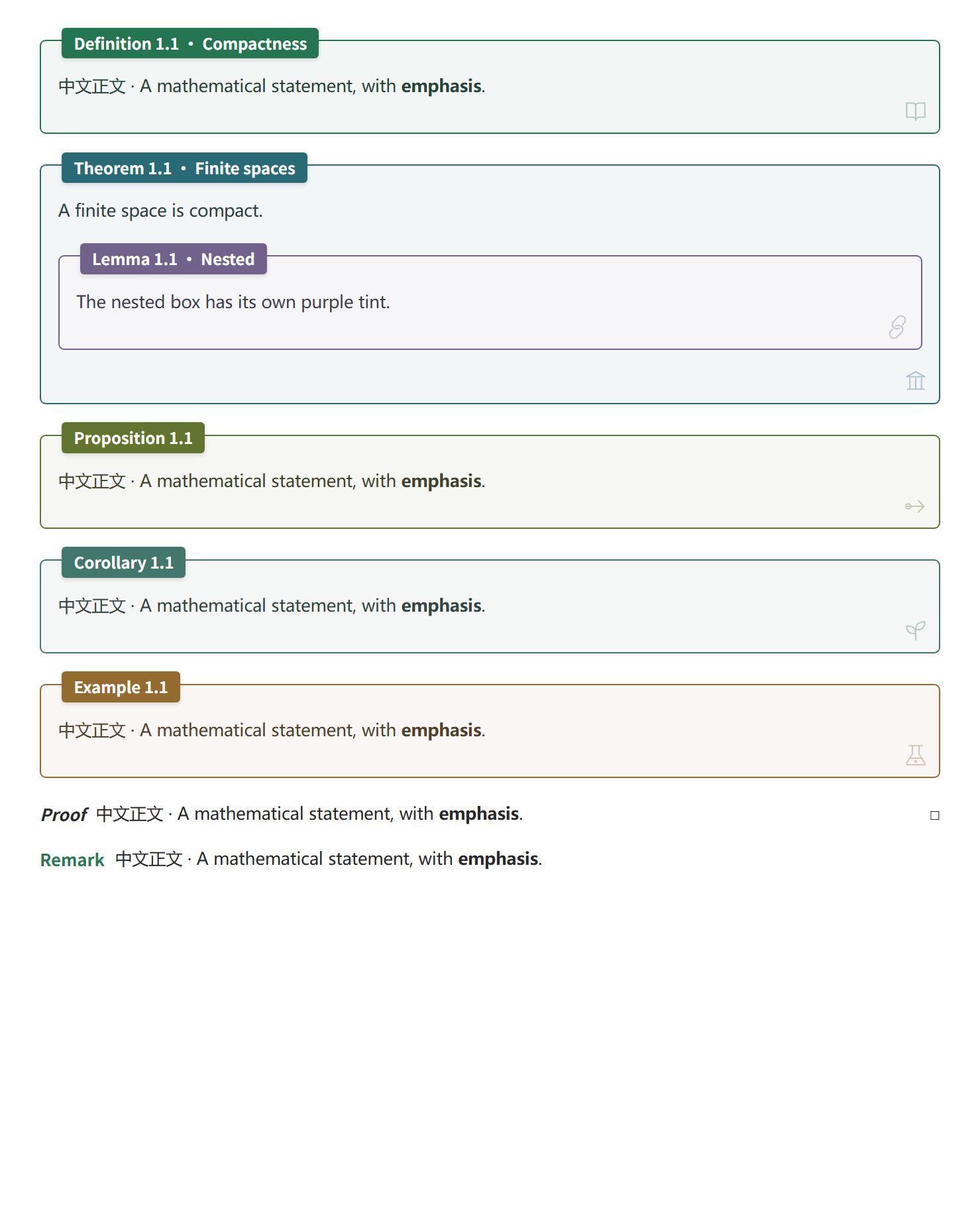
Mathematics with structure
- Mathematical environments — theorems, definitions, lemmas, propositions, proofs, remarks, and more, with support for folding and nesting.
- Flexible numbering — automatic or manual numbers, section-based or continuous counters, shared theorem counters, and an option to number only referenced equations.
- Cross-file references — file-grouped suggestions with a current-note shortcut, safe labelling of new targets, customizable names and abbreviations, and links that follow their targets into a PDF book.
- Your own environments — add named environments with their own numbering, references, colors, and corner motifs; inspect usage or retire them from insertion.
Explore mathematical environments · References and indexes
Algorithms, figures, and diagrams
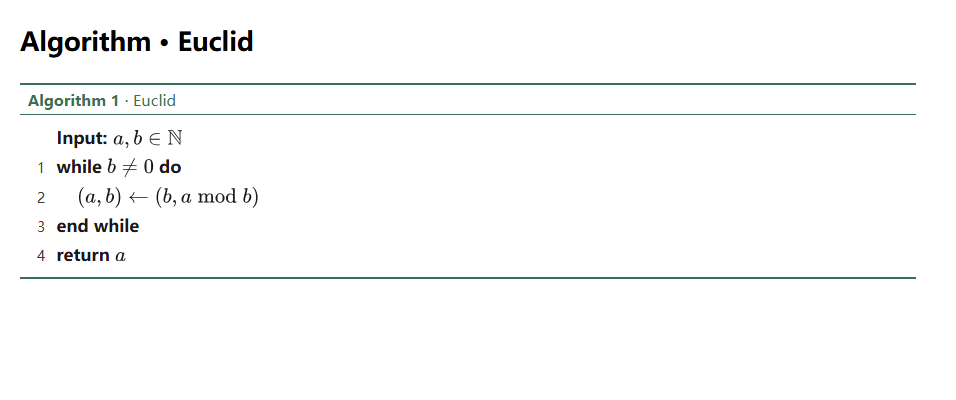
Algorithms use the familiar pseudocode.js / LaTeX algorithmic grammar, with a three-line layout, optional line numbers, automatic numbering, and cross-references. Both callout and code-block forms use the same renderer.
Figures, subfigures, and three-line tables have coordinated captions and references. Subfigure groups support shared image heights and balanced layouts. The built-in commutative diagram editor (Beta) provides grid-based nodes, math labels, parallel and curved arrows, injection/surjection/isomorphism notation, and triangular commutativity markers. Optional TikZJax integration preserves completed drawings in exports.
Algorithms · Figures and tables · Diagrams and TikZ
An appearance of your own
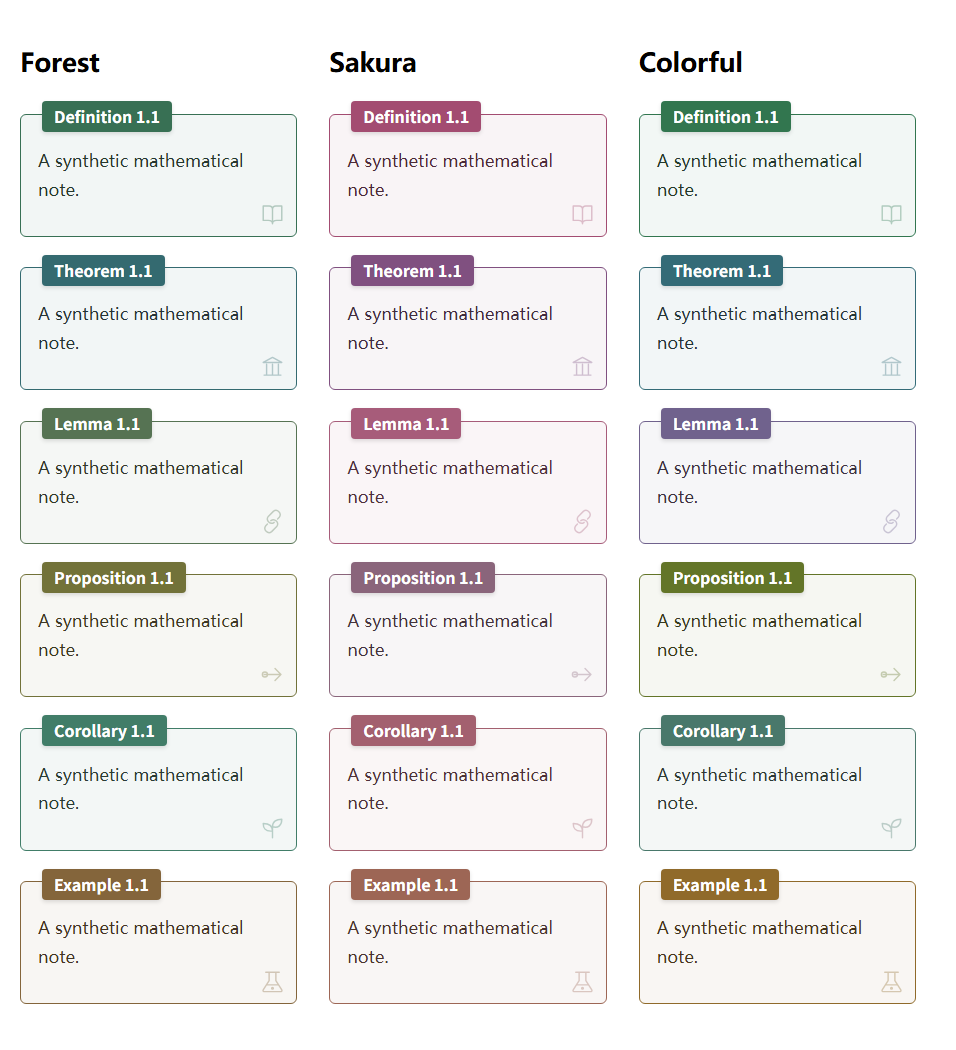
Choose coordinated light and dark palettes, follow your Obsidian theme's accent, or create a custom palette. Each palette keeps its own environment colors and motifs. Share palettes, custom environments, and reference formats through profiles with an import preview and conflict choices.
Optional paragraph indentation and Knuth–Plass line breaking (Beta) refine supported paragraphs in Reading view, inactive Live Preview, and desktop PDF export. Active editing and unsupported content retain native layout.
Appearance and customization · Paragraph typography
Navigate, check, and publish
- Linked Markdown indexes — collect academic content by environment or source note into an ordinary note, with clickable links, rename-aware sources, and refreshable contents.
- Reference checks — find missing or ambiguous targets, duplicate block IDs, numbering conflicts, and references outside a selected book.
- Contents and PDF navigation — clickable tables of contents, bookmarks, measured page numbers, and internal links.
- Single notes and books — export HTML snapshots or desktop PDFs, save and reopen chapter manifests, review references, cancel exports, and renumber the export without rewriting source notes.
- Page-aware figures — keep images and captions together, with optional experimental shrinking and limited paragraph movement to reduce page gaps.
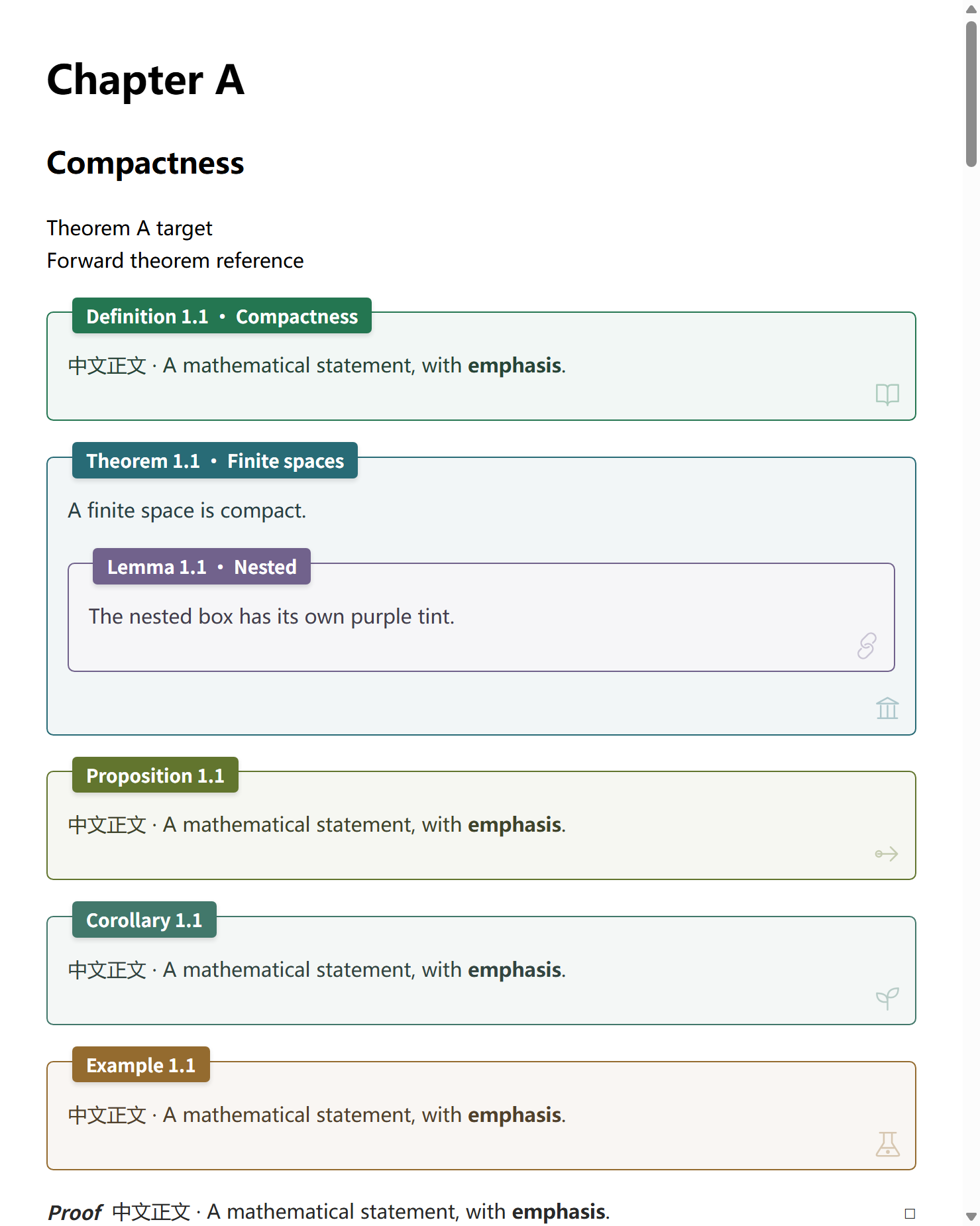
Inline and display equations support LaTeX references, with per-row numbering and export links. Reference previews show target content and incoming references; rename tools maintain labels, math links and book chapter paths. See the equation reference guide.
Desktop and mobile
Requires Obsidian 1.9.0 or later. Mathematical environments, numbering, references, indexes, appearance tools, and HTML snapshots work on desktop and mobile. PDF export is desktop-only, using Obsidian's bundled Electron; no separate export engine is required. The interface follows Obsidian's language, with English and Simplified Chinese available.
Beta features have documented scope limits; layout and touch behavior can vary by device and theme. See the user guide for compatibility details.
Local processing and privacy
Indexing, diagram rendering, and exports run locally, with no telemetry or developer account. Exported files stay in the vault. Theme capture may read loaded styles, fonts, and images, including theme resources outside the vault; optional integrations have their own behavior. See Privacy and permissions for resource access, note edits, and diagnostic reports.
Documentation
Installation, syntax, settings, and examples live in the Wiki, with a 中文指南 alongside it.
Getting started · Troubleshooting · Development
License
MIT. Dependency licenses and acknowledgments are in Third-party notices.
Contributors
Thanks to Innovaspire for contributing LaTeX equation references and per-row numbering in PR #2, and grouped reference suggestions in PR #3.
Support and feedback
If Academic Notes is useful to you, please consider starring the project. Bug reports and feature suggestions are welcome in GitHub Issues.