
- Overview
- Scorecard
- Updates2
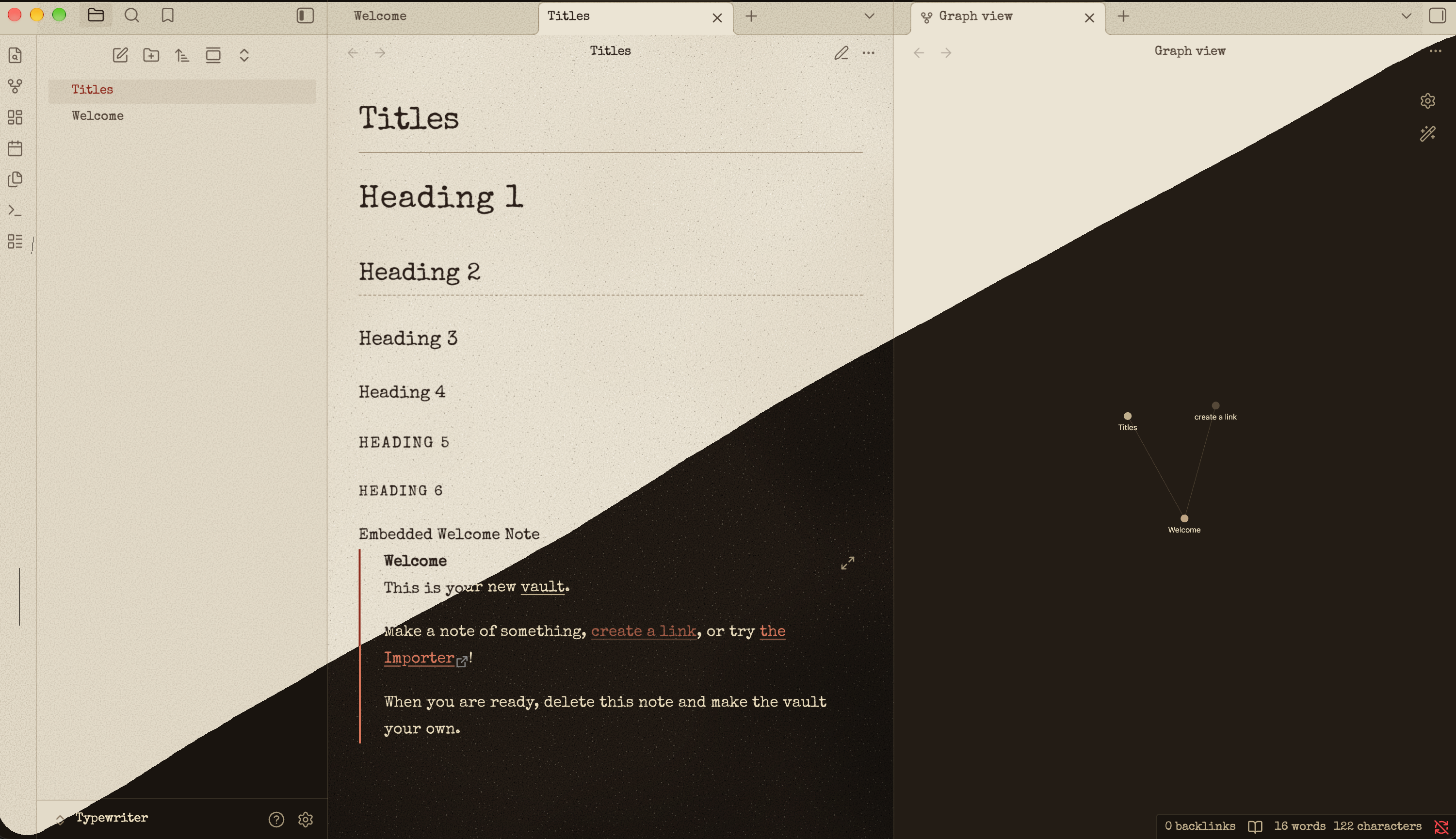
An Obsidian theme that makes your notes look typed on the pale, aged paper of an old hardback. It comes in two modes: a light mode with cream paper, and a dark mode that looks like the same page read at night.
Features
- Typewriter font: Special Elite, a worn typewriter face. It's built into
theme.css, so it works offline and you don't need to install anything else. - Paper texture: pale, greyish-cream paper with fine grain, scattered pores, soft uneven toning and a slight vignette at the edges.
- Ink: black-brown ribbon ink that bleeds slightly into the paper.
- Red accent: links, tags, checkboxes and the text cursor use the red half of a two-colour typewriter ribbon.
- Typewriter habits: a typewriter has only one weight of type, so bold is drawn as a double strike and italics are underlined. Section breaks (
---) appear as* * *. - Code blocks: a plain tinted panel with no borders or lines, set in a thickened Courier New. Syntax colours in light mode are bright enough to stand out on the cream paper.
- Dark mode: dark sepia paper with cream ink.
Installation
From the community theme store
- Open Settings → Appearance → Themes and click Manage.
- Search for Typewriter-Vin, then click Install and use.
Manually
- Download
theme.cssandmanifest.jsonfrom the latest release. - Put both files in a folder called
Typewriter-Vininside<your vault>/.obsidian/themes/. - Open Settings → Appearance → Themes and choose Typewriter-Vin.
Compatibility
Requires Obsidian 1.5.0 or later. Works with both light and dark base themes.
License
The theme is released under the MIT License.
The bundled Special Elite font has its own license, the Apache License 2.0.
Credits
Special Elite by Astigmatic (Brian J. Bonislawsky), used under the Apache License 2.0.
HealthExcellent
ReviewPassed
About
Give notes a typed-on, aged-paper look with cream light and dark sepia night modes using the Special Elite typewriter font. Show black-brown ink that bleeds into the paper and red ribbon accents for links, tags, checkboxes and the cursor; render bold as double-strike, italics underlined, section breaks as * * *, and code panels in tinted Courier New.Details
Current version
1.0.1
Last updated
3 weeks ago
Created
Last month
Updates
2 releases
Downloads
321
License
MIT