Omarchy
 sonldv343 downloads
Omarchy theme for Obsidian: follows the Omarchy palette, IBM Plex Mono, long-form layout
- Overview
- Scorecard
- Updates6
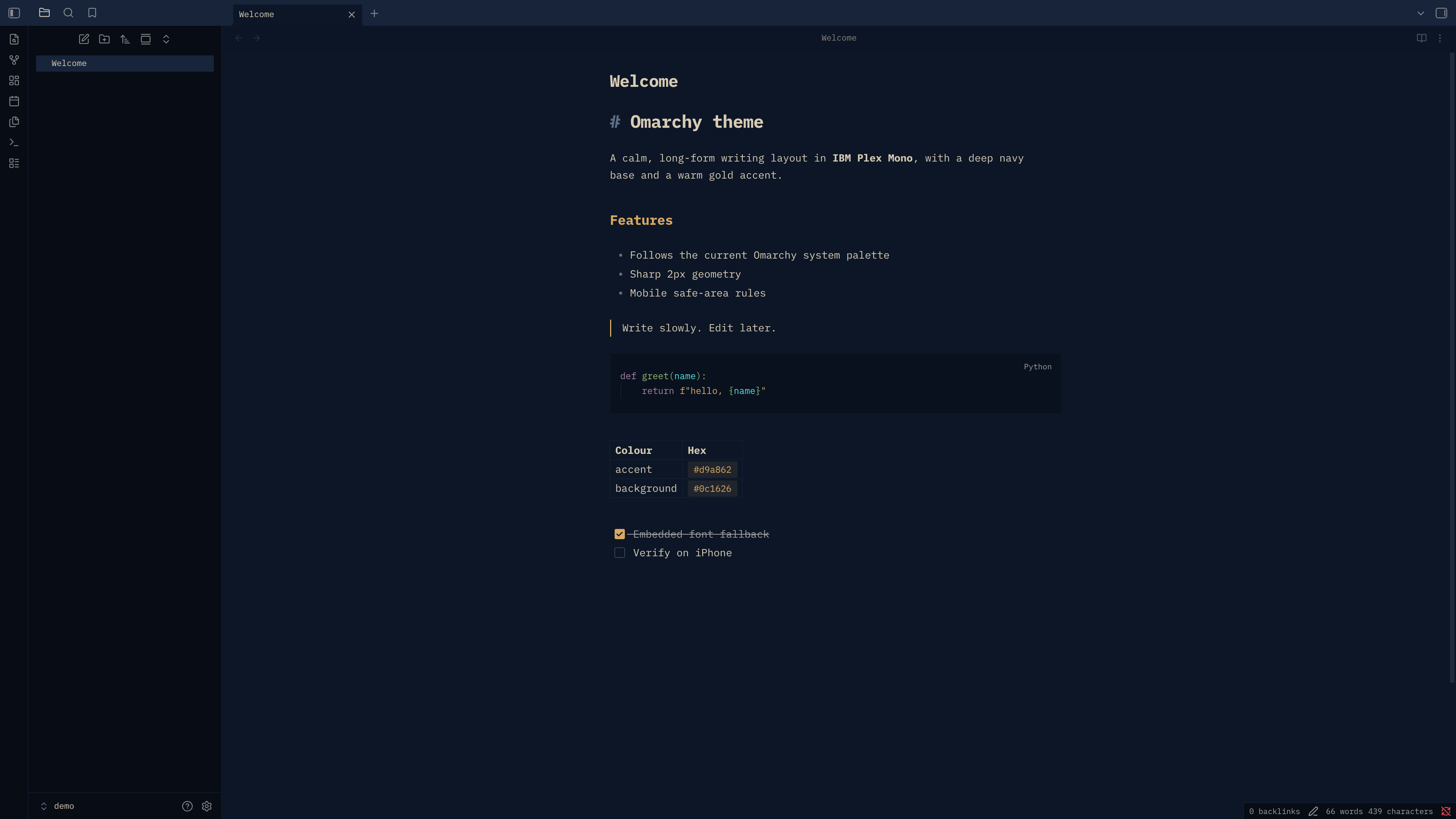
Omarchy theme for Obsidian
An Obsidian theme built from Omarchy colour palettes, with IBM Plex Mono embedded, a long-form writing layout and soft rounded corners.
Build
python3 bin/build.py
Writes theme.css and manifest.json to the repo root (both are committed).
Options: --live replaces the matching light or dark palette with the current
Omarchy theme colours; the other palette stays bundled. --install also copies
the result into every vault listed
in ~/.config/obsidian/obsidian.json and selects the theme.
Tests: python3 -m unittest discover -s tests
Install
Copy theme.css and manifest.json into <vault>/.obsidian/themes/Omarchy/,
then choose Omarchy under Settings → Appearance → Themes.
Light and dark
Both modes are included: navy and gold from src/colors.toml, and warm paper
with navy ink and deep amber from src/colors-light.toml. Choose Light, Dark,
or Adapt to system under Obsidian Settings → Appearance → Base color scheme.
Follow Omarchy
Build from the current Omarchy palette and install into your configured vaults:
python3 bin/build.py --live --install
With --live --install, only the vault copies are updated; the committed
theme.css and manifest.json in the repo root stay unchanged, so theme switches
keep the Git tree clean. Without --live, builds still write the repo files.
To follow future theme changes, save this as obsidian-theme (adjust the repo
path if needed):
#!/bin/sh
exec python3 "$HOME/code/obsidian-omarchy-theme/bin/build.py" --live --install
Install it with omarchy hook install theme-set ./obsidian-theme. This copies
an executable hook into ~/.config/omarchy/hooks/theme-set.d/. Each theme change
rebuilds both blocks, replaces the block matching Omarchy's mode, and installs
the result. Use Obsidian's Adapt to system setting to follow system mode.
iPhone
Once listed in the community directory, install from Settings > Appearance > Themes > Manage. The mobile rules (safe-area padding, 17px editor text) are untested on iOS until verified.
License
MIT. See LICENSE.