
- Overview
- Scorecard
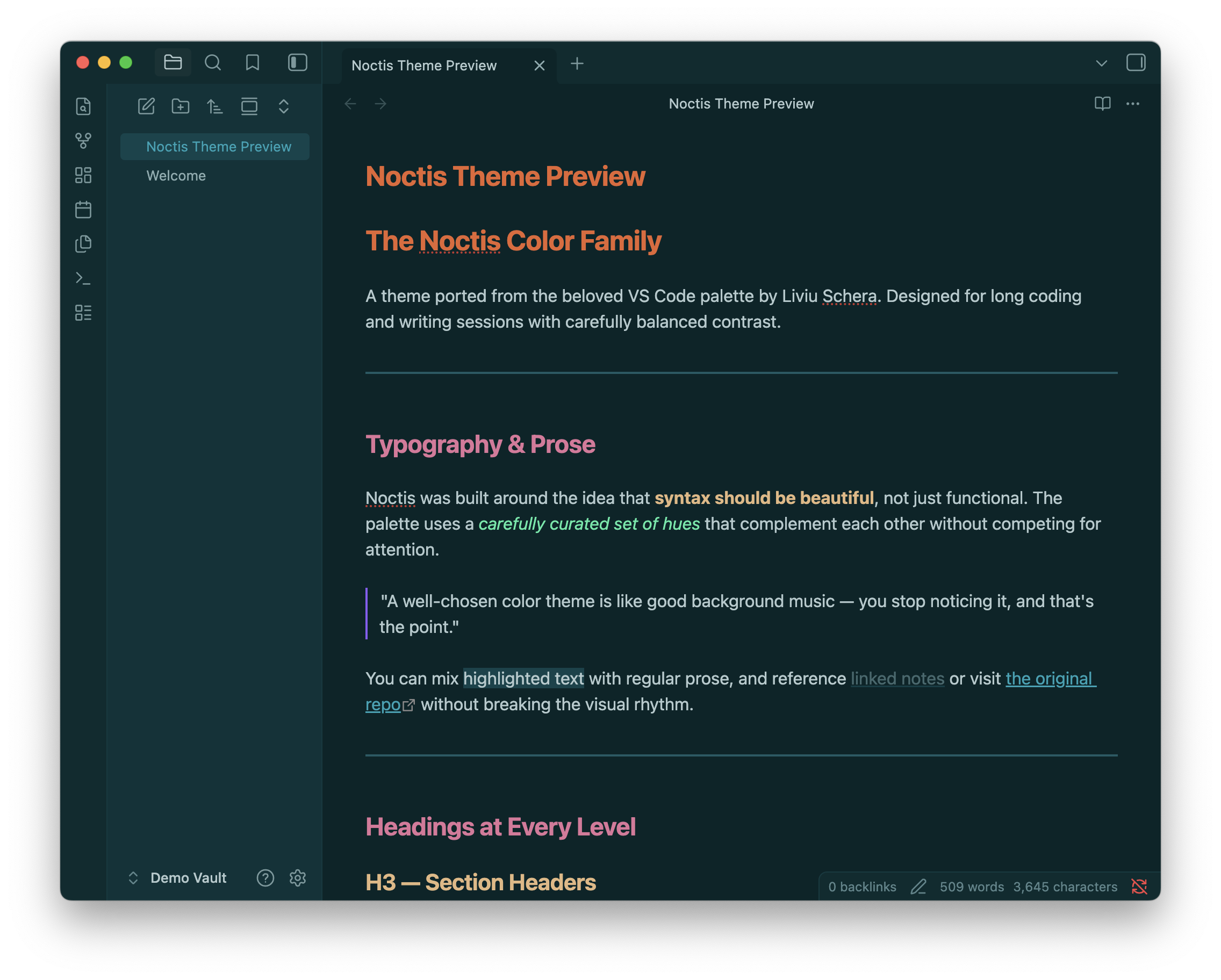
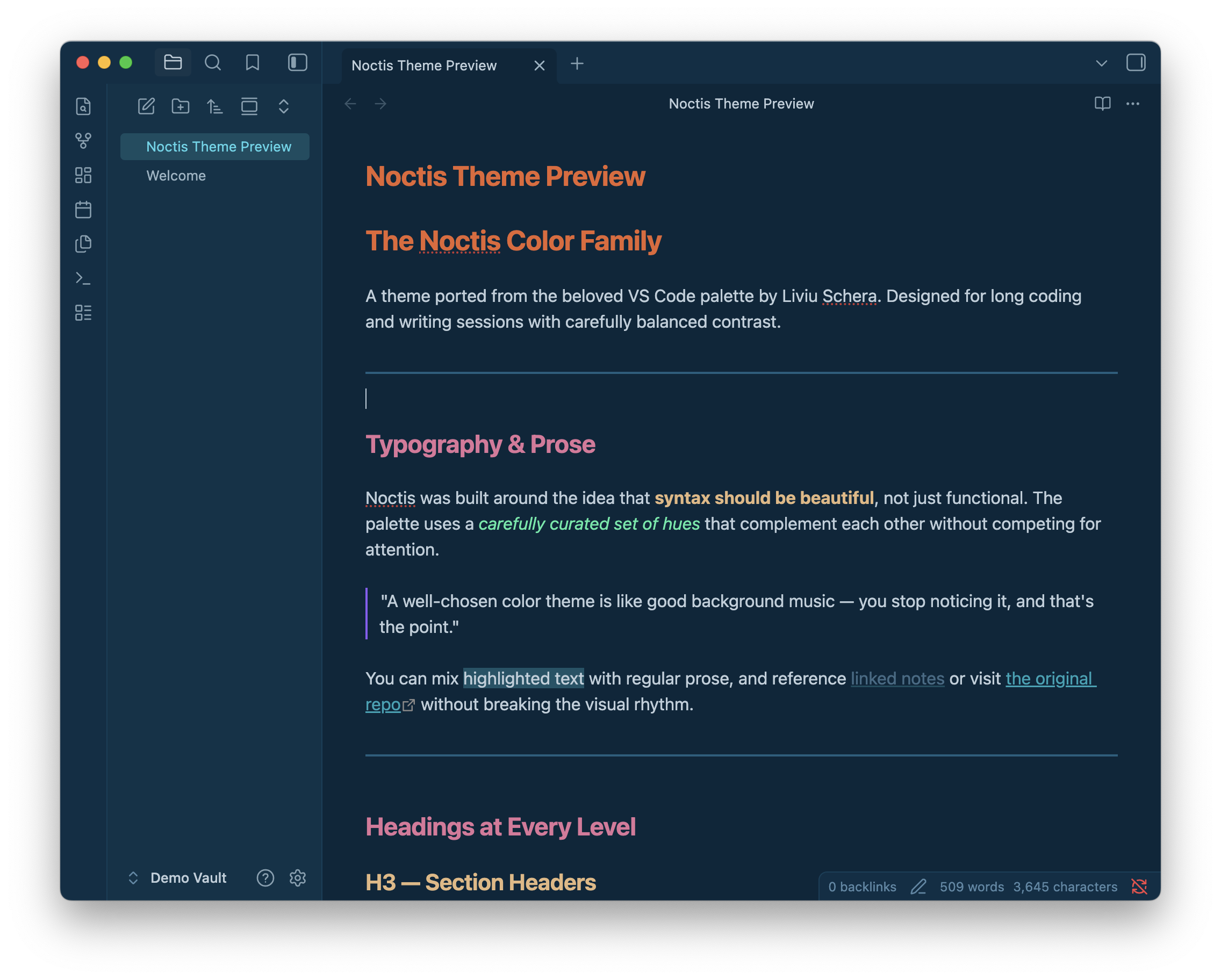
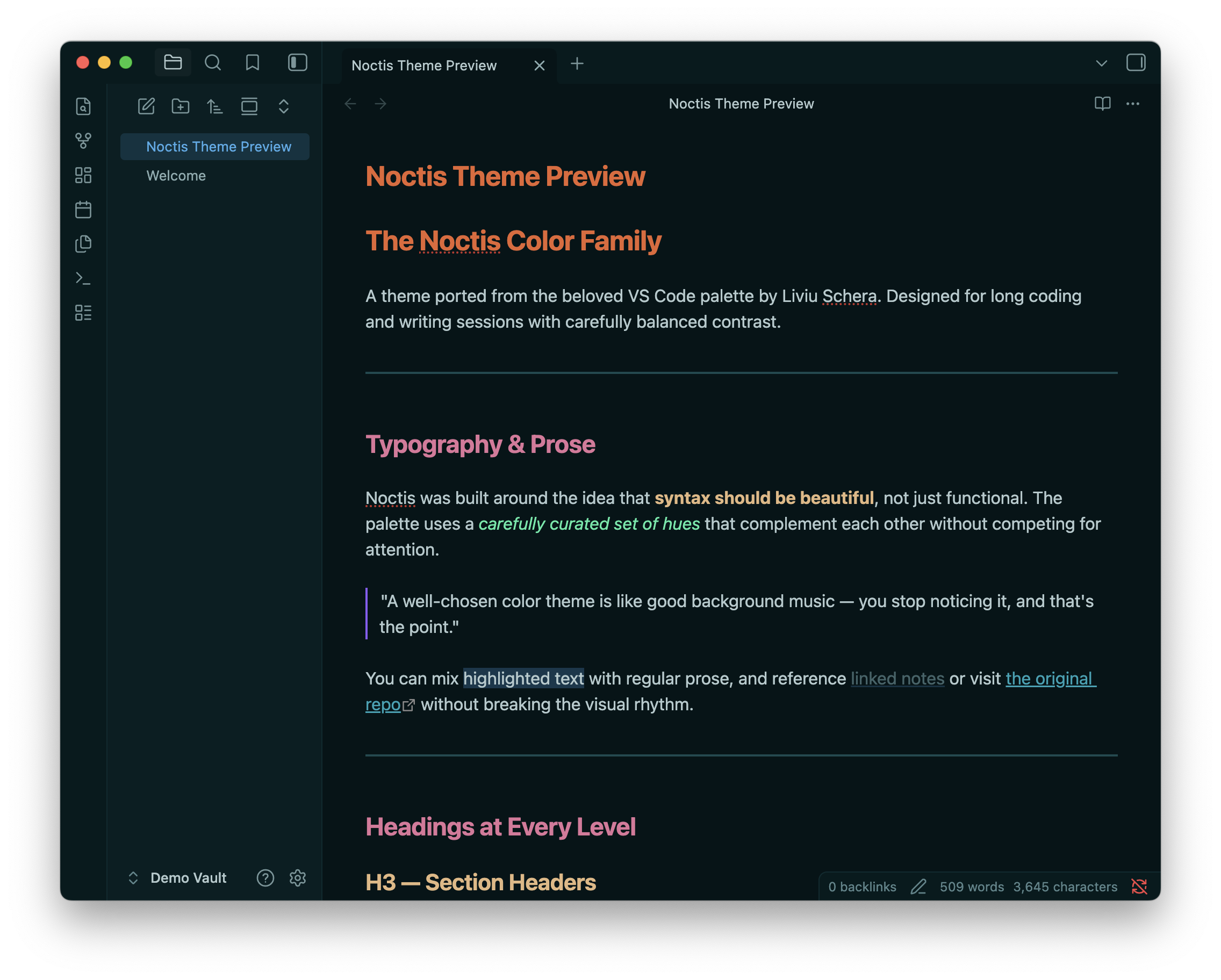
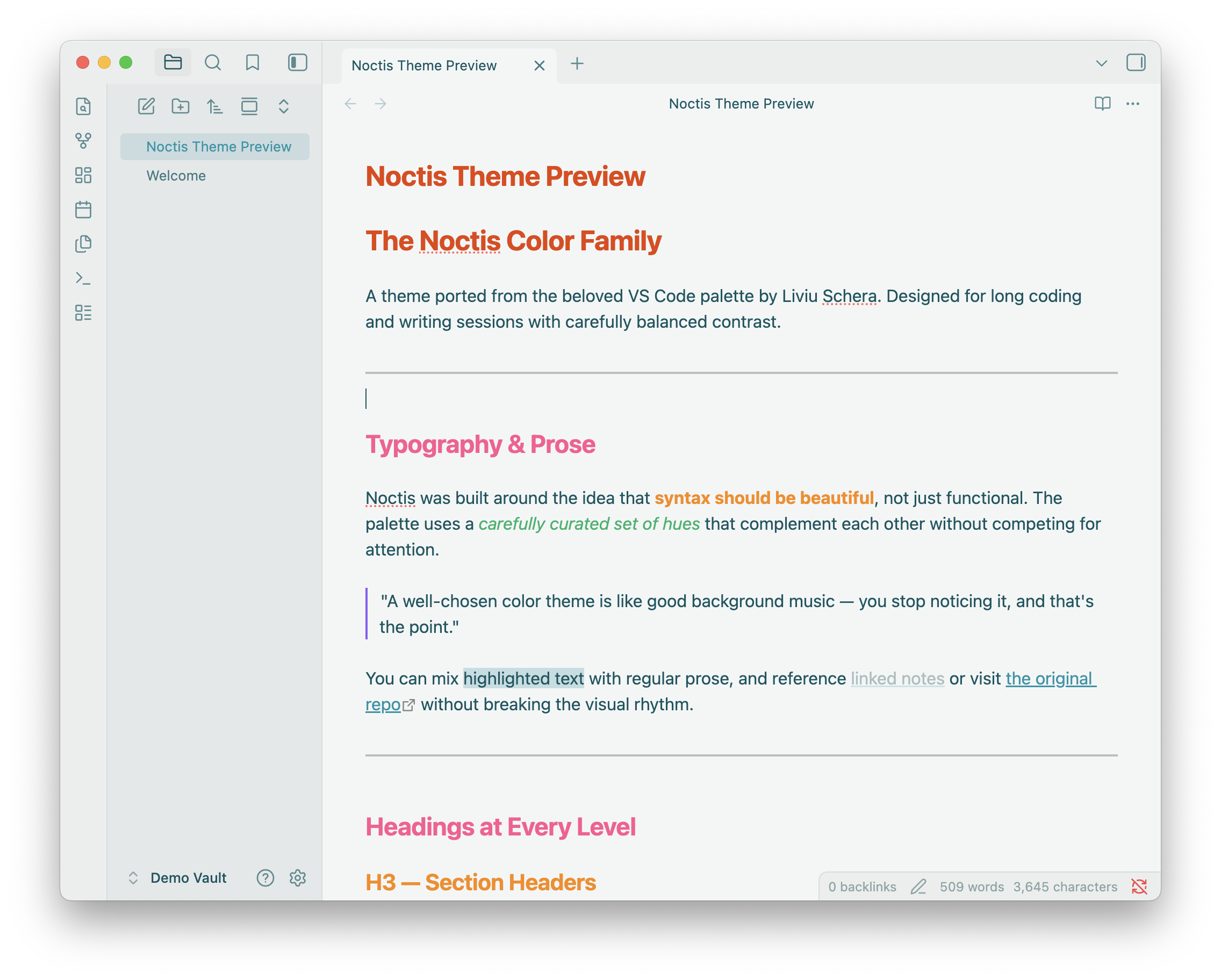
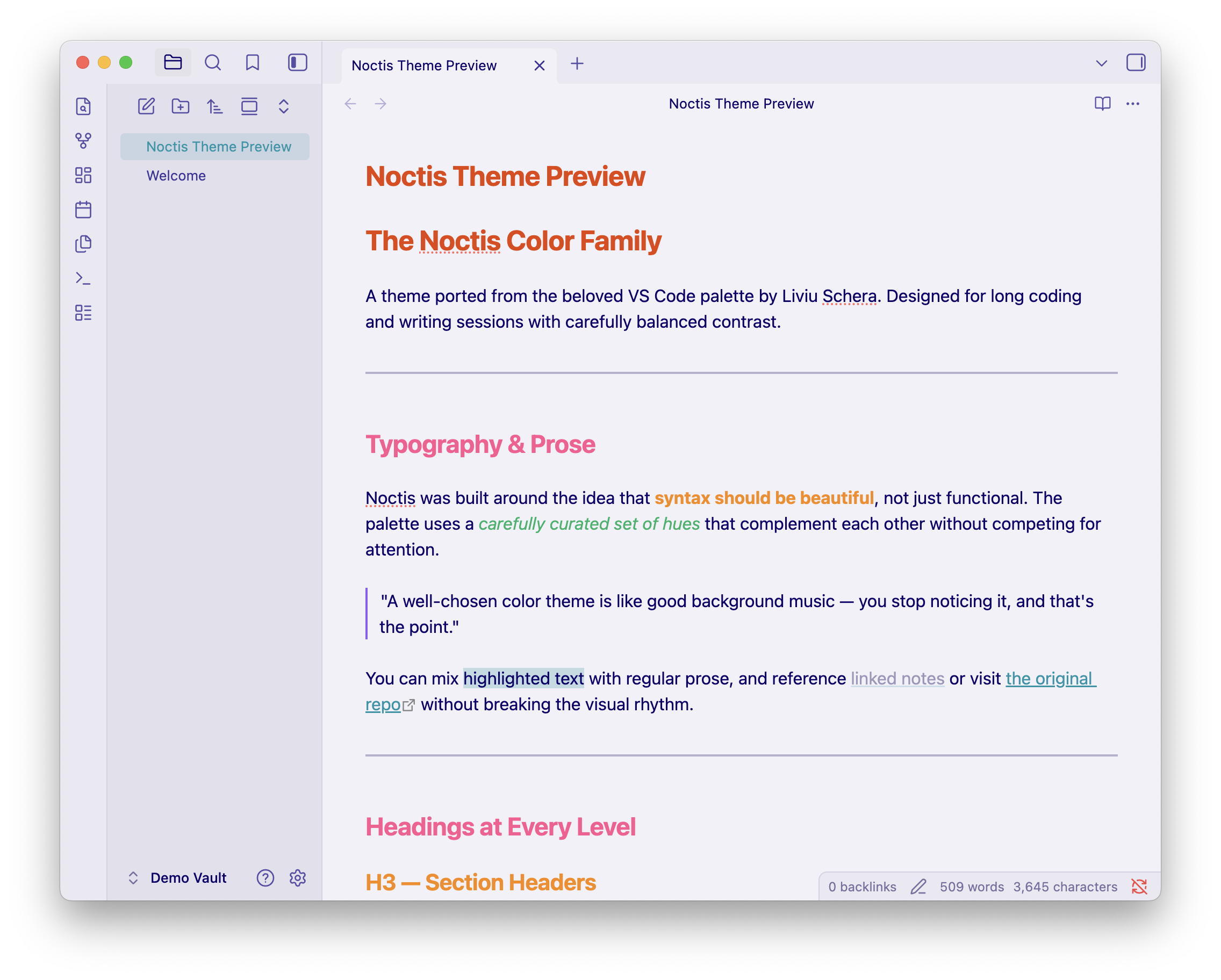
An Obsidian theme porting the full Noctis color family by Liviu Schera. All 11 variants are supported and selectable via the Style Settings plugin.
Variants
| Variant | Type | Description |
|---|---|---|
| Noctis | Dark | The original — dark teal |
| Noctis Azureus | Dark | Saturated dark azure |
| Noctis Sereno | Dark | Saturated dark bluish-cyan |
| Noctis Obscuro | Dark | Extremely dark teal |
| Noctis Minimus | Dark | Lower-saturation dark |
| Noctis Bordo | Dark | Dark warm rose |
| Noctis Uva | Dark | Dark cold blue |
| Noctis Viola | Dark | Dark cold violet |
| Noctis Lux | Light | Warm light orange |
| Noctis Hibernus | Light | Unsaturated light cyan |
| Noctis Lilac | Light | Unsaturated light blue |
Screenshots
 |
 |
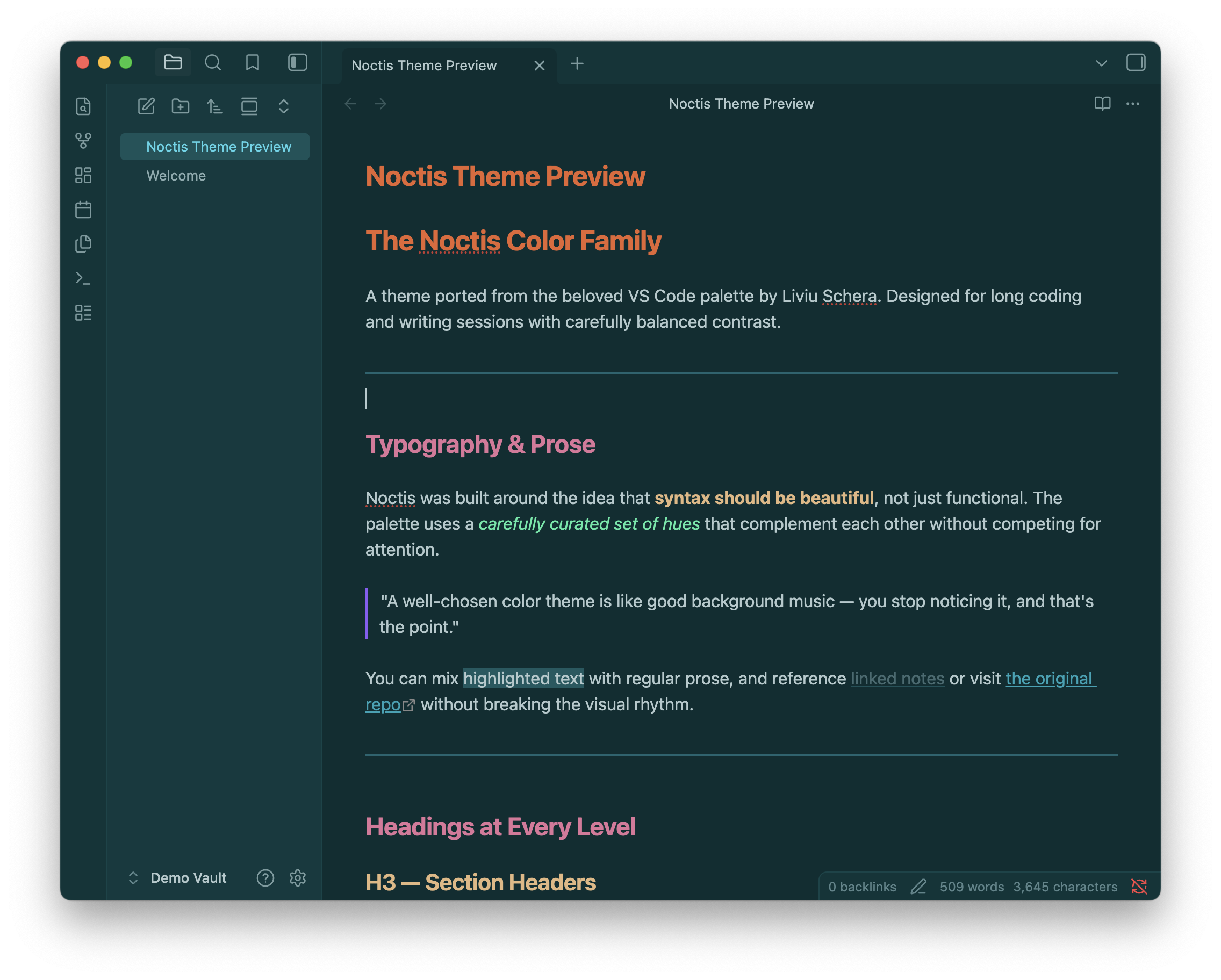 |
| Noctis | Noctis Azureus | Noctis Sereno |
 |
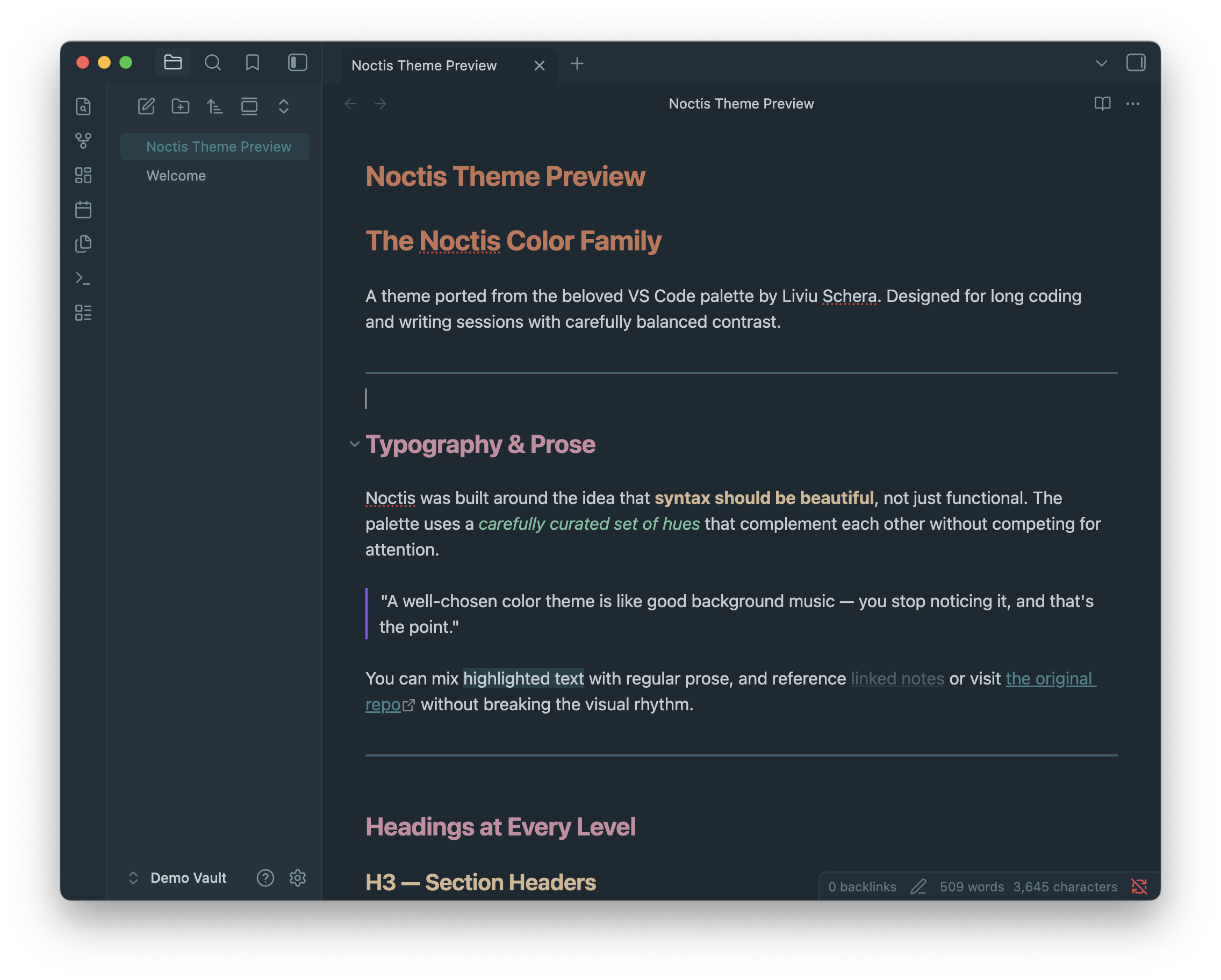 |
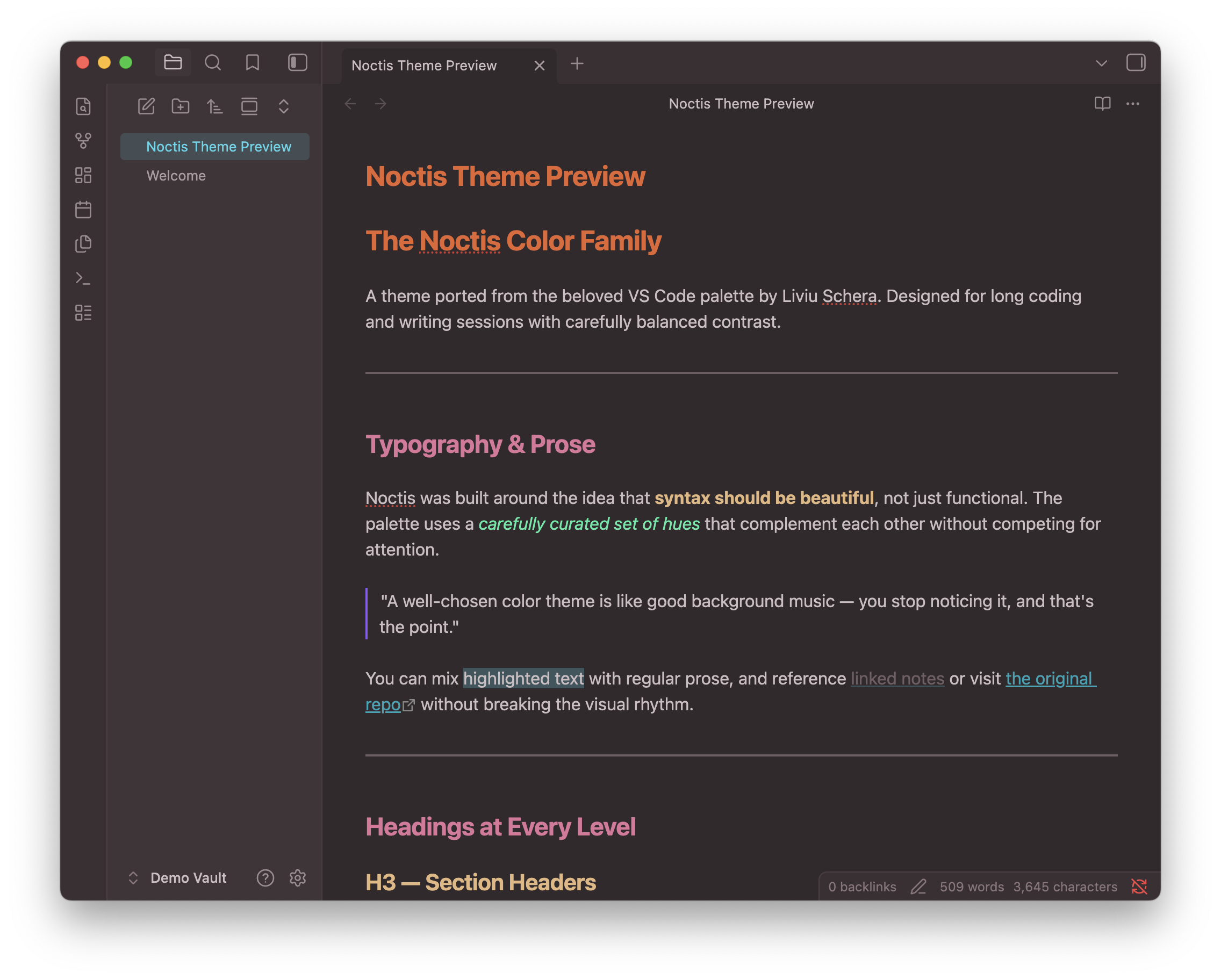 |
| Noctis Obscuro | Noctis Minimus | Noctis Bordo |
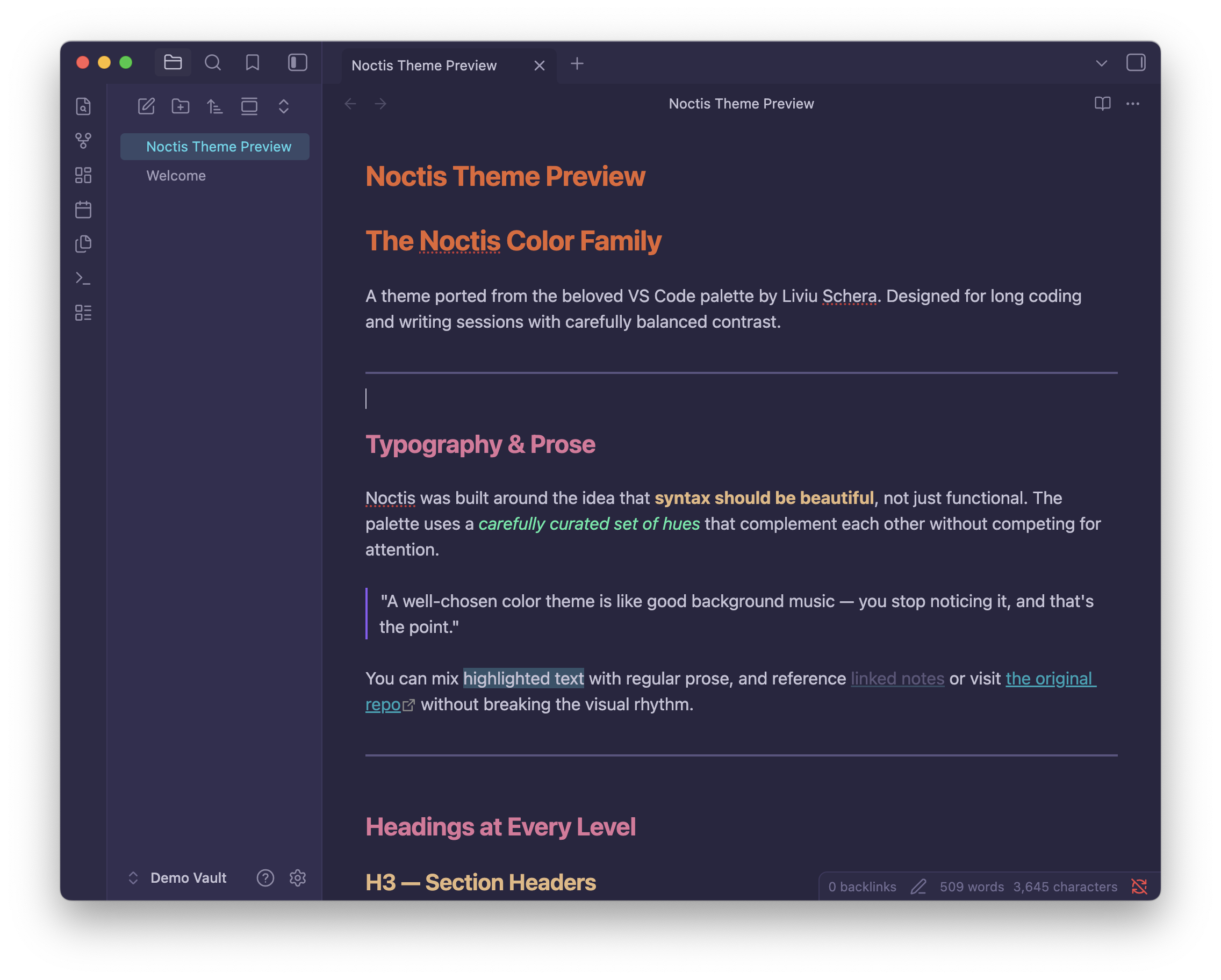 |
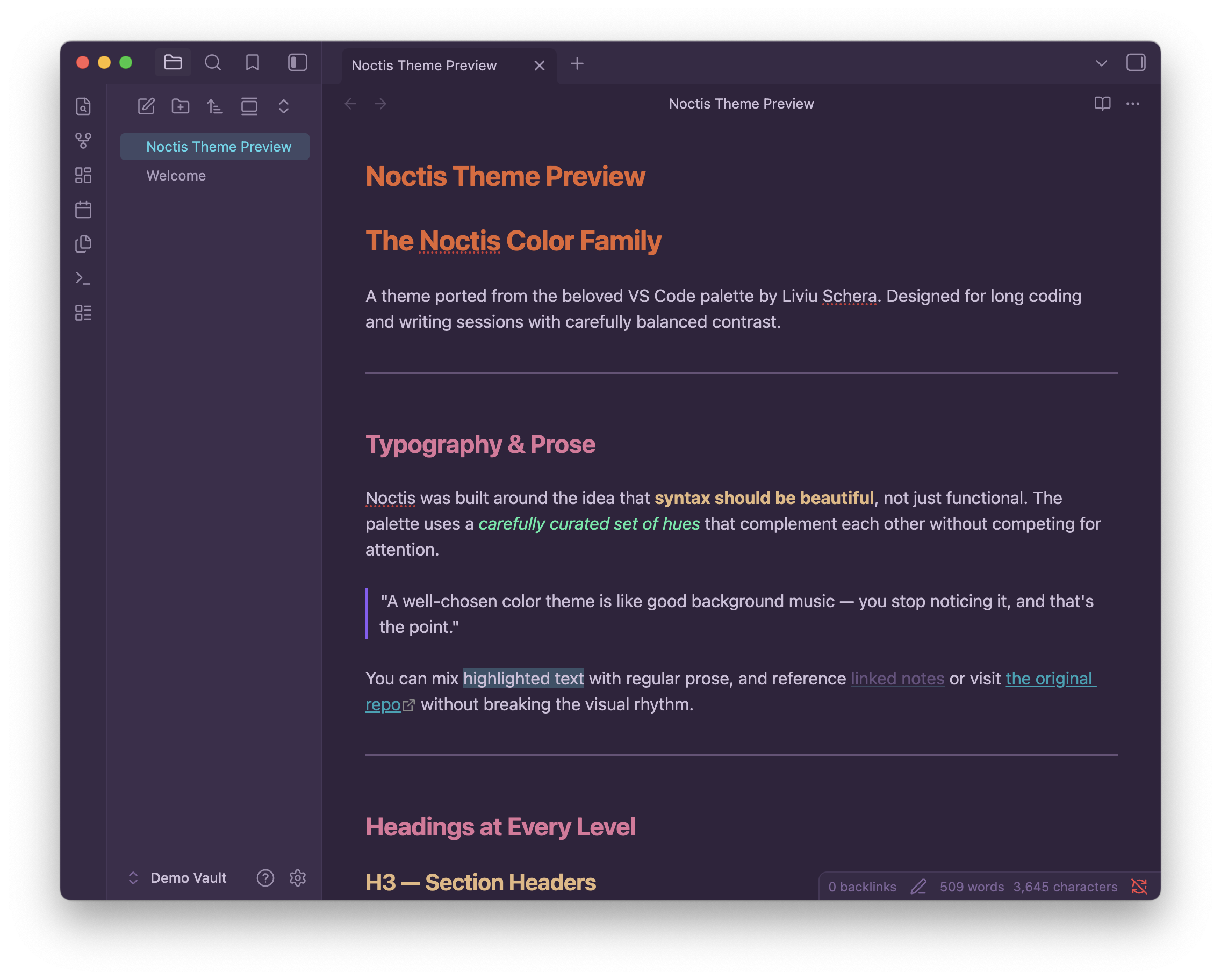 |
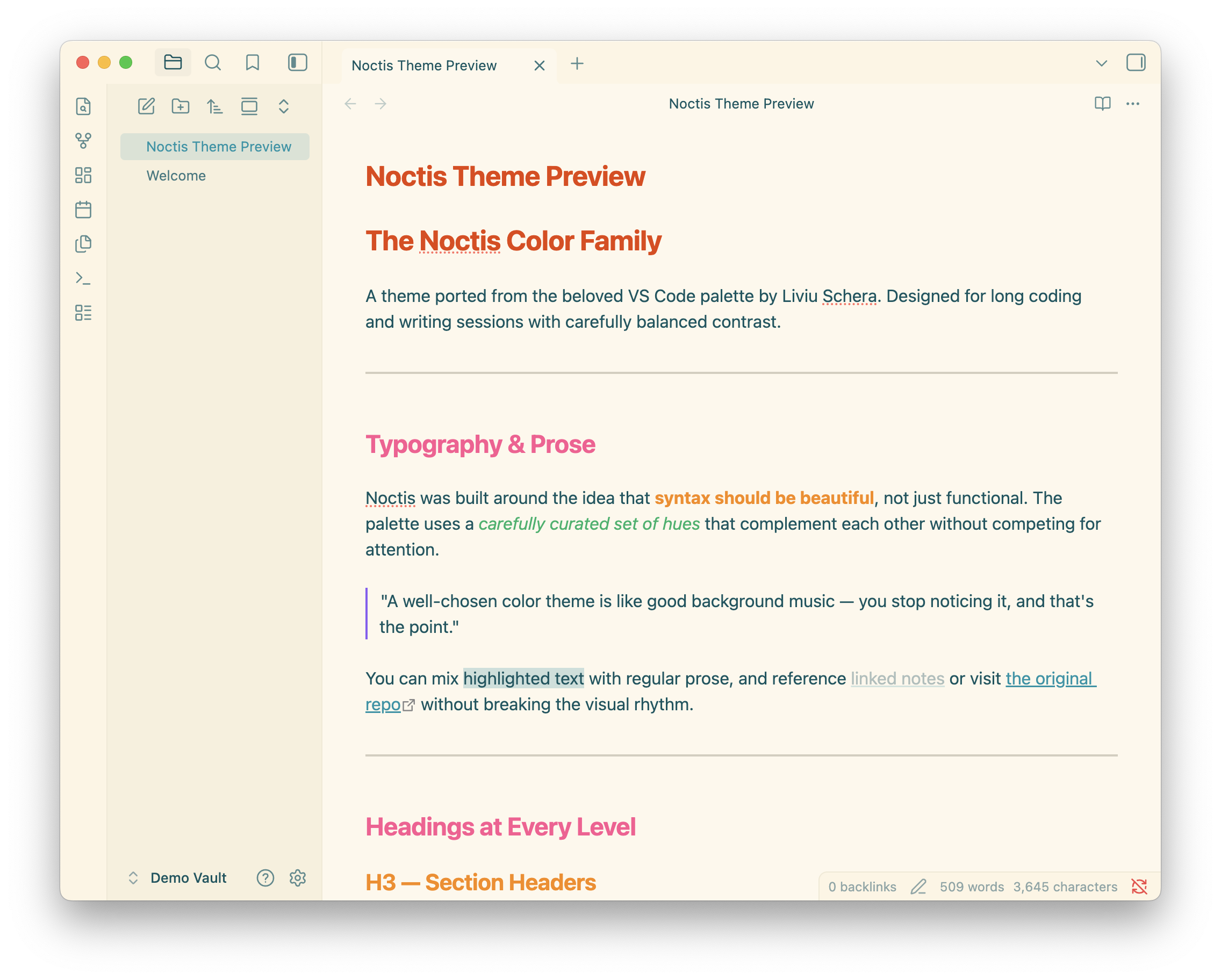 |
| Noctis Uva | Noctis Viola | Noctis Lux |
 |
 |
|
| Noctis Hibernus | Noctis Lilac |
Without Style Settings installed, the theme defaults to Noctis (dark mode) or Noctis Lux (light mode).
Installation
From the Community Themes browser (recommended)
- Open Obsidian Settings → Appearance → Themes
- Click Manage and search for Noctis
- Click Install and use
Manual
- Download
theme.cssandmanifest.jsonfrom this repo - Place them in
.obsidian/themes/Noctis/inside your vault - Enable the theme under Settings → Appearance
Switching variants
- Install the Style Settings community plugin
- Open Settings → Style Settings → Noctis → Color Variant
- Pick any of the 11 variants from the dropdown
Credits
- Original Noctis color palette by Liviu Schera
- Obsidian port by Jordan Bayles
HealthExcellent
ReviewSatisfactory
About
Apply the full Noctis color family to Obsidian with 11 selectable variants, from deep teals and saturated azures to warm roses and light pastels. Switch variants via the Style Settings plugin; defaults to Noctis (dark) or Noctis Lux (light) if Style Settings not installed.Details
Current version
1.0.0
Last updated
7 months ago
Created
7 months ago
Downloads
416
License
MIT