MinimalistK
 Klippel51 downloads
MinimalistK é um tema minimalista e limpo para o Obsidian, com o azul petróleo #084D6E como cor principal e modos claro e escuro. Traz tipografia sem serifa, espaçamento generoso, detalhes discretos e opções ajustáveis pelo plugin Style Settings.
- Overview
- Scorecard
- Updates1
A clean, minimalist theme for Obsidian, built around petroleum blue #084D6E, with light and dark modes.
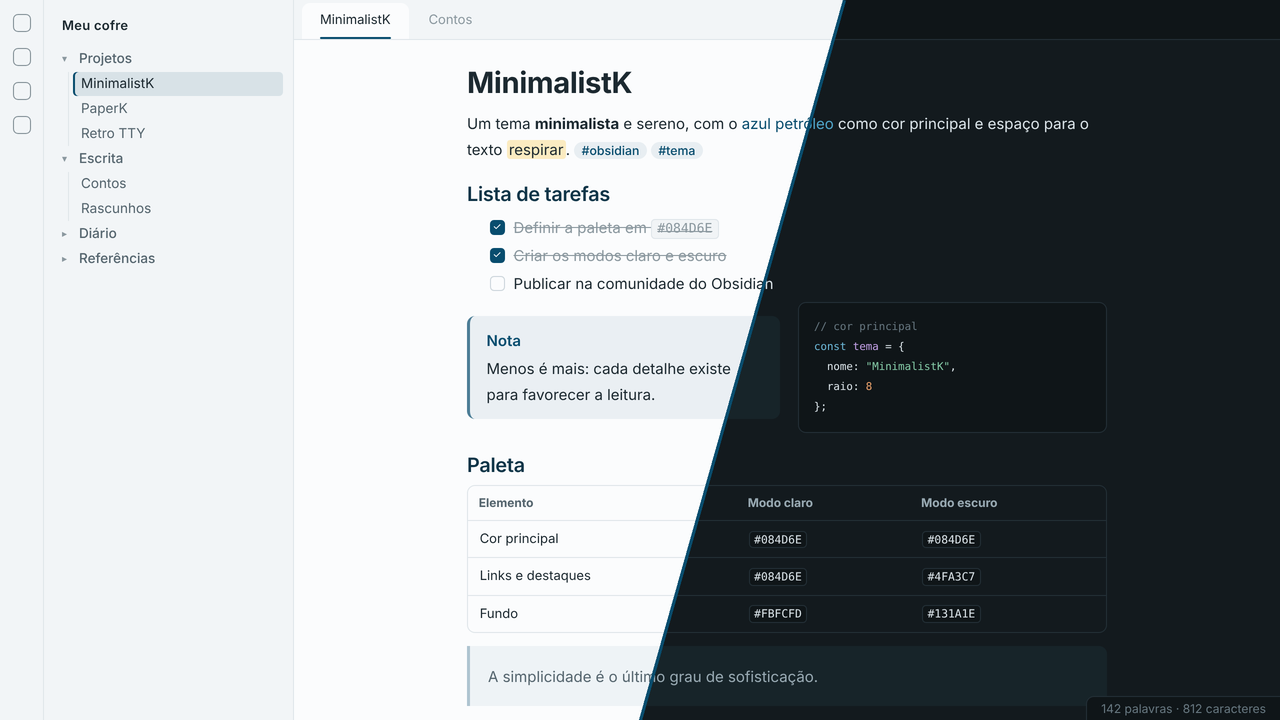
Tema minimalista e visualmente limpo para o Obsidian, com o azul petróleo #084D6E como cor principal e modos claro e escuro.
English
- Calm bluish-grey palette, with petroleum blue on links, tags, checkboxes, primary buttons and list markers
- Light mode on soft white (
#FBFCFD) and dark mode on bluish graphite (#131A1E) - In dark mode, fills keep the pure petroleum blue while accent text uses a lighter shade of the same hue (
#4FA3C7) for readability - Sans-serif typography (Inter, IBM Plex Sans or the system font) and JetBrains Mono, Fira Code or equivalent for code
- Rounded tables, subtle blockquotes and callouts, thin underline on the active tab and a marker on the active file
- Custom syntax highlighting for both modes
- Options through the Style Settings plugin: petroleum-blue headings, rule under H1, focus mode, line width and corner radius
Português
Características
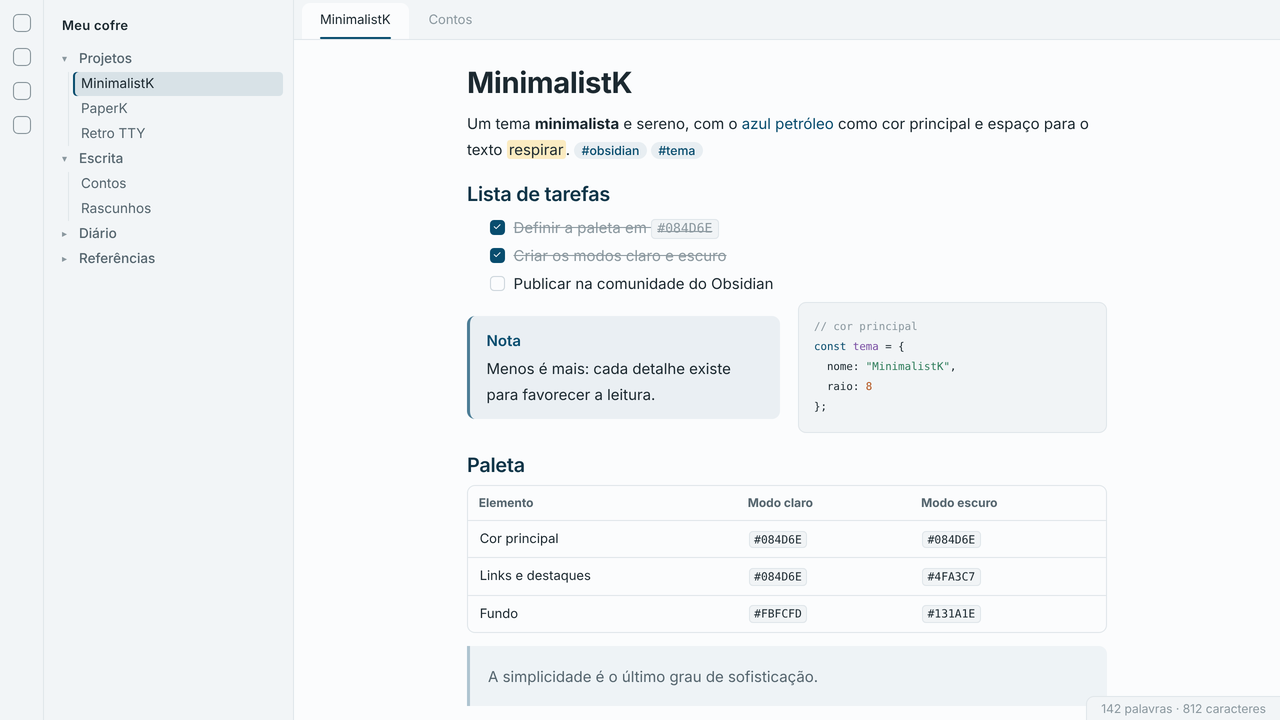
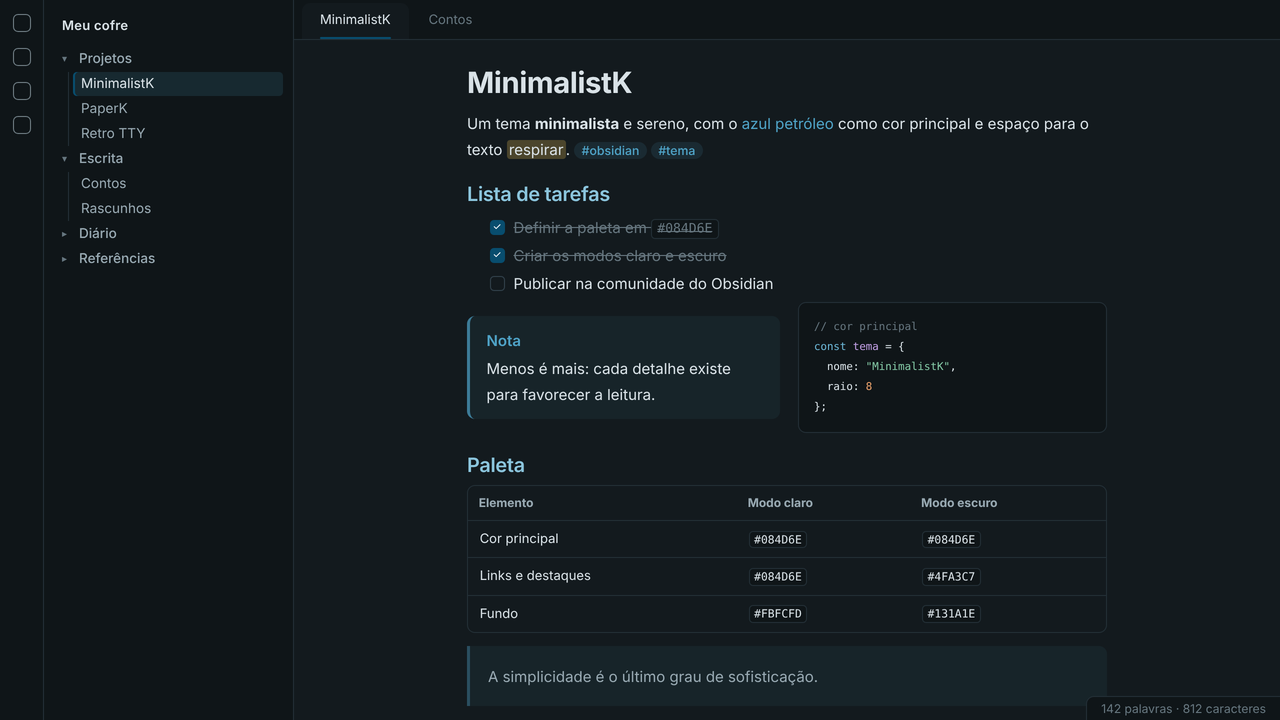
- Paleta sóbria em tons de cinza azulado, com o azul petróleo em links, tags, caixas de seleção, botões principais e marcadores
- Modo claro em branco suave (
#FBFCFD) e modo escuro em grafite azulado (#131A1E) - No modo escuro, preenchimentos mantêm o azul petróleo puro e textos de destaque usam um tom mais claro do mesmo matiz (
#4FA3C7), para garantir boa legibilidade - Tipografia sem serifa (Inter, IBM Plex Sans ou a fonte do sistema) e código em JetBrains Mono, Fira Code ou equivalente
- Tabelas com cantos arredondados, citações e chamadas discretas, abas com sublinhado fino e arquivo ativo marcado na barra lateral
- Destaque de sintaxe próprio para os dois modos
Modo claro
Modo escuro
Opções (plugin Style Settings)
| Opção | Padrão |
|---|---|
| Títulos em azul petróleo | Ativada |
| Linha sob o título principal (H1) | Ativada |
| Modo foco (atenua barras laterais e barra de status) | Desativada |
| Largura da linha de leitura | 44 rem |
| Arredondamento dos cantos | 8 px |
Instalação manual
- Crie a pasta
.obsidian/themes/MinimalistK/dentro do seu cofre. - Copie
theme.cssemanifest.jsonpara essa pasta. - No Obsidian, abra Configurações → Aparência → Temas e selecione MinimalistK.
Licença / License
MIT © M. A. Klippel — https://github.com/miqueiasklippel
HealthExcellent
ReviewSatisfactory
About
Apply a clean, minimalist Obsidian theme centered on petroleum blue with coordinated light and dark modes and a calm bluish-grey palette. Use sans-serif UI fonts and a monospaced code face, rounded tables, subtle blockquotes/callouts, thin active-tab underline, sidebar active-file marker, and custom syntax highlighting. Customize visual details via the Style Settings plugin.Details
Current version
1.0.0
Last updated
2 days ago
Created
2 days ago
Updates
1 release
Downloads
51
License
MIT