
- Overview
- Scorecard
- Updates1
Wheat fields, amber eyes, apples and moonlight.
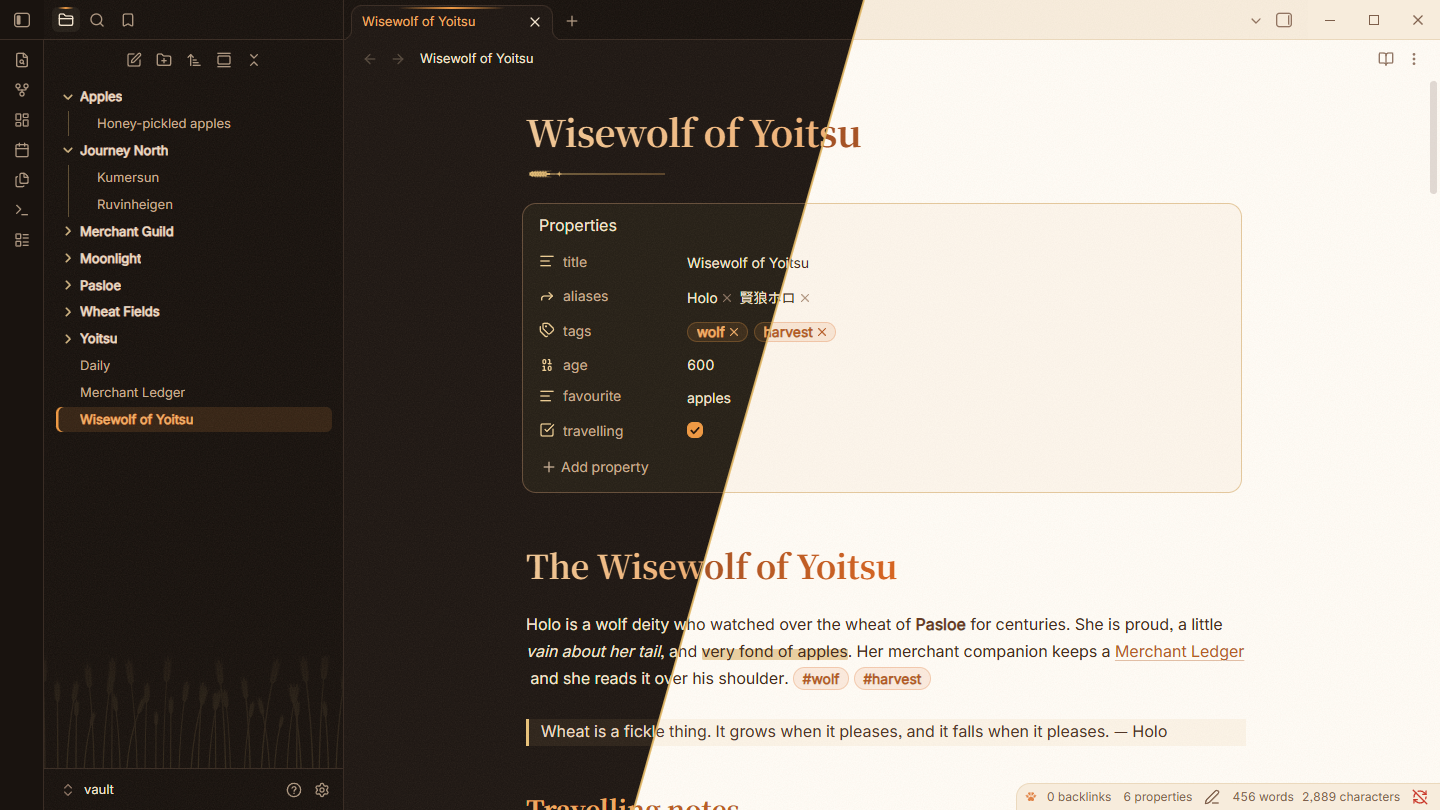
An Obsidian theme inspired by Holo (Horo), the Wisewolf of Yoitsu from Spice and Wolf. Warm parchment, glowing amber, soft blush and hand-drawn wheat. It aims to be cute without getting in the way of your writing.
Highlights
- Six palettes: three light and three dark, each with its own personality.
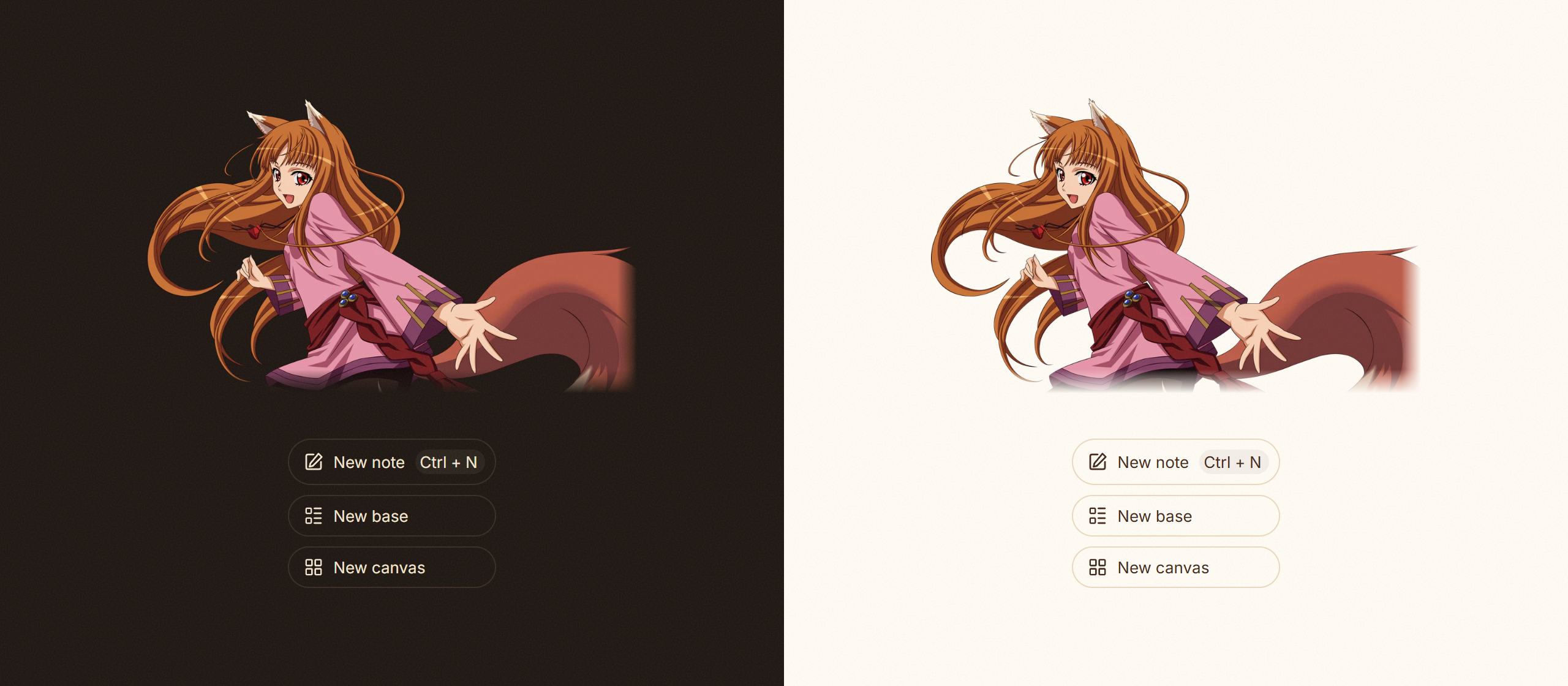
- Character art and harvest ornaments: Horo welcomes you on every new tab with flowing copper hair, red eyes and a rose-pink tunic. A wheat field grows at the foot of the file explorer, and dividers become wheat ears around a crescent moon.
- Storybook typography: a gradient note title with a wheat-sprig flourish, serif headings, and a fading underline on level-two headings.
- Harvest-coloured details: nested bullets in wheat, blush, leaf and moon colours; marker-pen highlights; pill tags; and rounded, gently striped tables.
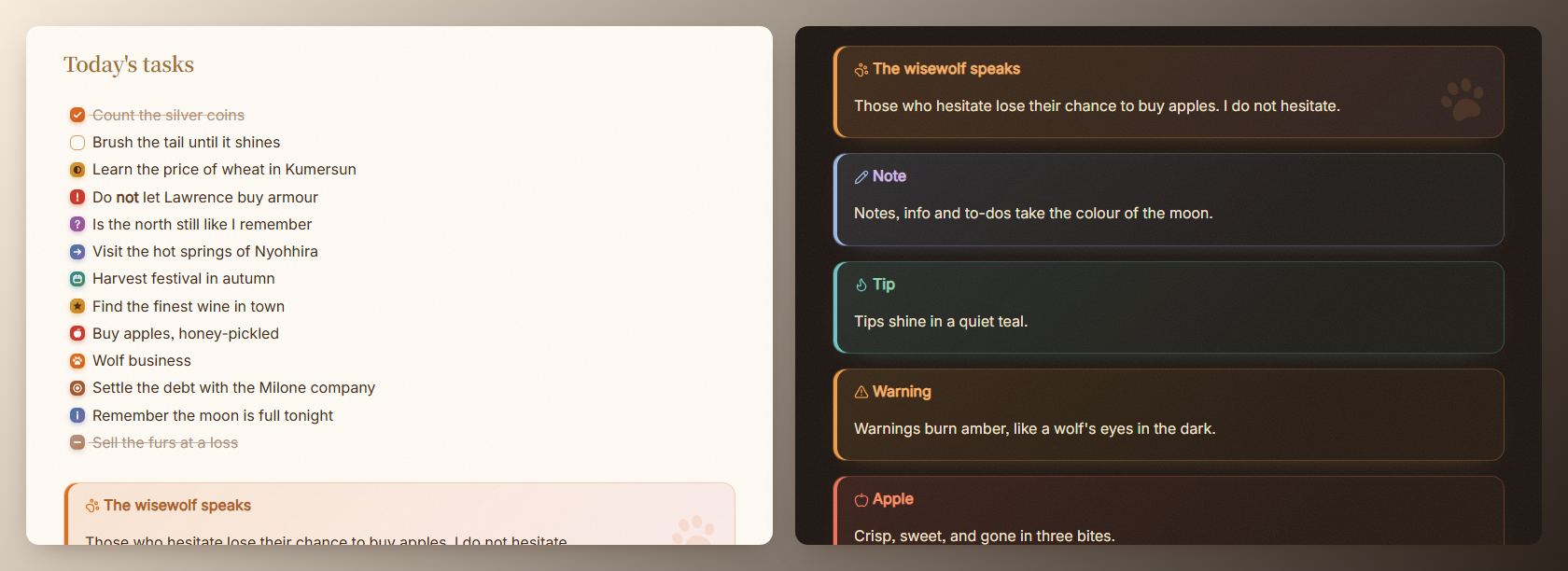
- Custom callouts:
horo,apple,wheat,coin,moon,wineandjourney, plus restyled built-in callouts. - Alternate checkboxes: a dozen task states, including apples, paw prints and silver coins.
- Paper grain: a barely-there texture over the workspace that you can switch off.
- Respects your accent colour: pick any accent in Settings → Appearance and links, headings, buttons and the active file all follow it.
- Style Settings support: switch palettes and toggle every ornament.
Palettes
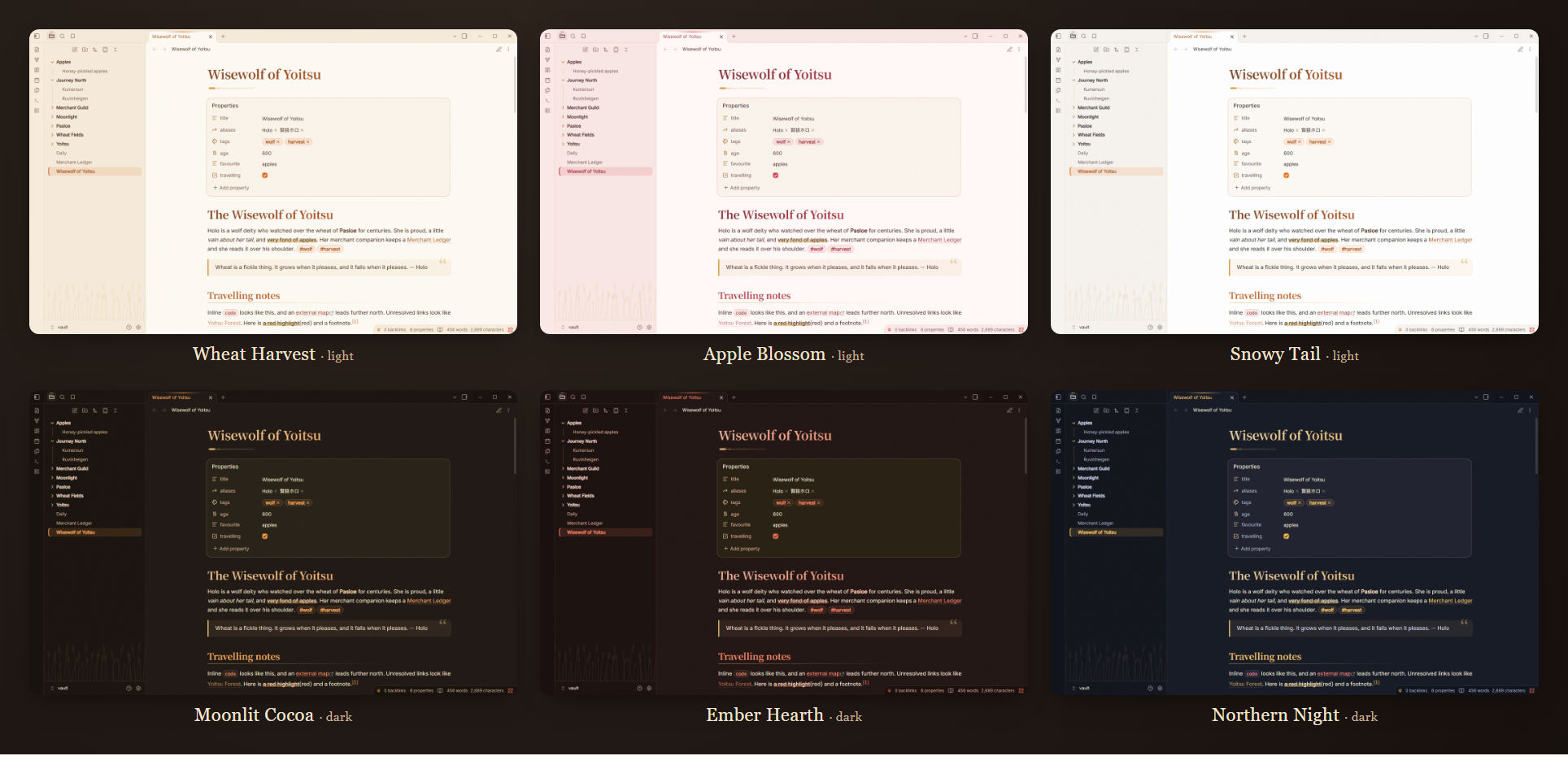
| Mode | Palette | Mood |
|---|---|---|
| Light | Wheat Harvest (default) | Warm parchment and amber |
| Light | Apple Blossom | Rosy and sweet |
| Light | Snowy Tail | Clean white with amber, like the tip of her tail |
| Dark | Moonlit Cocoa (default) | A warm night by the fire |
| Dark | Ember Hearth | Deep red embers |
| Dark | Northern Night | Indigo sky over Yoitsu, with golden moonlight |
Choose palettes with the Style Settings plugin. Without it, Horo uses Wheat Harvest and Moonlit Cocoa.
The wisewolf on your empty tabs
Tasks and callouts
Callouts
> [!horo] The wisewolf speaks
> Those who hesitate lose their chance to buy apples.
| Type | Colour | Icon |
|---|---|---|
horo, wolf, wisewolf |
Amber | Paw print, plus a paw watermark |
apple |
Apple red | Apple |
wheat, harvest |
Wheat | Wheat |
coin, ledger, trade |
Copper | Coins |
moon, night |
Moon blue | Moon |
wine, ale |
Dusk | Wine glass |
journey, road, map |
Leaf | Map |
All of Obsidian's built-in callouts (note, tip, warning and the rest) are restyled to match.
Alternate checkboxes
| Syntax | Meaning | Syntax | Meaning |
|---|---|---|---|
- [x] |
Done | - [*] |
Star |
- [/] |
In progress | - [a] |
Apple |
- [-] |
Cancelled | - [w] |
Wolf / paw print |
- [>] |
Forwarded | - [$] |
Coin / money |
- [<] |
Scheduled | - [i] |
Info |
- [!] |
Important | - [?] |
Question |
Installation
From Obsidian: once Horo is listed in the community themes, open Settings → Appearance → Themes → Manage, search for Horo, then install it and select it.
Manually:
- Create the folder
<your vault>/.obsidian/themes/Horo/. - Copy
theme.cssandmanifest.jsonfrom this repository into it. - Select Horo in Settings → Appearance → Themes.
Style Settings
Install the Style Settings plugin to tune the theme:
| Section | Option |
|---|---|
| Palettes | Light palette, dark palette |
| Ornaments | Paper grain, gradient headings, wheat ornaments, wheat field, Horo on empty tabs |
| Lists & files | Paw-print bullets, single-colour bullets, harvest-coloured folders |
| Editor & typography | Active-line highlight, storybook serif body text, readable line length, display font |
Fonts
Horo does not download fonts. It uses these fonts when they are installed and falls back gracefully when they are not:
| Role | Preferred fonts | Fallback |
|---|---|---|
| Title and headings 1–3 | Fraunces, Cormorant Garamond, Playfair Display, Noto Serif SC / JP | Georgia |
| Interface and text | Nunito, Quicksand, M PLUS Rounded 1c, Hiragino Maru Gothic | System UI font |
| Code | JetBrains Mono, Cascadia Code, Fira Code | System monospace |
For the full storybook look, install Fraunces and Nunito. You can also set any font yourself in Settings → Appearance → Font.
Releasing
Update version in manifest.json and commit the theme changes and workflow to GitHub. Then create and push a tag that exactly matches that version, without a v prefix, as required by Obsidian:
git tag 1.0.0
git push origin 1.0.0
The Release workflow checks the version and theme files, then publishes a GitHub release with generated release notes and attaches manifest.json and theme.css. It uses the built-in GITHUB_TOKEN; no extra secrets are needed.
Credits
- Holo and Spice and Wolf (狼と香辛料) are the creations of Isuna Hasekura, illustrated by Jū Ayakura. Horo is an unofficial fan theme and is not affiliated with the original work or its publishers.
- The artwork in this theme (the peeking wolf, wheat field, ornaments and task icons) was drawn for Horo as inline SVG.
- Callout icons come from Lucide, which ships with Obsidian.