Search...Search plugins and themes...
⌘K
Sign in
  • Get started
  • Download
  • Pricing
  • Enterprise
  • Account
  • Obsidian
  • Overview
  • Sync
  • Publish
  • Canvas
  • Mobile
  • Web Clipper
  • CLI
  • Learn
  • Help
  • Developers
  • Changelog
  • About
  • Roadmap
  • Blog
  • Resources
  • System status
  • License overview
  • Terms of service
  • Privacy policy
  • Security
  • Community
  • Plugins
  • Themes
  • Discord
  • Forum / 中文论坛
  • Merch store
  • Brand guidelines
Follow us
DiscordTwitterBlueskyThreadsMastodonYouTubeGitHub
© 2026 Obsidian

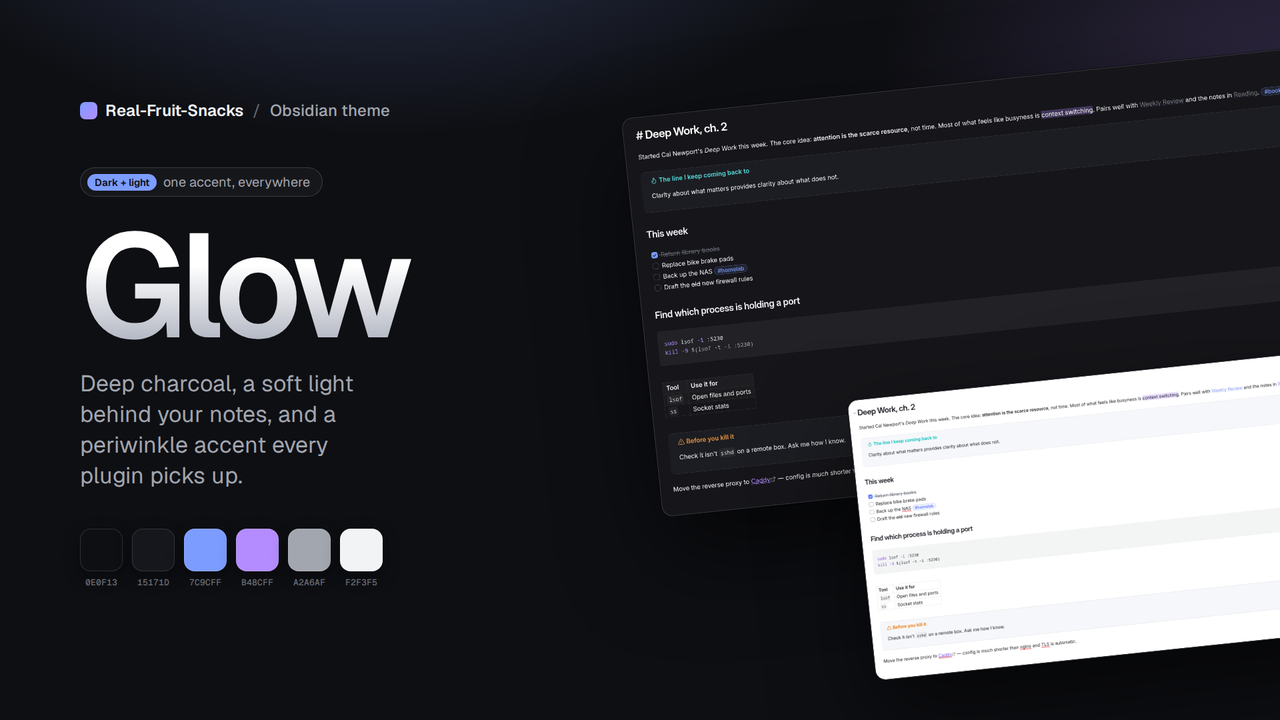
Glow

Real-Fruit-SnacksReal-Fruit-Snacks430 downloads

A calm dark theme for Obsidian: deep charcoal, soft light, periwinkle accent. Light mode included.

Add to Obsidian
Glow screenshot
Glow screenshot
Glow screenshot
Glow screenshot
Glow screenshot
  • Overview
  • Scorecard
  • Updates2

Glow theme for Obsidian

Glow

A dark theme for Obsidian: deep charcoal surfaces, a soft radial light behind your notes, and a periwinkle-to-violet accent. Quiet borders, rounded panels, nothing shouting.

Made to pair with Thoughtbin, but it stands on its own. A matching light mode is included.

Features

  • Dark and light modes built from the same palette
  • Accent set through Obsidian's accent variables, so plugins and core UI pick it up automatically
  • Gradient note titles, pill tags, accent-tinted blockquotes and callouts, rounded modals and menus
  • Subtle glow behind the editor (dark mode only)
  • Full syntax colour set for code blocks
  • Mobile-aware toolbars and navigation
  • Uses Geist and Geist Mono if installed, with clean system fallbacks
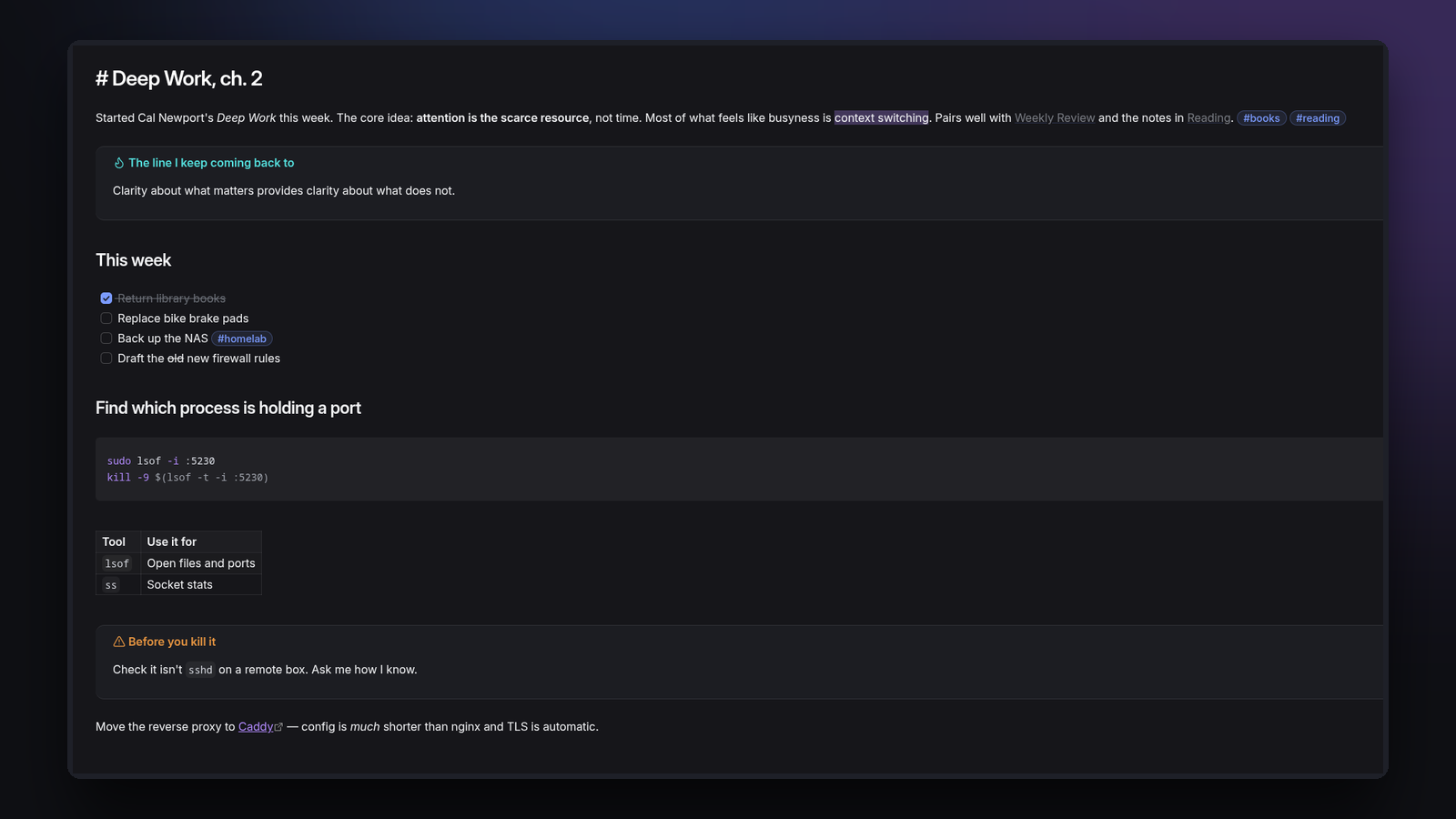
A note in Glow, dark mode

Install

From the community list — Settings → Appearance → Themes → Manage → search "Glow".

Manually

  1. Download theme.css and manifest.json from the latest release.
  2. Put them in <your vault>/.obsidian/themes/Glow/.
  3. Settings → Appearance → Themes → Glow.

Fonts

Glow references Geist for interface and text and Geist Mono for code. They're optional; without them it falls back to Inter / your system font.

Palette

Role Dark Light
Background #0E0F13 #FFFFFF
Surface #15171D #F3F4F8
Text #F2F3F5 #14161C
Muted #A2A6AF #5A5F6B
Accent #7C9CFF #5B7CFF
Accent 2 #B48CFF #7E4FE0

Contributing

Issues and pull requests are welcome. There's no build step — edit theme.css, reload Obsidian. Please keep changes to Obsidian's CSS variables where one exists, and test both dark and light modes.

License

MIT

HealthExcellent
ReviewPassed
About
Glow is a dark theme with a little light in it: deep charcoal surfaces, a soft radial glow behind your notes, and a periwinkle-to-violet accent that Obsidian and your plugins pick up automatically. It stays out of the way. Note titles get a subtle gradient, tags become pills, blockquotes and callouts take a tint of the accent, and modals, menus and code blocks share one quiet 1px border and radius. A full syntax colour set is tuned for the dark surface. A matching light mode is included, built from the same palette. Toolbars and navigation are styled for iOS and Android too. Uses Geist and Geist Mono if you have them installed, with clean system fallbacks otherwise.
Details
Current version
1.0.1
Last updated
Last week
Created
2 weeks ago
Updates
2 releases
Downloads
430
License
MIT
Report bugRequest featureReport theme
Author
Real-Fruit-SnacksReal-Fruit-Snacksreal-fruit-snacks
GitHubreal-fruit-snacks
  1. Community
  2. Themes
  3. Glow

Related themes

Minimal screenshot

Minimal

GitHub Theme screenshot

GitHub Theme

Things screenshot

Things

Shimmering Focus screenshot

Shimmering Focus

Cupertino screenshot

Cupertino

Wasp screenshot

Wasp

Baseline screenshot

Baseline

Prism screenshot

Prism

Willemstad screenshot

Willemstad

MagicUser screenshot

MagicUser