Borozdov Utility

Stark black and white, rounded into friendly forms: pill buttons, soft cards, inversion as the only accent. Carries 20 more cool light designs as Style Settings variants.
- Overview
- Scorecard
- Updates3
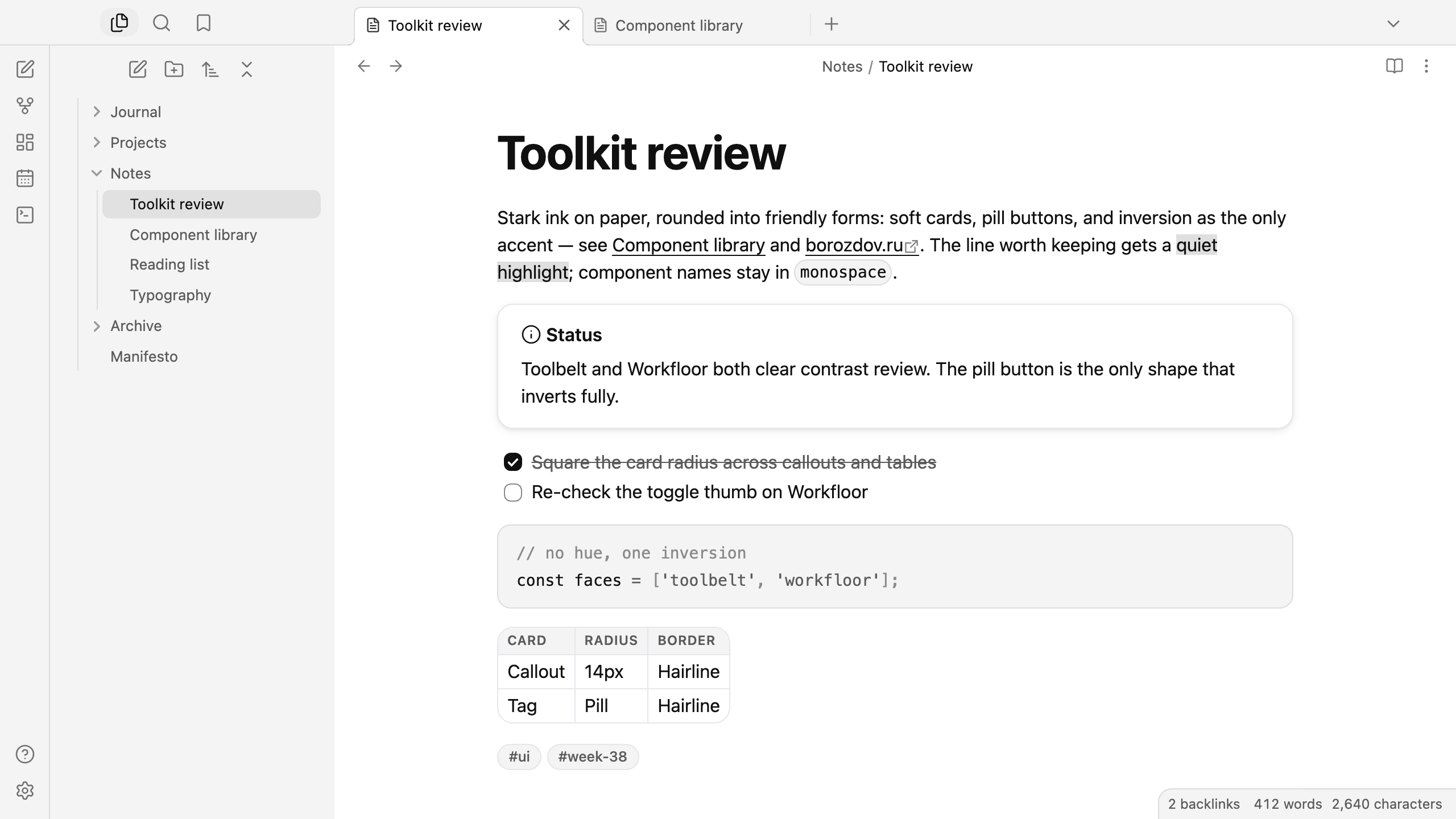
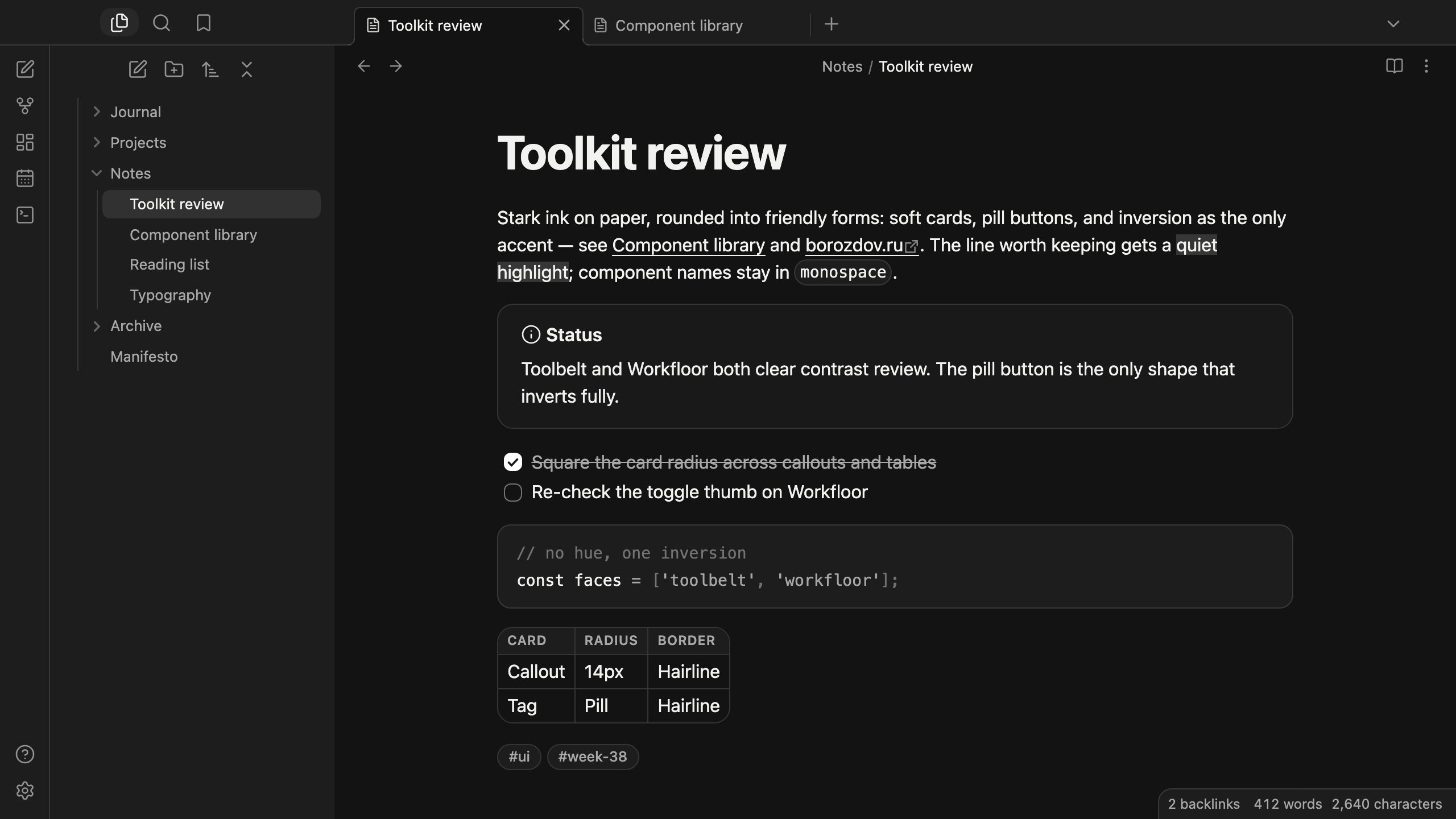
A theme from the Borozdov collection. Two faces — light Toolbelt, stark ink on paper, and dark Workfloor, the same ink spread across a soft black desk. Stark black and white, rounded into friendly, human forms: pill buttons, soft cards, inversion as the only accent.
Principles
- No hue at all. Every surface, border and label is ink or paper. State is never carried by colour — only by weight, a hairline and the one place the theme inverts.
- Soft, not sharp. Every card — callout, code pane, table, popover — takes a generous radius and a whisper of shadow on Toolbelt, never a hard edge. Utility here means approachable, not clinical.
- The pill is the signature shape. The primary button and every tag are a full 9999px pill; everything else keeps a smaller, still-rounded corner.
- One inversion. True ink on Toolbelt, true white on Workfloor, reserved for the filled button, the checked box and the caret — the single moment the whole page flips.
- Developer-native type. The platform's own sans at 400 for text and 600–700 for headings, with a touch of positive tracking above 20px for an airy, geometric read; no embedded font, no load, no flash of unstyled text.
Features
- Light and dark modes, following Settings → Appearance → Base color scheme
- Callouts, code blocks, tables and popovers drawn as the same soft, rounded card
- Tags and the primary button as full pills that invert under the pointer
- Quiet editing: no focus ring around the note, its title or form fields while you type; property names read as labels, not boxed fields
- A toggle thumb tuned per face so it never disappears against its own track
- Text colours meet WCAG contrast on both faces
- The phone layout keeps the same colours and shapes
- No embedded fonts, so the theme stays around 72 KB with every variant
- No
!important: every rule can be overridden with a CSS snippet
Variants
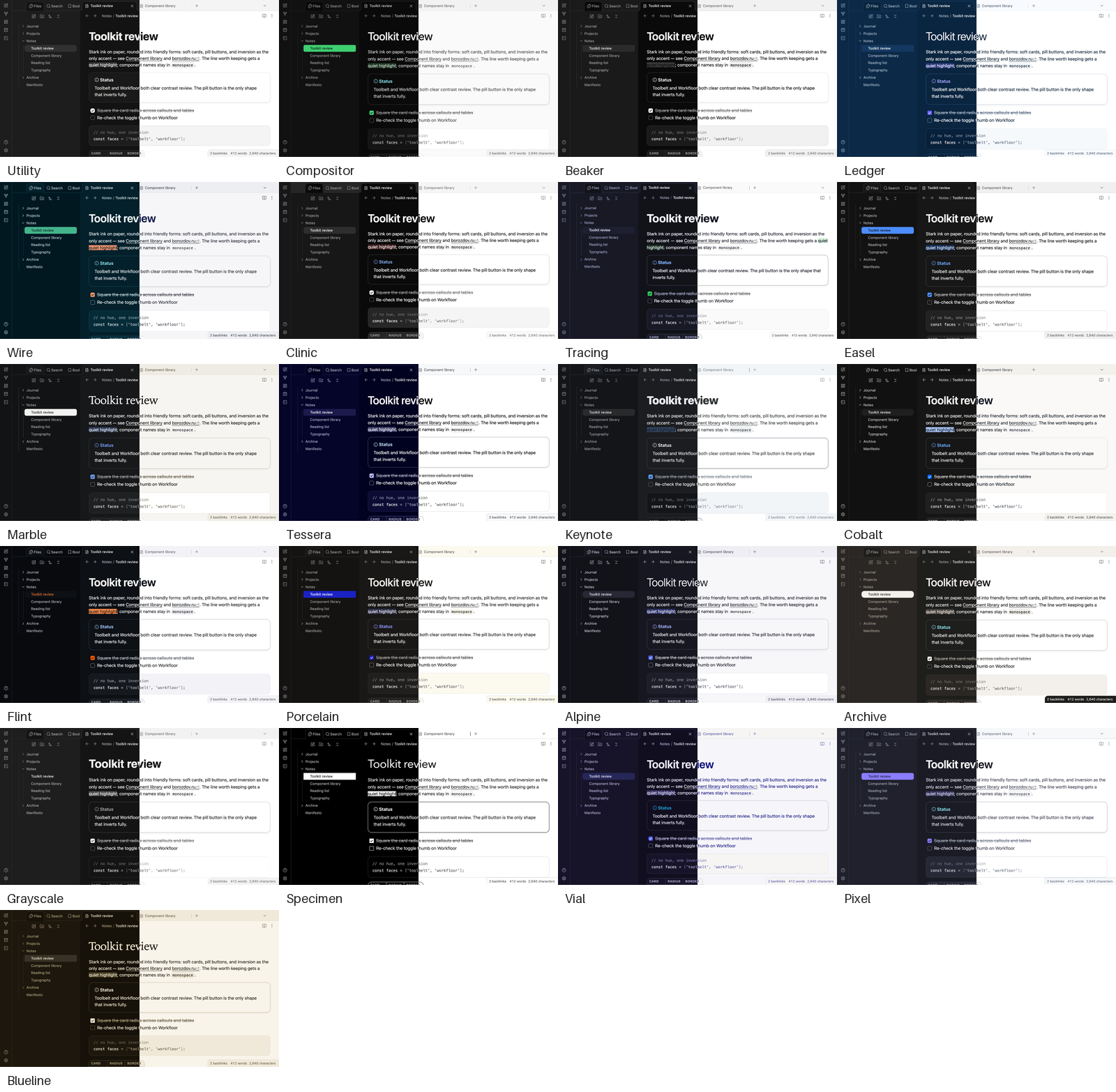
Borozdov Utility also carries the other 20 themes of the collection's cool light minimalism mood. Install the Style Settings plugin, open Settings → Style Settings → Borozdov Utility → Variant, and pick one: Compositor, Beaker, Ledger, Wire, Clinic, Tracing, Easel, Marble, Tessera, Keynote, Cobalt, Flint, Porcelain, Alpine, Archive, Grayscale, Specimen, Vial, Pixel and Blueline.
A variant brings that theme's palette in both modes, its fonts, weights and corners, and its tag and highlight colours. The layout — callouts, tables, the sidebar — stays Utility's. Fonts a theme embeds on its own aren't carried over; the variant falls back to the same system stack. Each theme is still available by itself from its repository.
Installation
From the community directory: Settings → Appearance → Themes → Manage, search for Borozdov Utility, then Install and use.
By hand: download manifest.json and theme.css from the
latest release into
<vault>/.obsidian/themes/Borozdov Utility/, then choose Borozdov Utility under
Settings → Appearance → Themes.
License
MIT — see LICENSE.
По-русски. Тема из коллекции Borozdov. Два лика: светлый «Toolbelt» — чёрные чернила на бумаге, и тёмный «Workfloor» — тот же штрих на мягком чёрном столе. Чёрно-белая палитра без единого оттенка, но с мягкими, дружелюбными формами: кнопки-пилюли, скруглённые карточки, инверсия как единственный акцент. Шрифты не встроены. Через плагин Style Settings в теме есть ещё 20 вариантов — остальные темы коллекции в настроении «холодный светлый минимализм». Устанавливается из каталога: Настройки → Оформление → Темы → Настроить → Borozdov Utility → Установить и применить.