Borozdov Palette
 Nikita Borozdov137 downloads
A white workshop desk with pastel sticky notes: one bold indigo for every accent and a pastel for each callout. Carries 19 more notebook designs as Style Settings variants.
- Overview
- Scorecard
- Updates3
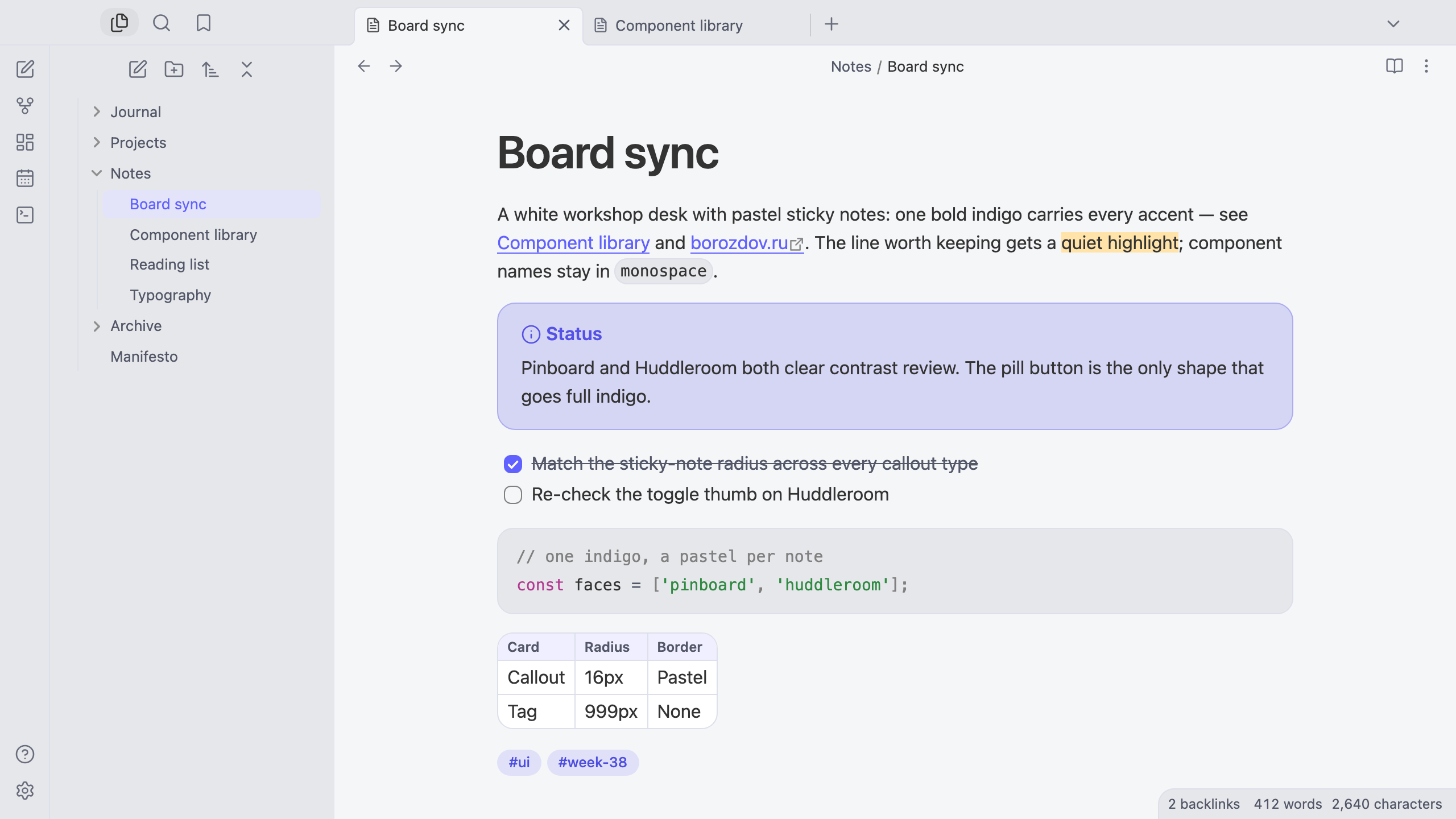
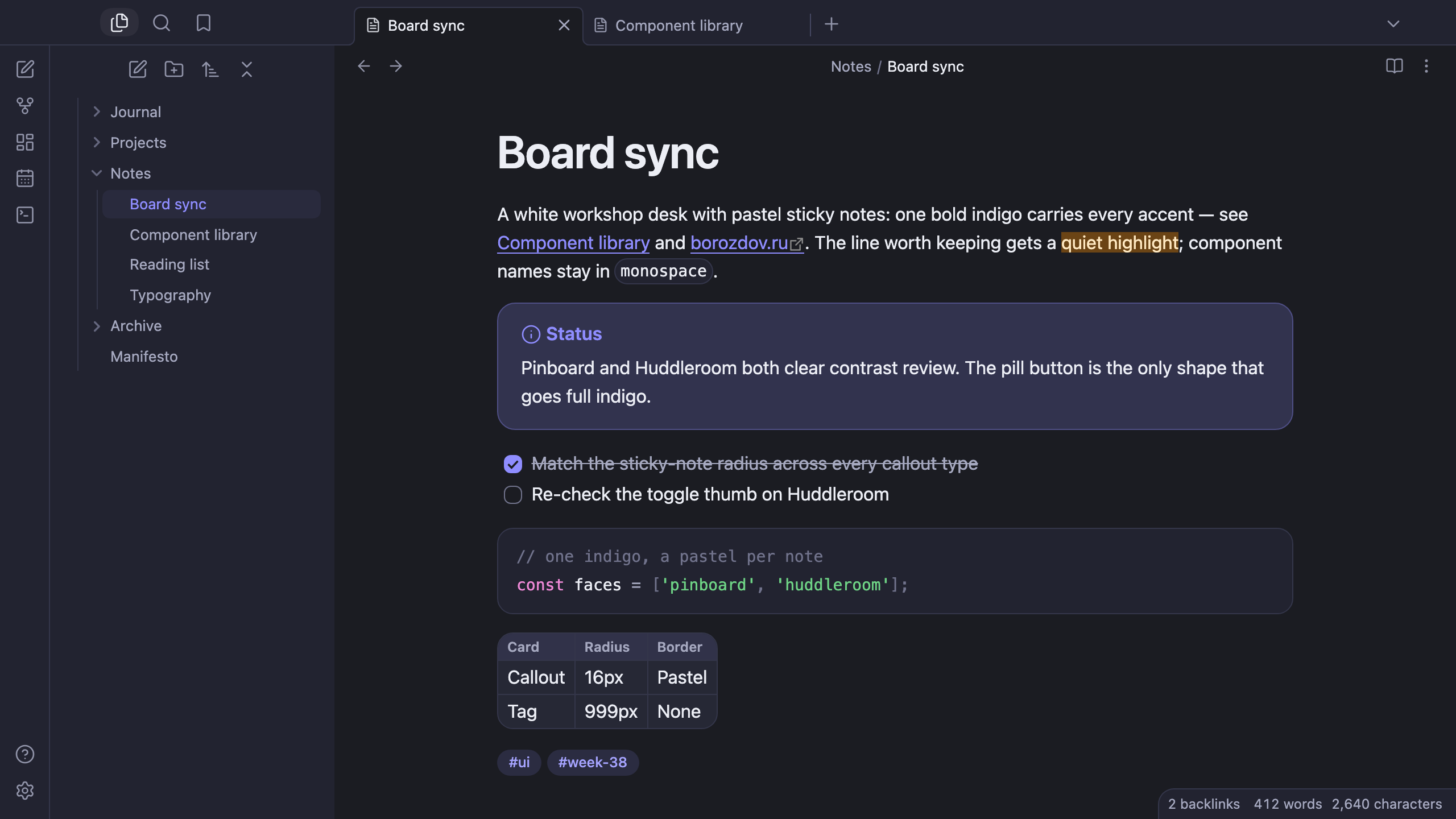
A theme from the Borozdov collection. Two faces — light Pinboard, a white workshop desk with pastel sticky notes, and dark Huddleroom, the same desk after the room has emptied out. One bold indigo carries every accent; a different pastel marks each callout type, like a different color of sticky note.
Principles
- A white desk, not a blank page. Pinboard's canvas is a warm workshop grey; every card — callout, code pane, table, popover — sits on it as a lifted white note.
- One bold indigo. Links, the checked box, the caret and the filled button all share the same indigo; it is the only color that gets to be loud.
- A pastel per note type. Info, tip, warning, question and the rest each get their own sticky-note color — sky, mint, amber, lavender, pink, coral — mixed straight into the callout's own background and border, never hand-picked per face.
- Soft shapes, one full pill. Cards round to 20px, fields and badges to 8px; the primary button is the one shape that takes a full pill, the way a workshop's main action always stands out from the rest.
- Developer-native type. The platform's own sans, tracked in as headings grow; no embedded font, no load, no flash of unstyled text.
Features
- Light and dark modes, following Settings → Appearance → Base color scheme
- Every callout type in its own pastel — sky, lavender, mint, amber, pink, coral — as a rounded sticky-note card
- Tags and the open file in the sidebar as soft indigo pills
- Quiet editing: no focus ring around the note, its title or form fields while you type; property names read as labels, not boxed fields
- A toggle thumb tuned per face so it never disappears against its own track
- Text colours meet WCAG contrast on both faces
- The phone layout keeps the same colours and shapes
- No embedded fonts, so the theme stays around 75 KB with every variant
- No
!important: every rule can be overridden with a CSS snippet
Variants
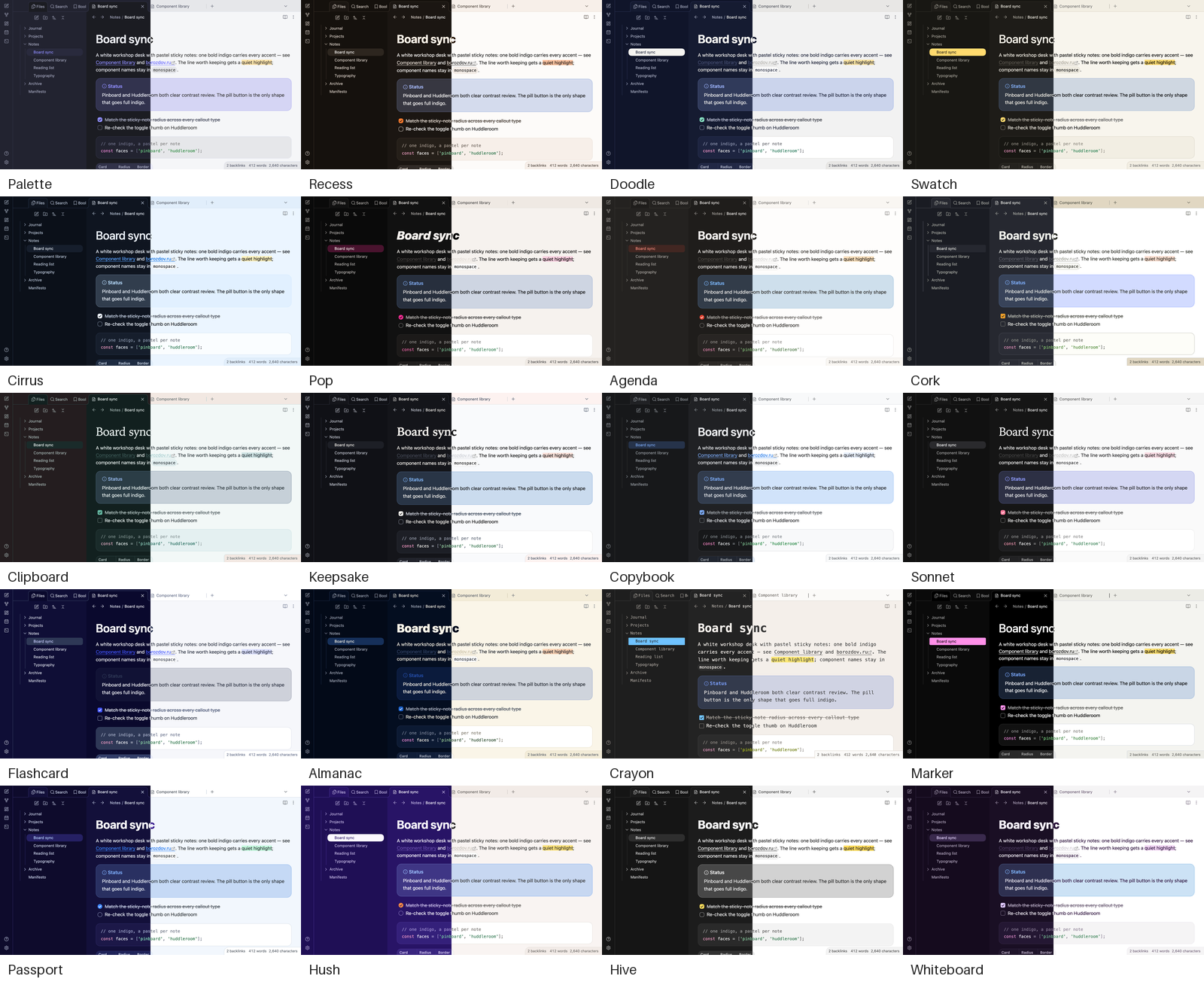
Borozdov Palette also carries the other 19 themes of the collection's notebooks & playful color mood. Install the Style Settings plugin, open Settings → Style Settings → Borozdov Palette → Variant, and pick one: Recess, Doodle, Swatch, Cirrus, Pop, Agenda, Cork, Clipboard, Keepsake, Copybook, Sonnet, Flashcard, Almanac, Crayon, Marker, Passport, Hush, Hive and Whiteboard.
A variant brings that theme's palette in both modes, its fonts, weights and corners, and its tag and highlight colours. The layout — callouts, tables, the sidebar — stays Palette's. Fonts a theme embeds on its own aren't carried over; the variant falls back to the same system stack. Each theme is still available by itself from its repository.
Installation
From the community directory: Settings → Appearance → Themes → Manage, search for Borozdov Palette, then Install and use.
By hand: download manifest.json and theme.css from the
latest release into
<vault>/.obsidian/themes/Borozdov Palette/, then choose Borozdov Palette under
Settings → Appearance → Themes.
License
MIT — see LICENSE.
По-русски. Тема из коллекции Borozdov. Два лика: светлый «Pinboard» — белый стол мастерской с пастельными стикерами, и тёмный «Huddleroom» — тот же стол после того, как все разошлись. Один яркий индиго несёт все акценты; свой пастельный оттенок у каждого типа callout — как разные цвета стикеров. Шрифты не встроены. Через плагин Style Settings в теме есть ещё 19 вариантов — остальные темы коллекции в настроении «блокноты и игривые цвета». Устанавливается из каталога: Настройки → Оформление → Темы → Настроить → Borozdov Palette → Установить и применить.