Borozdov Console
 Nikita Borozdov173 downloads
A midnight SRE console, Uptime (light) and Pager (dark): pill shapes and one violet-blue for every action. Carries 13 more dark designs as Style Settings variants.
- Overview
- Scorecard
- Updates3
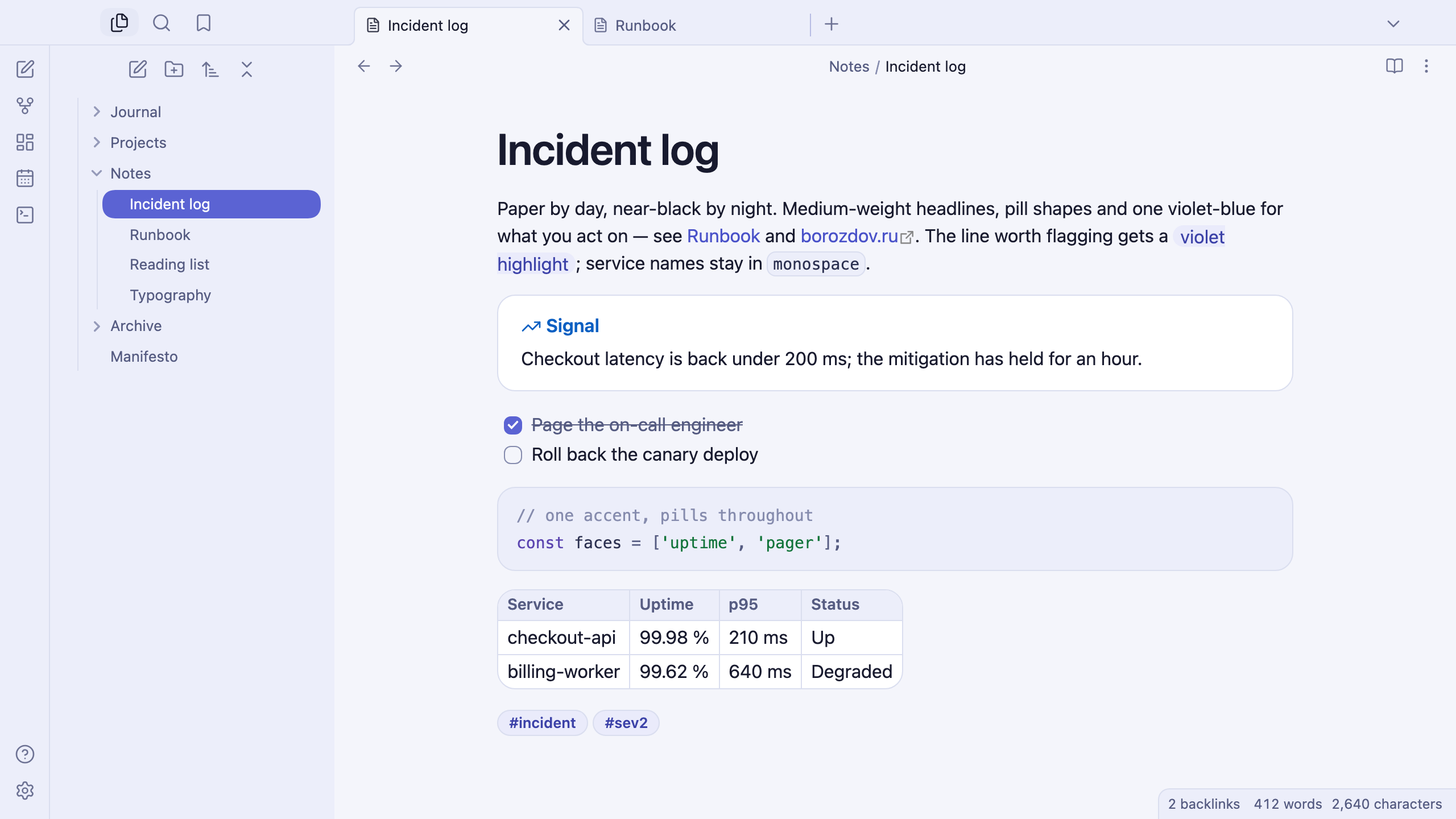
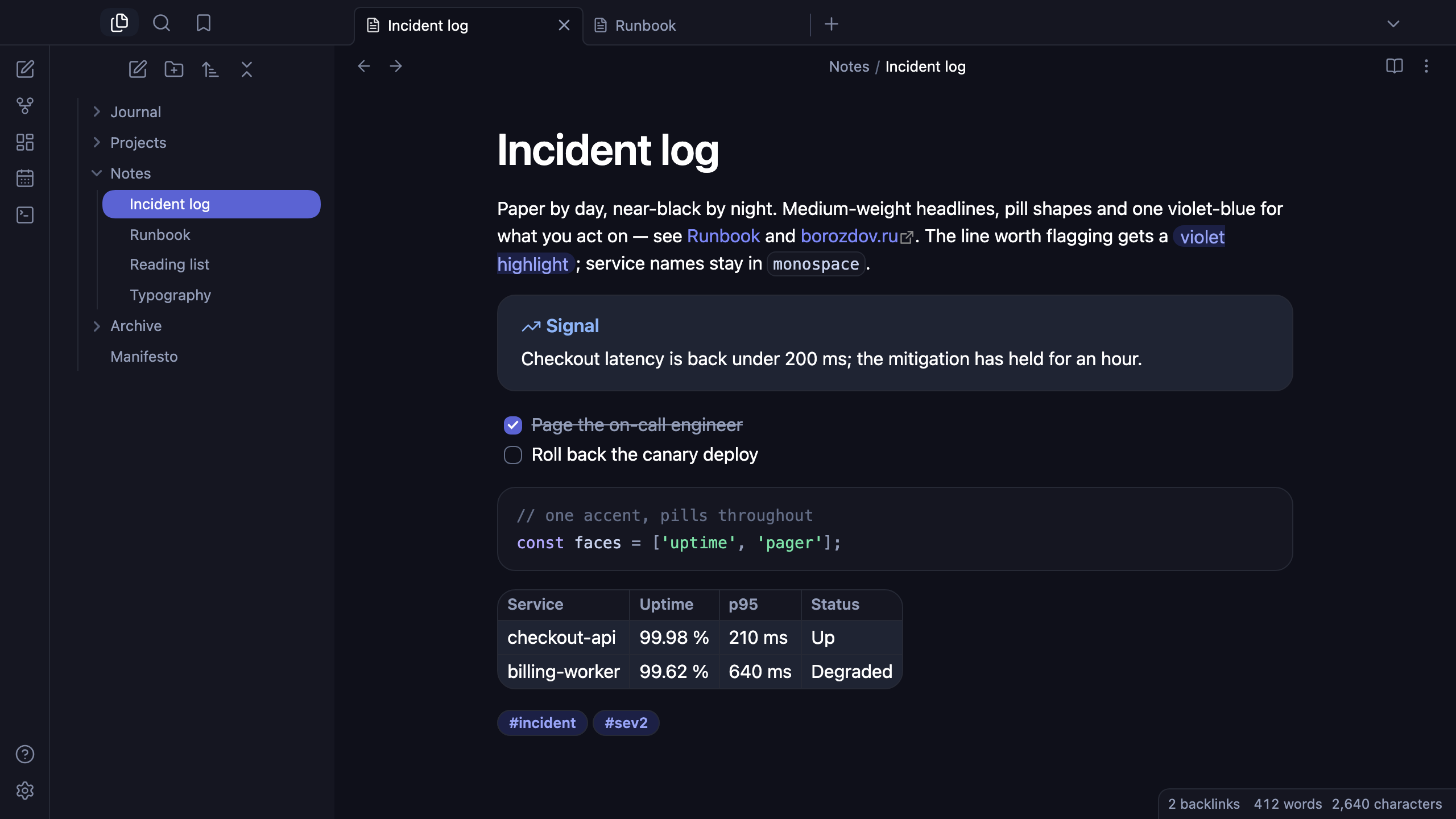
A theme from the Borozdov collection. Two faces — light Uptime, a paper-toned status page, and dark Pager, the midnight console itself. Medium-weight headlines with tight tracking, pill shapes throughout, and one violet-blue for every action.
Principles
- One violet-blue. The main button, a checked task, a toggle, links and the open file all run through the same Pulse; a darker shade carries hover and active states.
- Precision over volume. Every heading sits at medium weight with tight, slightly negative tracking as size grows — engineered, not shouted.
- Paper by day, near-black by night. Uptime is a cool paper canvas behind bright white cards; Pager is a near-black panel with a hairline frame around everything that floats.
- One gradient, spent once. The single call-to-action button carries a violet-blue gradient; nothing else in the theme is chromatic beyond the one accent.
- Pills and cards. Buttons, tags and the open file are fully rounded; tables and callouts read as floating cards with a generous 16px corner, the way a status page frames a metrics panel.
Features
- Light and dark modes, following Settings → Appearance → Base color scheme
- The highlighter as a Pulse word on an opaque wash chip, readable on both faces
- Tables framed as their own card — a single rounded border, no doubled edges
- Callouts as cards with the title in the type's colour; the plain note on a violet-wash chip
- The open file as an inverted Pulse pill
- Quiet editing: no focus ring around the note, its title or form fields while you type; property names read as labels, not boxed fields
- Text colours meet WCAG contrast on both faces
- The phone layout keeps the same colours and shapes
- No embedded fonts: the platform's own system sans and monospace carry every character, so the theme stays around 45 KB with every variant
- No
!important: every rule can be overridden with a CSS snippet
Variants
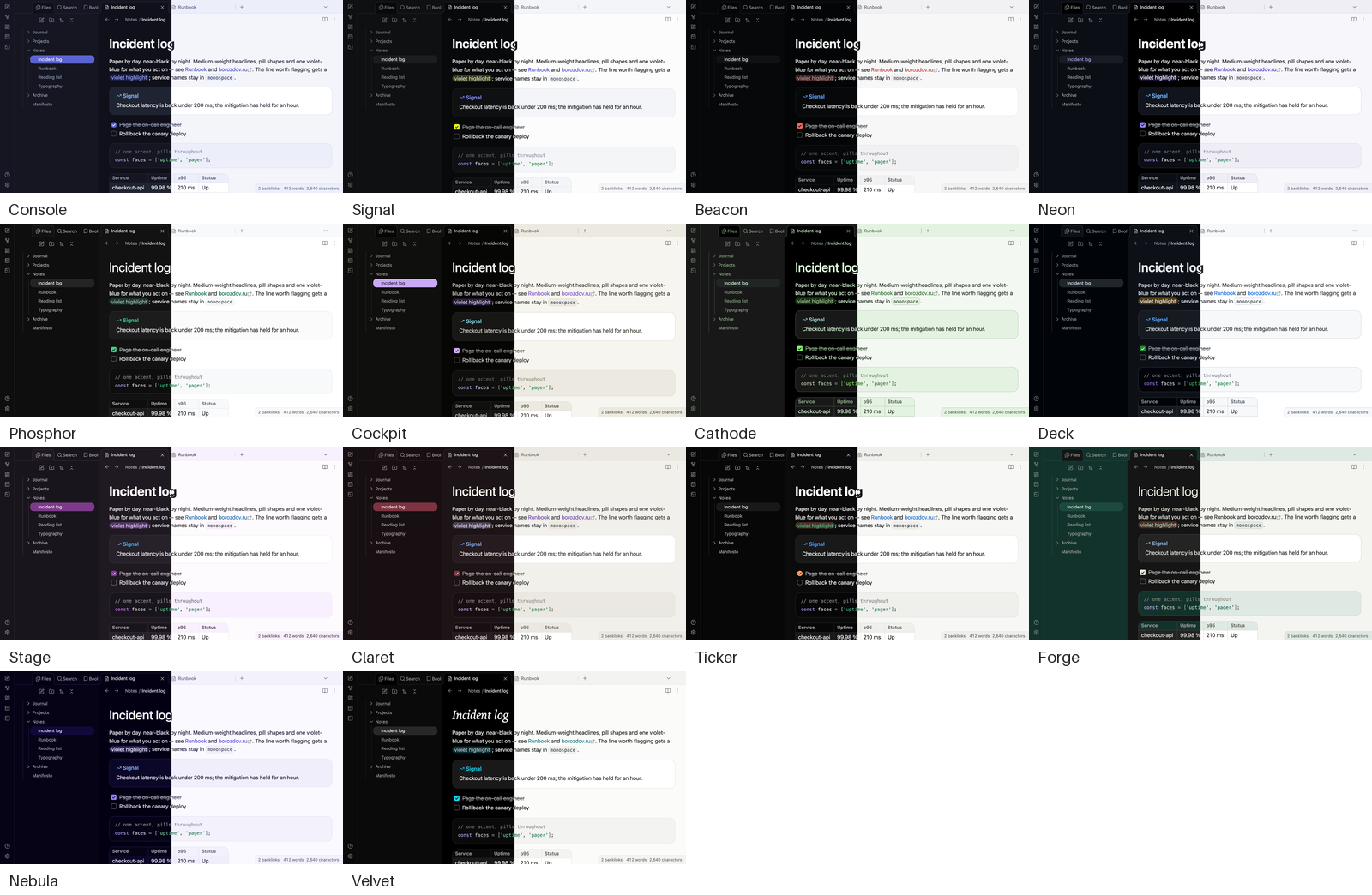
Borozdov Console also carries the other 13 themes of the collection's dark consoles & midnight mood. Install the Style Settings plugin, open Settings → Style Settings → Borozdov Console → Variant, and pick one: Signal, Beacon, Neon, Phosphor, Cockpit, Cathode, Deck, Stage, Claret, Ticker, Forge, Nebula and Velvet.
A variant brings that theme's palette in both modes, its fonts, weights and corners, and its tag and highlight colours. The layout — callouts, tables, the sidebar — stays Console's. Fonts a theme embeds on its own aren't carried over; the variant falls back to the same system stack. Each theme is still available by itself from its repository.
Installation
From the community directory: Settings → Appearance → Themes → Manage, search for Borozdov Console, then Install and use.
By hand: download manifest.json and theme.css from the latest
release into
<vault>/.obsidian/themes/Borozdov Console/, then choose Borozdov Console under
Settings → Appearance → Themes.
License
MIT — see LICENSE.
По-русски. Тема из коллекции Borozdov. Два лика: светлый «Uptime» — бумажная страница статуса, и тёмный «Pager» — сама полуночная консоль. Заголовки среднего начертания с плотным трекингом, кнопки-пилюли и один сине-фиолетовый для любого действия. Шрифты не встроены. Через плагин Style Settings в теме есть ещё 13 вариантов — остальные темы коллекции в настроении «тёмные консоли и полночь». Устанавливается из каталога: Настройки → Оформление → Темы → Настроить → Borozdov Console → Установить и применить.