Basalt
 Joost258 downloads
A dark, minimal theme with a matching light mode: serif headings, hairline details, graphite grays and one red accent. Bundled fonts, no network requests.
- Overview
- Scorecard
- Updates4
Quiet by default.
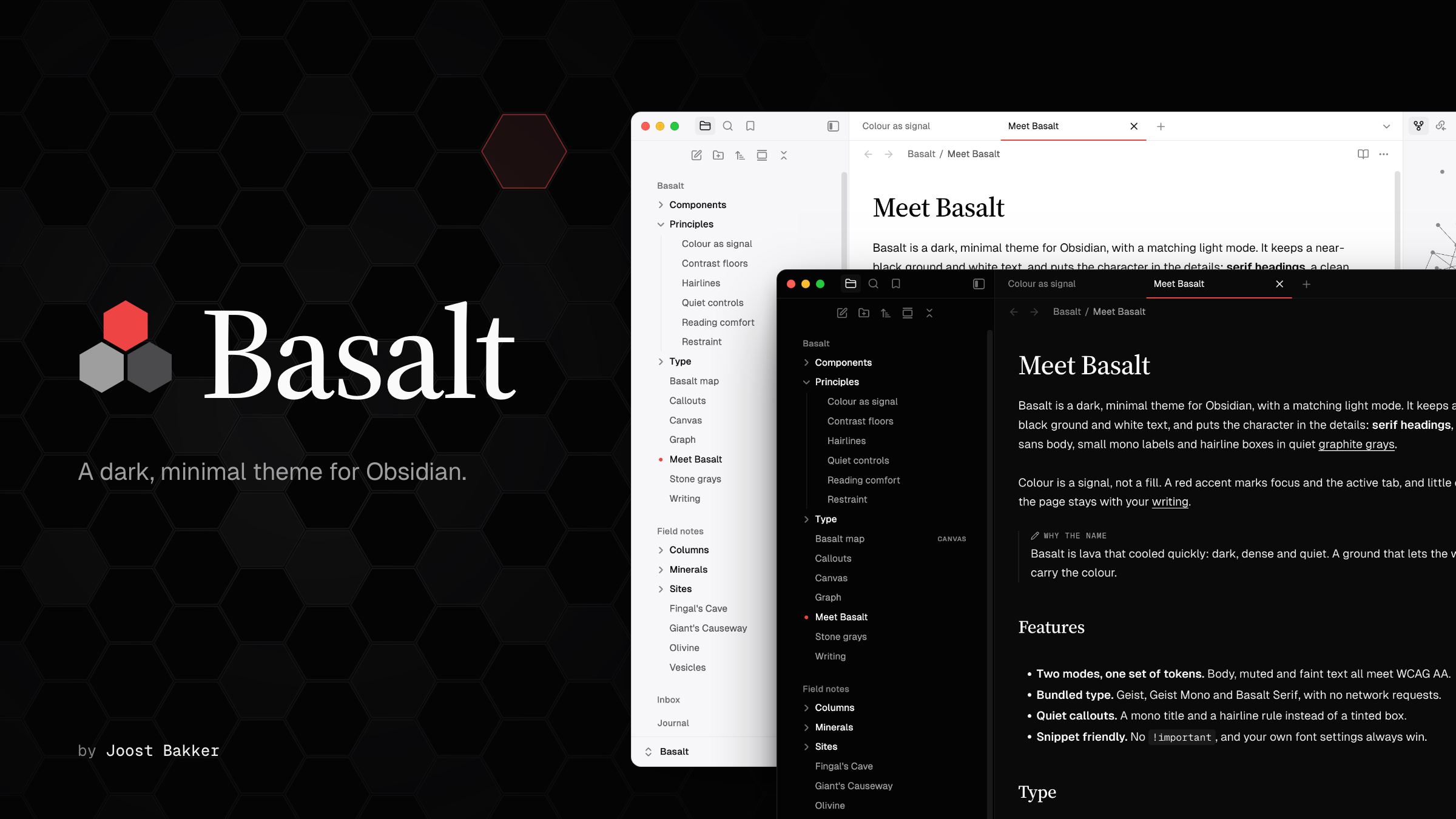
A dark, minimal theme for Obsidian, with a matching light mode.
Overview
basalt (n.) Lava that cooled quickly: dark, dense and quiet.
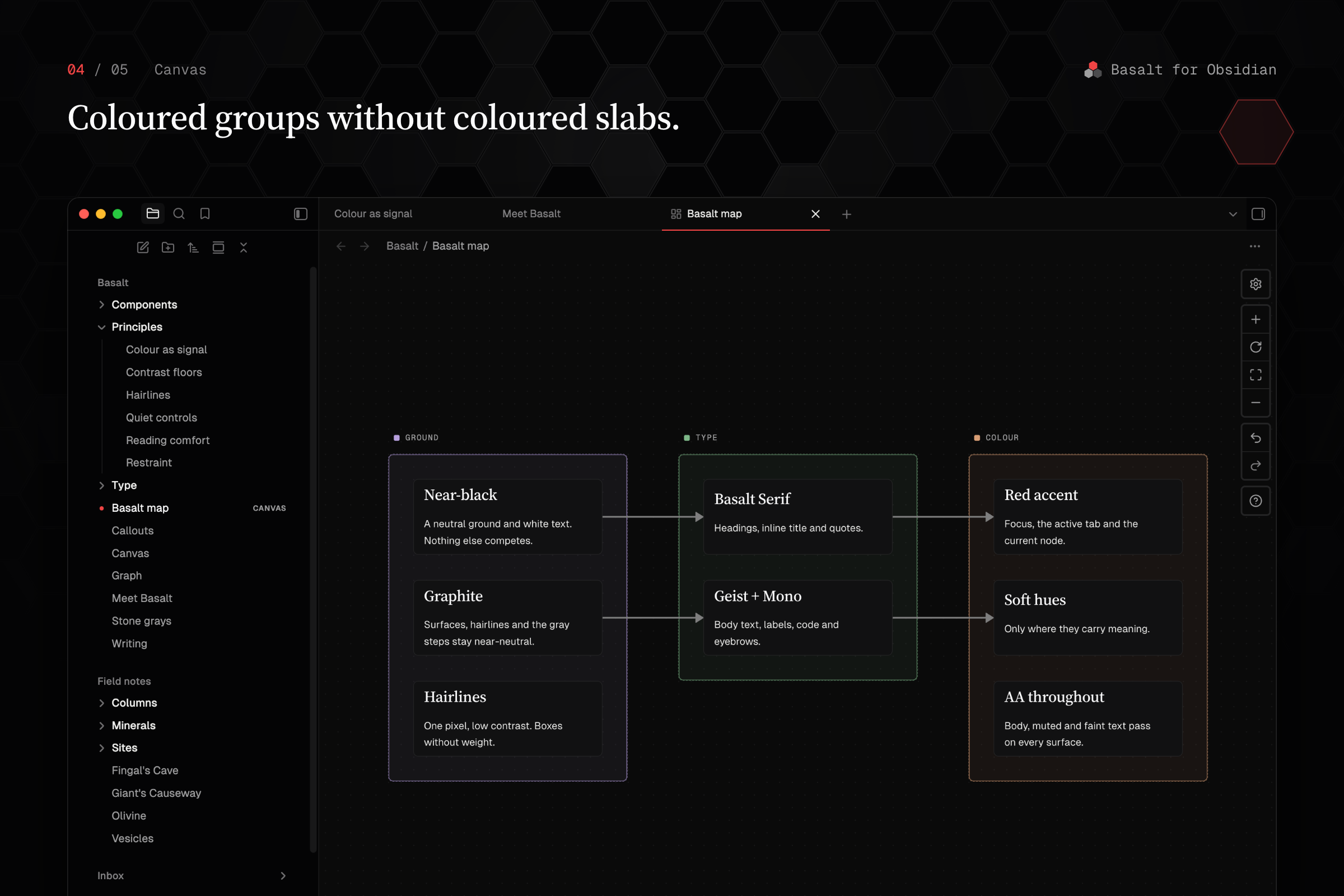
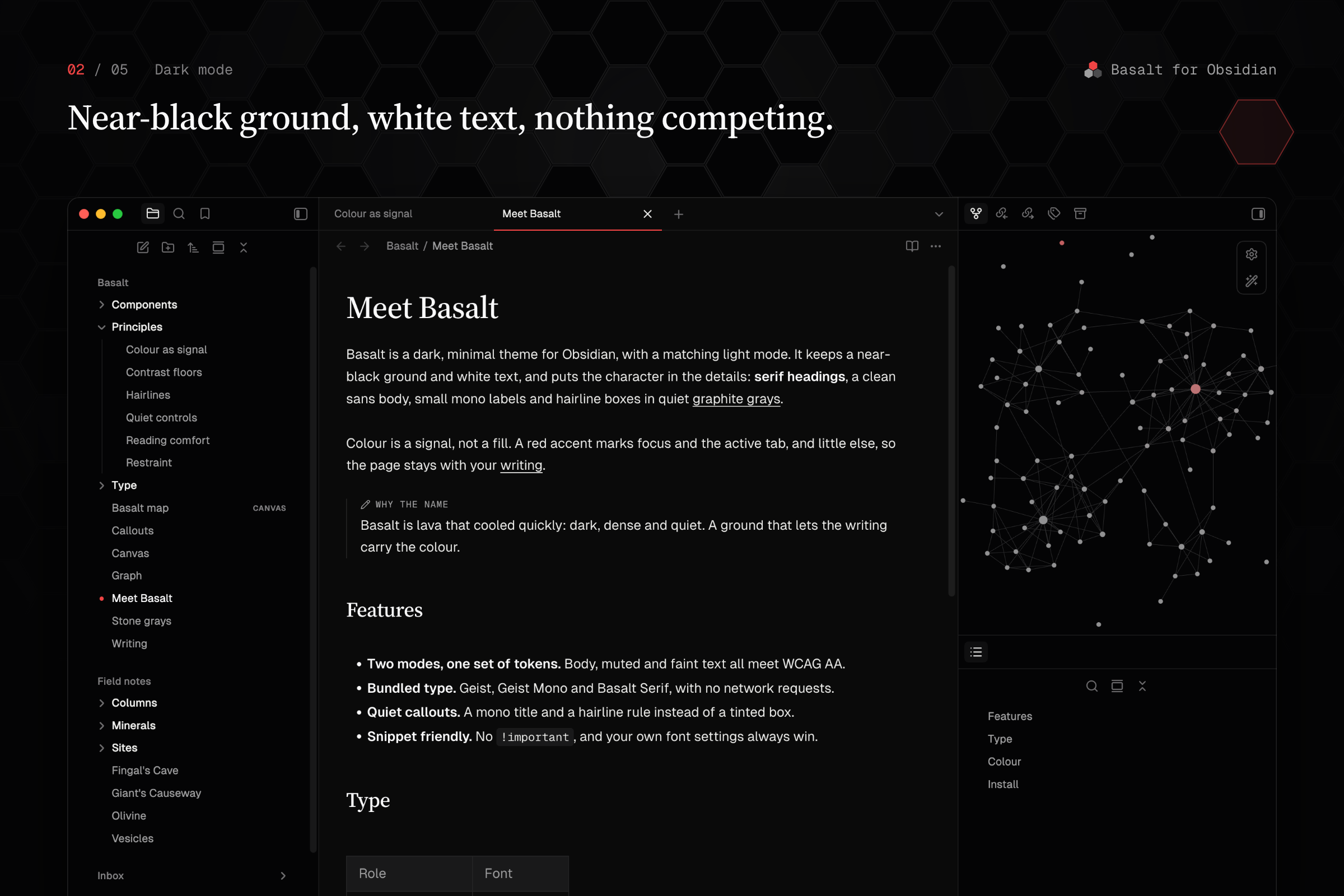
Basalt keeps a near-black ground and white text, and puts the character in the details: serif headings, a clean sans body, small mono labels, hairline boxes and graphite grays.
Colour is a signal, not a fill. A red accent marks focus, the active tab, the open file and the current note in the graph, and little else. Soft hues appear only where they carry meaning: callouts, canvas groups and graph colour groups.
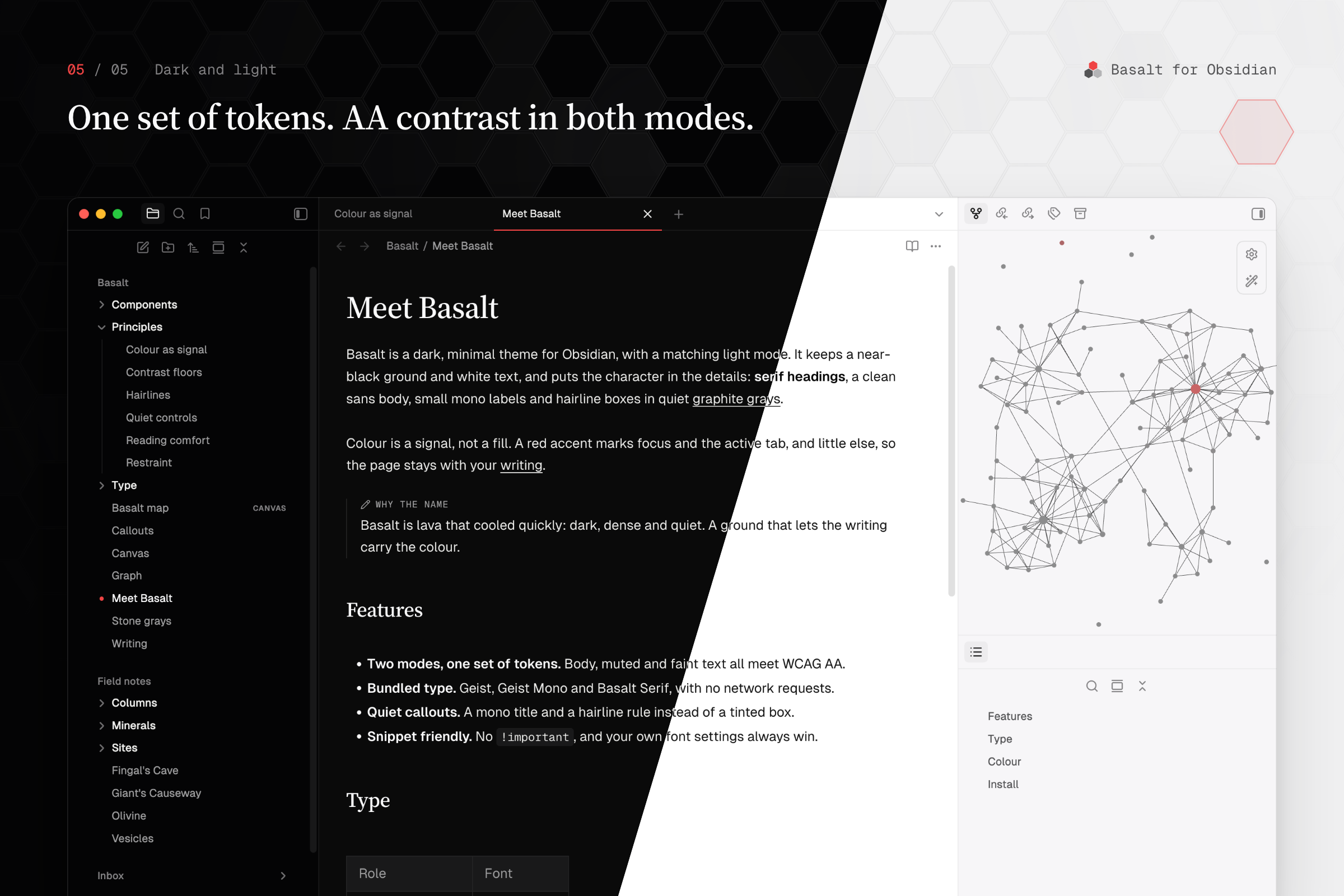
One set of tokens, two modes. Light mode is the same design on a white page, not an afterthought. Body, muted and faint text all meet WCAG AA contrast on the surfaces they sit on.
Principles
Less, but on purpose.
The ground stays out of the way
Near-neutral graphite surfaces and lines, with the sidebar set just below the note. The page belongs to your writing.
Type does the work
Basalt Serif for headings, Geist for text, Geist Mono for labels and code. Hierarchy comes from type and hairlines, not from boxes and fills.
Your vault wins
No
!important, styling through Obsidian's own CSS variables, and your font and accent settings always take precedence. Snippets keep working.
Screenshots
 |
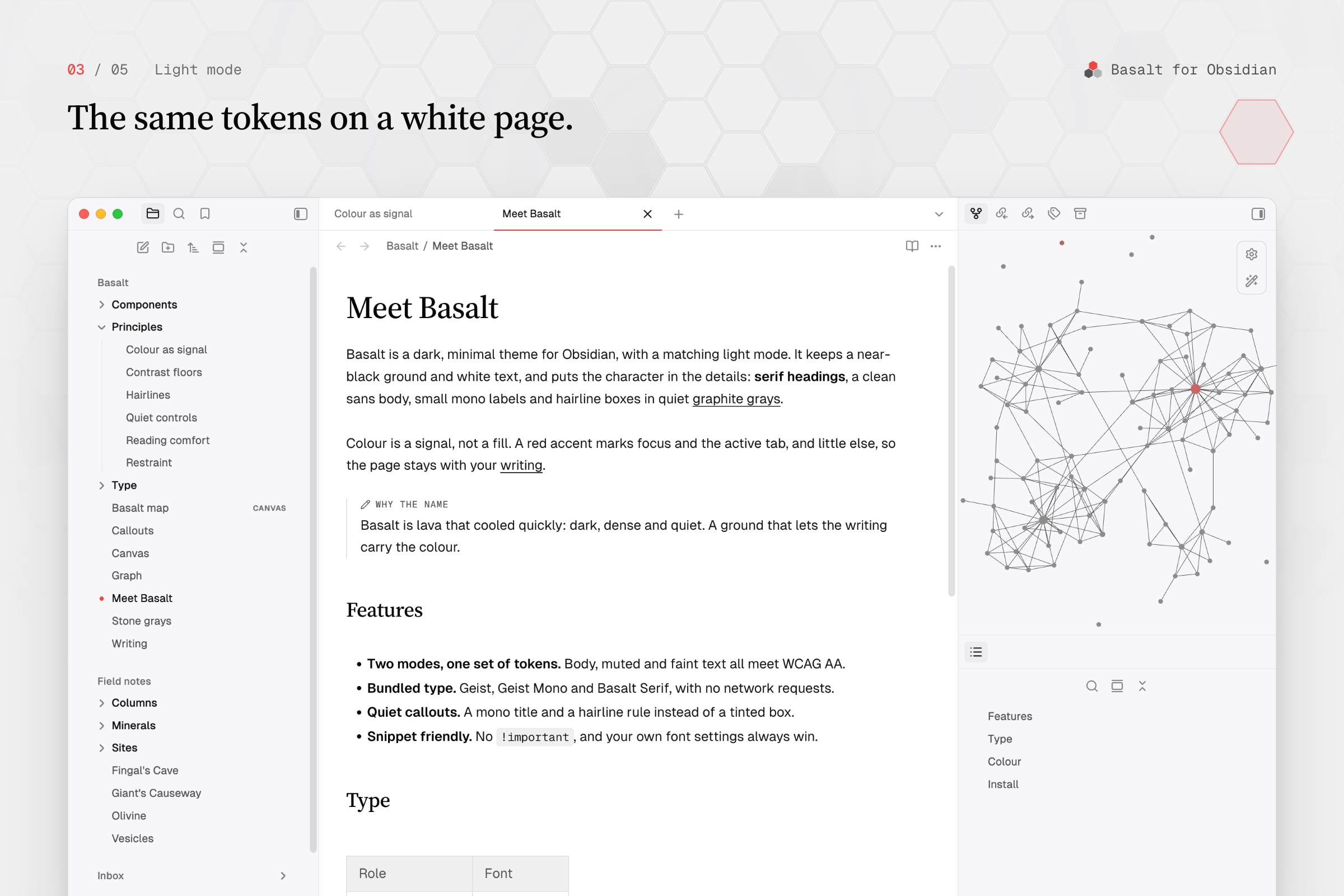 |
|
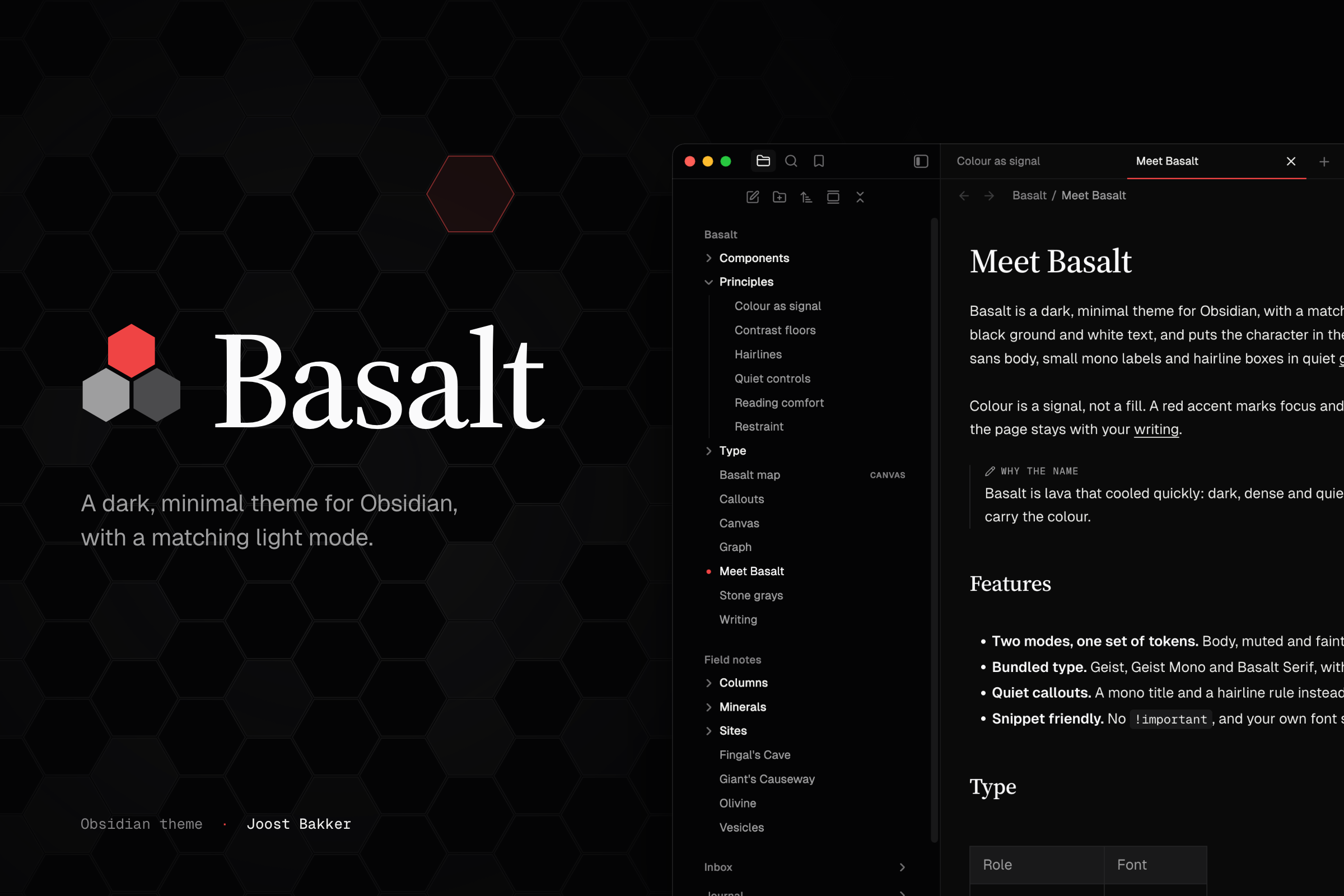 |
Install
From Obsidian. Open Settings → Appearance → Themes → Manage, search for Basalt, then choose Install and use. Or use the Add to Obsidian button above.
Manually. Download theme.css and manifest.json from the
latest release
into <your vault>/.obsidian/themes/Basalt/, then select Basalt under
Settings → Appearance → Themes.
Requires Obsidian 1.6 or later. Tested on Obsidian 1.14 (desktop).
Features
Components
| Component | Treatment |
|---|---|
| Headings | Basalt Serif at a medium weight; the inline title matches |
| File explorer | Top-level folders as quiet section labels, and a red dot on the open file |
| Tabs | A 1.5px accent rule under the active tab, or one of five other tab styles |
| Callouts | A mono title in the callout colour and a hairline rule, without a tinted box |
| Canvas | Mono group labels with a colour swatch and dashed group frames |
| Graph | Monochrome nodes and links, with the accent on the current note |
| Tables and Bases | Square hairline borders and a quiet header row |
| Properties | Muted keys above a dashed hairline |
| Controls | 28px buttons with a hairline ring and an ink primary button |
| Empty state | An editorial new-tab page |
Options
With the Style Settings plugin installed, Settings → Style Settings → Basalt offers a Tab style for the tab bar above notes. Without the plugin, Underline applies.
| Tab style | Description |
|---|---|
| Underline (default) | The bar takes the editor colour; a rule marks the active tab |
| Obsidian | Obsidian's own tabs |
| Track | Tabs in one bordered track, like a segmented control |
| Ink | Ghost tabs; the focused pane's active tab takes the ink fill |
| Sheet | The active tab is a bordered sheet that opens into the editor |
| Indexed | A compact bar on a dashed hairline, with each tab's Cmd/Ctrl+N numeral |
Plugin support
- Style Settings: tab style option.
- Advanced Canvas: group labels line up with its collapse toggle.
Fonts
Bundled and embedded, so the theme makes no network requests. Fonts you set in
Obsidian override these; the theme doesn't touch the *-override variables.
- Geist and Geist Mono: subsets covering Latin (including extended Latin),
combining accents, common punctuation, currencies, arrows, maths and keyboard
symbols. Other scripts use Obsidian's fallback fonts. The full weight range
and OpenType features of retained glyphs are preserved. © Vercel, SIL Open
Font License 1.1, see
src/fonts/OFL.txt. - Basalt Serif: a Latin subset of Source Serif 4 (© Adobe, SIL Open Font
License 1.1; weights 400–700, optical sizes 16–48), used for headings, the
inline title and blockquotes. Subsetting makes it a Modified Version, and
"Source" is a Reserved Font Name, so it ships under its own name. See
src/fonts/OFL-SourceSerif4.txt.
theme.css carries both copyright notices and the licence text.
Development
Build from source, install into a vault, preview harness
theme.css is generated; edit the modules under src/ and rebuild.
src/index.css        build entry: ordered @import list (= cascade order)
src/foundation/      Style Settings options, fonts, tokens, Obsidian variable mappings
src/editor/          note content: headings, code, tables, callouts, ...
src/app/             chrome: workspace, tabs, navigation, controls, overlays, ...
src/views/           canvas, graph, bases
src/fonts/           Geist, Geist Mono and Basalt Serif variable WOFF2 + licences
theme.css            build output, committed because Obsidian installs it
manifest.json        Obsidian theme manifest
images/listing/      community listing banner (00-banner.png) and screenshots
scripts/build.sh     src/ -> theme.css, modules and fonts inlined, CSS minified
scripts/minify.mjs   formatting/comment minifier; retains licences, settings and scan directives
scripts/check.py     design-system check, run by build.sh
scripts/install.sh   build, then copy into a vault
scripts/preview/     DOM-replica screenshot harness
Build
Requires Python 3 and Node.js 22 or later. Install the locked build dependencies
once with npm ci (and again when package-lock.json changes).
npm ci
scripts/build.sh
npm test
Runs scripts/check.py first and stops if it fails. The check keeps colours
inside the token blocks, radii and UI type on their scales, every token defined
and used, and text above its contrast floor. The build then inlines the modules
src/index.css imports, in order, replaces the font placeholders in
src/foundation/fonts.css with base64 WOFF2 data URIs, and minifies theme.css
with cssnano's lite preset. Minification removes formatting and ordinary
comments while retaining font copyright notices and licences, Style Settings,
and compatibility-scan directives. It does not merge rules or rewrite the
design's declarations; the source modules remain readable.
When a local test-vault/.obsidian exists (gitignored), it also copies the
theme there.
Install into a vault
scripts/install.sh ~/path/to/vault
Copies the built theme into <vault>/.obsidian/themes/Basalt/. It doesn't
change appearance.json; select the theme in Obsidian afterwards.
Preview harness
scripts/preview/preview.mjs screenshots HTML replicas of Obsidian's DOM (tab
bar, graph view and controls, find and replace, notices, empty state, links and
bundled fonts) with
Obsidian's own app.css and the built theme.css, in dark and light mode, with
hover and focus forced through Chrome DevTools.
scripts/build.sh
node scripts/preview/preview.mjs /path/to/obsidian/app.css
Options: --only graph,find (fixtures: tabbar, graph, find, notices,
empty), --modes dark, --theme other.css, --out dir, --scale 2. Output
goes to the gitignored preview-out/. It needs Playwright installed globally
(npm i -g playwright) and a Chromium it can launch (CHROMIUM_PATH to pick
one). app.css is Obsidian's file: pass its path, never commit it.
The harness renders replicas, not the app: layout JS, CodeMirror, plugins and the graph renderer don't run. Confirm visual changes in Obsidian itself, in dark and light mode, reading and live preview.
Credits
Inspiration
- Claude documentation by Anthropic: the starting point for early versions (near-black ground, serif headings, hairline boxes). Basalt has since moved to its own palette and accent.
- Antimetal design system: editorial details such as mono labels and dashed hairlines.
- Minimal and Baseline: the shape of this README and the listing.
Basalt is not affiliated with any of these.
Fonts
- Geist by Vercel
- Source Serif 4 by Adobe, shipped as Basalt Serif
License
The theme code is released under the MIT License. The embedded fonts keep their own licence, the SIL Open Font License 1.1 (see Fonts).