YTSummarizer
 ardakalayci1k downloads
Fetch YouTube video transcripts and generate summaries using OpenAI models.
- Overview
- Scorecard
- Updates6
An Obsidian plugin that fetches YouTube transcripts and generates summaries using OpenAI GPT models.
Screenshots
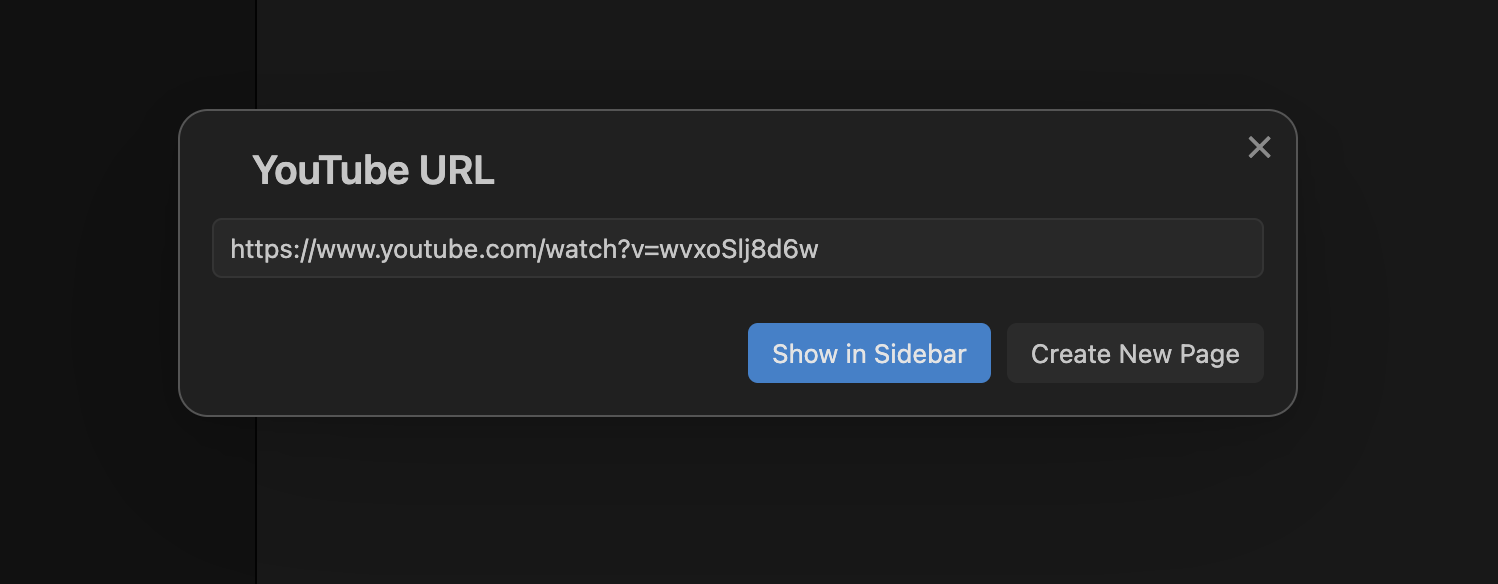 |
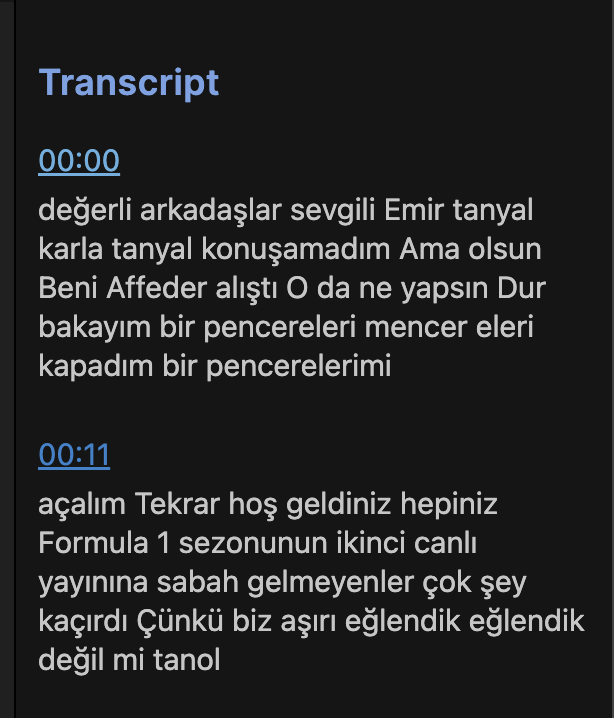 Transcript View in Sidebar |
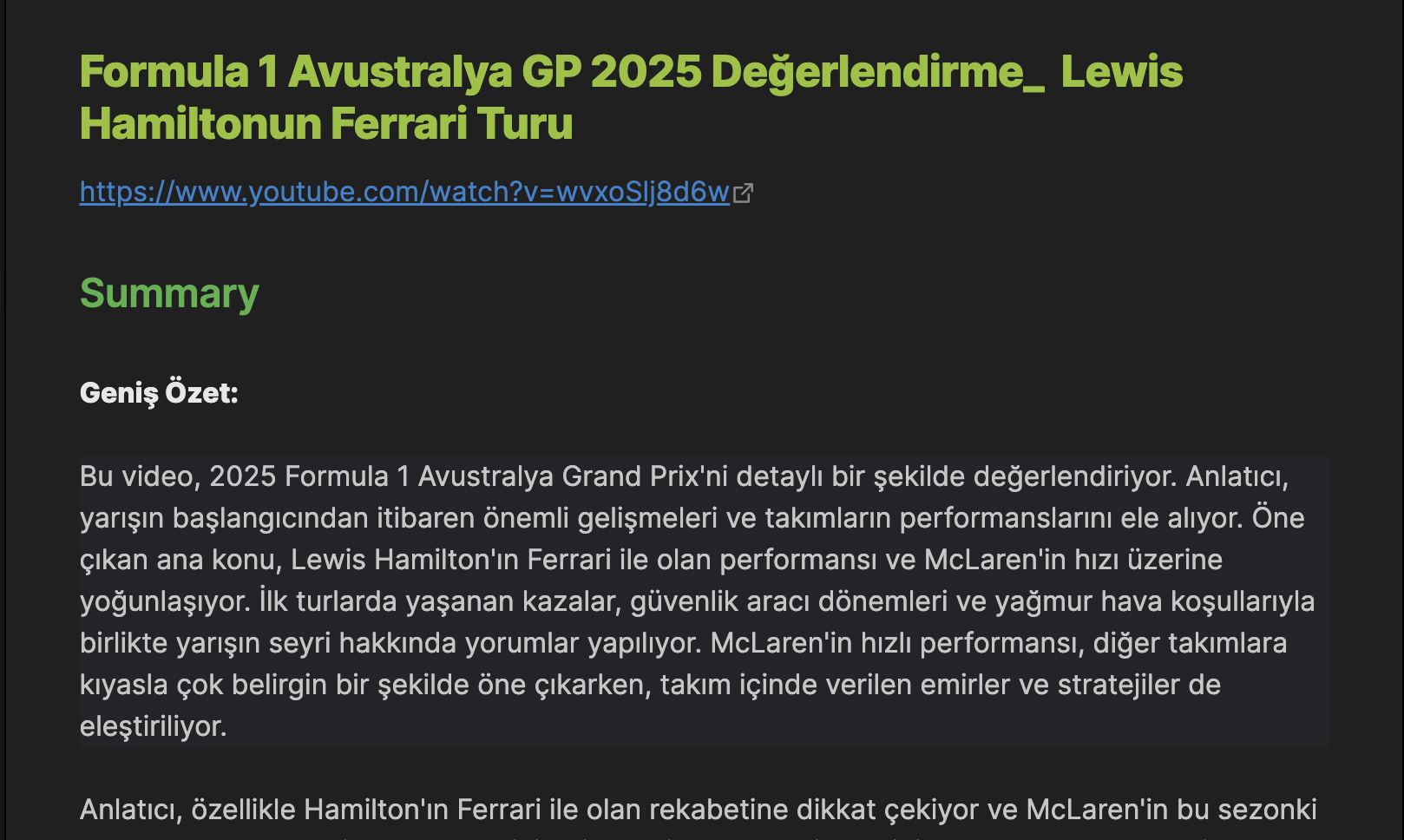 Summary Generation with OpenAI |
|
Features
- Fetch transcripts from YouTube videos
- Generate summaries of video content using OpenAI GPT models
- View transcripts in the sidebar or create new notes with transcripts and summaries
- Interactive timestamps that link directly to specific points in the video
- Customizable timestamp frequency
- Support for different languages and country codes
- Configurable OpenAI model selection
Installation
- Open Obsidian Settings
- Go to Community Plugins and disable Safe Mode
- Click on Browse and search for "YTSummarizer"
- Install the plugin and enable it
Usage
Getting Transcripts
There are multiple ways to get a YouTube transcript:
From the ribbon icon:
- Click the YouTube icon in the left sidebar
- Enter the YouTube URL
- Choose whether to view in sidebar or create a new note
From selected text:
- Select a YouTube URL in your note
- Use the command "YTSummarizer: Get YouTube transcript from selected url"
- The transcript will appear in the sidebar
From command palette:
- Open the command palette (Ctrl/Cmd + P)
- Search for "YTSummarizer: Get YouTube transcript from url prompt"
- Enter the YouTube URL
- Choose whether to view in sidebar or create a new note
Working with Transcripts
- Click on any timestamp to open the video at that specific point
- In sidebar view, use the "Generate Summary" button to create a summary with OpenAI
- When creating a new note, the summary is automatically generated and placed at the top
Configuration
In the plugin settings, you can configure:
- Timestamp interval: How often timestamps should appear in the transcript
- Language: Preferred transcript language code (e.g., "en", "fr", "de")
- Country: Preferred transcript country code (e.g., "EN", "FR", "DE")
- OpenAI API Key: Your OpenAI API key for generating summaries
- OpenAI Model: Choose between GPT-4o Mini, GPT-3.5 Turbo, or GPT-4o
- Custom Summary Prompt: Customize the prompt used for generating summaries
Requirements
- An OpenAI API key is required for the summary generation feature
Security and Best Practices
This plugin follows Obsidian's security guidelines and best practices:
- Uses DOM API instead of innerHTML for safer content rendering
- Properly handles resources in the plugin lifecycle
- Uses CSS classes for styling instead of inline styles
- Implements proper error handling and user feedback
Acknowledgments
Many thanks to creators and contributors of following plugins:
- YTranscript - This plugin is heavily inspired by and builds upon the YTranscript plugin by Łukasz Strzępek. While YTranscript provides functionality for fetching and displaying YouTube transcripts, YTSummarizer adds the ability to automatically generate summaries using OpenAI GPT models.
- Auto Link Title
- Timestamp Notes
- Recent Files
What sets YTSummarizer apart?
Unlike other YouTube-related plugins for Obsidian, YTSummarizer focuses on:
- AI-powered summaries: Automatically generates concise summaries of video content using OpenAI's GPT models
- Flexible viewing options: View transcripts in the sidebar or create dedicated notes
- Interactive timestamps: Easily navigate to specific points in videos
- Customizable experience: Configure timestamp frequency, language preferences, and AI model settings
License
This project is licensed under the MIT License - see the LICENSE file for details.
HealthGood
ReviewCaution
About
Fetch YouTube transcripts and generate concise summaries using OpenAI GPT models. View transcripts in a sidebar or create new notes with interactive timestamps that jump to specific video points. Support multiple languages, configurable timestamp frequency, and choose the OpenAI model for summaries.Details
Current version
0.2.6
Last updated
2 years ago
Created
2 years ago
Updates
6 releases
Downloads
1k
Compatible with
Obsidian 1.7.2+
Platforms
Desktop, Mobile
License
MIT