Search...Search plugins and themes...
⌘K
Sign in
  • Get started
  • Download
  • Pricing
  • Enterprise
  • Account
  • Obsidian
  • Overview
  • Sync
  • Publish
  • Canvas
  • Mobile
  • Web Clipper
  • CLI
  • Learn
  • Help
  • Developers
  • Changelog
  • About
  • Roadmap
  • Blog
  • Resources
  • System status
  • License overview
  • Terms of service
  • Privacy policy
  • Security
  • Community
  • Plugins
  • Themes
  • Discord
  • Forum / 中文论坛
  • Merch store
  • Brand guidelines
Follow us
DiscordTwitterBlueskyThreadsMastodonYouTubeGitHub
© 2026 Obsidian

YouHaveBeenStaring

fxalfxal5k downloads

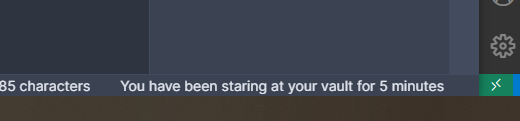
Add a status bar indicator showing how long your vault has been open.

Add to Obsidian
  • Overview
  • Scorecard
  • Updates8

This is a plugin for Obsidian (https://obsidian.md).

It tells you in natural language in the status bar for how long your vault is open (since how long ago the plugin was loaded). Also for how long you had your vault open in total, but that's optional.

A sweet, short and subtle reminder that you might want to take a break from staring at your screen 🧐.

Features

  • Show for how long you've been staring at your vault since startup of obsidian in the status bar
  • Show total staring time (measured in increments of 1s whenever the plugin is active) in the status bar
  • Allow customization of display text You have been staring at your vault for $amount (both total and current staring duration)
  • Starting and stopping of the counter with a ribbon button
  • Saving of the staring time is done every 10 minutes as well as on every settings change, when unloading the plugin and when starting/stopping the counter via the ribbon icon to prevent too many disk writes
  • Allow actual time (days, hours, minutes, etc.) to be used in the status text instead of only the humanize output of the duration

TODO

  • Implement take a break reminders, configurable
  • Add visualization for staring time, similar to github activity
  • Enhance status bar text by allowing templating

Deprecated

Allow calculating the current staring duration from midnight today, if the startup was earlier than midnight today

How to install

You can find this plugin in the official third party obsidian plugins

For downloading from this repo:

Simply download and install this plugin in your .obsidian/plugins folder.

Then restart your Obsidian instance, navigate to "Settings -> Third-party plugins" and enable "YouHaveBeenStaring".

You will see the time since when you've been staring at your vault in the lower right status bar.
59%
HealthNeeds work
ReviewSatisfactory
About
Display how long you've been staring at your vault in the status bar using natural-language durations for current and optional total time. Track accumulated staring time, toggle the counter with a ribbon button, customize the display text, and auto-save durations periodically to preserve totals.
Status barDates
Details
Current version
1.2.2
Last updated
5 years ago
Created
5 years ago
Updates
8 releases
Downloads
5k
Compatible with
Obsidian 0.9.12+
Platforms
Desktop, Mobile
Report bugRequest featureReport plugin
Author
fxalfxal
almer.dev
GitHubfxal
  1. Community
  2. Plugins
  3. Status bar
  4. YouHaveBeenStaring

Related plugins

Day Planner (OG)

Day planning from a simple task list in a Markdown note (bare bones, preserves the features and behavior of the original plugin).

Pomodoro Timer

Manage your daily focus using the Pomodoro Technique.

Day Planner

Day planning from a task list in a Markdown note with enhanced time block functionality.

Tasks

Track tasks across your vault. Supports due dates, recurring tasks, done dates, sub-set of checklist items, and filtering.

Reminder

Manage Markdown TODOs with reminder.

Thino

Quickly capture memos and display them in the sidebar with a heatmap. (Closed source)

Weread

Sync Tencent Weread highlights and annotations.

Periodic Notes

Manage your daily, weekly, and monthly notes.

Full Calendar Remastered

Complete Calendar HUB experience. Work with all your calendars in one place. Analyze your time and take action!

Rollover Daily Todos

Rollover any unchecked checkboxes from your last daily note into today's note.