Word Hover Actions
 Mohan Das Adhikari3 downloads
Hold Shift over a word to open an action wheel: link or create notes, format text, extract passages, and look up definitions.
- Overview
- Scorecard
- Updates3
Hold Shift over a word in Obsidian to open an action wheel: link or create notes, format text, extract passages, and look up definitions, without leaving the line you're writing.

▶ Try the interactive demo: the real wheel, running in your browser.
Features
The wheel
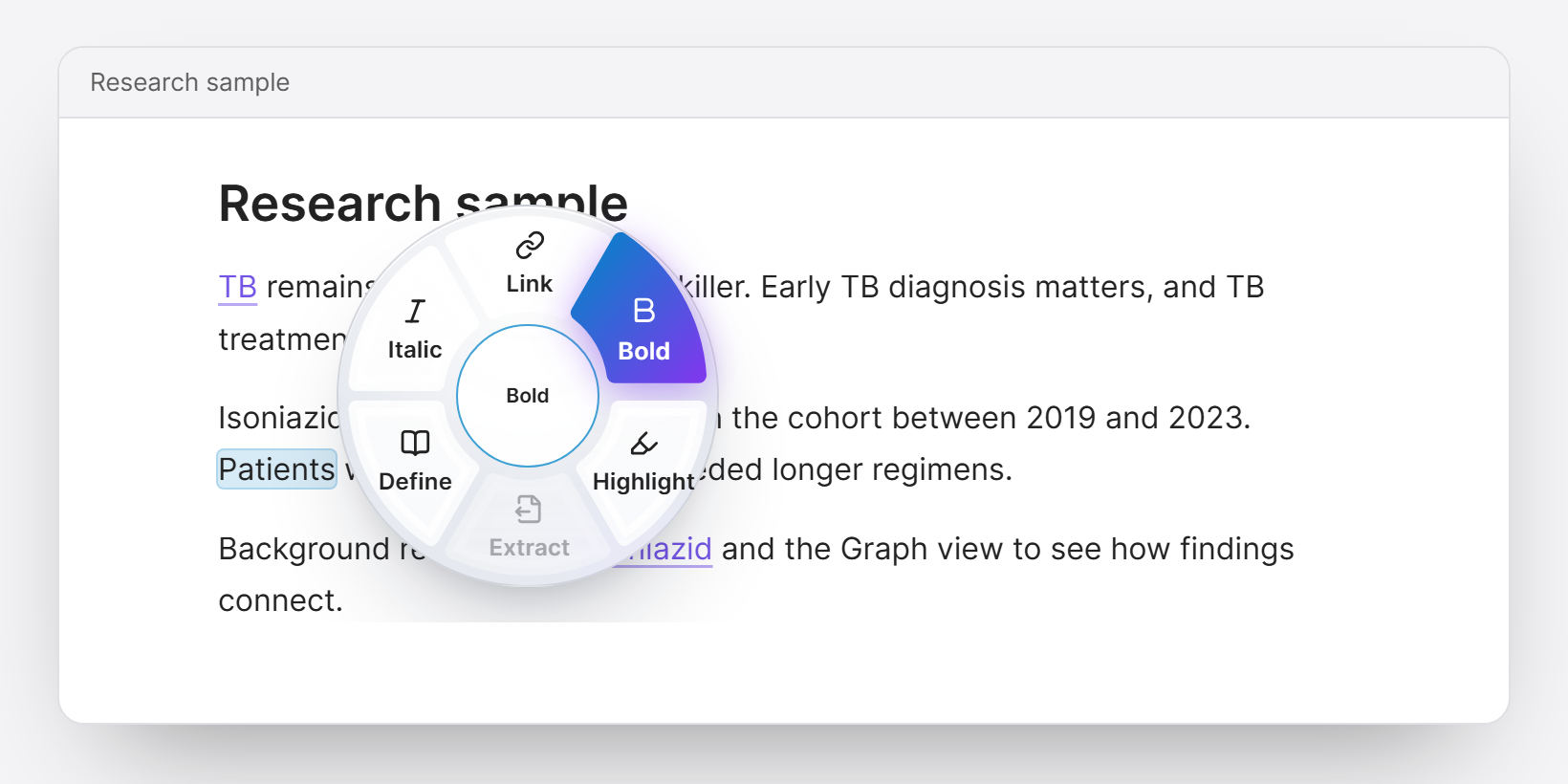
Hold Shift and hover a word, or rest the pointer on a word and press Shift. The wheel opens beside the word almost at once. You can let go of Shift and click a segment.
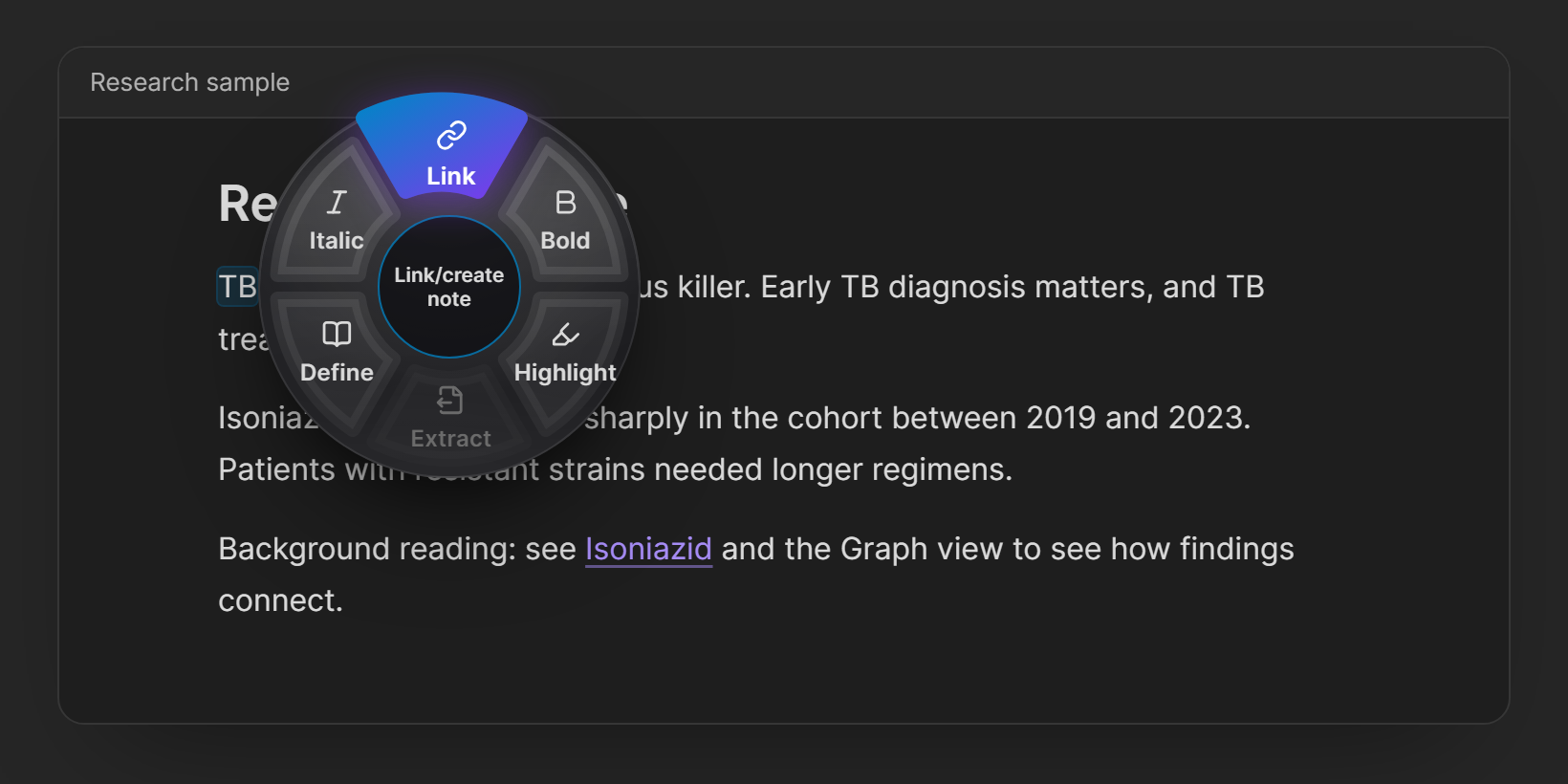
| Action | What it does |
|---|---|
| Link | Search your vault, or create a note with an editable title. The hovered text becomes a link and keeps its wording: [[Mango smoothie|Mango]]. You stay in the note you're writing. |
| Bold / Italic / Highlight / Strike | Toggle **text**, *text*, ==text==, ~~text~~. Already-applied formatting is marked, and toggling removes it. |
| Extract | Moves a selected passage (several lines are fine) into a new note and leaves a link or an embed in its place. The new note links back with a source property. |
| Define | Shows the Wikipedia summary and Wiktionary definitions. Create linked note turns the summary into a note and links the word to it. |
| Custom wrappers | Your own toggles, such as %%comment%%, $math$, or <u>underline</u>. |
The wheel holds 4, 6, or 8 actions (6 by default), and you choose which action goes in each slot.
Link tools
Hover an existing link and the wheel switches to link tools:
- Peek: preview the note and see how many notes link to it.
- Unlink: remove the link and keep its text.
- Change: point the link at a different note, keeping your wording.
- Split: open the linked note in a split pane.
After linking
When you link a word, a small toast offers two shortcuts:
- Add “TB” as alias, so
TBfinds Tuberculosis directly next time. - Link 2 more mentions, which links every other plain mention of the same word in the note in one undoable edit.
Frosted glass, five presets
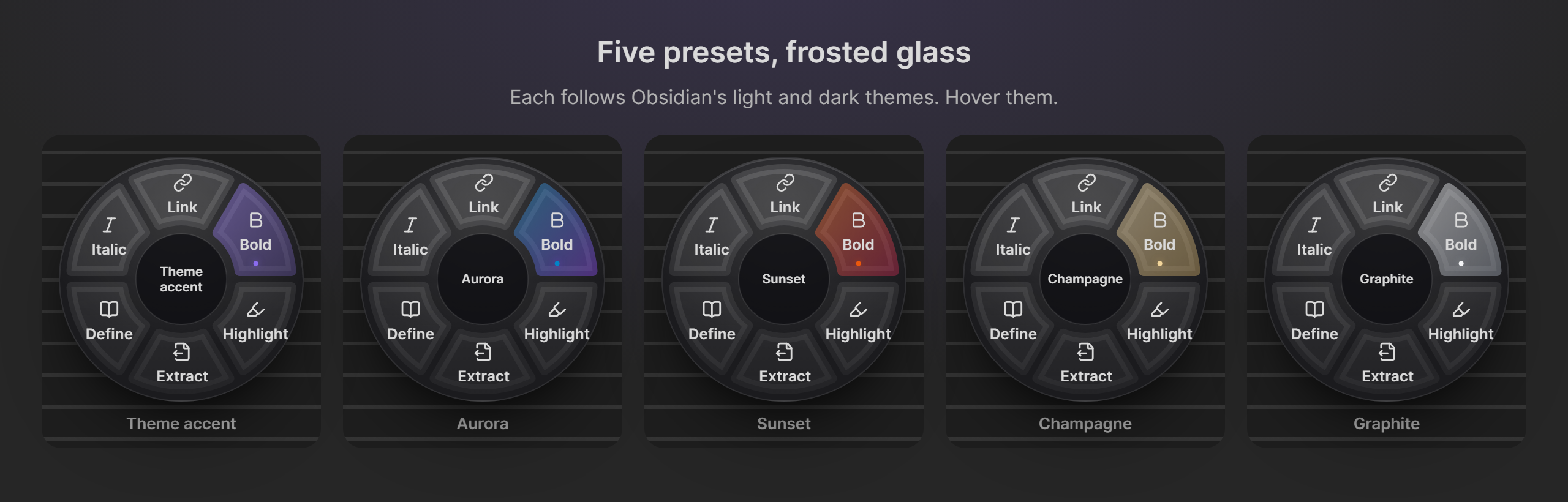
The wheel, the dialogs, and the toast share a frosted-glass look in light and dark themes. Choose Theme accent (follows your Obsidian accent color), Aurora, Sunset, Champagne, or Graphite in Settings. A live preview there shows your own slot layout.
How it works
- What an action applies to. If you hover inside a selection, the whole selection; otherwise the word under the pointer.
well-known,don't, andsnake_casecount as one word. - Hovering never changes your note. Only clicking a segment does, and every edit can be undone with Ctrl/Cmd+Z.
- When an action is unavailable, its segment is dimmed and the center of the wheel says why: inside code, math, properties, a tag, or a selection that spans several lines.
- The note picker:
- Matches names and aliases, and shows folder paths when two notes share a name.
- Creates new notes in your Default location for new notes.
- Never overwrites a file or silently creates a duplicate.
- Uses your link settings (wikilinks or Markdown links, link paths).
- If the note changes while a dialog is open (sync, another pane, another plugin), nothing is inserted, and a notice tells you why.
- Closing the wheel: Escape, typing, scrolling, clicking elsewhere, or moving the pointer away.
Settings
Settings → Word Hover Actions
- Appearance: color preset, with a live preview.
- Wheel: 4, 6, or 8 segments, and the action for each slot.
- Custom wrappers: name, icon (any Lucide name), and the text to put before and after.
- After linking:
- Offer to link other mentions.
- Learn aliases: Ask each time, Always, or Never.
- Extract to note: replace the passage with a link or an embed.
- Look up: the Wikipedia/Wiktionary language (default
en).
Network use
Word Hover Actions works offline, with one exception, which you trigger yourself:
- Define sends the word or phrase you clicked to Wikipedia (
<language>.wikipedia.org) and Wiktionary (en.wiktionary.org), to show its summary and definitions. Nothing is sent when you merely hover, and nothing else ever leaves your computer.
There is no telemetry, no account, and no tracking. Your settings stay in the plugin's own data file inside your vault.
Installation
From Obsidian: open Settings → Community plugins → Browse, search for Word Hover Actions, then select Install and Enable. This works once the plugin is listed in the Community directory.
Manually:
- Download
main.js,manifest.json, andstyles.cssfrom the latest release. - Put them in
<your vault>/.obsidian/plugins/word-hover-actions/. - Reload Obsidian, then enable Word Hover Actions under Settings → Community plugins.
Requires Obsidian 1.14.4 or later, on desktop (it relies on a mouse and the Shift key).
Known limitations
- Rendered blocks in Live Preview (tables, callouts, embeds, math) don't open the wheel, to avoid acting on the wrong text. In Source mode, or with the cursor inside them, they work.
- Reading view isn't supported; the wheel works in the editor.
- Languages written without spaces (Chinese, Japanese) are treated as one long word. Select the phrase instead.
See TESTING.md for what has been tested and what hasn't.
Development
npm install
npm run dev          # rebuild main.js on every change
npm test             # unit tests (Vitest)
npm run build        # type-check, then production build
npm run build:demo   # build the interactive demo into docs/
npm run install-plugin -- "/path/to/test vault"   # copy the build into a vault
src/text/holds the editor-independent logic, and is what the unit tests cover.src/hover-extension.tsis the CodeMirror extension that tracks Shift and the pointer.src/menu.tsdraws the wheel.demo/runs that same wheel code and stylesheet in a web page.
Releasing:
- Run
npm version patch(orminor/major). This updatesmanifest.jsonandversions.json. - Push the commit and the new tag (
git push --follow-tags). A GitHub Action builds the plugin and creates a draft release withmain.js,manifest.json, andstyles.css. - Review the draft and publish it.
Credits
- Icons on the demo page are from Lucide (ISC license); inside Obsidian, the plugin uses Obsidian's built-in copy of the same icons.
- Word Hover Actions is an independent project and isn't affiliated with Obsidian.
License
MIT © 2026 MON.D.SAMA