Web Bookmark
 paipa0344 downloads
Turn a URL into a visual bookmark card with title, description, icon, and preview image.
- Overview
- Scorecard
- Updates3
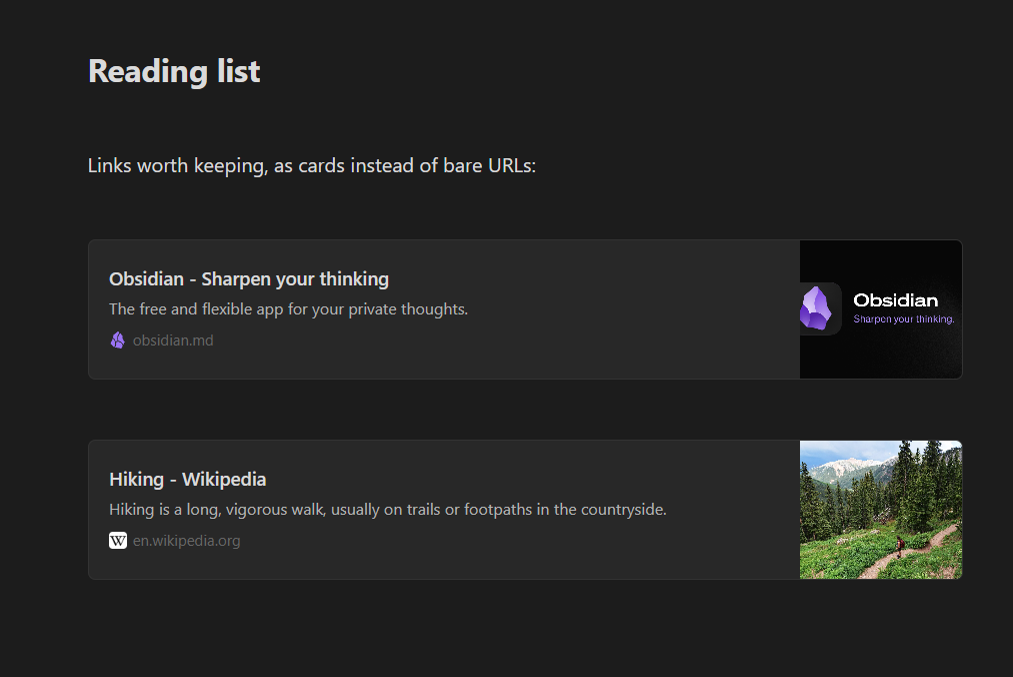
Paste a link, get a card. Turn bare URLs into bookmark cards with a title, a short description, the site icon and a preview image, like bookmarks in Notion.
Is this for you?
- Your notes are full of long, unreadable URLs and you no longer remember what each one was.
- You collect articles, recipes, videos or references and want them to look like a reading list.
- You moved from Notion and miss its bookmark blocks.
How it works
- Paste or type a URL on its own line.
- Right-click it → Web bookmark.
- The plugin reads the page's title, description and preview image and shows a card.
- Click the card to open the link.
Some sites block automated requests. In that case a small dialog lets you type the title and description yourself, so you always get a card.
Settings
- Language: follows Obsidian's language by default (English / Chinese), or pick one.
- Open links in: your browser, or a tab inside Obsidian.
- Enable bookmark drag: cards come with their own drag handle. Turn it off if you use Editor Enhancer, whose block handles then move cards like any other block.
Your data
A card is a small fenced block with the details saved in your note:
```web-bookmark
{"title":"Hiking - Wikipedia","description":"Hiking is a long, vigorous walk…","url":"https://en.wikipedia.org/wiki/Hiking","image":"https://…","favicon":"https://…"}
```
Once a card is created it no longer needs the internet to show its text. Without the plugin you still see the URL inside the block.
Privacy and network use
When you create a bookmark, the plugin requests that one page once to read its metadata. Preview images and icons are loaded from the site like any image link. Nothing else is sent anywhere: no tracking, no third-party services.
Works on
Windows, macOS, Linux, iPhone / iPad and Android.
Install
Settings → Community plugins → Browse, search Web Bookmark, then Install and Enable.
License
MIT