linqq-handwritten annotation
 linqq259 downloads
Add colorful handwritten-style annotations.
- Overview
- Scorecard
- Updates4
Add colorful handwritten-style annotations to Obsidian notes without covering or reflowing the annotated prose.
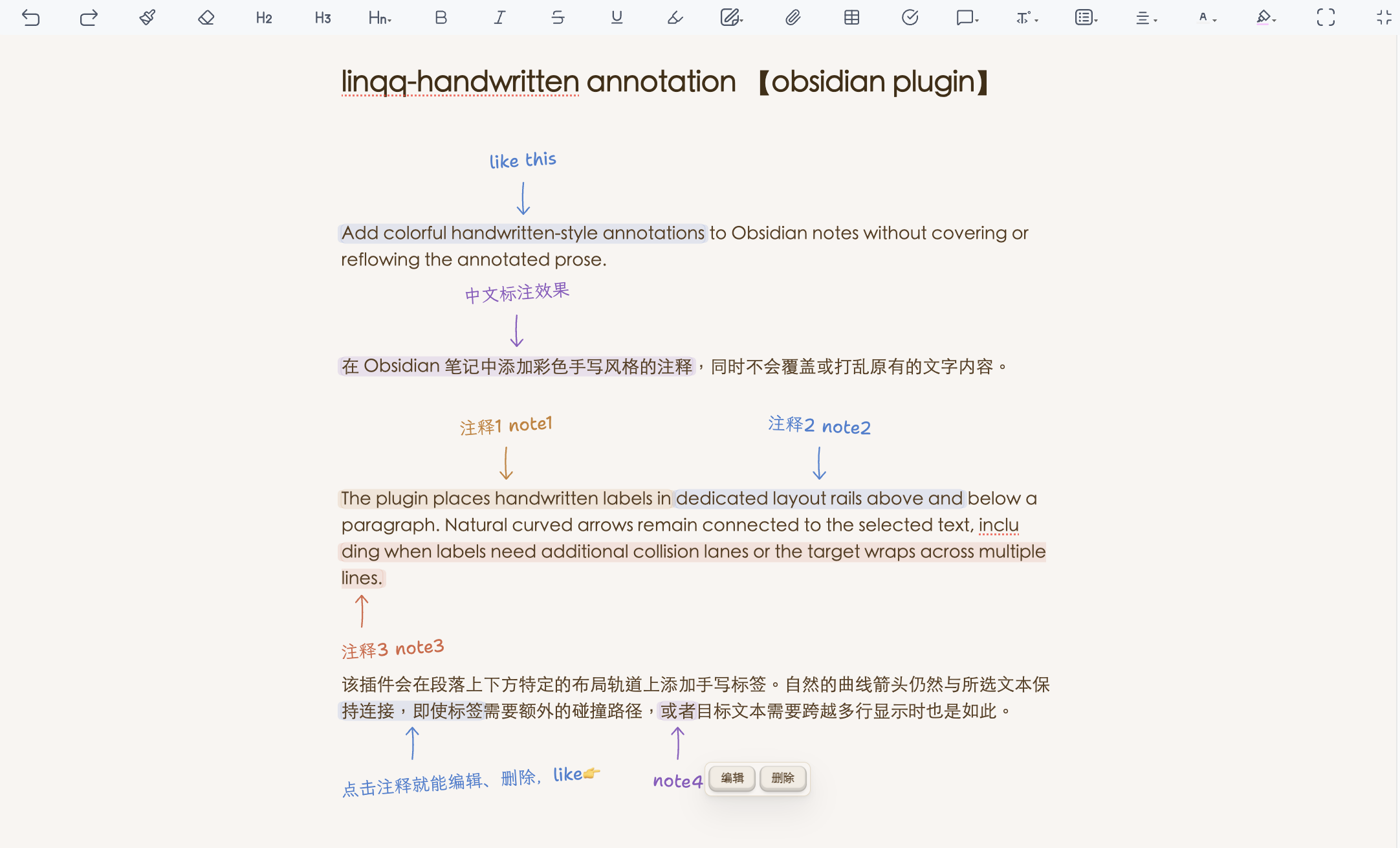
The plugin places handwritten labels in dedicated layout rails above and below a paragraph. Natural curved arrows remain connected to the selected text, including when labels need additional collision lanes or the target wraps across multiple lines.
Features
- Add an annotation to selected Markdown text.
- Choose amber, blue, green, red, or purple.
- Edit or delete an existing annotation while preserving the original prose.
- Automatically distribute multiple annotations above and below the paragraph.
- Keep non-overlapping labels in the same lane and add lanes only for real collisions.
- Keep arrows connected to their rendered text targets.
- Wrap long annotation text instead of truncating it.
- Use Shantell Sans for Latin text and LXGW WenKai Lite for Chinese text.
- Follow Obsidian's interface language with complete English and Chinese controls.
Usage
- Select text in an Obsidian note.
- Run Add a handwritten annotation to selected text / 为所选文字添加手写批注 from the command palette, ribbon, or editor context menu.
- Enter the annotation, choose a color, and select Add / 添加.
- Select a handwritten label to reveal its edit and delete actions.
The annotation remains in the Markdown file as portable HTML:
<span class="va-annotation va-color-blue va-place-auto"
      data-va-note="核心结论"
      data-va-id="va-example">原文</span>
Disabling the plugin preserves both the original prose and the annotation metadata. The handwritten rail, arrow, colors, and interaction controls require the plugin.
Installation
Community plugins
Once accepted into the Obsidian Community Plugins directory, install it from Settings → Community plugins → Browse.
Manual installation
Download main.js, manifest.json, and styles.css from a matching GitHub release. Place them in:
<vault>/.obsidian/plugins/visual-annotations/
Enable linqq-handwritten annotation in Obsidian.
Development
styles.css is a generated, self-contained release asset. It embeds Shantell Sans and a GB2312 common-character subset of LXGW WenKai Lite, so a normal Community Plugins installation does not depend on extra font files. Chinese characters outside the subset use the system handwriting-font fallback.
npm run build
npm test
npm run verify
Edit styles.source.css, not the generated styles.css.
License
The plugin code is available under the MIT License.
The bundled fonts keep their original SIL Open Font License terms:
- Shantell Sans:
licenses/OFL-Shantell-Sans.txt - LXGW WenKai Lite:
licenses/OFL-LXGW-WenKai-Lite.txt