Search...Search plugins and themes...
⌘K
Sign in
  • Get started
  • Download
  • Pricing
  • Enterprise
  • Account
  • Obsidian
  • Overview
  • Sync
  • Publish
  • Canvas
  • Mobile
  • Web Clipper
  • CLI
  • Learn
  • Help
  • Developers
  • Changelog
  • About
  • Roadmap
  • Blog
  • Resources
  • System status
  • License overview
  • Terms of service
  • Privacy policy
  • Security
  • Community
  • Plugins
  • Themes
  • Discord
  • Forum / 中文论坛
  • Merch store
  • Brand guidelines
Follow us
DiscordTwitterBlueskyThreadsMastodonYouTubeGitHub
© 2026 Obsidian

Vault Prompt AI-Assistant

KirilKiril229 downloads

prompt workflow automation, batch runs, run history, external vector index storage, Daily Note workflows, prompt library, RAG, and source references.

Add to Obsidian
  • Overview
  • Scorecard
  • Updates3

Magic Wand AI Assistant is an Obsidian plugin providing an AI assistant with features such as Chat interaction, Vault search, RAG semantic Q&A, Prompt Library, Daily Note workflow, batch prompts, conversation history, and AI response insertion into notes.

Local Embeded only works on computer use embeding API one your phone. Make sure the model you use is same both PC&Phone.

Core Features
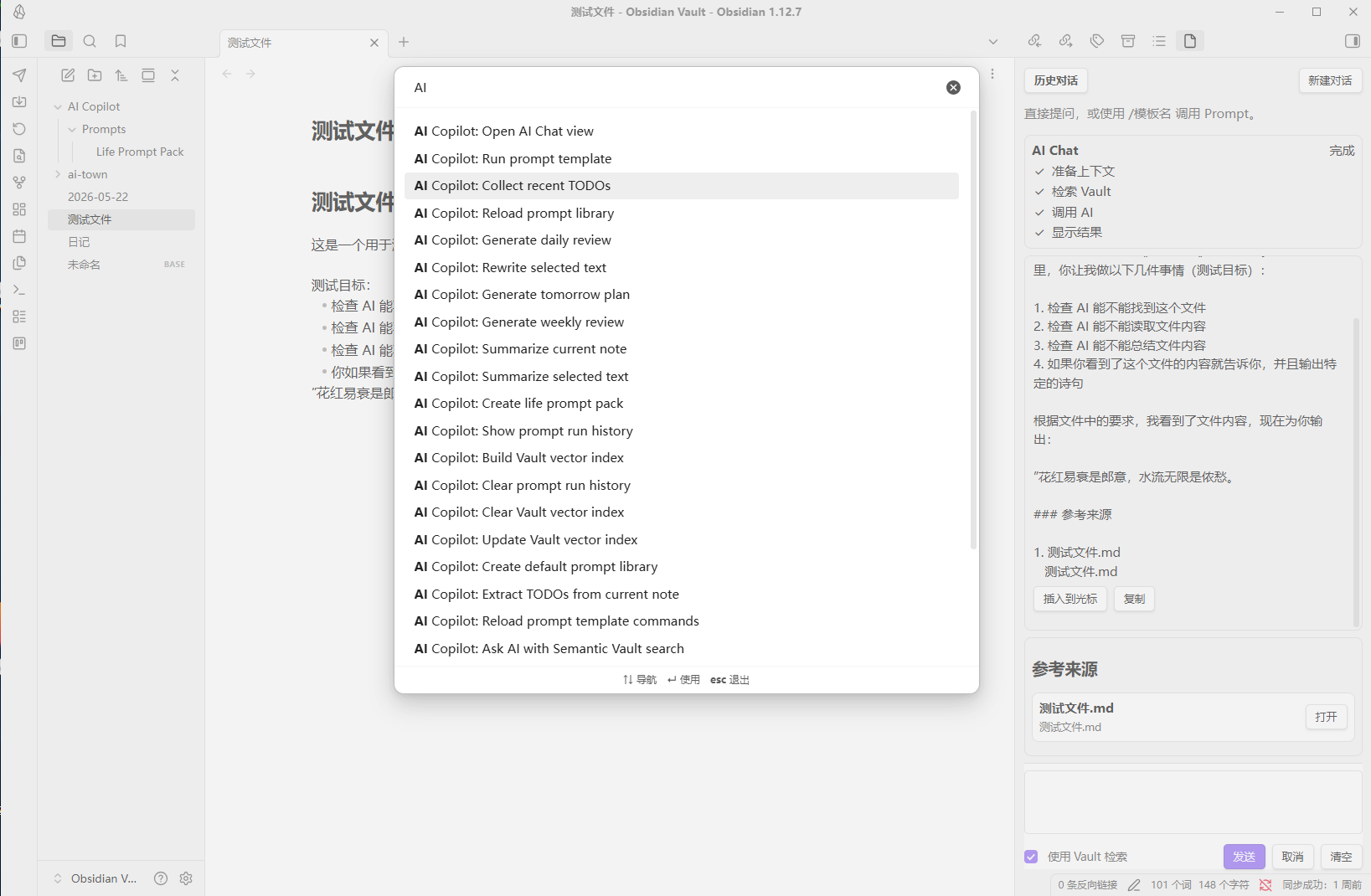
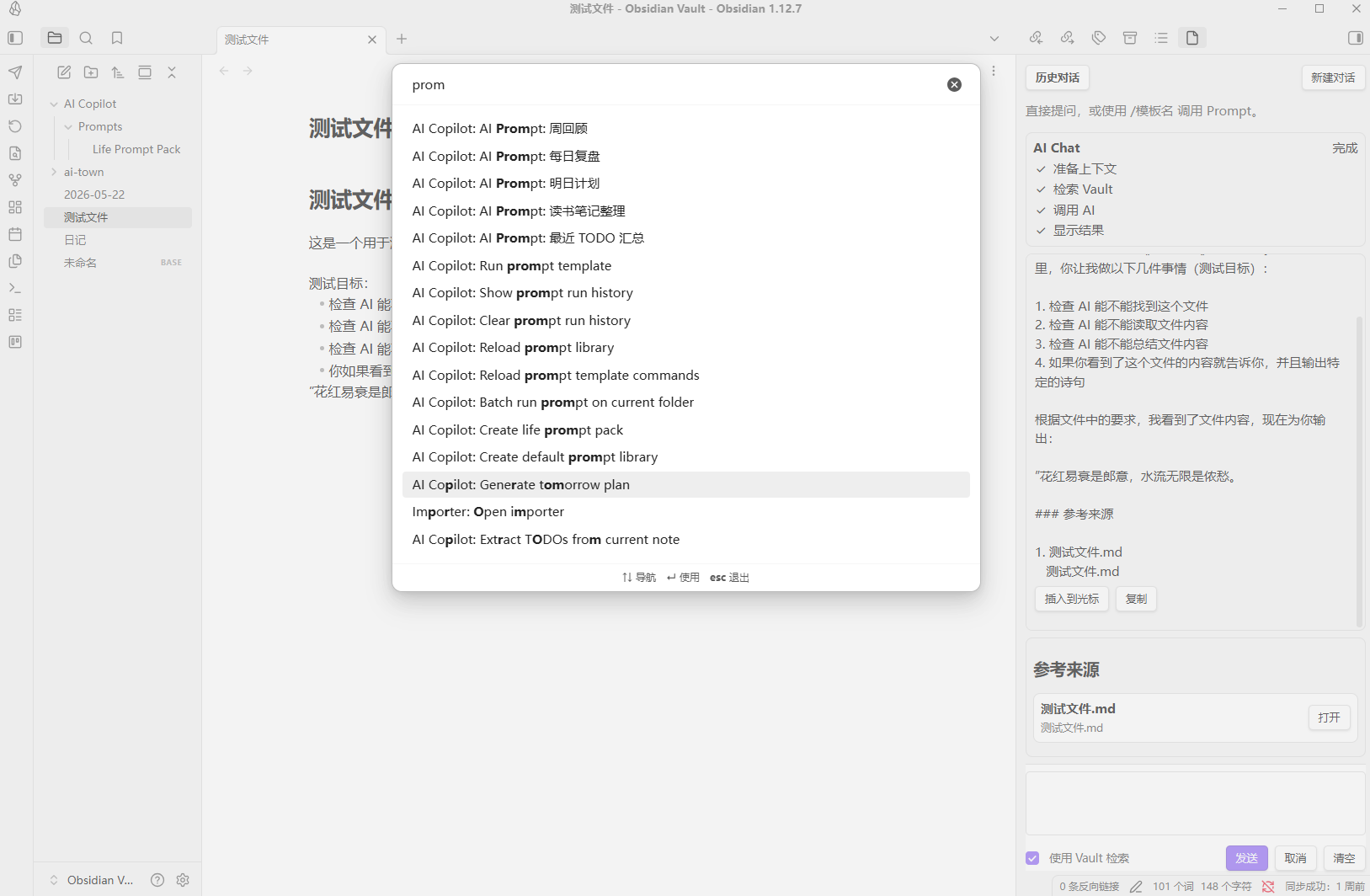
Basic Commands

1. AI Chat

1. Sidebar

The plugin adds a right-side Chat panel for conversations with the AI.
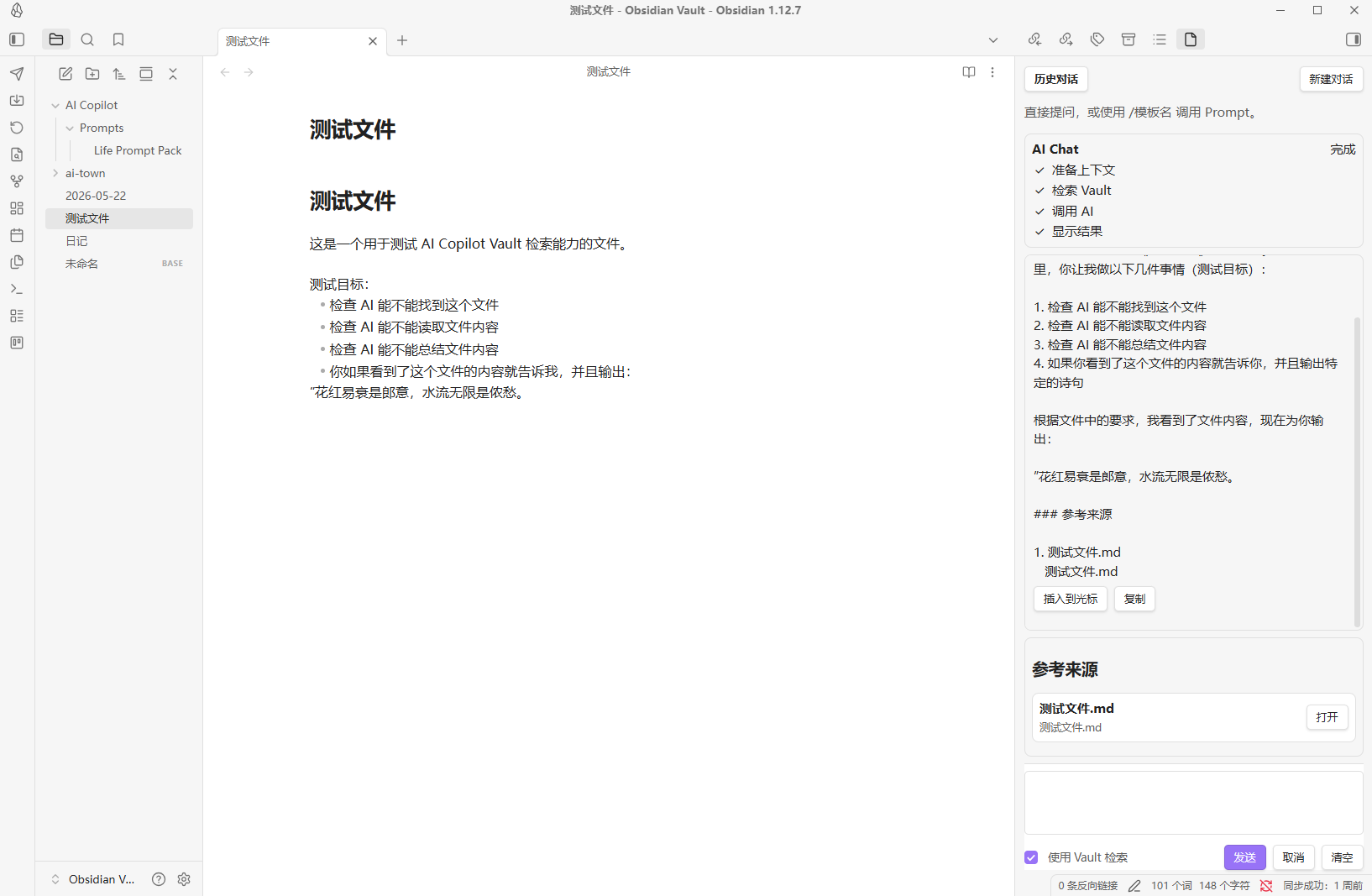
Screenshot of chat

2. Conversation History

Click "Conversation History" at the top of the Chat panel to view recent chats.
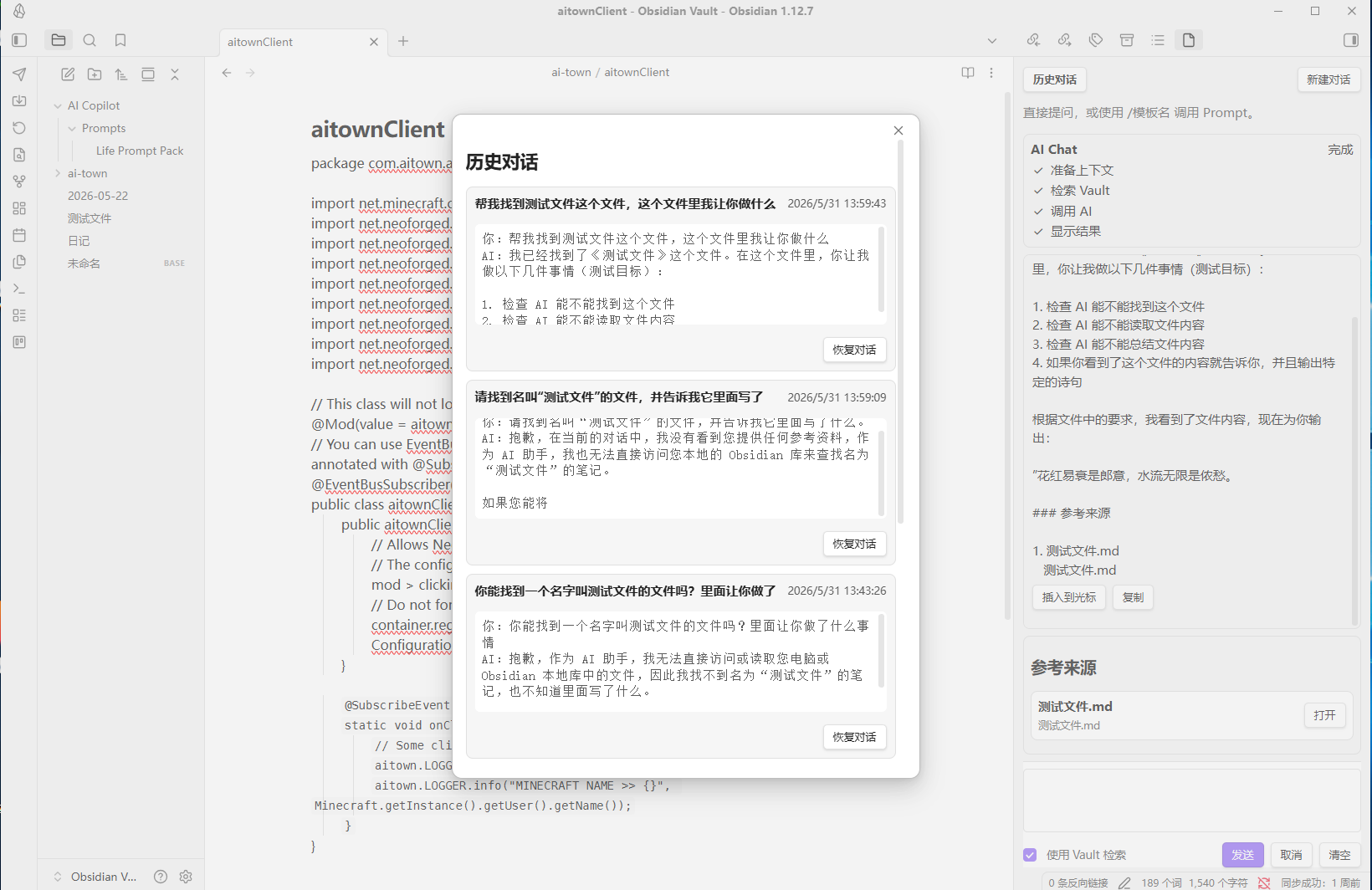
Conversation history screenshot

3. Vault Search

Enabling: Use Vault Search The plugin will attempt to find related content in the current Vault and provide an AI answer.

Search order:

  1. Vector index is used first (if available).
  2. If no index or if retrieval fails, falls back to keyword search.
  3. Filename matches take priority.
  4. Path matches.
  5. Content keyword matches.

4. Simplified Reference Display

The references area in Chat only shows:

  • Filename
  • Relative path
  • Open button

2. Prompt Library

The plugin supports text-based prompt templates.

  • Default prompt file: AI Copilot/Prompts.md
  • Folder mode also supported: AI Copilot/Prompts/
  • In Chat, you can type: /prompt name

Prompt command example

1. Daily Life Prompt Pack

Built-in templates for daily life scenarios include:

  • Daily review
  • Tomorrow’s plan
  • Weekly review
  • Recent TODO summary
  • Book note organization
  • Study plan
  • Fitness summary
  • Spending analysis
  • Emotion journal sorting
  • Travel planning

Recommended Usage Flow

First Use

  1. Install the plugin
  2. Configure API Key
  3. Set up AI model
  4. Open the AI Chat view
  5. Send a basic question
  6. Create the Prompt Library
  7. Build Vault vector index (optional, untested)
  8. Enable Use Vault Search
  9. Test Vault Q&A
HealthExcellent
ReviewCaution
About
Chat with an AI assistant in a right-side panel and insert AI responses directly into notes. Search your vault context (vector retrieval if available, else keyword), run semantic Q&A, use a Prompt Library and daily workflow templates, and manage conversation history and batch prompts.
AISidebarSearch
Details
Current version
2.0.0
Last updated
Last week
Created
2 months ago
Updates
3 releases
Downloads
229
Compatible with
Obsidian 1.8.0+
Platforms
Desktop, Mobile
License
MIT
Report bugRequest featureReport plugin
Author
KirilKirilkiril-liu
GitHubkiril-liu
  1. Community
  2. Plugins
  3. AI
  4. Vault Prompt AI-Assistant

Related plugins

Smart Connections

Find related notes and excerpts while writing. Your AI link building copilot displays relevant content in graph + list view. A local embedding model powers semantic search. Zero setup. No API key.

HiNote

Add comments to highlighted notes, use AI for thinking, and flashcards for memory.

Claude Sidebar

Run Claude Code in your sidebar.

Tag Wrangler

Rename, merge, toggle, and search tags from the tag pane.

OpenClaw

Chat with your OpenClaw AI agent in a sidebar. Your vault is the agent's workspace.

Notebook Navigator

A better file browser and calendar inspired by Apple Notes, Bear, Evernote and Day One.

Claudian

Embeds Claude Code/Codex and other local Agents as AI collaborators in your vault.

Copilot

Your AI Copilot: Chat with Your Second Brain, Learn Faster, Work Smarter.

Fast Note Sync

Real-time sync of your vaults across server, mobile, and web; shareable with anyone; supports REST and MCP integrations to build your personal AI knowledge base.

Quick Switcher++

Enhanced Quick Switcher, search open panels, and symbols.