Pocket Symbolic Solver
 theluckystrike7 downloads
Solve an equation for a chosen symbol and insert the result as display math.
- Overview
- Scorecard
- Updates1
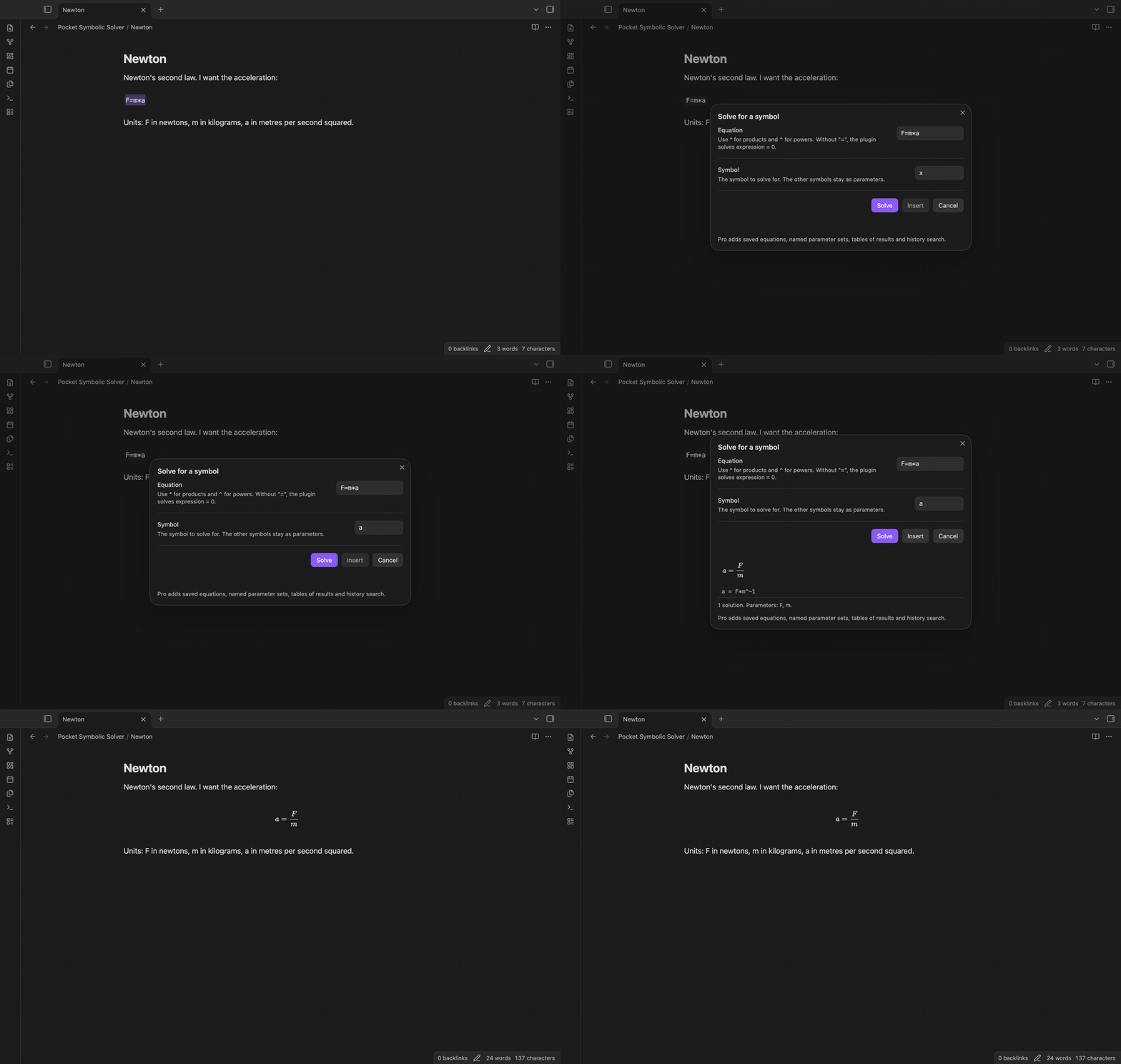
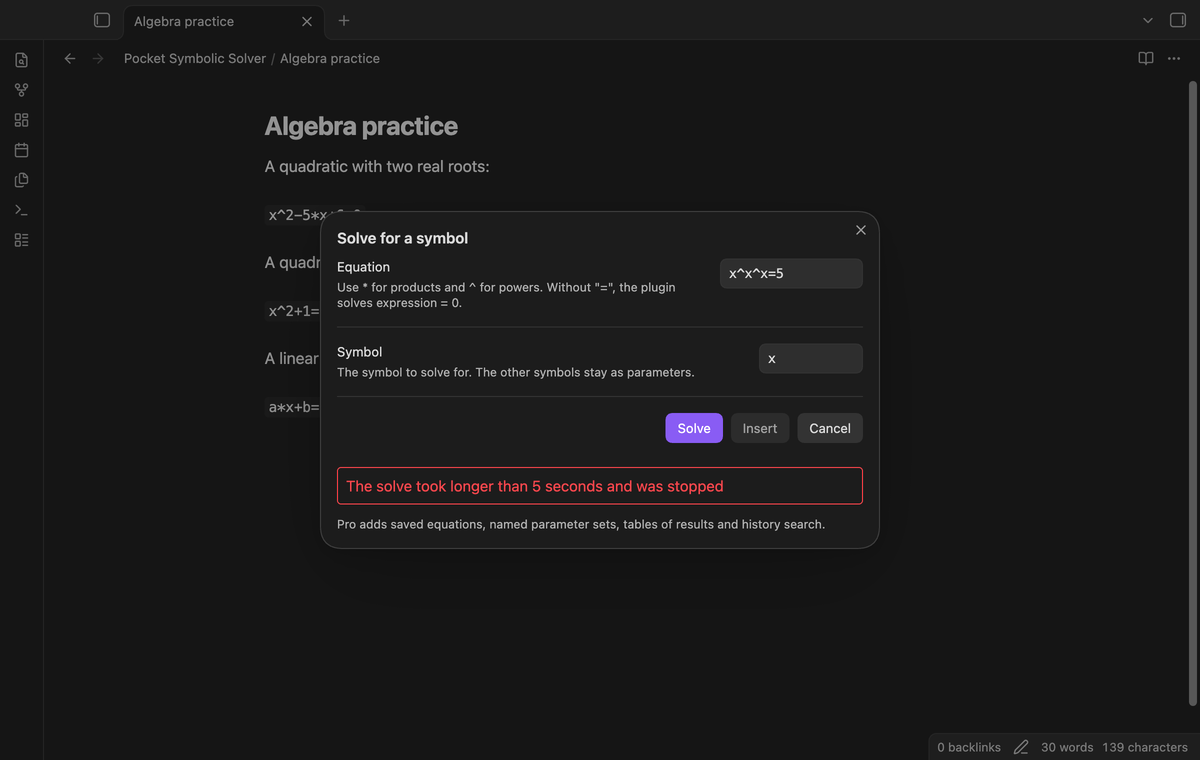
Pocket Symbolic Solver solves an equation for one symbol and puts the result in your note as display math. Select F=m*a, run the command, type a, and the plugin shows a = F/m as rendered math. Tap Insert to replace the selection with $$a = \frac{F}{m}$$.
The solver is nerdamer 2.0.0 (Apache-2.0, see THIRD-PARTY-NOTICES.md), bundled inside the plugin. It runs on your device in a background worker. The plugin uses no Node or Electron API, so the manifest does not mark it as desktop only.
Features
Solve for a symbol
Run "Solve an equation for a symbol" from the command palette. A modal opens with two fields: the equation and the symbol. If you selected text in the note, the equation field holds that text, without $ signs or backticks around it. The other symbols in the equation stay as parameters, so v=u+a*t solved for t gives t = -(u-v)/a.
The modal shows each solution as rendered math, with the nerdamer text under it. The note does not change until you tap Insert.
Two or more solutions
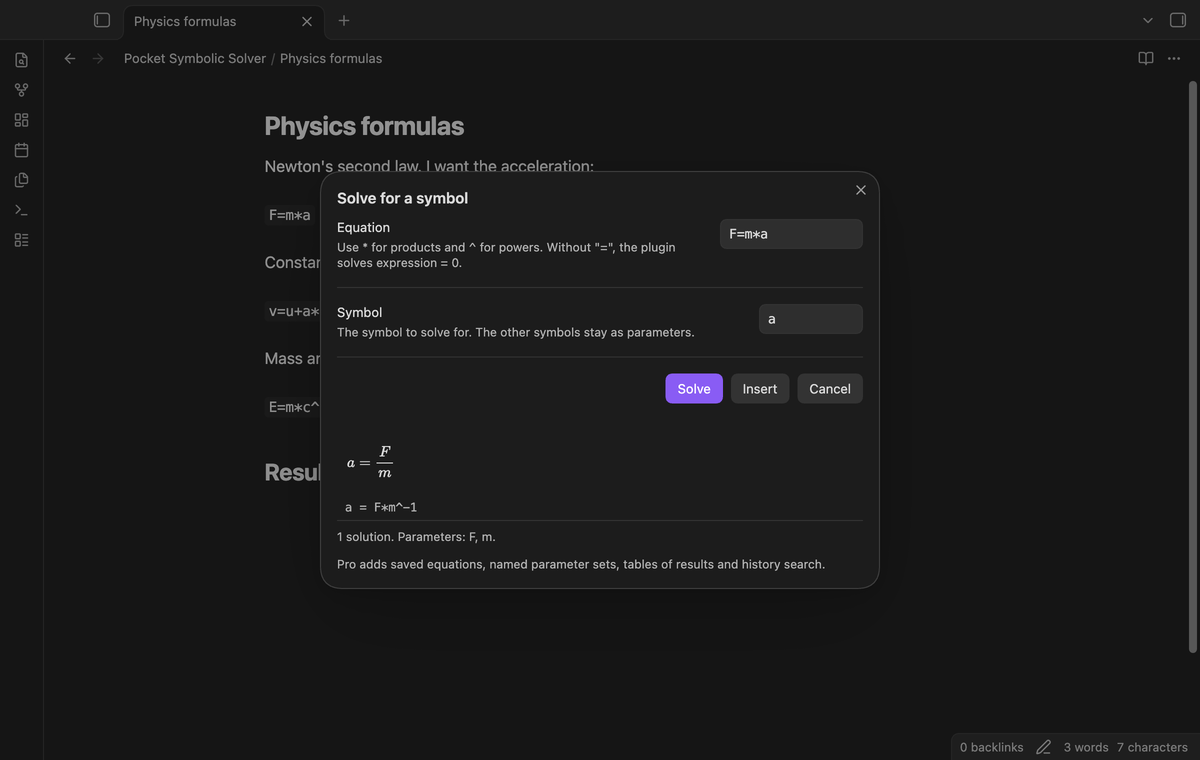
The modal lists each root with a number. When each root is a real number, the list goes from the smallest to the largest. x^2-5*x+6=0 gives 2 and 3.
Complex roots and families of solutions
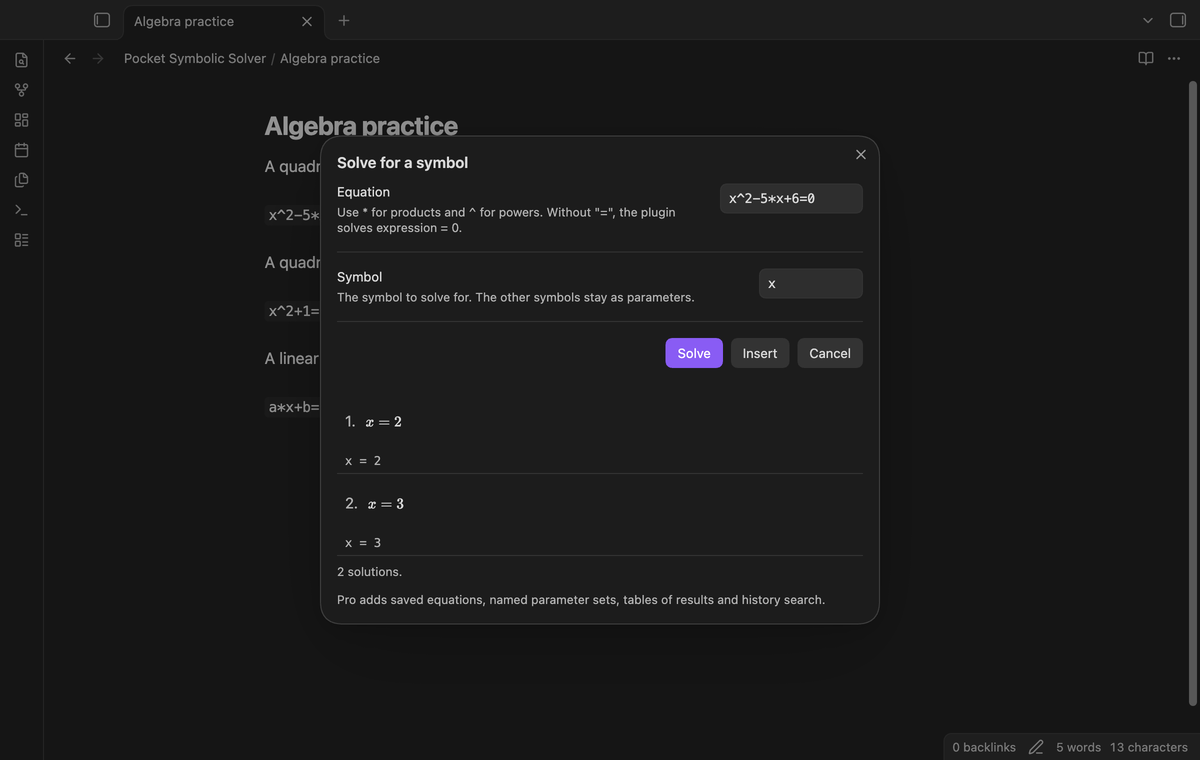
x^2+1=0 gives i and -i. The modal adds the note "Some solutions are complex: i is the imaginary unit." An equation such as sin(x)=0 gives a family of solutions, x = k·π, with the note "k is an integer".
Clear errors
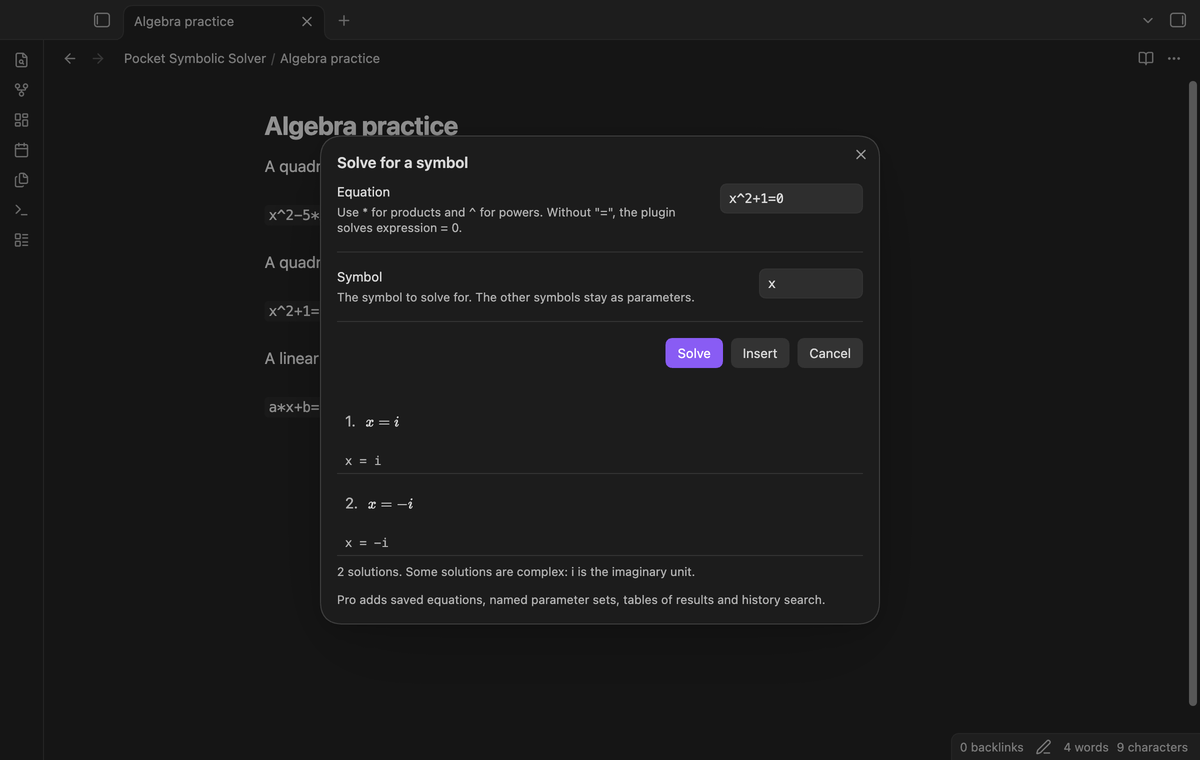
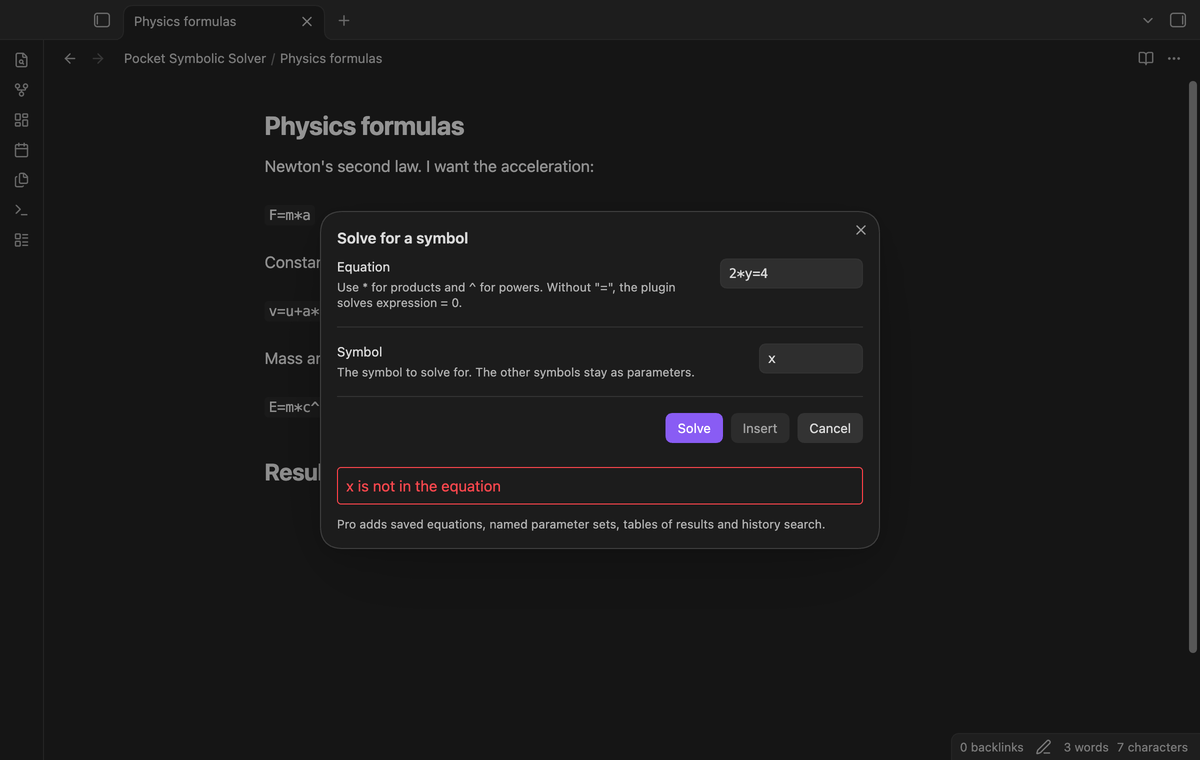
When the plugin cannot give a result, the modal shows one short sentence and Insert stays off. The note does not change. The messages include "Cannot parse the equation", "x is not in the equation", "No solution for x", "The equation is true for each value of x" and "The solve took longer than 5 seconds and was stopped".
Insert as display math
Insert replaces the selection with one block of display math, for example $$a = \frac{F}{m}$$. With two or more solutions, the block joins them with "or": $$x = 2 \quad\text{or}\quad x = 3$$. If nothing is selected, the math goes in at the cursor.
A time limit for hard equations
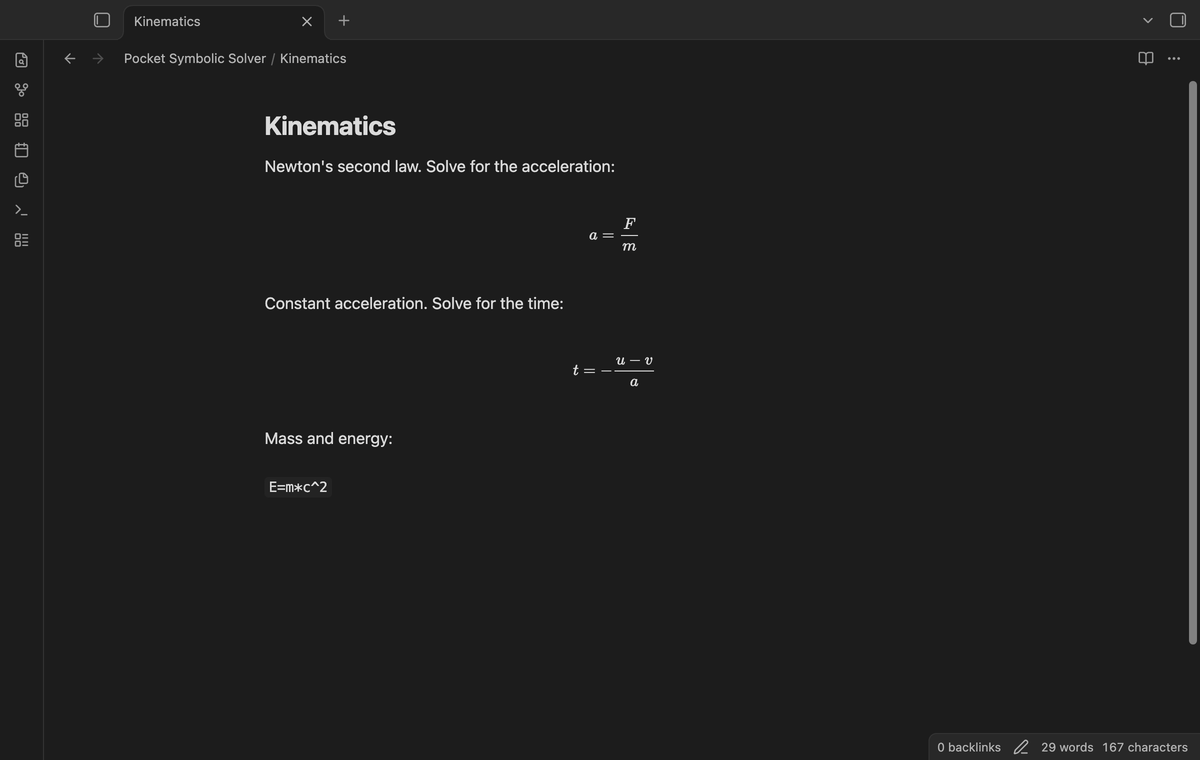
Some equations, such as x^x^x=5, make nerdamer work for a long time. The solve runs in a Web Worker, not on the main thread of Obsidian. When it takes longer than the time limit (5 seconds by default), the plugin stops the worker and shows an error. The next solve starts a new worker.
Tables of results (Pro)
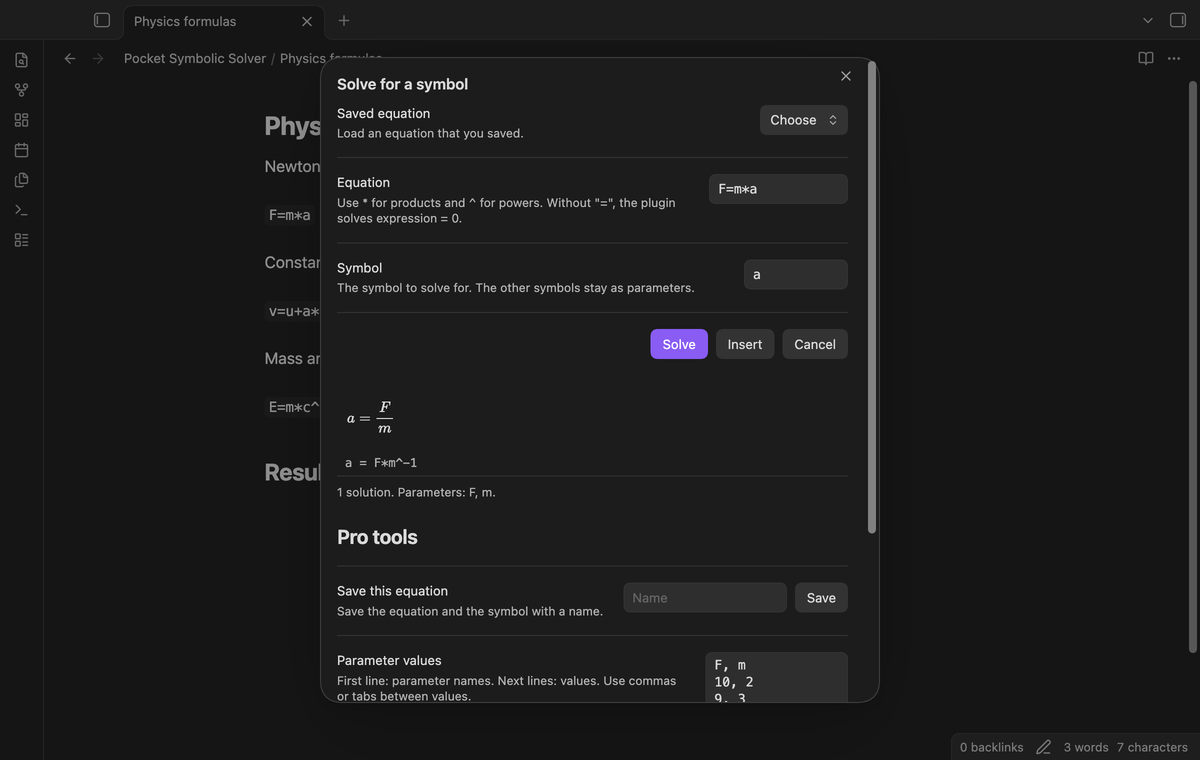
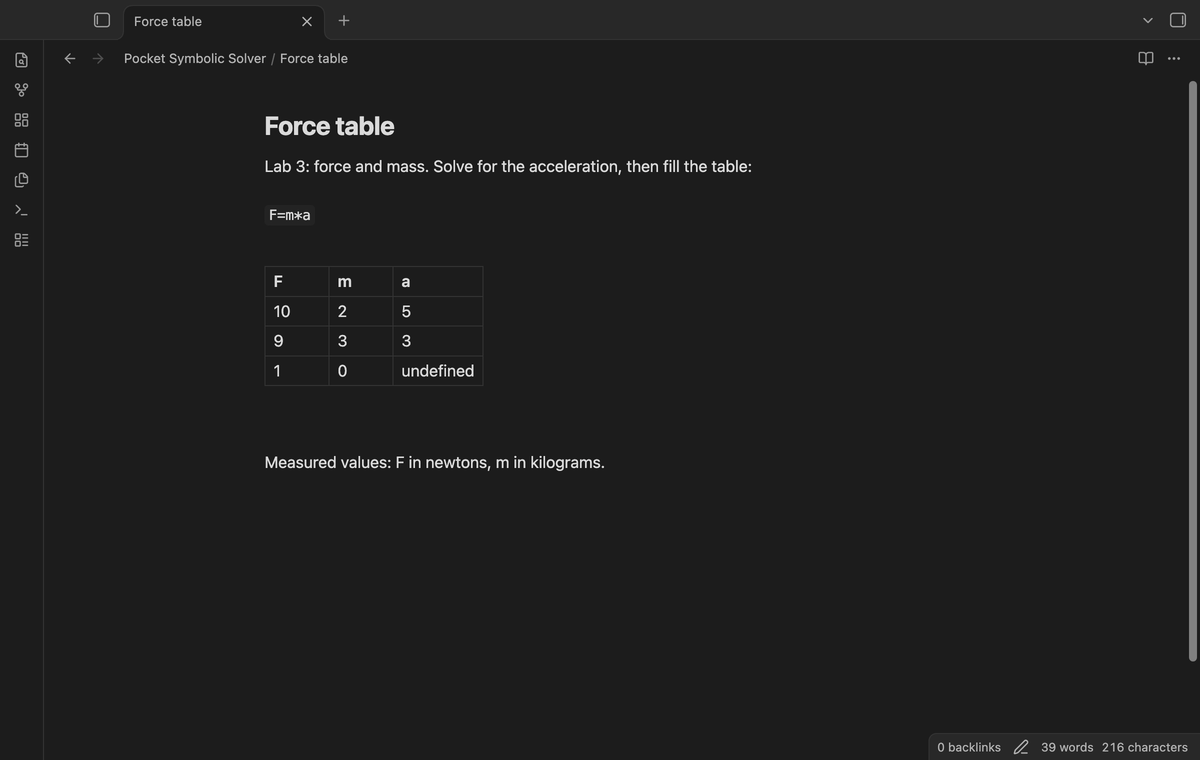
Type a table of parameter values: the parameter names on the first line, then one row of values on each line. Insert table puts each row into the solutions and adds a Markdown table under the selection. The plugin checks each value against the equation. A value that does not solve it, for example m = 0 in a = F/m, shows as undefined.
Saved equations and parameter sets (Pro)
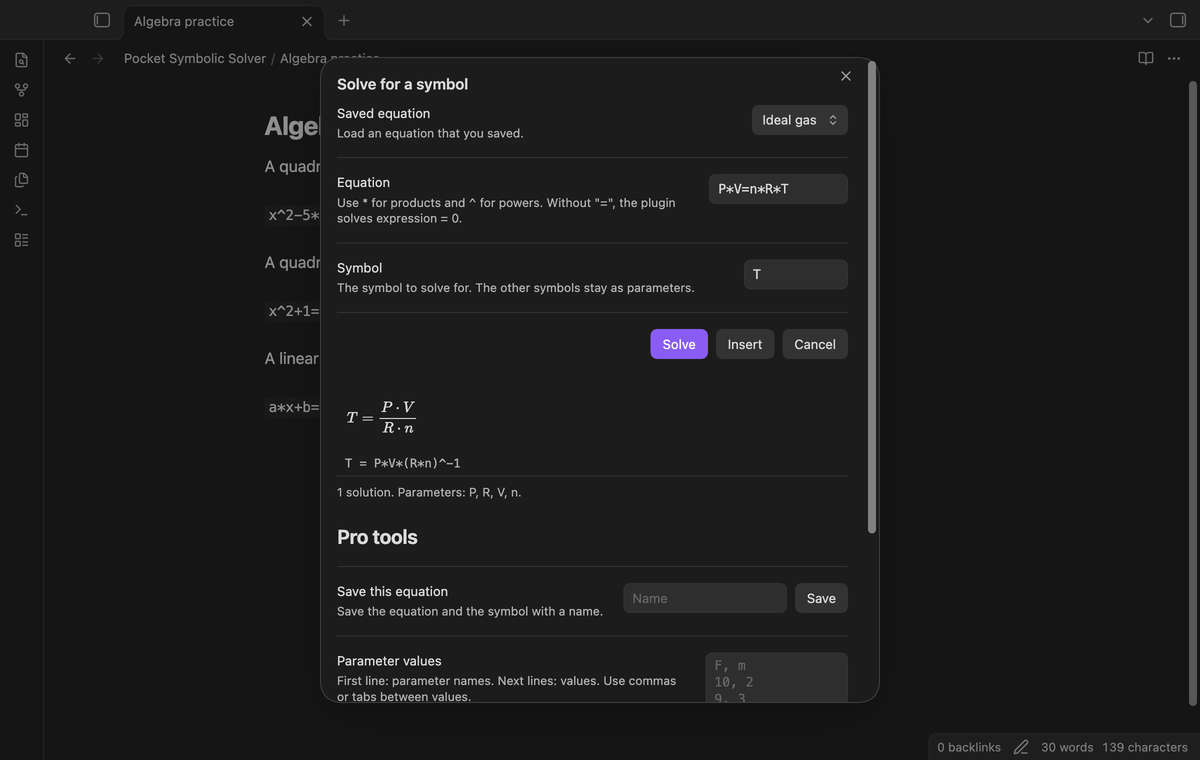
Save an equation and its symbol with a name, then pick it from the "Saved equation" list at the top of the modal. Save a table of parameter values with a name, and load it from the "Parameter set" list.
Search the solve history (Pro)
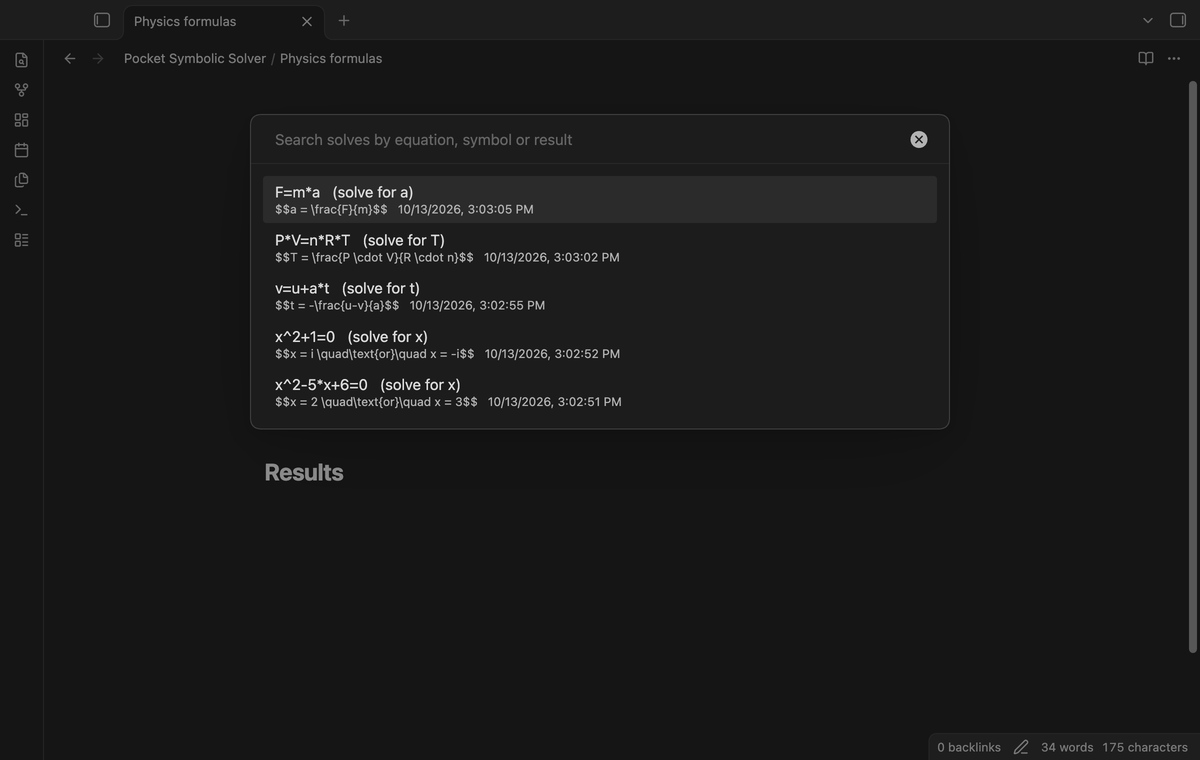
The plugin keeps a list of your last 200 solves: the equation, the symbol and the result. Run "Search solve history", type part of an equation, a symbol or a result, and pick an entry. The solve modal opens with that equation and solves it again. You can turn the history off or clear it in the settings.
Install
- Open "Settings → Community plugins", select "Browse" and search for "Pocket Symbolic Solver".
- Select "Install" and "Enable".
For manual installation, copy main.js, manifest.json and styles.css from a release into <vault>/.obsidian/plugins/pocket-symbolic-solver/ and enable the plugin. You need Obsidian 1.13.4 or later.
Usage
- In a note, select an equation such as
F=m*a, or type the equation in the modal later. - Run "Solve an equation for a symbol" from the command palette or a hotkey.
- Type the symbol to solve for and tap Solve, or press Enter.
- Look at the preview. Tap Insert to put the result in the note, or Cancel to close the modal with no change.
Write equations in nerdamer syntax: * for products, ^ for powers, and functions such as sqrt, sin, cos, exp and log (the natural logarithm). Without "=", the plugin solves expression = 0, so x+1 gives x = -1.
Pro
The free version has the command, the solve, the preview, Insert, the error messages, the time limit and the history record. It has no limit on the number of solves.
Pro adds saved equations, named parameter sets, tables of results and history search. To get it:
- Sponsor theluckystrike on GitHub Sponsors with $5 a month, or $15 once. Read the account and network conditions below.
- In Obsidian, open the settings of Pocket Symbolic Solver and select "Sign in with GitHub".
- The plugin copies a code and opens github.com/login/device. Paste the code there and approve.
Settings
| Setting | Default | What it does |
|---|---|---|
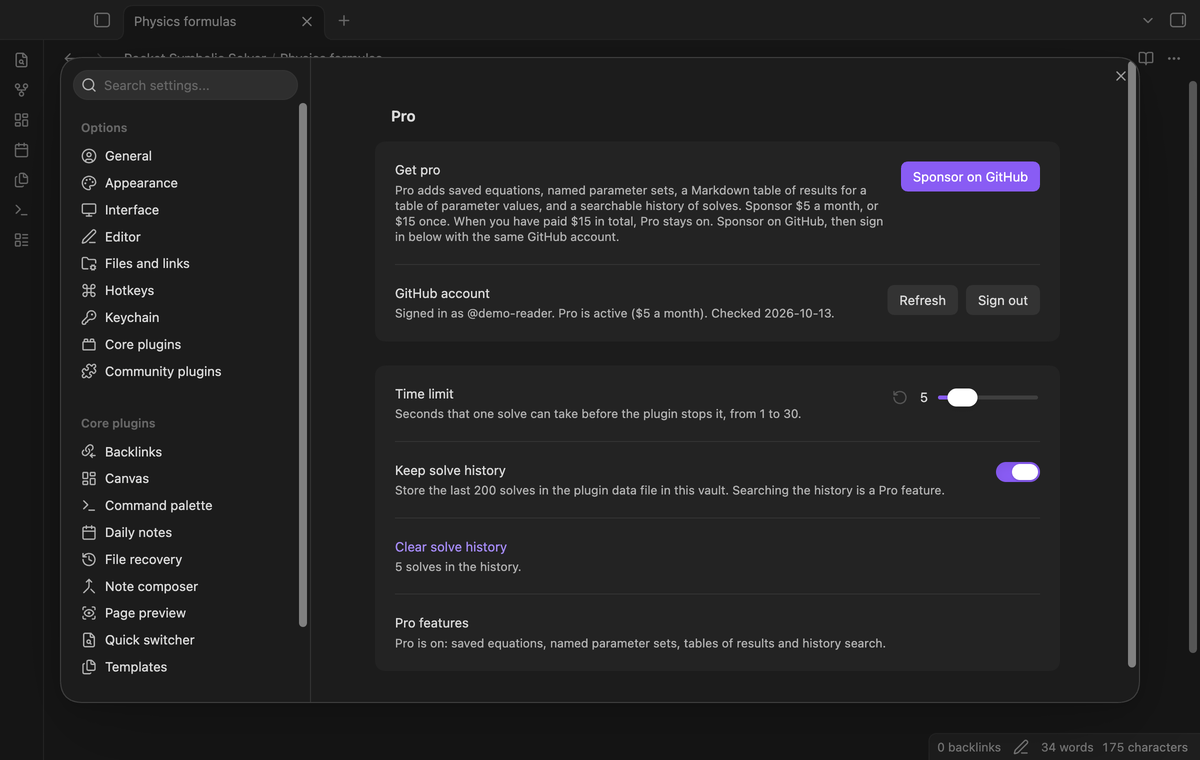
| Time limit | 5 seconds | How long one solve can take before the plugin stops it, from 1 to 30 seconds. |
| Keep solve history | On | Stores the last 200 solves in the plugin data file of this vault. |
| Clear solve history | Removes the stored history. |
FAQ
Does my equation leave my device?
No. nerdamer is inside main.js, and the solve runs in a worker that the plugin starts from that code. The solve sends no request. The only network requests are the GitHub Sponsors checks for Pro, described below, and they hold no equation or note text.
What does the plugin store?
The plugin data file (data.json in the plugin folder) holds the settings, your saved equations, your parameter sets and the solve history. Turn off "Keep solve history" to stop new history entries.
Why is nerdamer changed in the build?
nerdamer has a buildFunction feature that makes a JavaScript function from text with new Function. Pocket Symbolic Solver does not use it, so the build removes it and renames one internal method. The worker code is a fixed text in main.js, made at build time from the plugin source and nerdamer. The unit tests run that worker code.
Why is the result shape different from my textbook?
nerdamer picks the form. a*x+b=c gives x = -(b-c)/a, which is equal to (c-b)/a.
What did you not test?
The end-to-end tests run on Obsidian 1.13.4 and 1.14.4 on macOS desktop. I did not test the plugin on a phone or a tablet, on Windows or on Linux. I did not test systems of equations, inequalities or LaTeX input; the plugin does not support them. I did not test equations longer than a few dozen characters, and the plugin refuses equations longer than 500 characters.
Payment, account and network
The core features are free. Pro features need a GitHub Sponsors sponsorship of theluckystrike: $5 a month or more, or $15 once. A total payment of $15 meets the payment requirement for Pro without further payment. Sign-in and the checks below still apply. Your notes stay readable and editable with or without Pro.
GitHub handles the payment. Sponsor at https://github.com/sponsors/theluckystrike. You need no account for the free features. Pro needs the GitHub account that sponsors.
Until you select "Sign in with GitHub" in the settings, Pocket Symbolic Solver makes no network requests. Sign in uses the GitHub device flow. Pocket Symbolic Solver sends its public client ID and the scope read:user to https://github.com/login/device/code and shows you a code. While you enter the code at https://github.com/login/device, it asks https://github.com/login/oauth/access_token every few seconds to check the sign-in status. The scope permits profile reads only. GitHub needs this access to show the sponsorship tier. It grants no repository scope and no write access.
After sign in, Pocket Symbolic Solver sends one query to https://api.github.com/graphql. It checks if the signed-in account sponsors theluckystrike. It asks for the tier and the total payment to theluckystrike. The plugin reuses a successful check for 7 days. Failed checks can retry after 6 hours. Select Refresh to request an earlier check. It sends no note content, file names or other vault data, and it has no telemetry.
After a successful check, Pro can work offline for up to 14 days. Sign out or a negative sponsorship answer turns Pro off. The plugin stores the GitHub token through the secret storage API of Obsidian. It does not put the token in its saved settings or its local sponsorship data. The local storage of this device keeps your GitHub login, the tier and the time of the last check. Sign out clears the token. You can also revoke the access in your GitHub settings, under Applications.
Support
Report bugs and feature requests in this repository's issues. Add your Obsidian version, your device and the equation.