Search...Search plugins and themes...
⌘K
Sign in
  • Get started
  • Download
  • Pricing
  • Enterprise
  • Account
  • Obsidian
  • Overview
  • Sync
  • Publish
  • Canvas
  • Mobile
  • Web Clipper
  • CLI
  • Learn
  • Help
  • Developers
  • Changelog
  • About
  • Roadmap
  • Blog
  • Resources
  • System status
  • License overview
  • Terms of service
  • Privacy policy
  • Security
  • Community
  • Plugins
  • Themes
  • Discord
  • Forum / 中文论坛
  • Merch store
  • Brand guidelines
Follow us
DiscordTwitterBlueskyThreadsMastodonYouTubeGitHub
© 2026 Obsidian
GitHub

Open in GitHub

hacker-chacker-c413 downloads

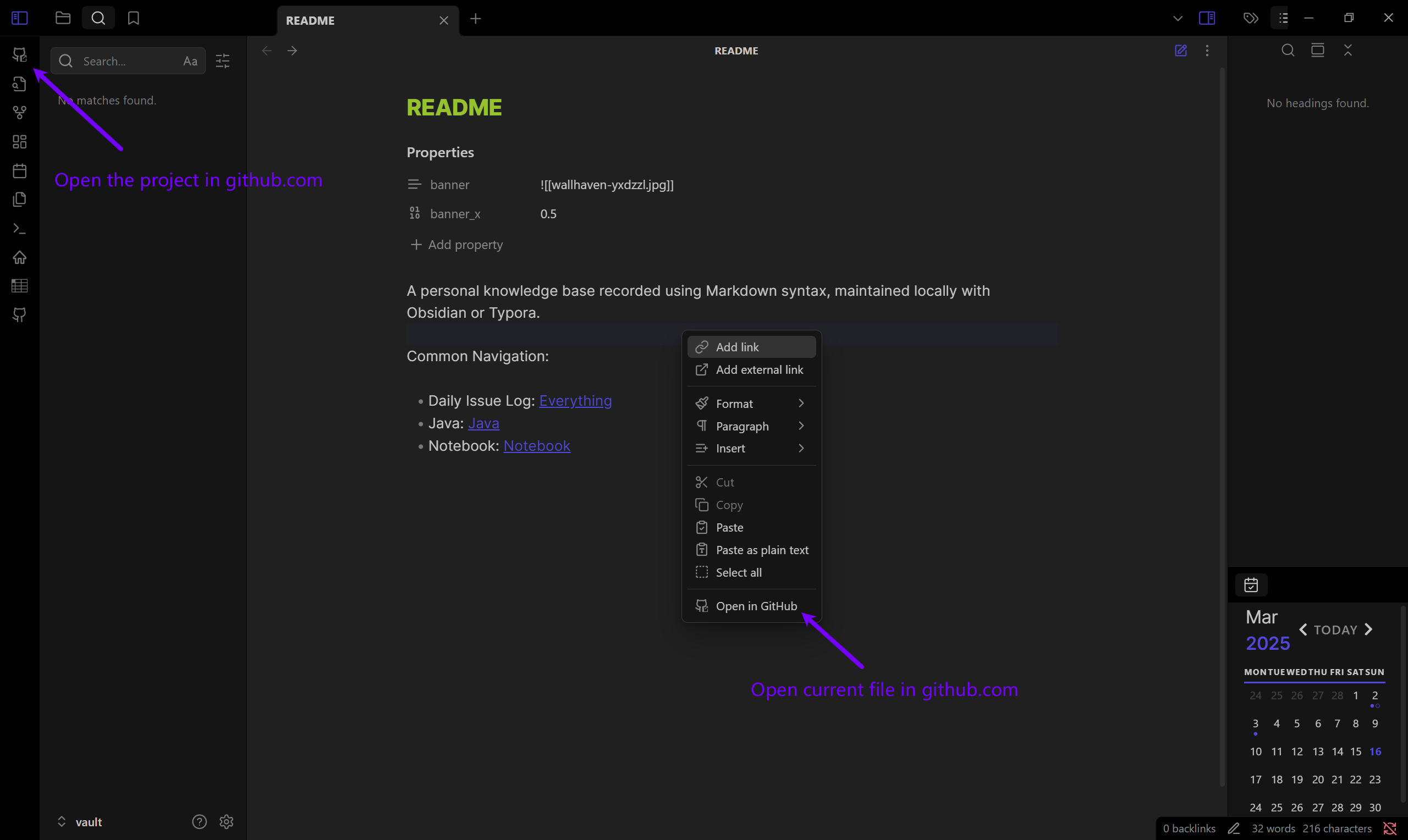
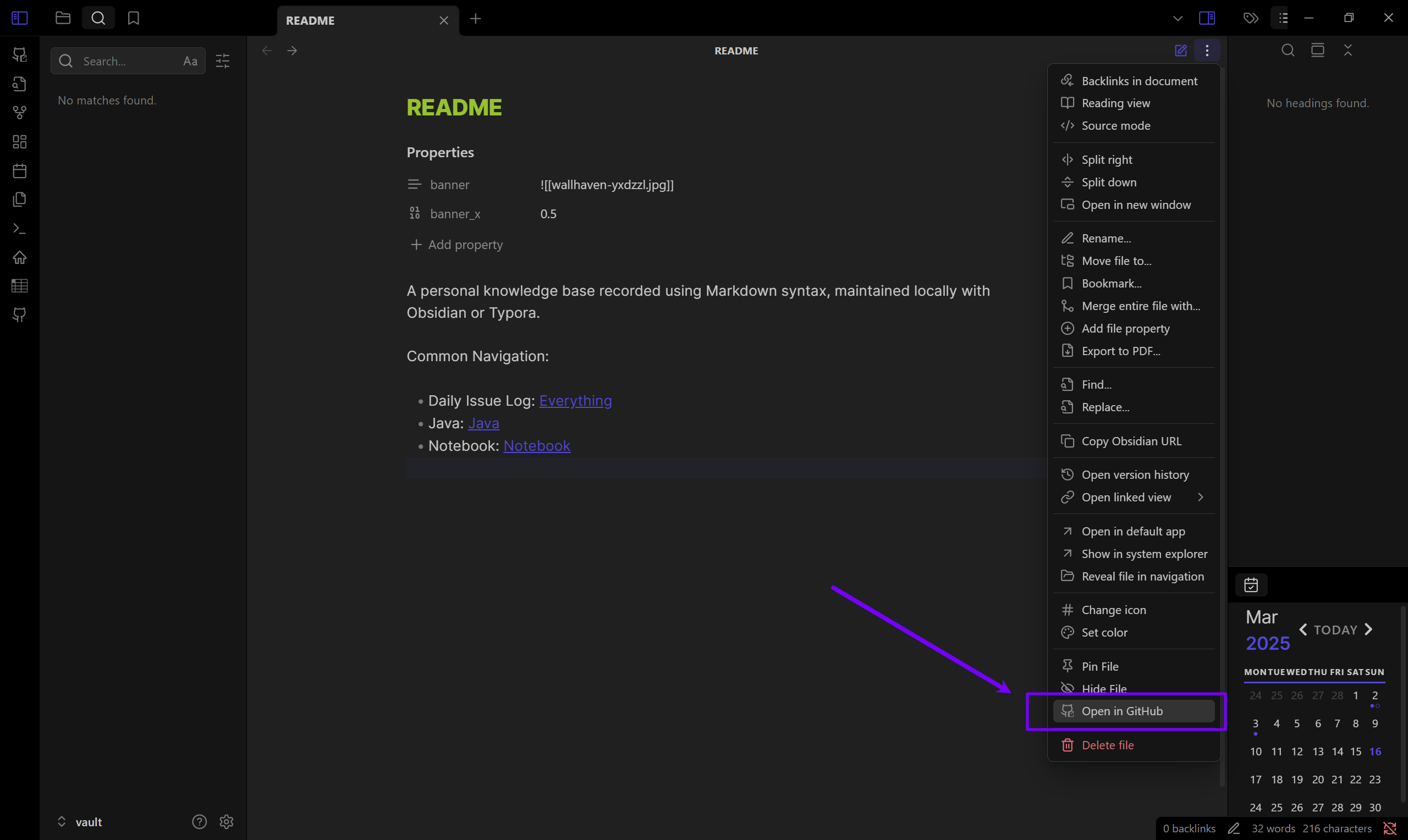
Open the current project or file in github.com.

Add to Obsidian
  • Overview
  • Scorecard
  • Updates4

This is an Obsidian plugin designed to open projects or files directly in GitHub via your browser. Learn more about Obsidian at https://obsidian.md.
preview1 preview2

Installation

  1. Download Release Files:
    • main.js
    • manifest.json
  2. Copy Files to Plugin Folder: Paste the downloaded files into your vault’s plugin folder: VaultFolder/.obsidian/plugins/open-in-github
  3. Enable the Plugin: Restart Obsidian, go to Settings > Community plugins and enable the plugin.

Development

Clone this repo to VaultFolder/.obsidian/plugins/ and excute the commands below, then open your Obsidian App.

pnpm i
pnpm dev

Documentation:

  • https://docs.obsidian.md
  • https://github.com/obsidianmd/obsidian-api
74%
HealthGood
ReviewCaution
About
Open projects and files on GitHub directly from Obsidian. Launch the current file or repository path in your browser to view or edit it on GitHub.
IntegrationsFilesNavigation
Details
Current version
1.0.3
Last updated
Last year
Created
Last year
Updates
4 releases
Downloads
413
Compatible with
Obsidian 0.15.0+
Platforms
Desktop, Mobile
License
0BSD
Report bugRequest featureReport plugin
Author
hacker-chacker-c
github.com/Hacker-C
GitHubhacker-c
  1. Community
  2. Plugins
  3. Integrations
  4. Open in GitHub

Related plugins

Notebook Navigator

A better file browser and calendar inspired by Apple Notes, Bear, Evernote and Day One.

Local REST API & MCP Server

Unlock your automation needs by interacting with your notes over a secure REST API.

Recent Files

Display a list of recently opened files.

Open Tab Settings

Adds options to customize how tabs are opened, including open in new tab by default, preventing duplicate tabs, and more.

Remember cursor position

Remember cursor and scroll position for each note.

Home tab

A browser-like search tab for your local files.

Reveal Active File Button

Add a button to the top of the File Explorer, to reveal the active file.

WebDAV Sync

General-purpose & bidirectional WebDAV syncing for your vault. Designed for stability and robust file handling without vendor lock-in.

Google Drive Sync

Syncs a vault into Google Drive for cross-platform use (works for iOS).

QuickAdd

Quickly add new notes or content to your vault.