
- Overview
- Scorecard
- Updates21
Share of obsidian to Notion 中文文档
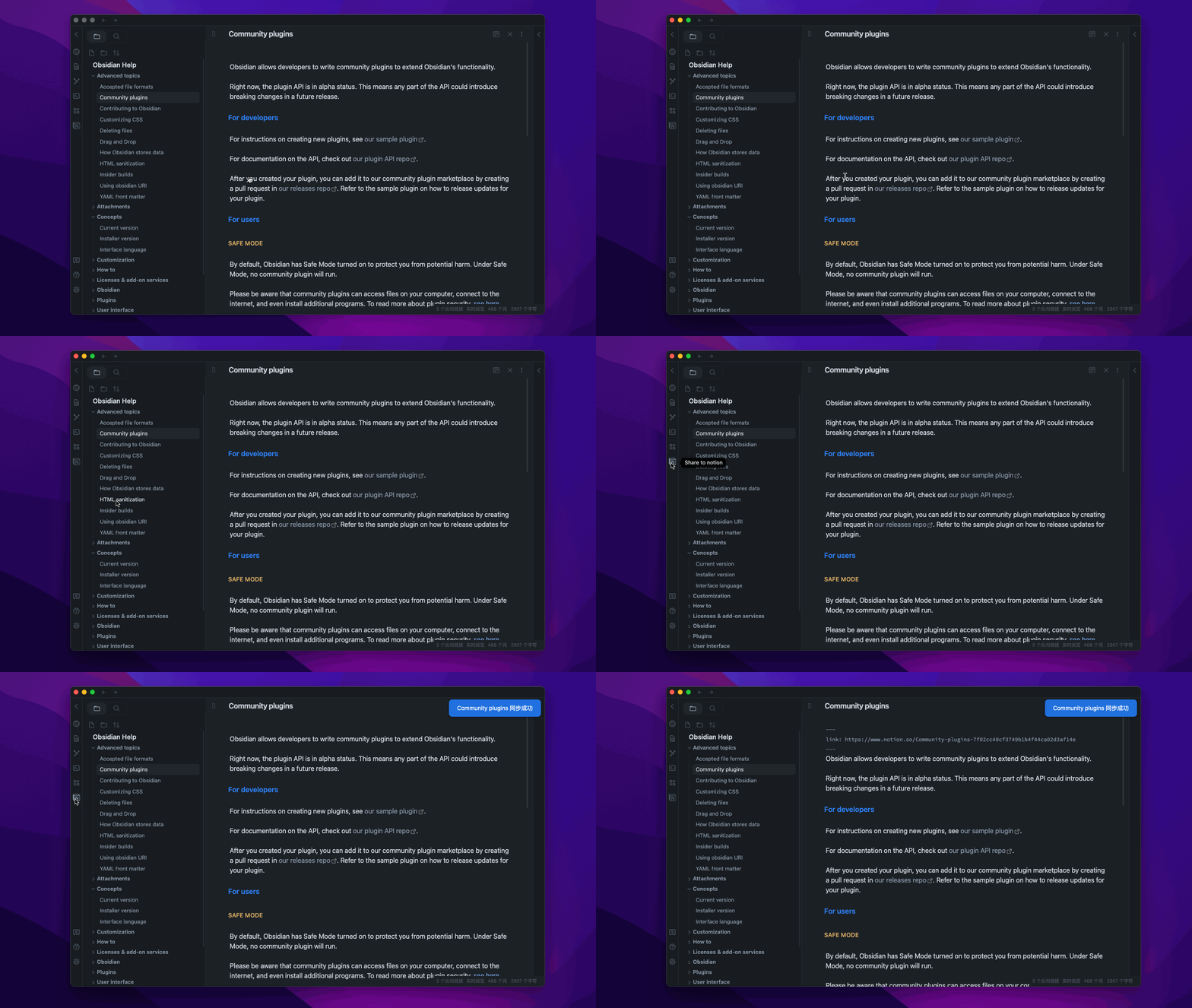
Sharing files from Obsidian to Notion with a single click, and Obsidian will automatically add the Notion share link
You are welcome to offer it a star if it can benefit you.
TODO
TODO Board
- support for custom page banner
- update the exsit page
- support for mult language
- support for auto copy the share link to clipboard
- support for mobile
- support tags thank for @jannikbuscha
- transfer the bi-link format like [[]] into the format that Notion supports.
How to use
Install the plugin
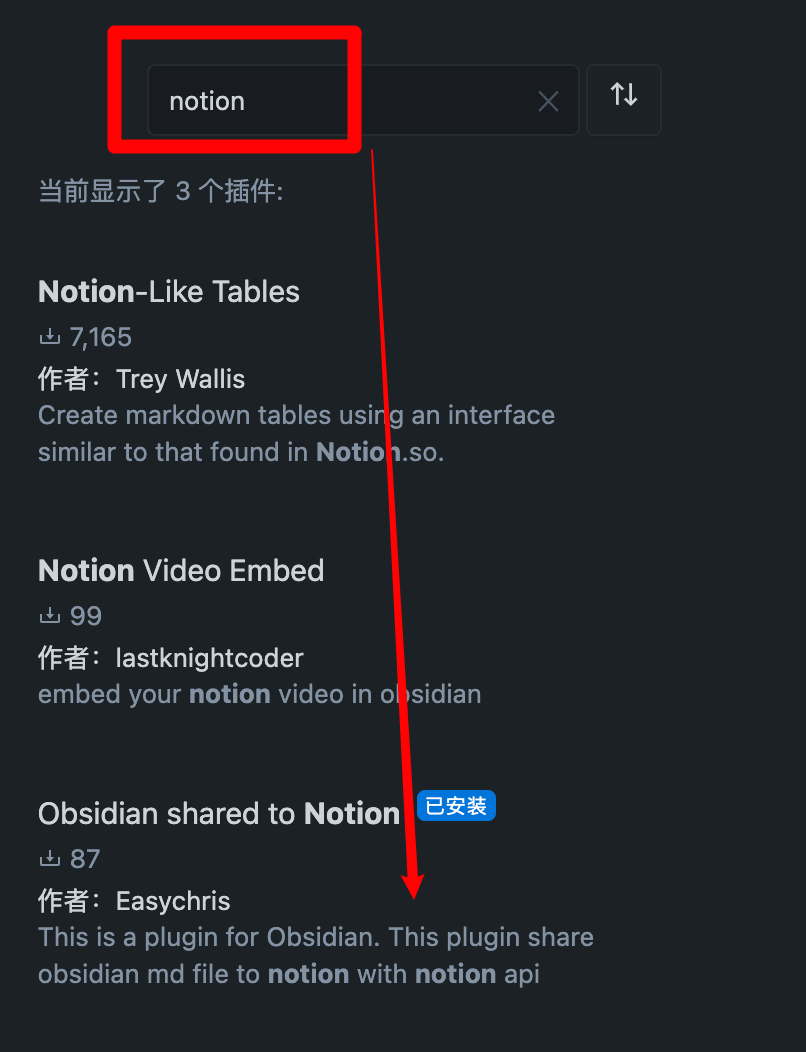
Marketplace download
Open obsidian setting -> Add plugin -> Search -> notion
BRAT
Enter BRAT into the plugin market center to find it.
Add EasyChris/obsidian-to-notion to the list of BRAT plugins that have been installed.
Return to the plugin center and turn it on.
Manual installation
cd YOUR_OBSIDIAN_FOLDER/.obsidian/plugins/
git clone https://github.com/EasyChris/obsidian-to-notion.git
Apply Notion API
Official reference documentation: https://developers.notion.com/docs
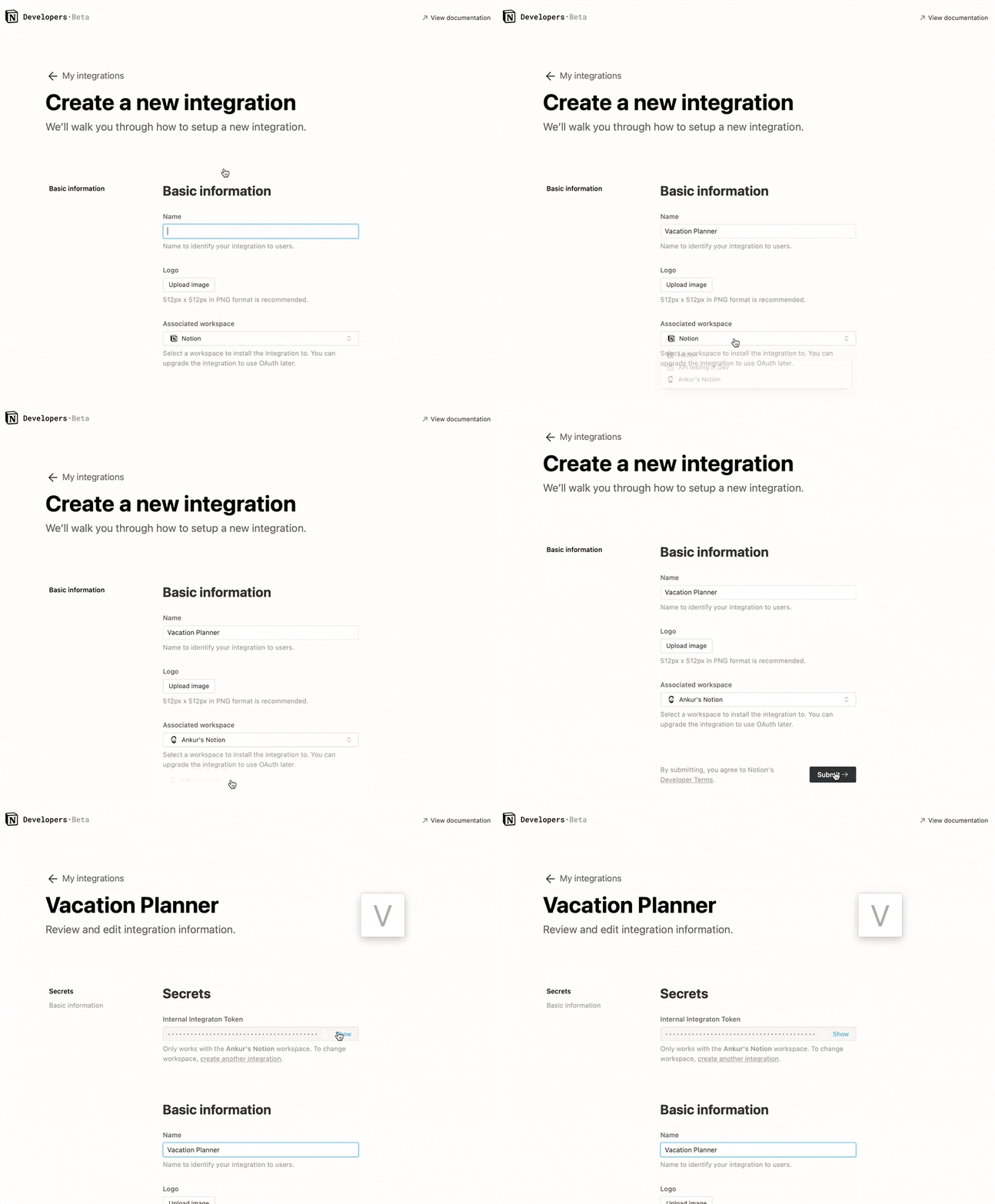
Step 1: Create integration.
Go to https://www.notion.com/my-integrations
Once created, copy secrets toekn
Note:
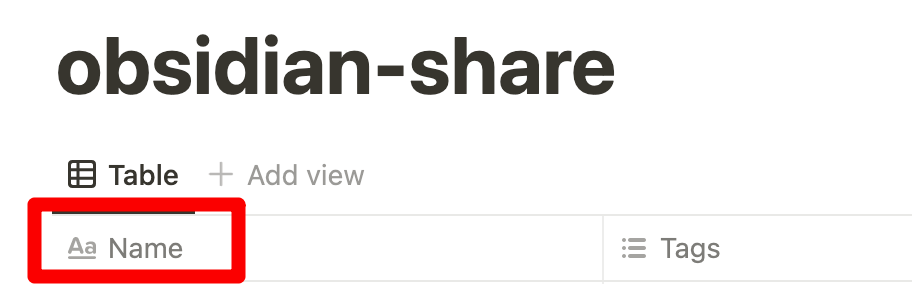
database first custom name must be "Name", otherwise sync to notion will be failed
Step 2: Share a database with your integration
Create a new page (with public permissions)
Create a new database in the page -> you need full page database
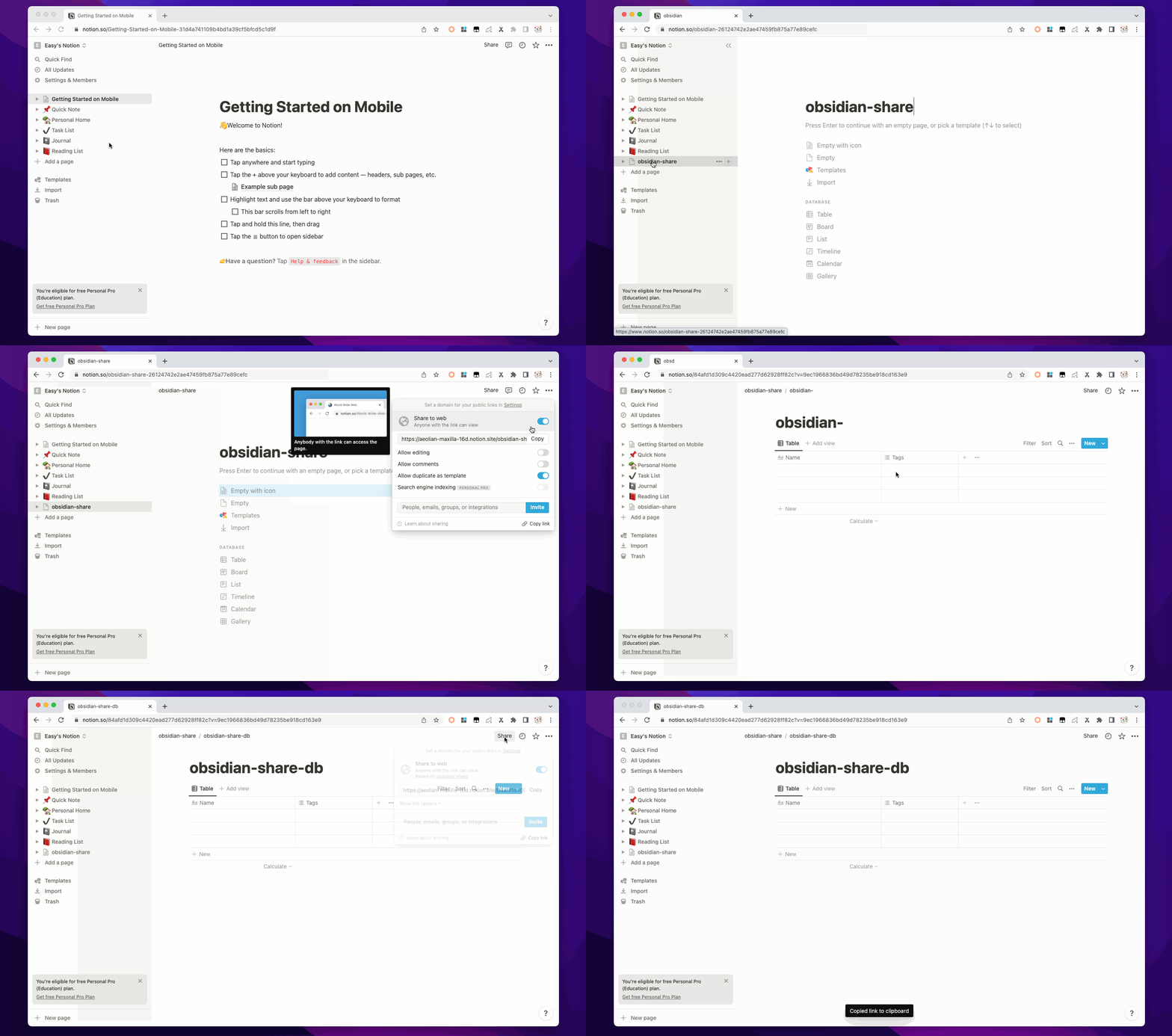
Add integration to your new database
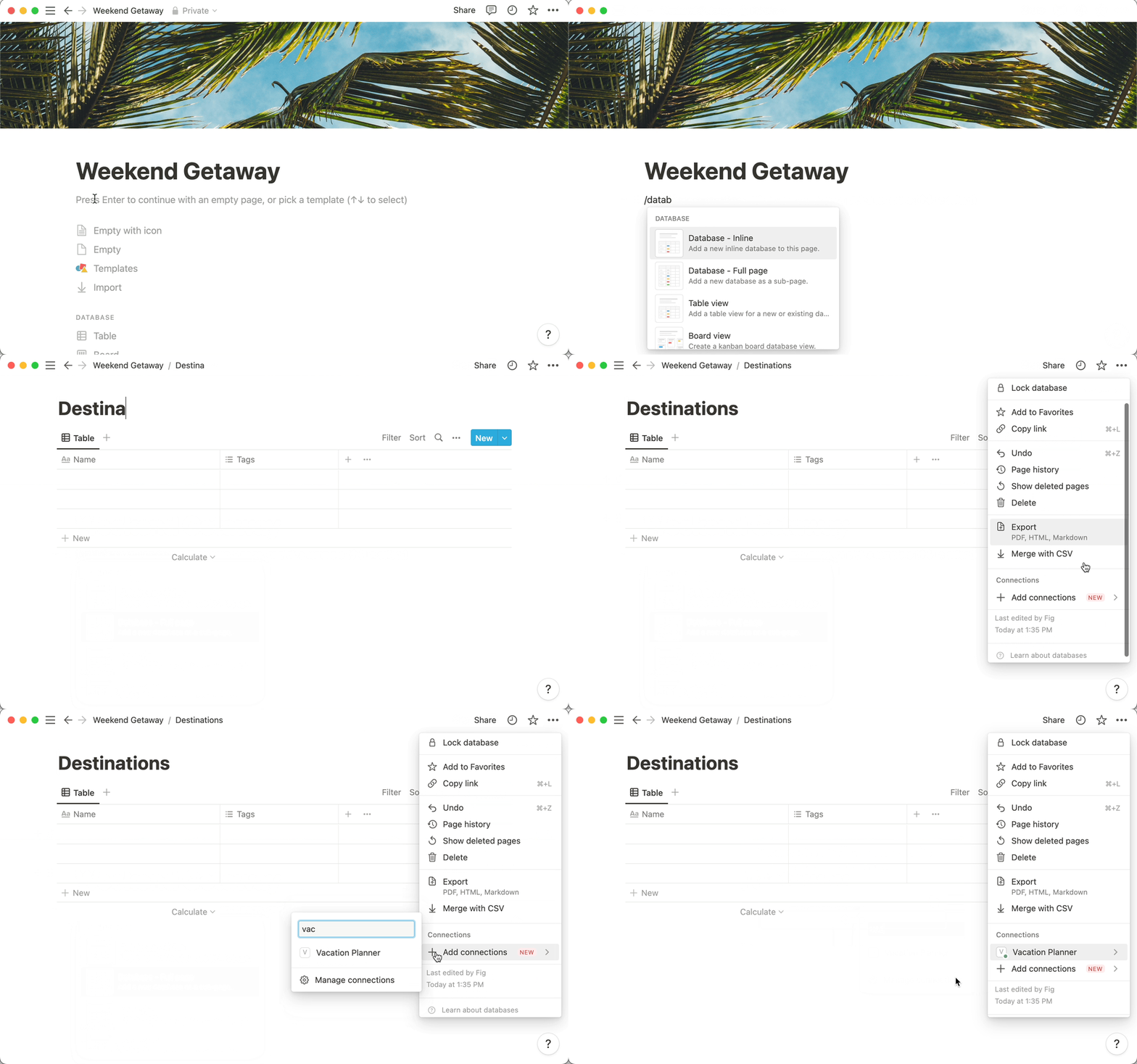
Step 3: Copy the database ID
https://www.notion.so/myworkspace/a8aec43384f447ed84390e8e42c2e089?v=...
                                  | --------- Database ID --------|
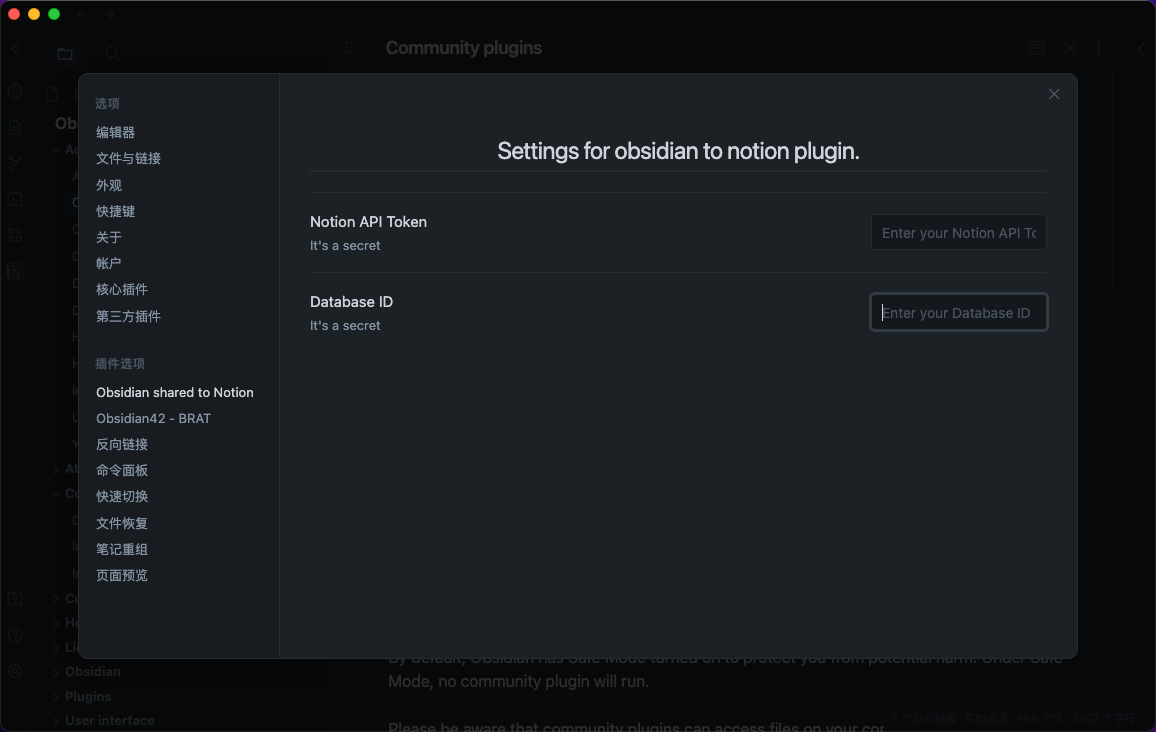
Open the plugin configuration
Fill the configuration with the NOTION_API_KEY and DATABASE_ID you got
Upload file content to notion
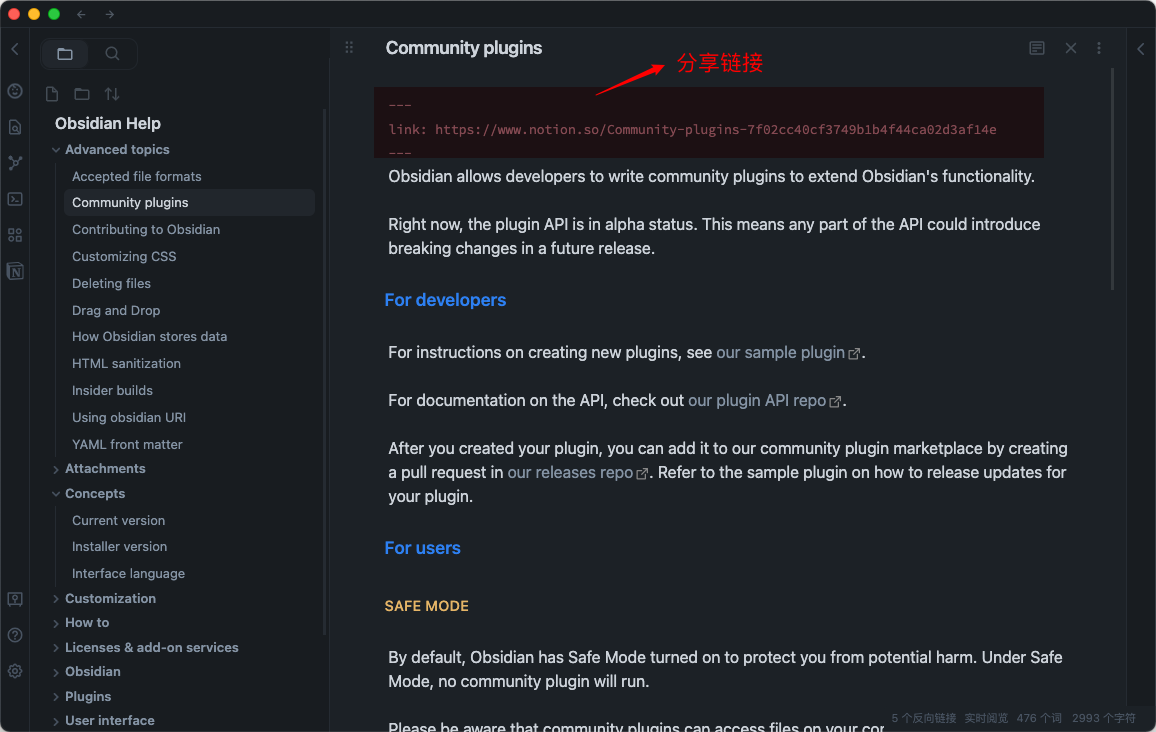
Click the upload notion button
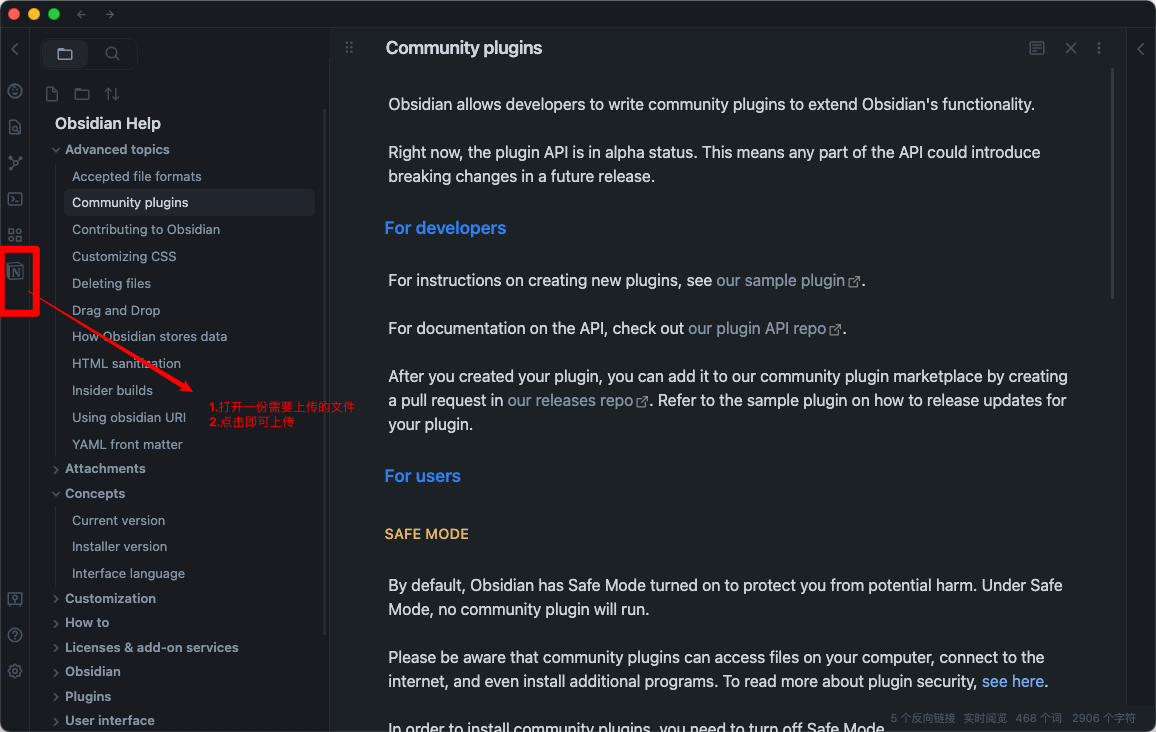 A share link will be automatically generated after successful upload
Banner URL [option]
Banner url must be a image url like: https://i.imgur.com/xxx.jpg If you don't want to use banner, leave it blank

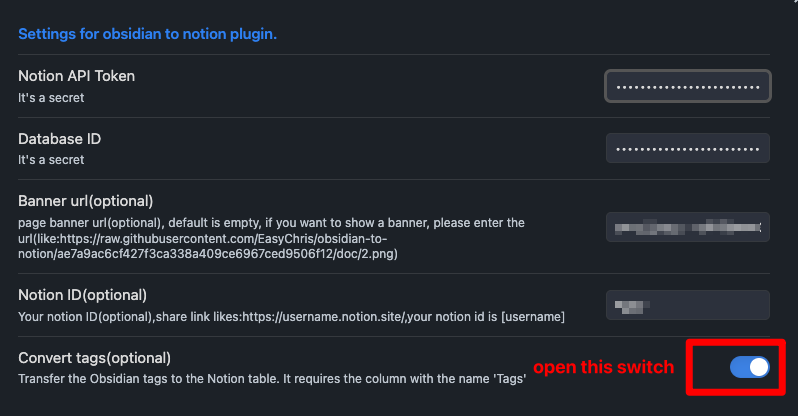
Convert Tags [option]
Transfer the Obsidian tags to the Notion table.
It requires the column with the name 'Tags'.
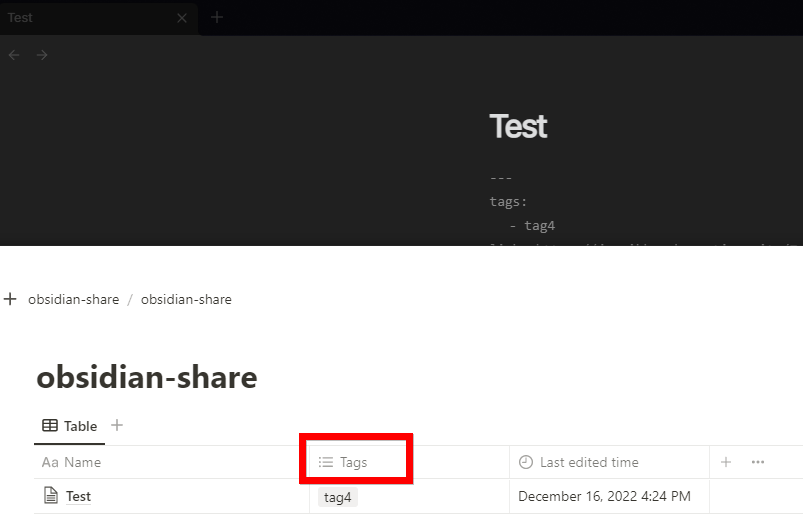
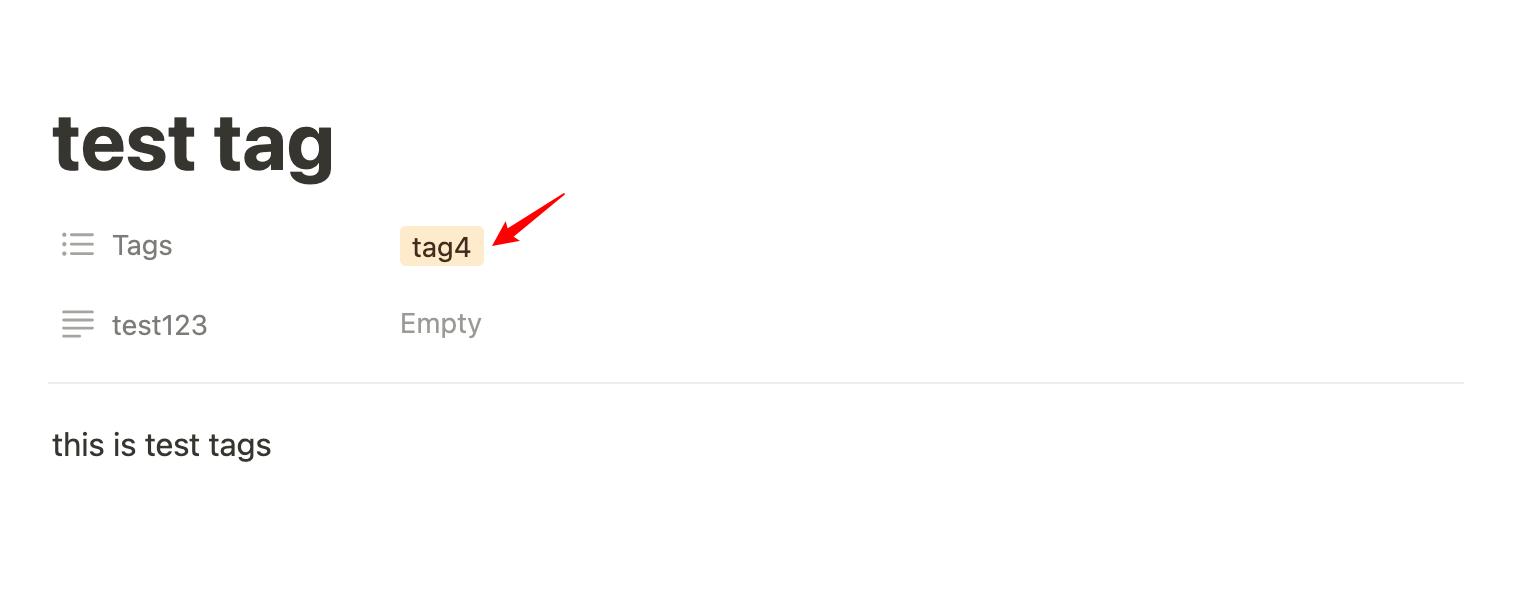
Add tags to your notion page
- open plugin convert tags
- add tags in the head
---
tags: [tag1,tag2]
---

this is test tags
---
tags:
  - tag4
---

this is test tags

Thanks for @jannikbuscha contribution
Notion ID [option]
Notion ID is the your notion site ID that you want to share the file to. if you don't write it, notion will share to the default link like: https://www.notion.so/myworkspace/a8aec43384f447ed84390 that visit this page need to redirect to your site url if you write the Notion ID, it will share to the page link like: https://your_user_name.notion.site/myworkspace/a8aec43384f447ed84390. The visiter don't need to redirect url.
Sync image to Notion
To sync images to your oss or cos bucket, use the Obsidian Image Auto Upload Plugin.
Development
git clone https://github.com/EasyChris/obsidian-to-notion.git
yarn install
yarn dev
Release
node update-version.js
./release.sh
# Thanks
[Development Process | Obsidian Plugin Development Documentation](https://luhaifeng666.github.io/obsidian-plugin-docs-zh/zh/getting-started/development-workflow.html)

[GitHub - devbean/obsidian-wordpress: An obsidian plugin for publishing docs to WordPress.](https://github.com/devbean/obsidian-wordpress)

[GitHub - obsidianmd/obsidian-api](https://github.com/obsidianmd/obsidian-api)

[GitHub - Easychris/obsidian-to-notion: Obsidian Weread Plugin is an plugin to sync Weread(微信读书) hightlights and annotations into your Obsidian Vault.](https://github.dev/zhaohongxuan/obsidian-weread-plugin)

[GitHub - Quorafind/Obsidian-Memos: A quick capture plugin for Obsidian, all data from your notes.](https://github.com/Quorafind/Obsidian-Memos)

[https://github.com/jannikbuscha/obsidian-to-notion](https://github.com/jannikbuscha)

# License
GNU GPLv3