Search...Search plugins and themes...
⌘K
Sign in
  • Get started
  • Download
  • Pricing
  • Enterprise
  • Account
  • Obsidian
  • Overview
  • Sync
  • Publish
  • Canvas
  • Mobile
  • Web Clipper
  • CLI
  • Learn
  • Help
  • Developers
  • Changelog
  • About
  • Roadmap
  • Blog
  • Resources
  • System status
  • License overview
  • Terms of service
  • Privacy policy
  • Security
  • Community
  • Plugins
  • Themes
  • Discord
  • Forum / 中文论坛
  • Merch store
  • Brand guidelines
Follow us
DiscordTwitterBlueskyThreadsMastodonYouTubeGitHub
© 2026 Obsidian

Nomnoml Diagram

daeikdaeik10k downloads

Draw nomnoml diagrams.

Add to Obsidian
  • Overview
  • Scorecard
  • Updates3

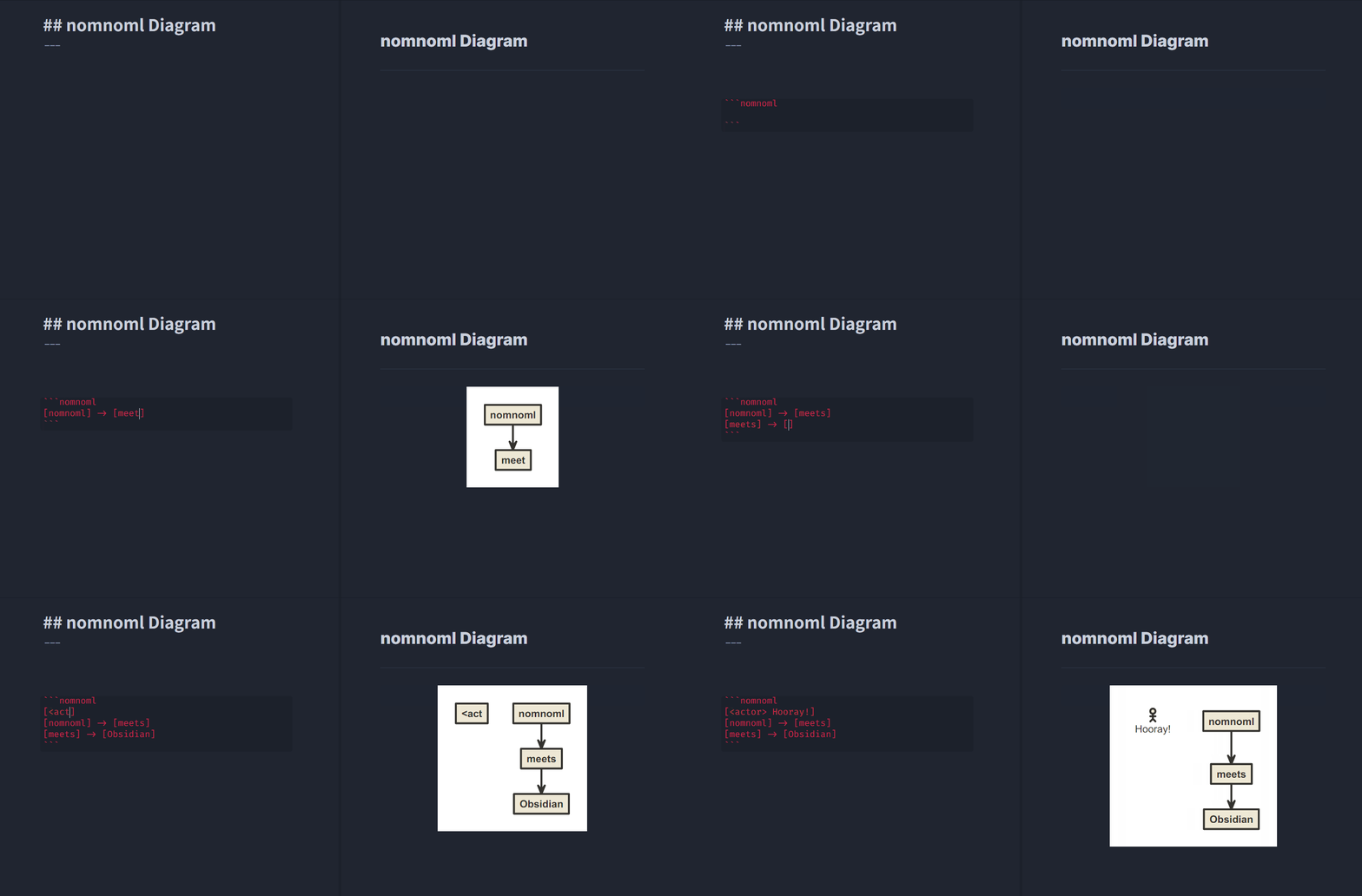
An example of nomnoml diagram

This Obsidian plugin lets you draw nomnoml diagrams inside of Obsidian notes.

Drawing a nomnoml diagram

To draw a nomnoml diagram inside of a note, you can simply use fenced code block syntax with nomnoml keyword. (Or use [Nomnoml Diagram: New Diagram] command to insert auto-generated fenced code block)

```nomnoml
[Example] -> [Diagram]
```

nomnoml directives are also supported to set diagram styles per diagram.

(Default directive settings can be set in [Plugin Options > Nomnoml Diagram].)

```nomnoml
#background: #000000
#arrowSize: 0.5

[Example] -> [Diagram]
```

Please check nomnoml's official website and GitHub repository for the full syntax references and more examples!

Notes

  • All diagrams are generated as SVG(Scalable Vector Graphics)
  • Obsidian's default "Export to PDF" includes generated SVG diagrams (and each text node is PDF annotatable!)
  • Inserting new diagrams will be much easier using [Nomnoml Diagram: New Diagram] command by a hotkey or / slash command (v0.12.17+)

Compatibility

  • Supports Obsidian desktop and mobile versions
  • Tested for Obsidian v0.12.15+

License

MIT

57%
HealthFair
ReviewRisks
About
Draw nomnoml diagrams directly in notes using fenced code blocks or the New Diagram command. Render diagrams as SVG with per-diagram styling directives and export-ready output compatible with Obsidian's PDF export.
DrawingVisualizationMarkdown
Details
Current version
1.2.0
Last updated
3 years ago
Created
5 years ago
Updates
3 releases
Downloads
10k
Compatible with
Obsidian 0.12.15+
Platforms
Desktop, Mobile
License
MIT
Report bugRequest featureReport plugin
Author
daeikdaeik
GitHubdaeik
  1. Community
  2. Plugins
  3. Drawing
  4. Nomnoml Diagram

Related plugins

Excalidraw

Visual PKM powerhouse. Create and edit Excalidraw drawings.

Mermaid Tools

Improved Mermaid.js experience: visual toolbar with common elements and more.

Kroki

Render Kroki diagrams.

Markwhen

Create timelines, gantt charts, calendars, and more using markwhen.

AnyBlock

Take any fragment as a block and render it into multiple effects.

Advanced Canvas

Supercharge your canvas experience. Create presentations, flowcharts and more.

Importer

Import data from Notion, Evernote, Apple Notes, Microsoft OneNote, Google Keep, Bear, Roam, and HTML files.

Outliner

Work with your lists like in Workflowy or Roam Research.

Maps

Adds a map layout to bases so you can display notes as an interactive map view.

Various Complements

Complete words similar to auto-completion in an IDE.