Export To TeX
 raineszm10k downloads
Export vault files in a format amenable to pasting into a TeX document.
- Overview
- Scorecard
- Updates10
Export to obsidian notes to LaTeX format, suitable for pasting into a TeX file.
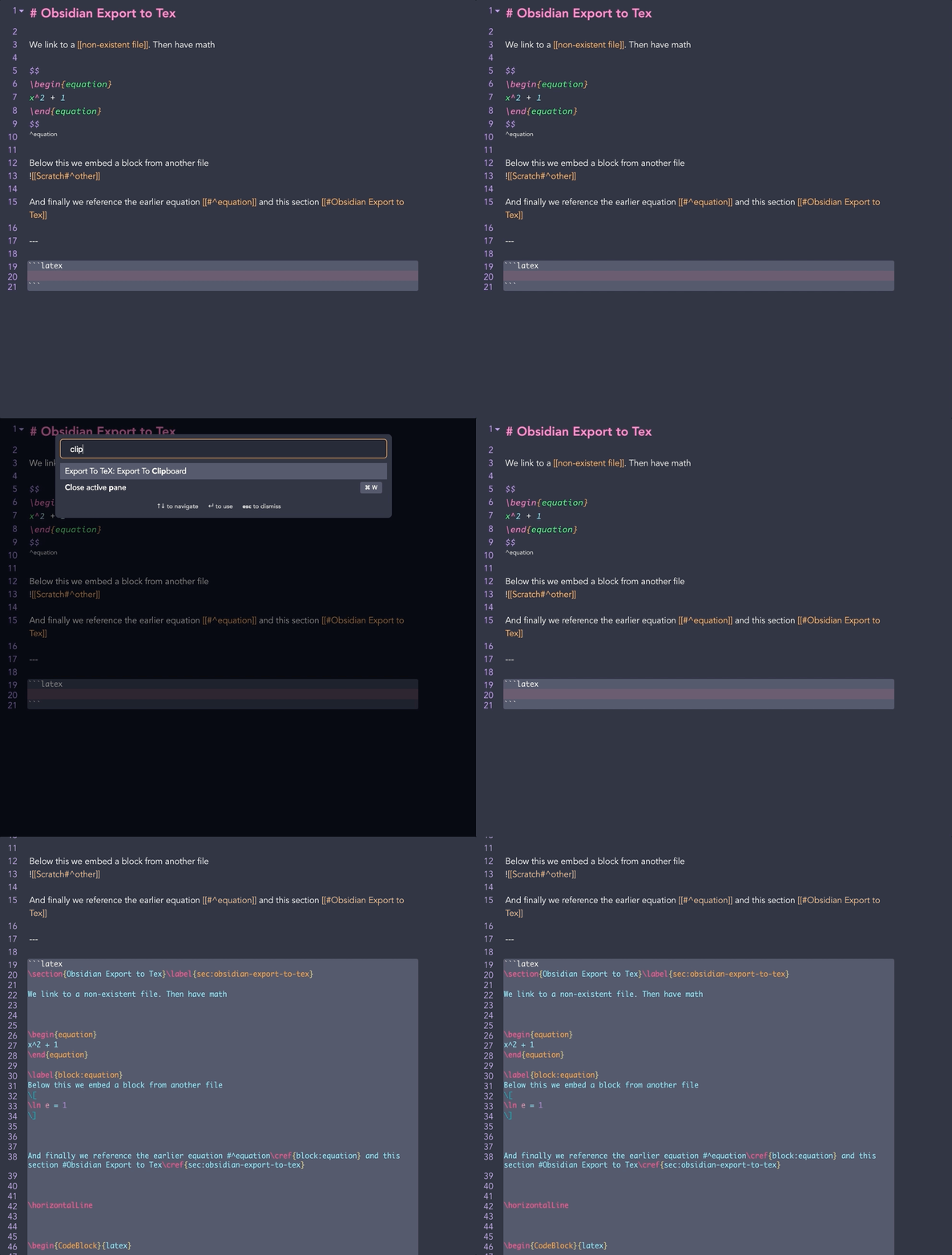
Installation
If you have Obsidian version 0.9.8 or greater:
- Open the options pane
- Go to
Third-party plugins - Ensure that
safe-modeis off. (WARNING: Please verify for yourself the safety of any plugins before using them.) - Click
Browsenext to Community Plugins - Search for
Export To TeX - Click
Install - Go back to the
Third-party pluginspage and enableExport To TeX
To update simply go back to the Third-Party plugins page for Export To TeX and click Update.
Manual Installation
To manually install
- download the latest
zipfrom the latest Github Release - unzip the contents into the
.plugins/obsidian-export-to-texsubdirectory of your vault. - reload obsidian
- go into settings > third party plugins and activate obsidian-export-to-tex
For details see the forums.
Usage
This plugin allows Obsidian files to exported to TeX format. When doing so:
- WikiLinks to other files are stripped
- Embeds are resolved
- By default, headings and blocks are associated with labels
Commands
Export to TeX provides two commands
Export to TeX
This command will produce a save as dialog. The contents of the current file will be converted to TeX and saved to that file.
Export to Clipboard
The contents of the current file will be converted to TeX and copied to the clipboard.
Settings
Generate labels and refs
Default: true
By default, Export to TeX will auto generate labels for headings and blocks.
Links to these from within the same file will be converted to \ref calls.
Ref command
Default: '\cref'
The command to use for generating refs: defaults to \cref.
Additional math environments
Default: []
Export to TeX will by default strip the surrounding displaymath delimeters from toplevel math environments such as equation.
If there are other environments you which to do this for, they can be added to this list.
Default to equation
Default: false
By default, display math environments
$$
x^2
$$
will be exported as display math
\[
x^2
\]
if there is no top level environment present.
With default to equation on this well instead be exported as
\begin{equation}
x^2
\end{equation}
Compress Newlines
Default: false
When enabled, exported TeX will have any instance of more than one blank line in a row compressed to a single blank line.
Image path format
Default: Relative to vault root
Determines how image paths are written when converting image embeddings ![[image.png]] to \includgraphics calls.
Options are
- Relative to vault root: uses to file path relative to the root of the current vault,
\includegraphics{Figures/image.png} - Absolute path: uses the absolute path to the file on your filesystem,
\includegraphics{/Users/user/Documents/Vault/Figures/image.png} - File base name: uses only the base name of the image file:
\includegraphics{image} - Relative to export directory: gives the file path relative to the export TeX directory, (if copying to clipboard will be relative to default export directory).
Default export directory
*Defaults to vault root
If set the file picker will open to the chosen directory for export.
Contributing
Pull requests are welcome. For major changes, please open an issue first to discuss what you would like to change.
Please make sure to update tests as appropriate.