Novel-kit
 moke52523 downloads
Write long-form fiction with a workspace per work, plus graph, timeline, fission board, map, spacetime, cards, table and full-text search over plain Markdown notes.
- Overview
- Scorecard
- Updates2
✍️ Novel-kit
中文 | English
An all-in-one writing suite for long-form web novels in Obsidian.
One work is one folder in your vault · Settings, outlines and manuscripts are all plain Markdown · Seven views over the same notes.
[!IMPORTANT] This plugin is built for the desktop version — desktop only.
✨ Feature Highlights
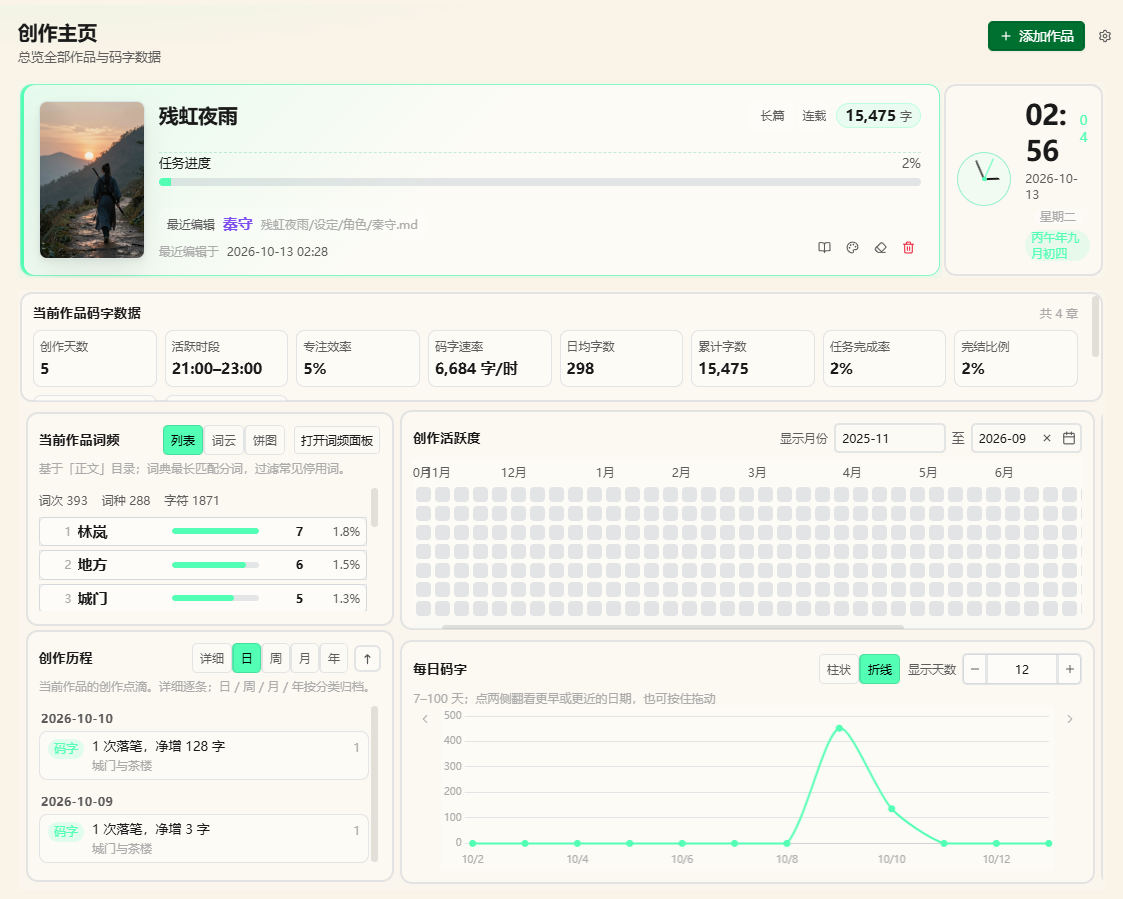
🏠 Creative Homepage
Progress & KPIs · Daily word-count curve and heatmap · Word frequency · Todos · Clock · Drag to add or remove widgets, layout saved to System/home.json
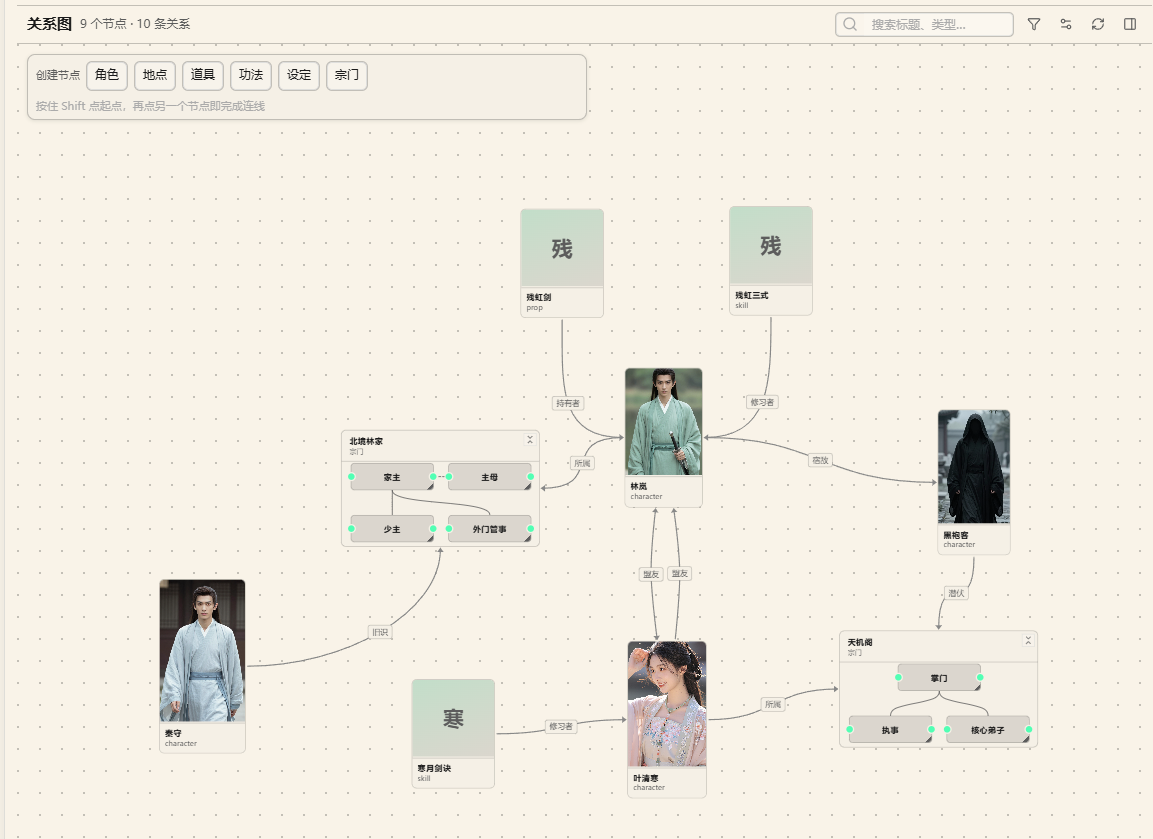
🕸️ Graph
Visualizes relations plus foreshadowing / hooks · "Filter" decides what shows and what gets highlighted · "Display config" handles file types, colors and edges
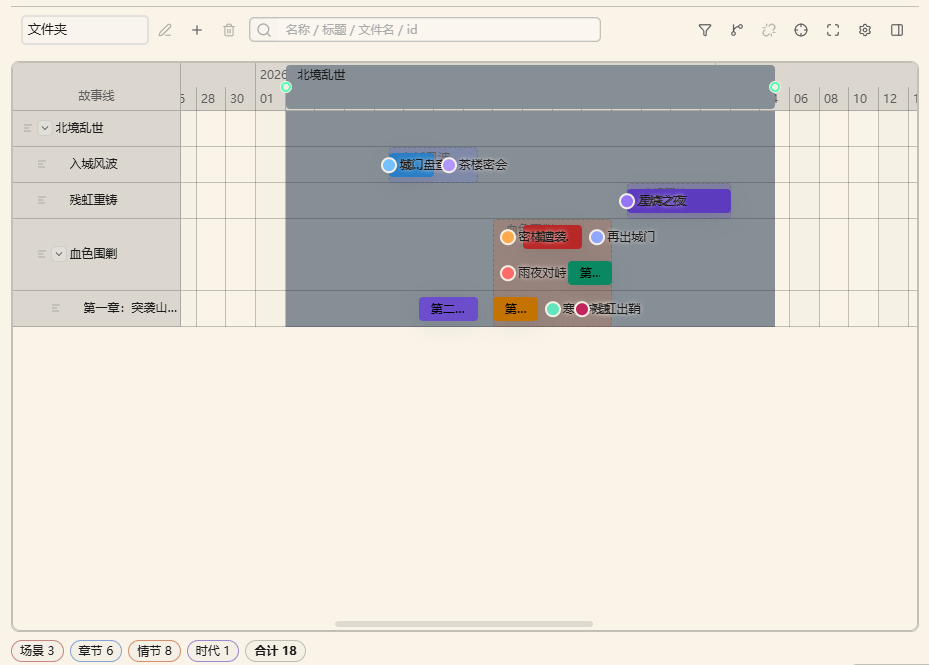
📅 Timeline
Scenes ordered by time · With "Folder" grouping, dragging really moves files · Edit start/end dates straight in the frontmatter
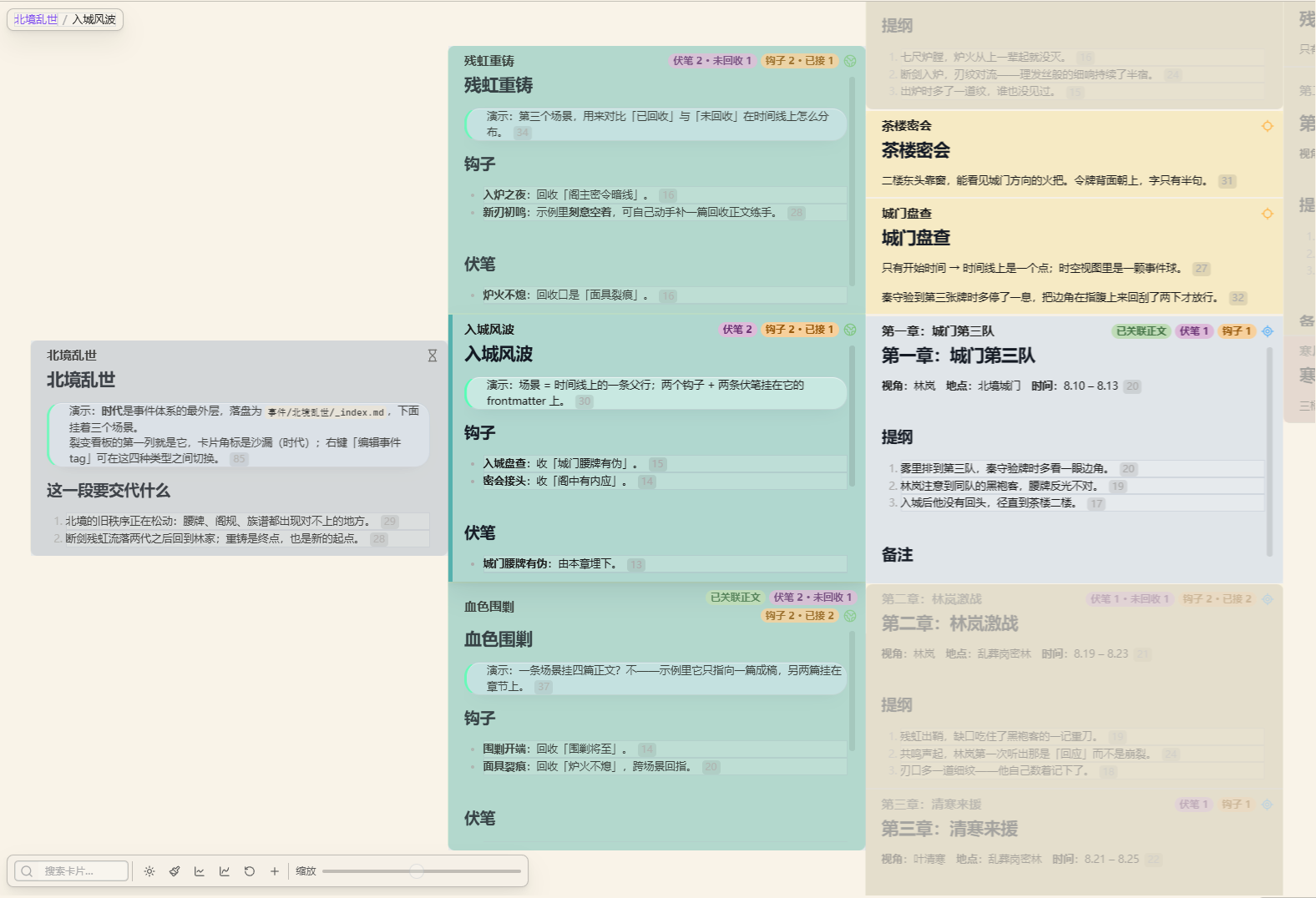
🧬 Fission
Multi-column card outline · Drag to reorder plot beats · Cards are the notes — you are editing the same files · Right-click to retag the event kind (era / scene / chapter / plot)
🗺️ Map & Spacetime
Coordinate markers on a base image · Spacetime maps the image to a plane and time to the z axis · Coordinates read "map name:x,y" (full-width colon and comma)
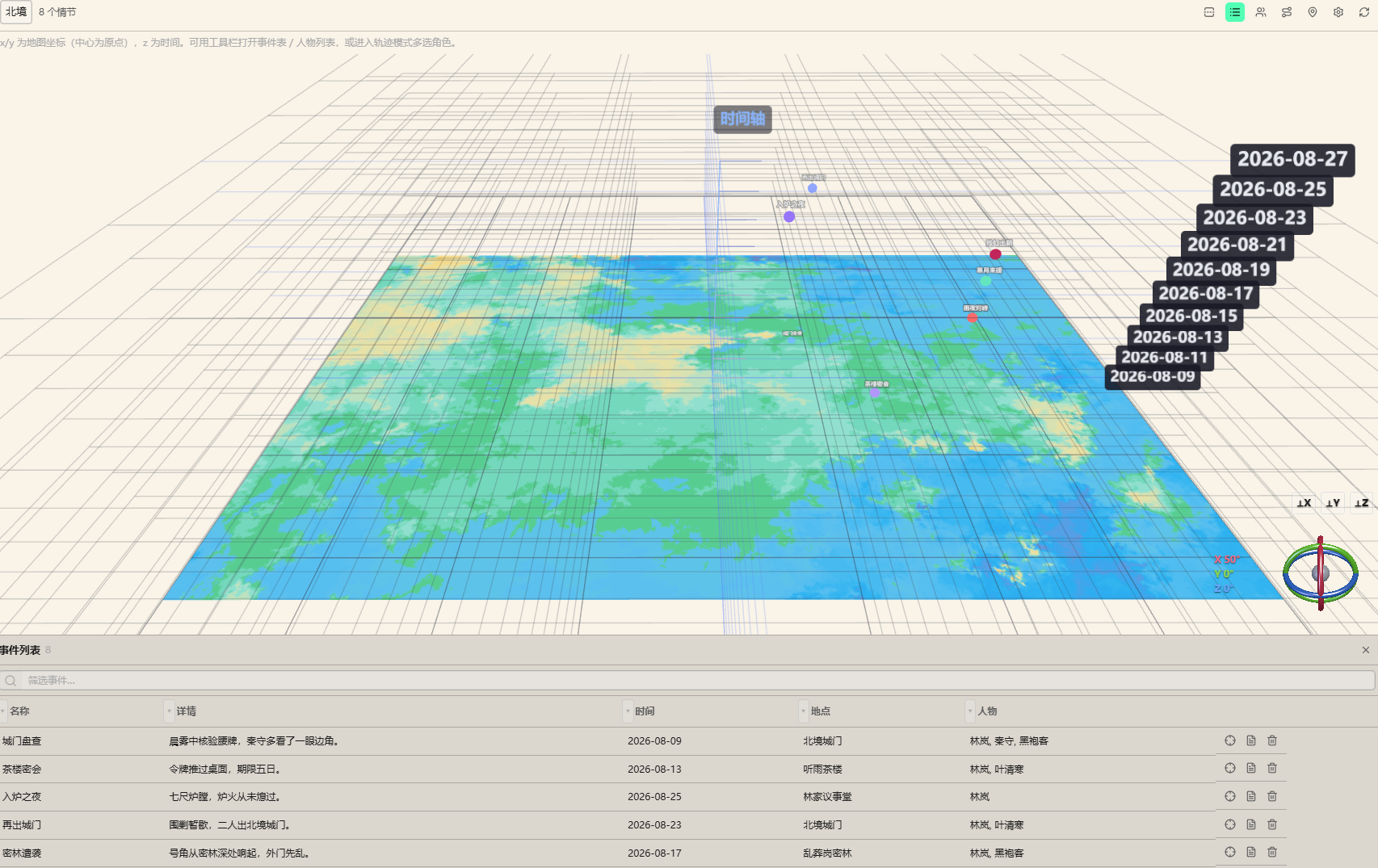
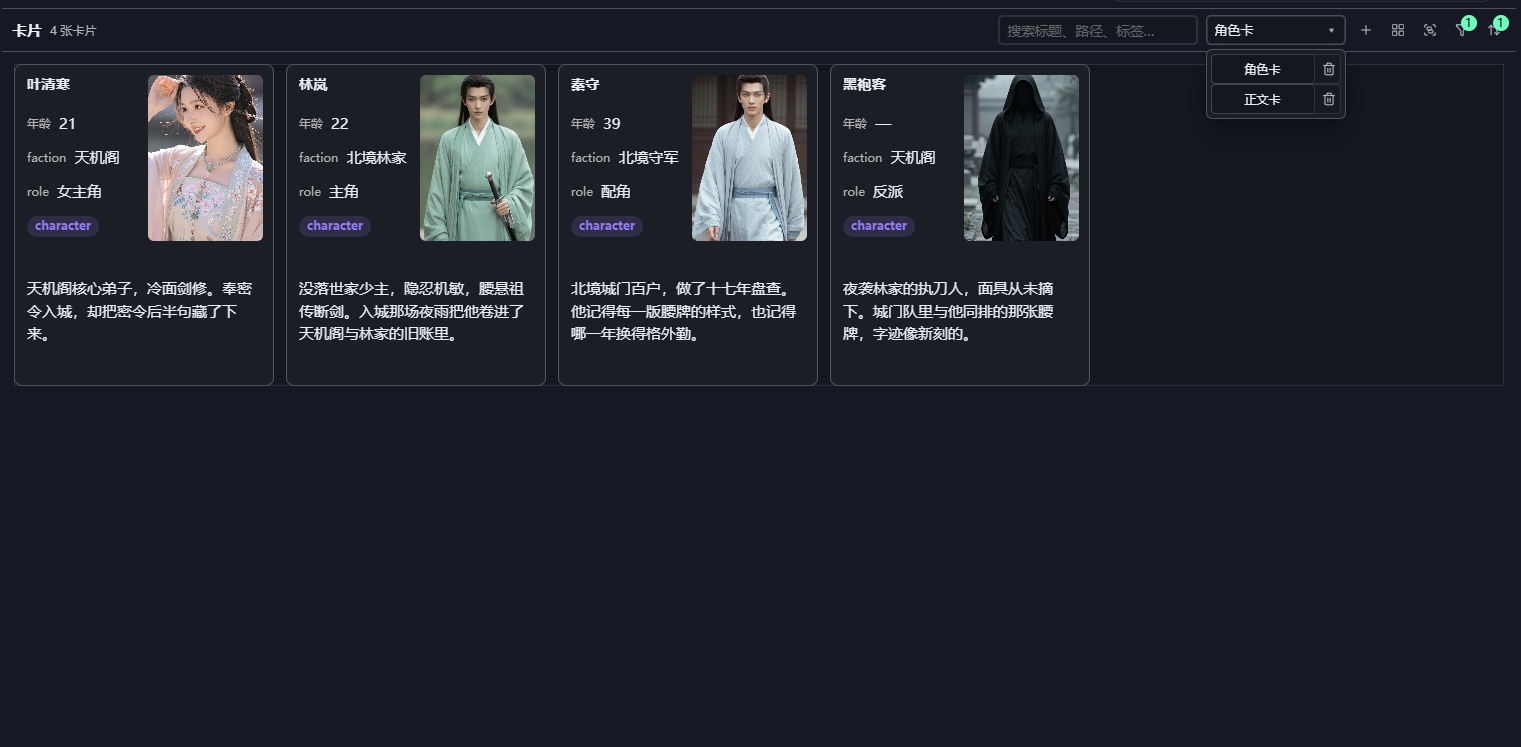
🃏 Cards & Table
Cards form a configurable field wall · Table supports grouping, filtering, pinning columns and in-place editing · Both support drag ordering and cross-group drag
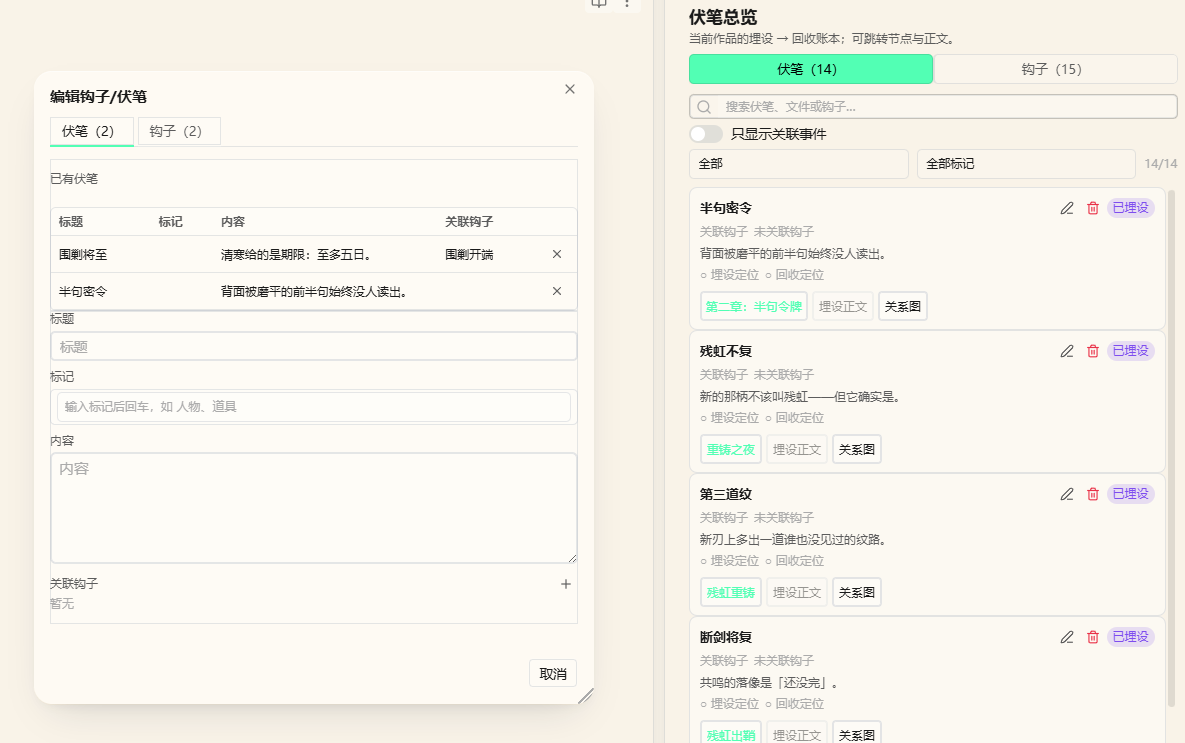
🧵 Foreshadowing · Hooks · Plot · Manuscript
The main operation happens in the prose: select a sentence → right click → plant or resolve; state walks through Unplanted → Planted → Linked → Resolved
📝 Creative Assistants
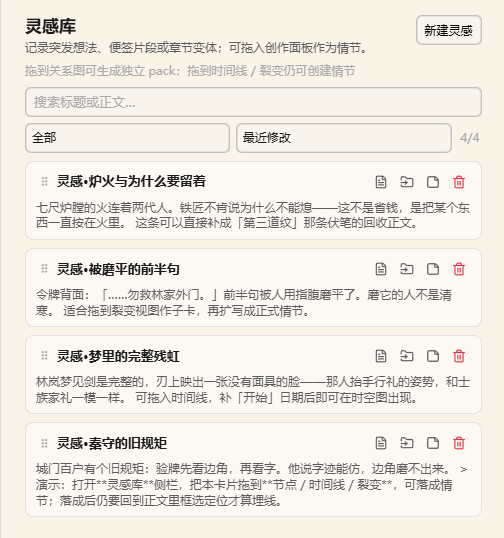 Inspiration Cards Drag into graph / timeline / fission to become plot beats |
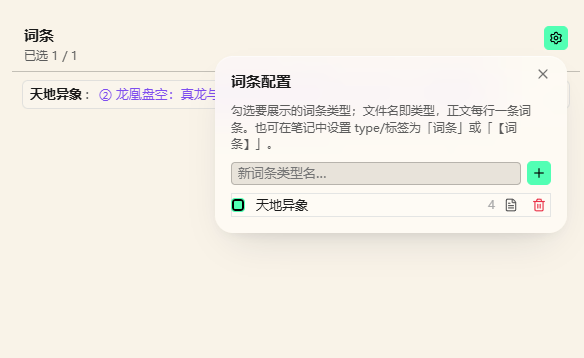 Glossary Quick lore lookup, organized in layers |
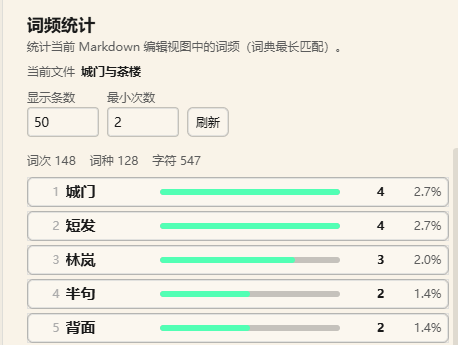 Word Frequency See your habits and repeats at a glance |
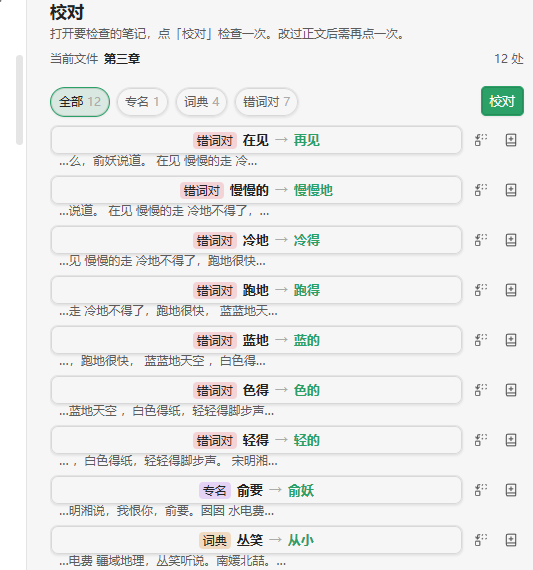 Proofreading In-place checks, confirm each fix |
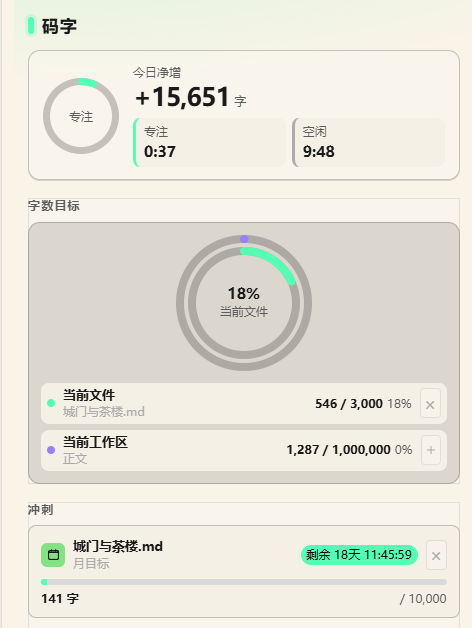 Writing Goal Daily targets and progress nudges |
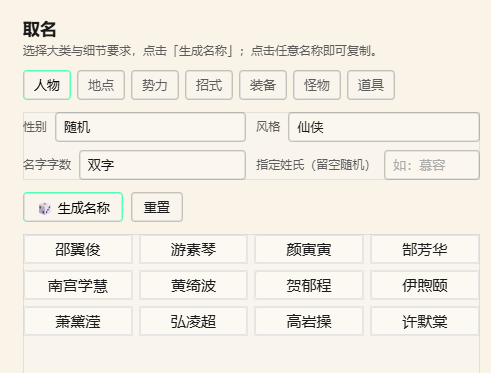 Naming Generate character and place names by style |
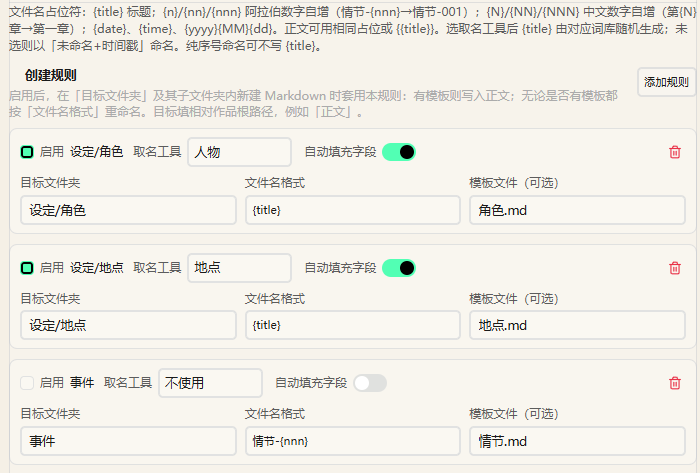 File Templates Auto-apply a template and rename by "target folder + filename pattern" |
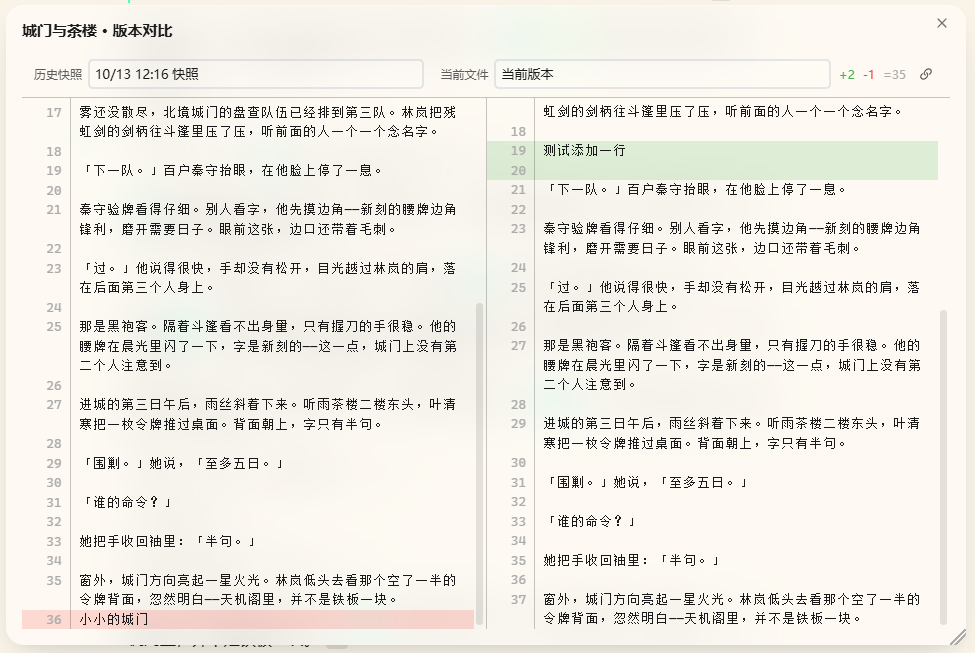 History Snapshots Auto-archived, side-by-side diff before restoring |
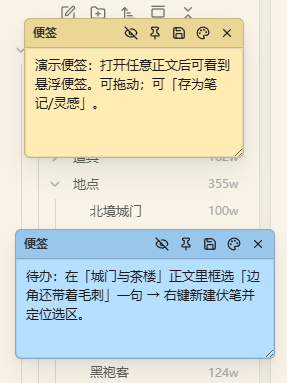 Sticky Notes Jot things down, auto-saved |
🖥️ Desktop
This plugin is desktop only: every feature is designed around desktop interactions (the manifest declares isDesktopOnly).
📥 Installation
| Method | Steps |
|---|---|
| Community plugins (recommended) | Settings → Community plugins → Browse → search novel-kit → install and enable |
| Manual | Put main.js, manifest.json and styles.css into <your vault>/.obsidian/plugins/novel-kit/, then enable it |
Requires Obsidian 1.8.7 or later; desktop only (the plugin uses Node / Electron APIs).
🚀 Quick Start
- Register a work: open the creative homepage and click "New work", or run the command "Register novel workspace". The folders
设定/,事件/,正文/,灵感/andSystem/are created for you. - Try the sample (optional): when no work exists yet, the panel top shows "Load sample", which writes 《残虹夜雨》 — 1 era (北境乱世), 3 scenes and 6 outline sections, 4 manuscript chapters, 14 clues (8 resolved, 6 deliberately left open to demo filtering), one "北境" map with four coordinates, 4 inspiration cards, 2 sticky notes, plus two Chinese walkthrough notes. Following the tour is the fastest way in.
- Start writing: draft under
正文/, select sentences to plant foreshadowing and hooks; open the main panel (book icon in the ribbon) when you want the whole picture.
🎯 Key Commands
| Command | Description |
|---|---|
| Register novel workspace | Register a folder in your vault as a work |
| Switch active work | Move between registered works |
| Open novel panel | Open the main panel with all seven views |
| Open creative homepage | Open the dashboard homepage |
| Load sample | Write the sample work 《残虹夜雨》 |
| New / Resolve foreshadowing | Plant and resolve on the current selection |
| Toggle writing mode | Desktop: typewriter scrolling |
See the commands section of the reference.
⚙️ Key Settings
| Setting | Default | Description |
|---|---|---|
| Default view | Graph | Which view opens first in the panel |
| View layout | By viewport | Multi-column on wide screens; single column + tabs on narrow screens |
| Stop words | Built-in | Words ignored by word-frequency counting |
| Auto snapshot | On | Whether notes are archived automatically |
| CSS snippets | Off | Desktop: inject custom styles into the vault |
See the settings section of the reference.
❓ FAQ
If a work won't open, it's usually one of three things: it isn't registered (click "New work" first), it isn't selected at the top of the panel, or the 正文/ path is wrong (write under the 正文/ of a registered work).
Notes missing from the graph is usually "Only show connected" hiding nodes with no relations — turn that off, or add a relation; if a whole category is missing, tick its file type under "Filter" or "Display config" in the toolbar.
Markers missing on the map: check that coordinates read "map name:x,y" (full-width colon and comma) and that the map's enabled types include locale. If a timeline edit doesn't stick, change the "开始" / "结束" fields directly in the note's frontmatter.
Word counts not adding up usually means the homepage counts manuscripts in the currently active work — confirm the right work is selected, then refresh.
More Q&A in the reference FAQ.
💾 Data
Settings, outlines and manuscripts are all Markdown notes in your vault. The plugin only maintains two extra things:
- Plugin
data.json(.obsidian/plugins/novel-kit/data.json): the work list, the active work, and global settings. Deleting it loses registrations and settings and touches no notes. - Per-work
System/*.json: view layouts, filter rules, homepage templates, todos, sticky notes. Deleting one only resets that slice of view configuration.
🌐 Network use
The plugin works fully offline, collects no telemetry, and never uploads your notes. Only the two features below reach the network, and only when you trigger them yourself — there are no background requests:
| Feature | When it goes online | Service it contacts |
|---|---|---|
| Word-frequency / proofreading dictionaries | When you click "Download" for a dictionary in settings | cdn.jsdelivr.net (jieba dictionaries), www.mdbg.net (CC-CEDICT) |
| Homepage web-table widget | When you enter a URL and click "Fetch" | The URL you entered |
Both only download data to your machine (dictionaries are saved to .obsidian/plugins/novel-kit/word-freq-dicts/); nothing of yours is sent out. Word frequency still works without downloading a dictionary — only the built-in stop-word list is available and segmentation is less accurate.
⚖️ Disclosures
- No telemetry: there is no client-side telemetry and no background network requests (network use is limited to the two cases in the previous section).
- Open source: the full source is in this repository, released under the Apache-2.0 License.
🛠️ Development
Requires Node.js 18 or later. npm install, then npm run dev to develop (output goes to test-vault/.obsidian/plugins/novel-kit/), and npm run build for a production bundle in build/.
After making changes:
npm test              # vitest: homepage templates / sample data / style rules
npm run check         # svelte-check type checking
npm run visual:check  # visual regression (run npm run build first)
npm run lint          # Biome
The entry point is src/main.ts; each feature lives in its own src/features/<name>/ folder (manager.ts + appView.ts + settings.ts), and only css-snippets and export are desktop-only. See the reference's development notes.
📄 License & 💬 Feedback
Third-party components
This plugin bundles and uses the following open-source projects, with thanks (copyright notices retained as their licences require):
| Component | Licence | Copyright |
|---|---|---|
| three.js | MIT | © 2010–2024 three.js authors |
| Chart.js | MIT | © 2014–2024 Chart.js Contributors |
| 3d-force-graph | MIT | © Vasco Asturiano |
| MiniSearch | MIT | © Luca Ongaro |
| jsdiff | BSD-3-Clause | © 2009–2015 Kevin Decker <[email protected]> |
| relation-graph | MIT | © seeksdream |
| CC-CEDICT | CC BY-SA 4.0 | © CC-CEDICT project (downloaded on demand, not bundled) |
⭐ Star · 🐛 Issues
💗 Support
If you like this plugin and want to support the author to keep updating, you can buy the author a bubble tea here!
| WeChat Pay | Alipay |
|---|---|
 |
 |
Happy writing! ✍️