Local JSON Queries
 theluckystrike1 downloads
Run local JSON queries on vault files and show the results as tables or text.
- Overview
- Scorecard
- Updates1
Local JSON Queries reads a JSON or JSONL file in your vault and shows the result of a JMESPath expression. Use it to inspect a data export, select fields, or make a small report. The query runs on your device with bundled jmespath.js 0.16.0. Version 1 supports JMESPath only; it does not support JSONPath or SQL.
Features
One file and one expression
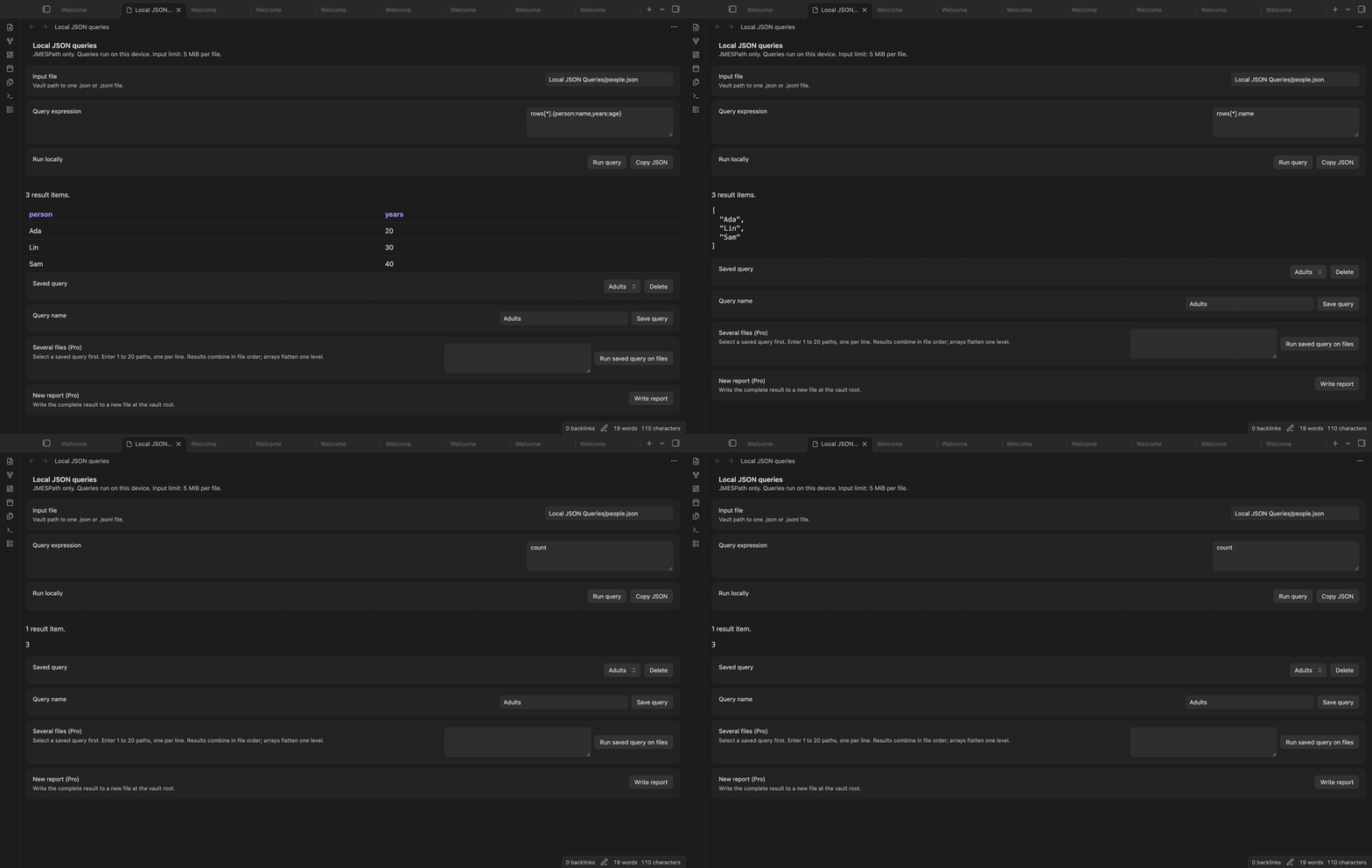
Open the query view and enter the vault path to a file with the .json or .jsonl extension. Enter a JMESPath expression, then select Run query. The view can show a scalar, an object, or an array. The expression count shows the number from an object with a count field. The expression @ shows the input value. Changing the input path or expression clears the previous result.
Tables and JSON copy
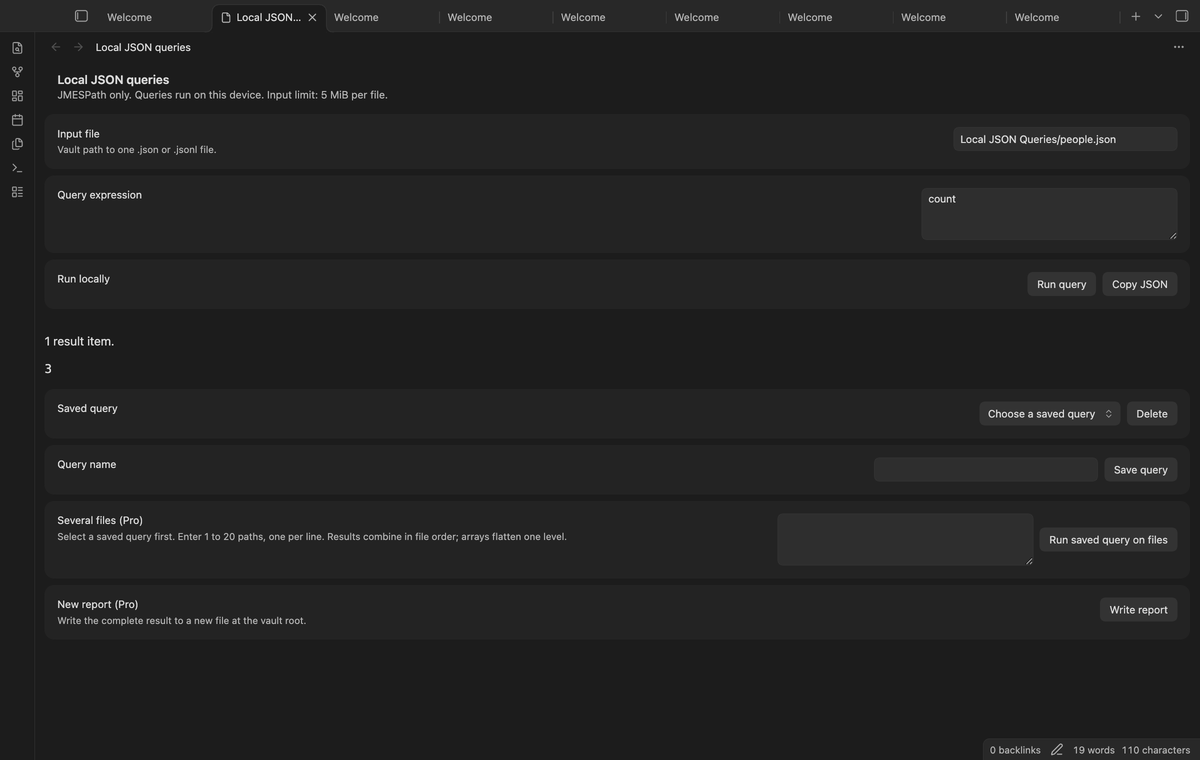
An array of objects becomes a table. Column names come from object keys. A missing field gives an empty cell. Nested values use JSON text. Values with HTML markup appear as text in the query view. Copy JSON copies the complete result to the clipboard, including rows that the table display omits. This lets you paste the result into a separate tool without first creating a report file.
JSONL and input errors
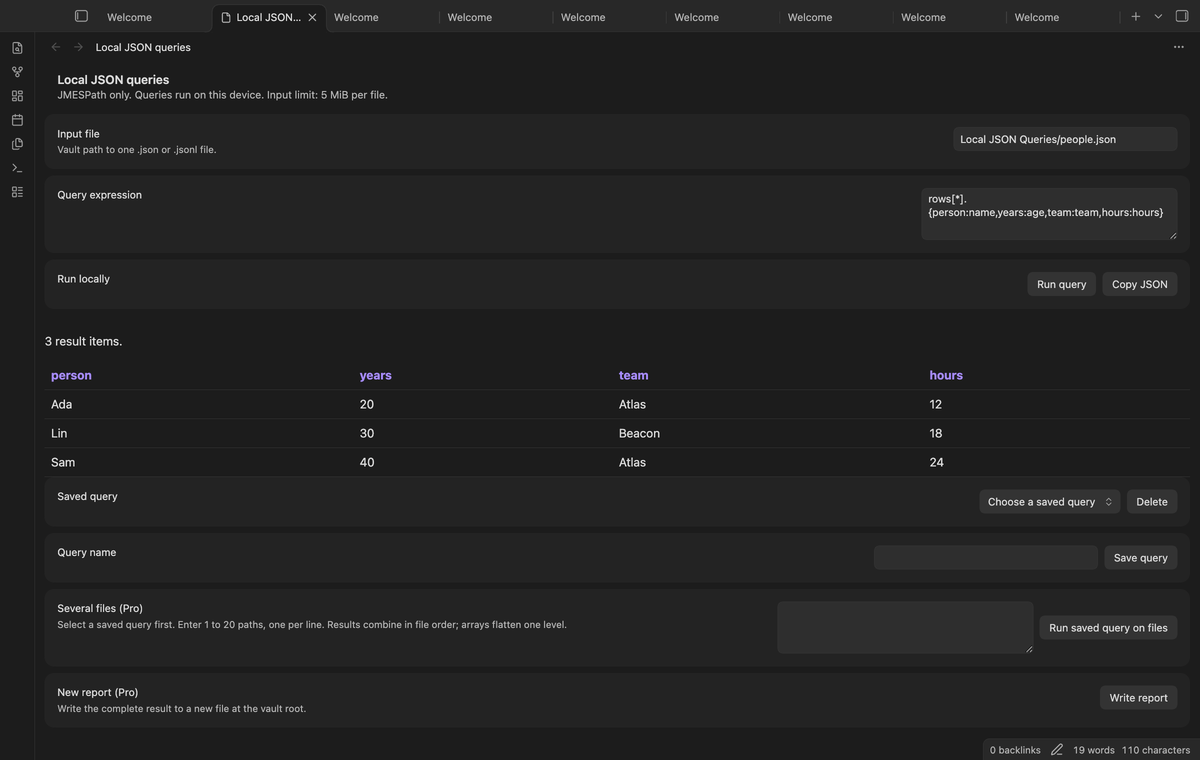
For JSONL, the plugin reads each nonblank line as one JSON value and gives the resulting array to JMESPath. A damaged record stops the query and names its physical line number. Blank lines count toward that number. A missing file, an invalid expression, or damaged JSON clears the output. The plugin does not present a partial read as a complete result.
Named queries
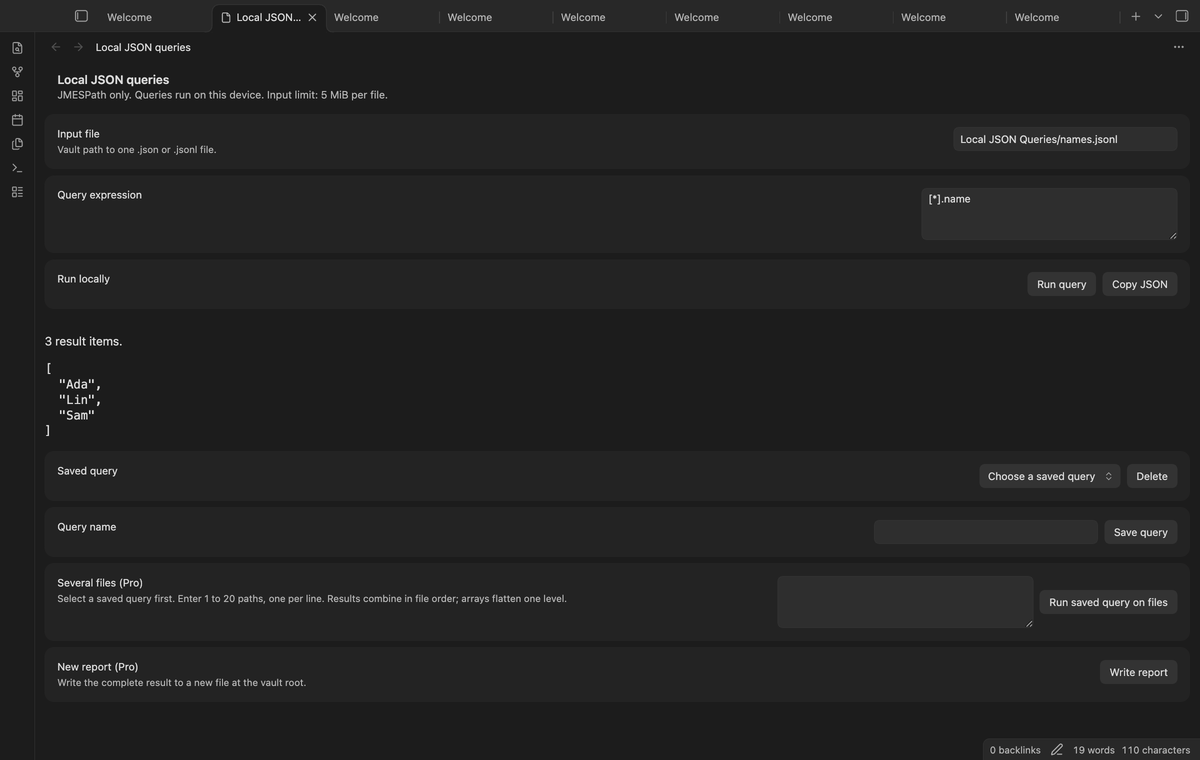
Enter a Query name and select Save query to keep the current file path and expression. Select that name from Saved query to restore the pair. Saving with the same name replaces the pair. Delete removes the selected name. The plugin keeps up to 100 named pairs in its local settings. Names identify the saved pair; they do not rename the input file.
Several chosen files (Pro)
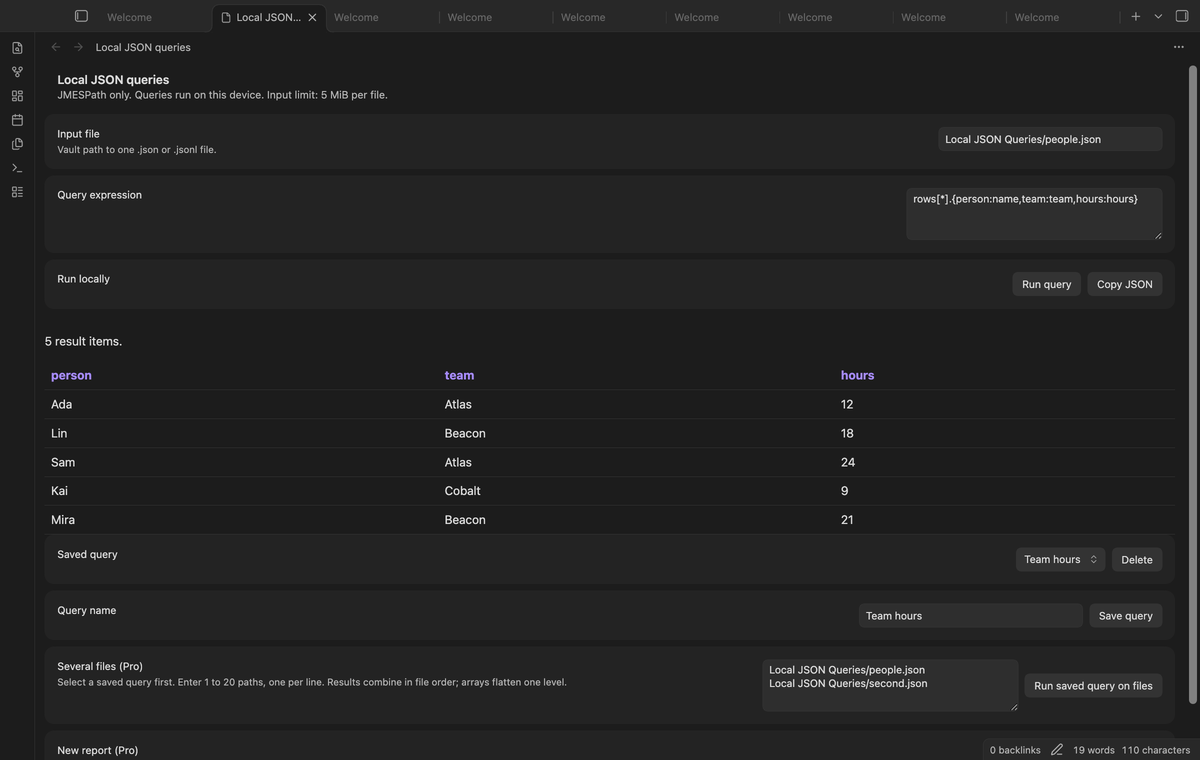
Select a saved query. Enter the chosen file paths under Several files, with one path per line. Select Run saved query on files. The saved expression runs on each file in sequence. Array results combine by one level; scalar and object results each add one item. Repeated paths run once. The limit is 20 chosen paths. If a file fails, the combined result is cleared. This action does not create a file.
New report files (Pro)
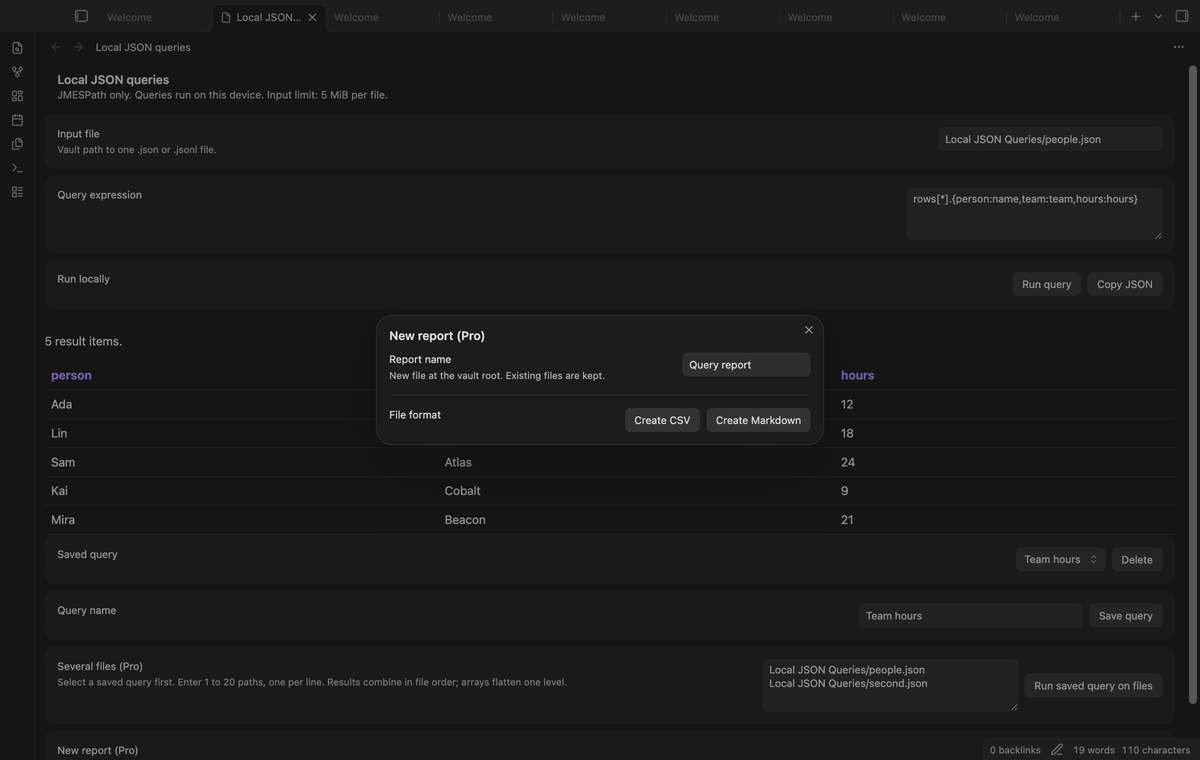
After a successful query, select Write report. Enter a name and choose Create CSV or Create Markdown. The plugin writes the complete result at the vault root. An existing file stops the write and keeps its contents. A scalar or a plain array uses a result column. CSV quotes fields and adds an apostrophe to text that can start a spreadsheet formula. Markdown escapes HTML, table separators, square brackets, number signs, and percent signs, so a report adds no tags or comments.
Install
For manual installation, copy main.js, manifest.json, and styles.css from a release into <vault>/.obsidian/plugins/jsonpath-vault-query/. Enable Local JSON Queries in Community plugins. This version needs Obsidian 1.13.4 or later. The source repository includes the build scripts. Local JSON Queries uses the MIT license. The bundled jmespath.js 0.16.0 library uses Apache-2.0; its license is in JMESPATH-LICENSE.txt.
Usage
- Put a JSON or JSONL file in the vault. For example, put a data export at
Data/people.json. - Open the command palette and select Local JSON Queries: Open JSON query view.
- Enter the path and expression. Select Run query and check the output.
- Save the pair with a name if you plan to use it again. Select Copy JSON to copy the result.
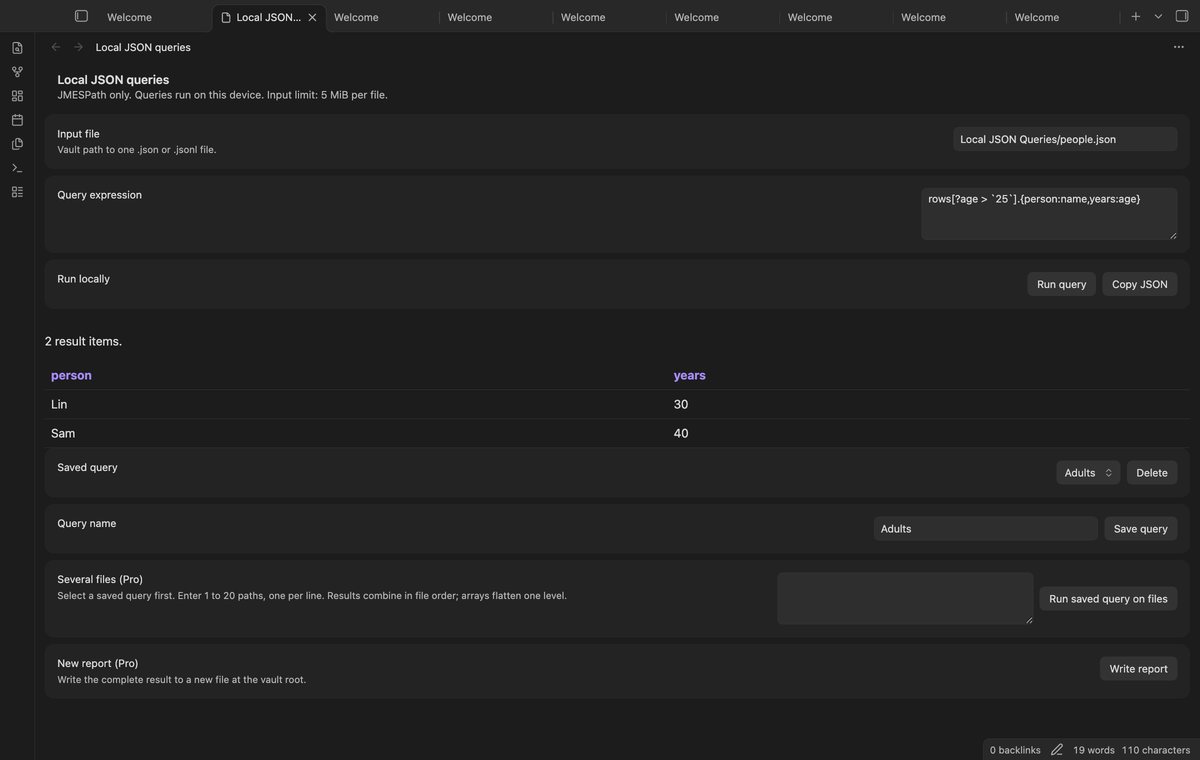
For an object with a rows array, rows[*].name selects names. To select people whose age exceeds 25, use the expression below. JMESPath uses backticks around a numeric literal in this filter.
rows[?age > `25`].name
To make table columns with different names, use this projection:
rows[*].{person:name,years:age}
For JSONL records at the root, use [*].name. A missing field can return null. That is a result, not a parse error. Check the path, field case, and input structure if the result is null or empty. The plugin does not infer a schema or correct the expression for you.
Settings
The query view holds the input path, expression, named queries, chosen batch paths, and report action. Saved pairs use Plugin.saveData. The account controls are in the plugin settings tab. They show the sponsorship state and provide Sign in with GitHub, Refresh, and Sign out.
Input is limited to 5 MiB per file. Tables display at most 500 rows and 50 columns. The view shows the total row count and a truncation message when rows are omitted. Table cells display at most 2,000 characters. Other output displays at most 100,000 characters. These display limits do not shorten Copy JSON or report content. The expression limit is 10,000 characters. These limits are fixed in this version.
FAQ
Why does a large number fail?
JavaScript cannot represent some large integers exactly. Numeric integers outside the safe range are rejected, including exponent forms. Store identifiers such as long account numbers as JSON strings. Decimal values use JavaScript floating point and can have rounding effects. This plugin is a data inspection tool, not an exact decimal calculator.
Does a query change the source?
The query reads the selected file. Saving a named pair writes plugin settings. The Pro report action creates a separate file. It does not overwrite an existing report. Query results stay in the open view; they are not saved as part of a named pair.
What was not tested?
Phone and tablet use, Linux desktop app execution, the Node 24 build runtime, real paid sponsorship, and a real GitHub device sign-in were not tested in this build. Desktop end-to-end tests use a stub sponsorship answer for Pro. A real clipboard write was not tested; the unit test uses a clipboard stub. Clipboard permissions can depend on the app environment. Spreadsheet programs can interpret CSV differently; check a report before you use it for further work.
Payment, account and network
The core features are free. Pro features need a GitHub Sponsors sponsorship of theluckystrike: $5 a month or more, or $15 once. A total payment of $15 meets the payment requirement for Pro without further payment. Sign-in and the checks below still apply. Your notes stay readable and editable with or without Pro.
GitHub handles the payment. Sponsor at https://github.com/sponsors/theluckystrike. You need no account for the free features. Pro needs the GitHub account that sponsors.
Until you select "Sign in with GitHub" in the settings, Local JSON Queries makes no network requests. Sign in uses the GitHub device flow. Local JSON Queries sends its public client ID and the scope read:user to https://github.com/login/device/code and shows you a code. While you enter the code at https://github.com/login/device, it asks https://github.com/login/oauth/access_token every few seconds to check the sign-in status. The scope permits profile reads only. GitHub needs this access to show the sponsorship tier. It grants no repository scope and no write access.
After sign in, Local JSON Queries sends one query to https://api.github.com/graphql. It checks if the signed-in account sponsors theluckystrike. It asks for the tier and the total payment to theluckystrike. The plugin reuses a successful check for 7 days. Failed checks can retry after 6 hours. Select Refresh to request an earlier check. It sends no note content, file names or other vault data, and it has no telemetry.
After a successful check, Pro can work offline for up to 14 days. Sign out or a negative sponsorship answer turns Pro off. The plugin stores the GitHub token through the secret storage API of Obsidian. It does not put the token in its saved settings or its local sponsorship data. The local storage of this device keeps your GitHub login, the tier and the time of the last check. Sign out clears the token. You can also revoke the access in your GitHub settings, under Applications.
Support
Report a problem in the repository issues with the Obsidian version, the expression, and a small input sample that reproduces it. Remove private data before you share a sample. Include the line number for a JSONL parse error. For a report problem, include the chosen format and the message shown in the view. Support does not require you to upload a complete vault.