GitHub Copilot
 pierrad45k downloads
Implement suggestions from Github Copilot directly in your editor.
- Overview
- Scorecard
- Updates28
Use GitHub Copilot in the Obsidian editor. This plugin is a bridge between the Obsidian editor and the GitHub Copilot service.
- 🤖 Get inline suggestion as you type using GitHub Copilot service
- 💬 Use the GitHub Copilot Chat service to ask questions about your notes
🗒️ Requirements
- A GitHub Copilot subscription (https://copilot.github.com/)
- Network connection to send and receive data from the GitHub Copilot service
⚙️ Installation
- Install the plugin via the Obsidian community plugins browser.
- Activate the plugin in the settings. Make sure to configure any necessary options.
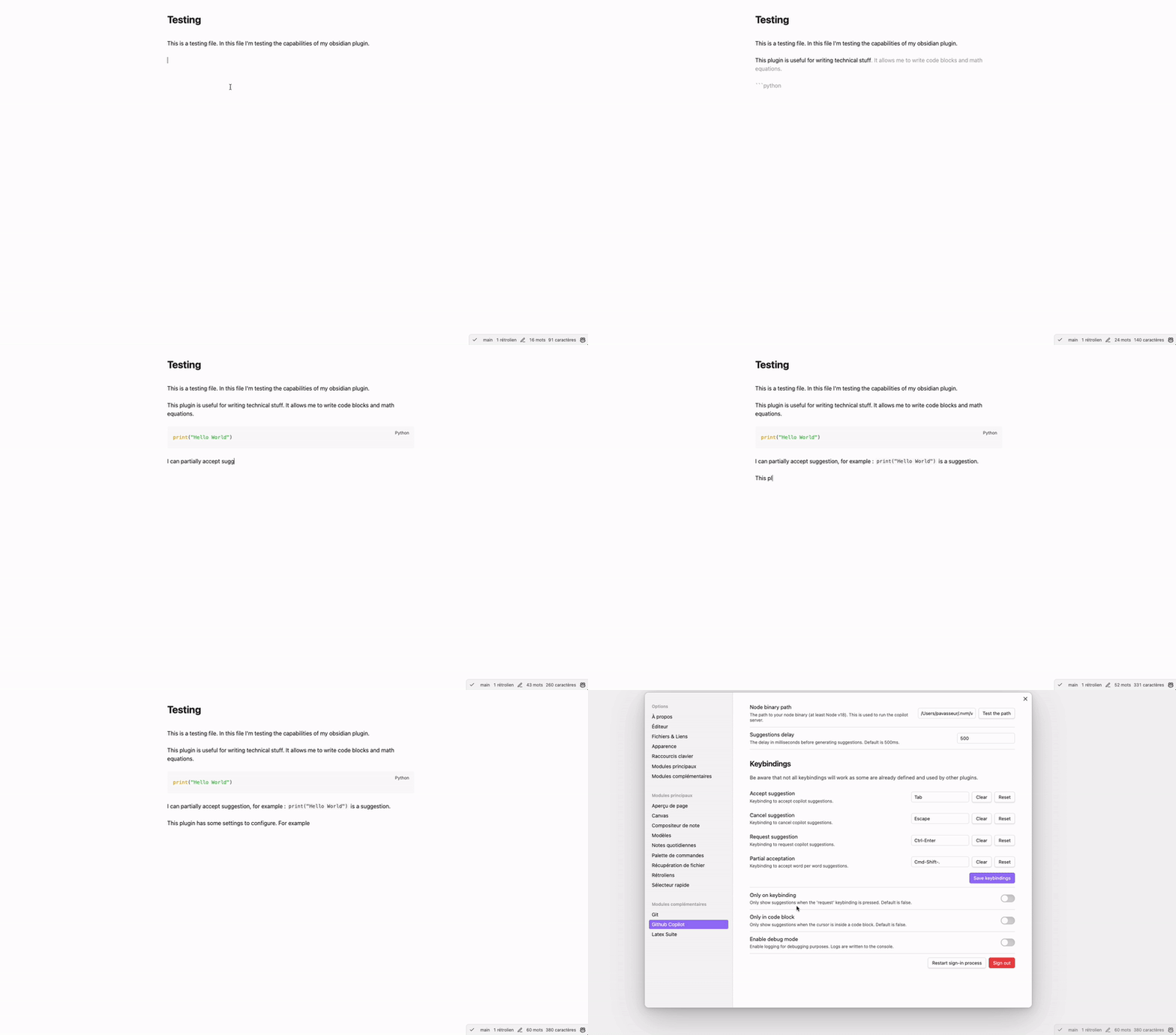
🤖 GitHub Copilot Inline
Requirements
- Node.js 22 or later
Installation
- Once installed, go to the plugin settings and enter the path to the Node +22 binary. You can find it by running
which nodein your terminal. - Either
- A modal will appear asking you to sign in to Copilot. Follow the instructions to sign in.
- Or, you will receive a notice saying that Copilot is ready to use. (This will happen if you have already signed in to Copilot in the past in IDEs)
[!NOTE]
If you install the plugin by cloning it or downloading the release files from GitHub, you will need to name the plugin foldergithub-copilotfor the plugin to work.
Usage
- Open a note in Obsidian.
- Write something in the editor.
- After a small pause, Copilot will suggest completions for your text.
- Press
Tabto accept a suggestion orEscto dismiss it.
Features
- Use GitHub Copilot in the Obsidian editor
- Configure the suggestion generation delay
- Configure your bindings to accept, dismiss, trigger or partially accept suggestions
- Configure if you want to see automatic suggestions or only trigger them manually
- Configure if you want to see suggestion only in code blocks or in the whole note
- Exclude folders and files from the suggestion generation
Known issues
- If you installed Obsidian with Flatpak, you might need to use NVM to handle Node.js versions as the default binary path is not accessible in the Flatpak sandbox. See this issue for more information.
- "Tab" completion can be buggy in some cases (e.g. in bullet points in LateX Math mode for example). It depends on plugin priority over the keybindings. See this issue for more information.
💬 GitHub Copilot Chat
https://github.com/user-attachments/assets/89089920-45de-47c3-80b1-f2d58d1ba55e
Installation
- Once installed, you can find the GitHub Copilot Chat in the right sidebar of Obsidian.
- It should ask you to sign in to GitHub Copilot. Follow the instructions to sign in.
Usage
- Open the GitHub Copilot Chat in the right sidebar.
- Choose a model to use (e.g.
gpt-4orclaude 3.7). - Ask a question and like a note like you would do in the obsidian editor (e.g.
Can you summarize this note [[my note]]?).
Features
- Use GitHub Copilot Chat in the Obsidian editor
- Choose the model to use between all models available in the GitHub Copilot Chat service
- Implement a chat history
- Link notes with [[double bracket syntax]] in the chat
- Configure a custom prompt as a system message in the settings
- Let the user choose the default behavior of the enter key (send message or add a new line)
- Mermaid diagram support - Render Mermaid diagrams in chat responses
- Stream the response from the API
- Waiting for requestUrl to implement Streaming : https://forum.obsidian.md/t/support-streaming-the-request-and-requesturl-response-body/87381
Mermaid Diagrams
The chat supports rendering Mermaid diagrams when GitHub Copilot responds with Mermaid code blocks. Simply ask Copilot to create a diagram and it will render visually in the chat.
Example usage:
You: Can you create a flowchart showing the software development lifecycle?

Copilot: Here's a flowchart of the software development lifecycle:

```mermaid
flowchart TD
    A[Requirements Analysis] --> B[Design]
    B --> C[Implementation]
    C --> D[Testing]
    D --> E[Deployment]
    E --> F[Maintenance]
    F --> A
Supported diagram types:
- Flowcharts
- Sequence diagrams
- Class diagrams
- State diagrams
- Gantt charts
- Pie charts
- And more...
The diagrams automatically adapt to your Obsidian theme (light/dark mode) and are fully integrated into the chat interface.