
- Overview
- Scorecard
- Updates13
This plugin lets you evaluate (execute) DMNs within your Obsidian notes. The DMN evaluator is based on the dmn-engine library by Camunda. If you want to view DMNs in your note, look at the DMN Plugin.
Install ..
.. automatically in Obsidian
- Go to Community Plugins in your Obsidian Settings and disable Safe Mode
- Click on Browse and search for "DMN Eval Plugin"
- Click install
- Toggle the plugin on in the Community Plugins tab
- Important: You need Java 14 or later installed
.. manually from this repo
- Download the latest release
*.zipfile. - Unpack the zip in the
.obsidan/pluginsfolder of your obsidian vault - Important: You need Java 14 or later installed
Requirements
- Java 14 or later
How to use
- Add a valid
*.dmnfile to your vault (e.g.,my-diagram.dmn) (e.g., modeled with the Camunda Modeler). - Add the DMN to your note:
```dmn-eval
url: [[my-diagram.dmn]]
decisionId: Evaluator
variables:
  myValue1: 2
  myValue2: 3
```
- All front matter data of your note are used as input for the DMN evaluation (in addition to the
variablesvalues). - If no errors occur, the output of the decision will be evaluated and printed to your note.
Parameter
You can customize the view with the following parameters:
| Parameter | Description | Values |
|---|---|---|
| url | The url of the *.dmn file (required). | Relative/Absolute path, or [[*.dmn]] as markdown link. |
| decisionId | An ID (or Name) of a decision table to evaluate (required). | String value |
| title | An optional h1 rendered before the DMN output. | String value |
| title1 | An optional h1 rendered before the DMN output. | String value |
| title2 | An optional h2 rendered before the DMN output. | String value |
| title3 | An optional h3 rendered before the DMN output. | String value |
| title4 | An optional h4 rendered before the DMN output. | String value |
| title5 | An optional h5 rendered before the DMN output. | String value |
| title6 | An optional h6 rendered before the DMN output. | String value |
| text | An optional span text rendered before the DMN output. | String value |
| textafter | An optional span text rendered after the DMN output. | String value |
| noresultmessage | An optional message if the evaluation returns no result. | String value (Default: "No result") |
| variables | A map of variables used as input | YAML Object |
| template | Render the result in a template file. The template file is another markdown file and should contain {{result}} where the result of the DMN evaluation is parsed. Other variables and frontmatter variables can be referenced as well (e.g., {{variableX}}). Furthermore, the name of the result columns of the DMN can be used to print individual values (if the DMN returns more than one column). If the DMN returns multiple rows (Hit Policy collect), than the variables can be indexed, e.g., {{val1}}. |
Relative/Absolute path, or [[...]] as markdown link. |
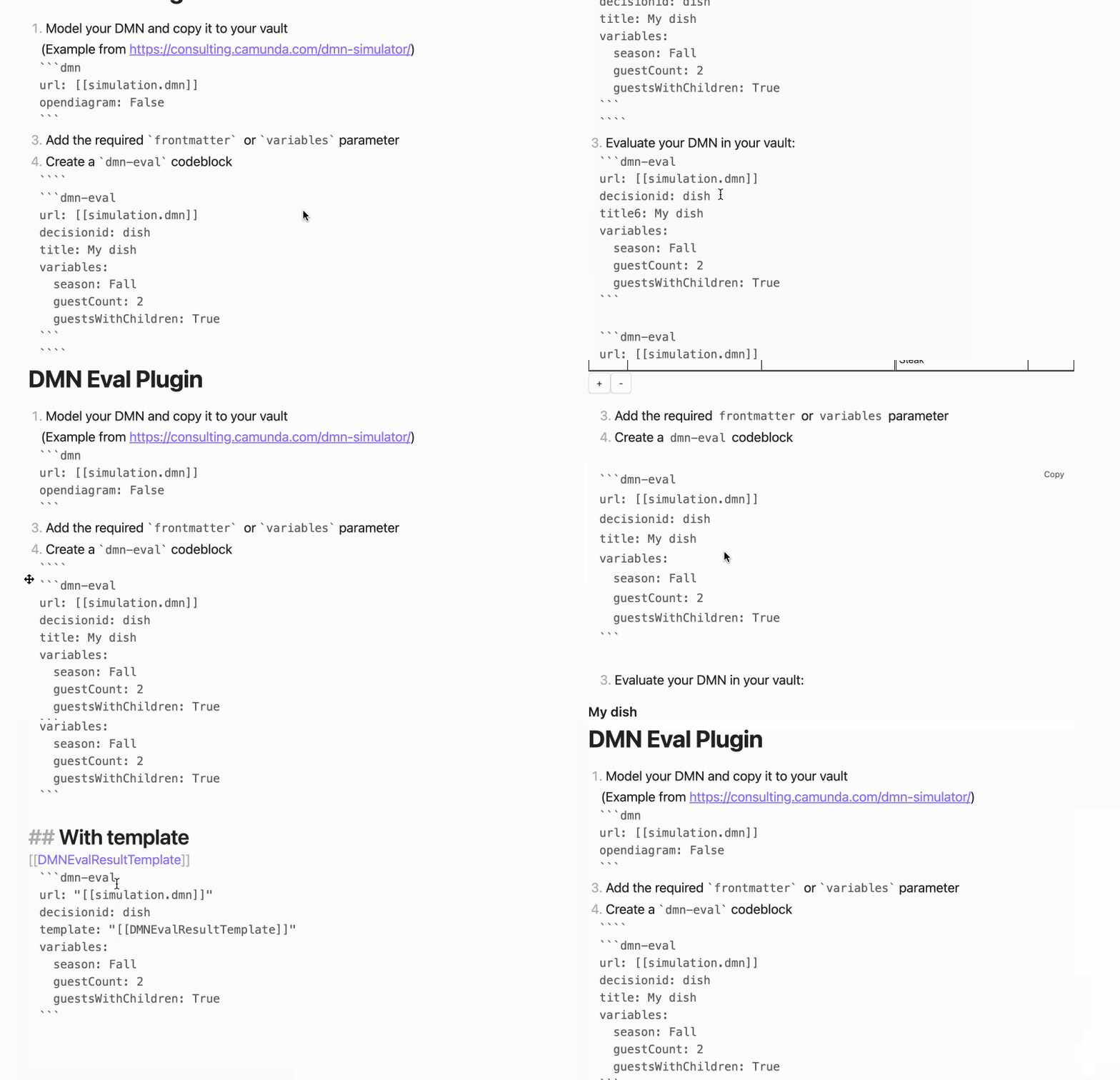
Example
How to dev
- Clone this repo into the plugin folder of a (non-productive) vault (
.obsidian/plugins/) - Build DmnEvaluator (if changed):
cd DmnEvaluator && mvn --batch-mode --update-snapshots package && cd ..cp DmnEvaluator/target/DmnEvaluator*-jar-with-dependencies.jar DmnEvaluator.jar- Recreate the
DmnEvaluator.ts- OSX:
echo "export const dmnEvaluatorBase64 = '$(base64 -i DmnEvaluator.jar)';" > DmnEvaluator.ts - Linux:
echo "export const dmnEvaluatorBase64 = '$(base64 -w 0 DmnEvaluator.jar)';" > DmnEvaluator.ts
- OSX:
npm inpm run dev- Toggle the plugin on in the Community Plugins tab
Donate
HealthFair
ReviewCaution
About
Evaluate DMN decision tables directly inside notes and render decision outputs inline using the Camunda dmn-engine. Use DMN file links plus note front-matter or variables as inputs and run evaluations locally (requires Java 14+).Details
Current version
0.5.0
Last updated
2 years ago
Created
4 years ago
Updates
13 releases
Downloads
4k
Compatible with
Obsidian 0.15.0+
Platforms
Desktop only
License
MIT
Sponsor