CSS Inserter
 erallie1k downloads
Inserts user-defined CSS snippets into the selected text.
- Overview
- Scorecard
- Updates13
This is a plugin for Obsidian that inserts user-defined css snippets into the selected text.
This plugin is a fork of Style Text by Juanjo Arranz.
The main difference between this plugin and Style Text is that with CSS Inserter you can specify the html tag, the class, and the style for each CSS snippet.
This plugin requires basic knowledge of CSS. Links on how to format each setting can be found under Set up CSS snippets.
Instructions
Set up CSS snippets
After installing the plugin, first go to Settings → CSS Inserter and set up your CSS snippets the way you want.
Give your snippet a name and specify the HTML tag, the class, and the style you want the snippet to apply. Only a name and a tag are required. If you do not want to use the other options, leave them blank.
Here is a list of HTML tags to use.
And here is a guide on how to format the style part of the CSS snippet. Everything within the quotes following
style=should be entered in the CSS snippet.
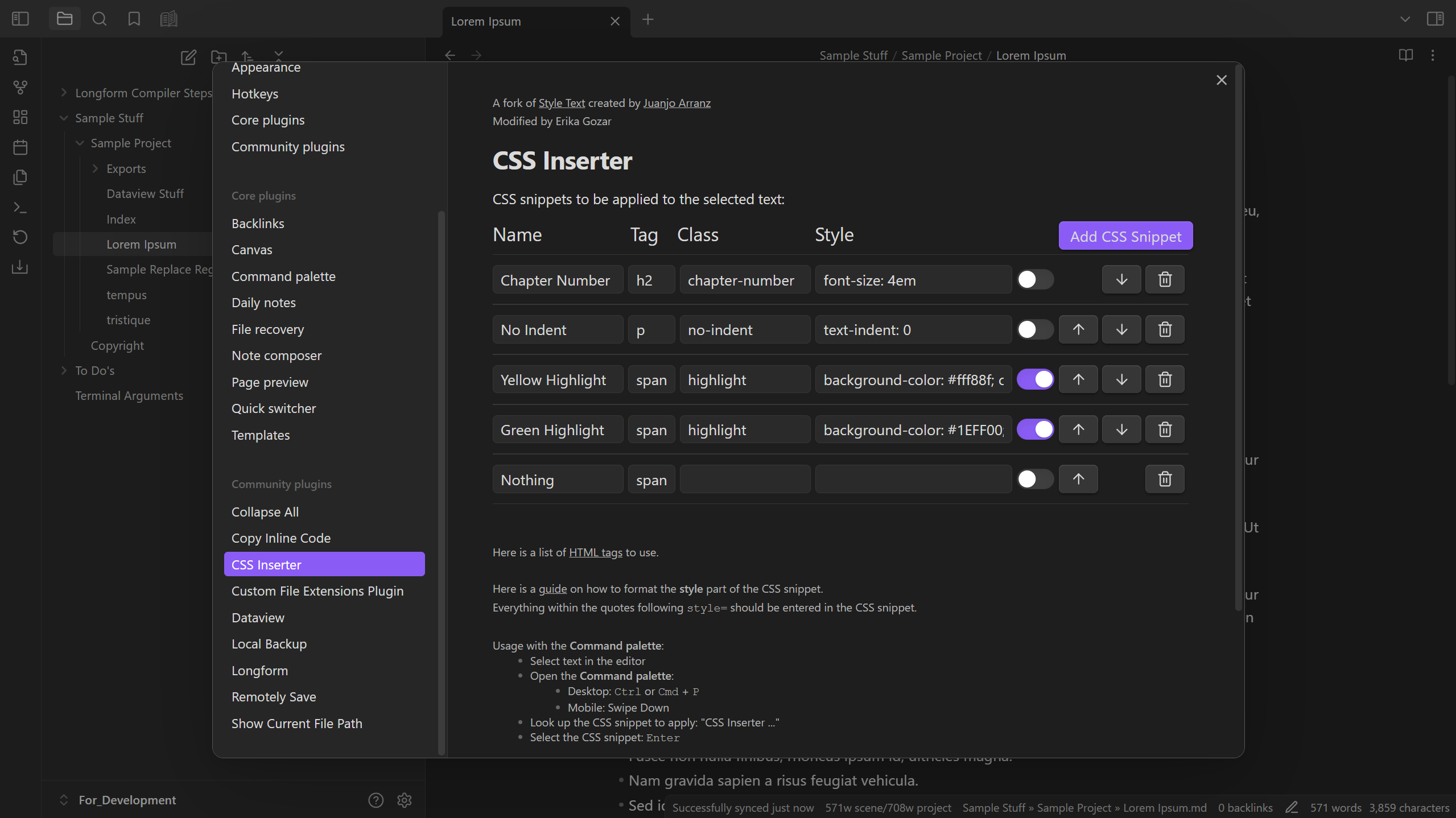
You can re-order snippets by pressing the up arrow ( ) and down arrow ( ) buttons next to the snippet, or delete the entire snippet by pressing the trash bin ( ) button.
The toggle option next to the snippet disables/enables showing the CSS snippet in the Context menu.
Apply and remove CSS snippets
To apply or remove a CSS snippet, first go into Edit mode and select the text you want to apply the snippet to or remove the snippet from. The first time you select text that already has CSS snippets applied, the entire text will automatically be selected for you (on desktop only).
After you do that, there are three ways you can apply or remove a CSS snippet:
- Right-click the note (on desktop) or perform the command Show context menu under cursor to open the Context menu. Enabled snippets will appear there. Select Insert CSS and then the snippet you want to apply, or select Remove CSS to remove the applied CSS snippet.
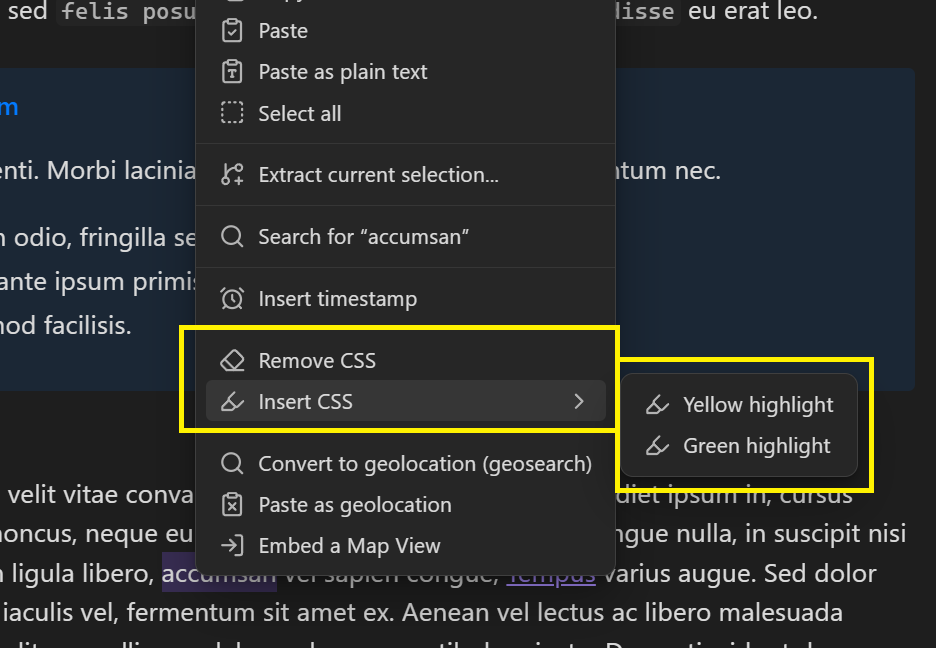
- Open the Command palette and search for and select the CSS style you'd like to apply, or perform the CSS Inserter: Remove CSS command to remove the CSS snippet (see Command palette).
- Set up a Hotkey prior in Settings → CSS Inserter for your desired CSS snippet (or for the CSS Inserter: Remove CSS command if you want to remove the CSS). Afterward, select the text and perform the Hotkey (see Hotkeys).
Installation
Obsidian Marketplace
To install this plugin via the Obsidian Marketplace, perform the following steps:
- Navigate to the CSS Inserter plugin page by either selecting this link or doing the following:
- Navigate to Settings → Community plugins
- Select Turn on community plugins.
- Select Community plugins → Browse and search for "CSS Inserter".
- Select Install.
- To enable the plugin, select Enable.
BRAT
Install this plugin using BRAT by doing the following:
- Make sure the BRAT plugin is installed in your vault.
- Go to Settings → BRAT → Beta Plugin List → Add Beta Plugin
- Enter
https://github.com/Erallie/css-inserterinto the input field and select Add Plugin.
Manual installation
To install this plugin manually, follow these steps:
- Go to the Releases page and find the latest release.
- Download
main.js,manifest.json, andstyles.css. - Go to your Plugins folder (
[vault root]/.obsidian/plugins) and create a new subfolder calledcss-inserter. - Move the downloaded files to the new folder.