Search...Search plugins and themes...
⌘K
Sign in
  • Get started
  • Download
  • Pricing
  • Enterprise
  • Account
  • Obsidian
  • Overview
  • Sync
  • Publish
  • Canvas
  • Mobile
  • Web Clipper
  • CLI
  • Learn
  • Help
  • Developers
  • Changelog
  • About
  • Roadmap
  • Blog
  • Resources
  • System status
  • License overview
  • Terms of service
  • Privacy policy
  • Security
  • Community
  • Plugins
  • Themes
  • Discord
  • Forum / 中文论坛
  • Merch store
  • Brand guidelines
Follow us
DiscordTwitterBlueskyThreadsMastodonYouTubeGitHub
© 2026 Obsidian

Columns Callout

reiuyuureiuyuu47 downloads

Create multi-column layouts with callout.

Add to Obsidian
  • Overview
  • Scorecard
  • Updates1

Create multi-column layouts with [!cols] callout.

Columns are separated with +++.

> [!cols]
> First column
>
> +++
>
> Second column

Options (callout title):

  • r — column ratios (default: equal)
  • g — column gap (default: 1rem)
> [!cols] r=2:1, g=2rem

Example
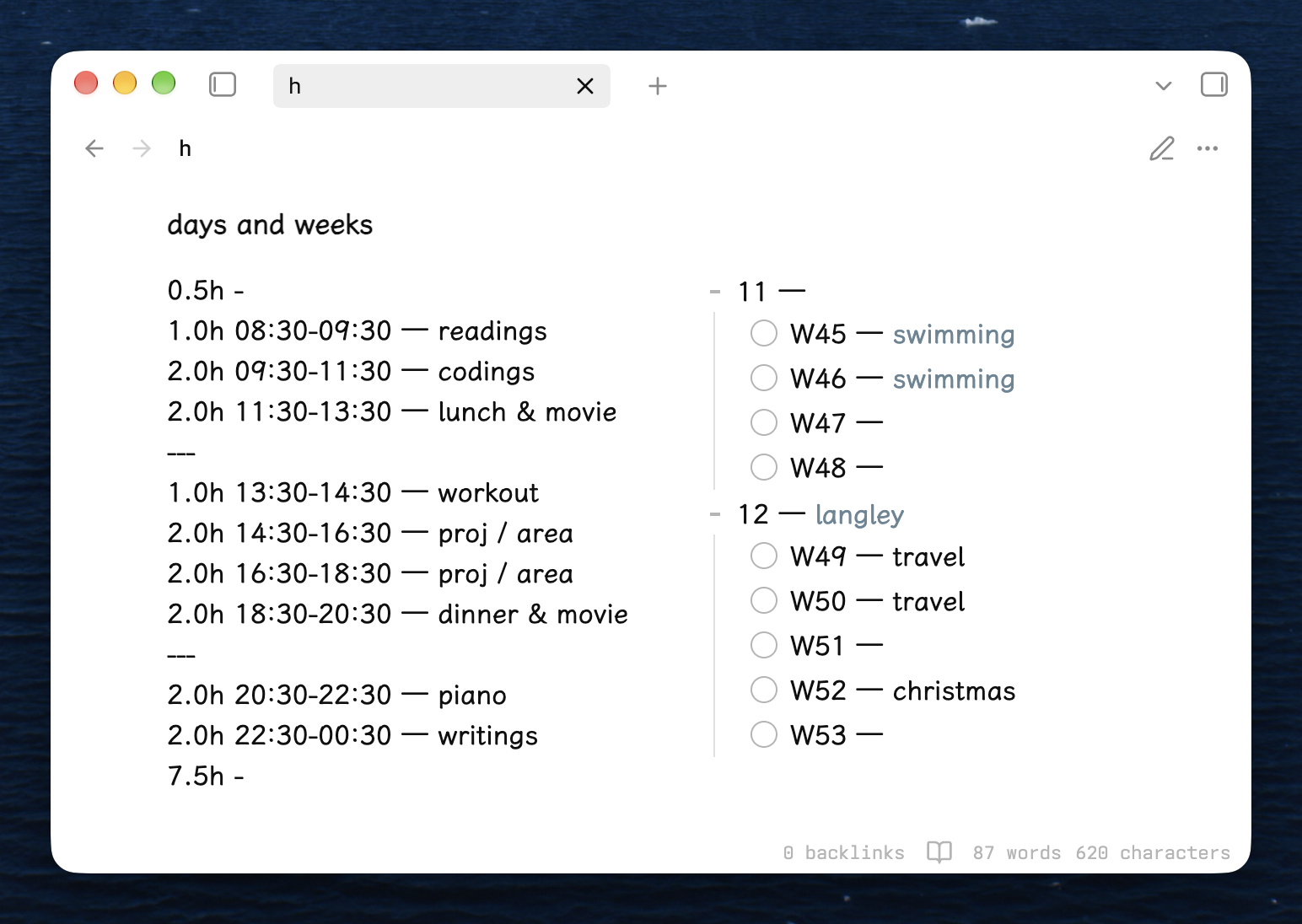
Columns Callout example in Obsidian
HealthExcellent
ReviewSatisfactory
About
Create multi-column layouts using a [!cols] callout and separate columns with +++. Set column ratios (r) and gaps (g) to control widths and spacing. Place Markdown content in each column for clean side-by-side display.
FormattingCSS
Details
Current version
1.0.0
Last updated
2 weeks ago
Created
2 weeks ago
Updates
1 release
Downloads
47
Compatible with
Obsidian 0.14.2+
Platforms
Desktop, Mobile
License
MIT
Report bugRequest featureReport plugin
Author
reiuyuureiuyuu
GitHubreiuyuu
  1. Community
  2. Plugins
  3. Formatting
  4. Columns Callout

Related plugins

Admonition

Admonition block-styled content.

Blur

Create obfuscated blocks of text.

Better Bullets

Improves readability of bulleted notes.

Columns

Create columns in Markdown.

Inline spoilers

Adds Discord-like syntax for inline spoilers.

Highlightr

A minimal and aesthetically pleasing highlighting menu that makes color-coded highlighting much easier with a configurable assortment of highlight colors.

Text Format

Format selected text upper/lower/capitalize.

Linter

Format and style your notes. Linter can be used to format YAML tags, aliases, arrays, and metadata; footnotes; headings; spacing; math blocks; regular Markdown contents like list, italics, and bold styles; and more with the use of custom rule options.

Custom Frames

Turn web apps into panes using iframes with custom styling. Also comes with presets for Google Keep, Todoist and more.

Editing Toolbar

The Editing Toolbar is modified from cMenu, which provides more powerful customization settings and has many built-in editing commands to be a MS Word-like toolbar editing experience.