

Show linked references the way Logseq does: whole blocks with their children and breadcrumbs, editable in place, under each note and in the sidebar.
- Overview
- Scorecard
- Updates2
Linked references the way Logseq shows them, in Obsidian.
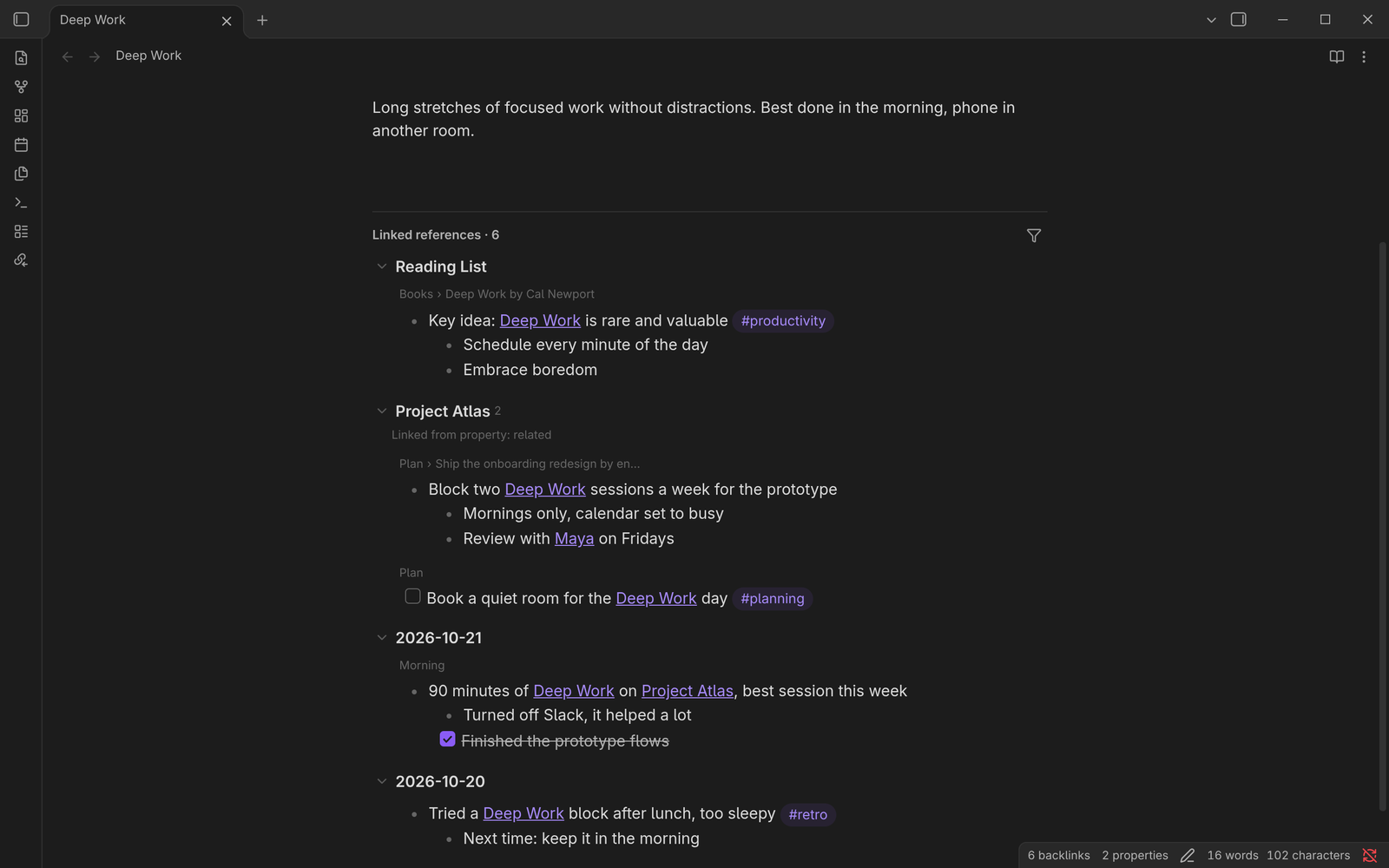
Obsidian's backlinks pane shows a line of plain text around each link. Logseq shows the whole block: the bullet with its children, the path of parent bullets above it, and you can edit it right there. This plugin shows linked references that way, under each note and in a Linked references view in the right sidebar.
What it does
- Whole blocks. A reference in a list item shows the item with its children. A reference in a heading shows the whole section. A reference inside a block that is already shown is not listed twice.
- Breadcrumbs. Each block shows the headings and parent bullets it sits under. Click one to widen the block to that level. Cmd/Ctrl-click opens the note there.
- Logseq-style folding. Children are open one level deep (configurable). Deeper levels collapse behind
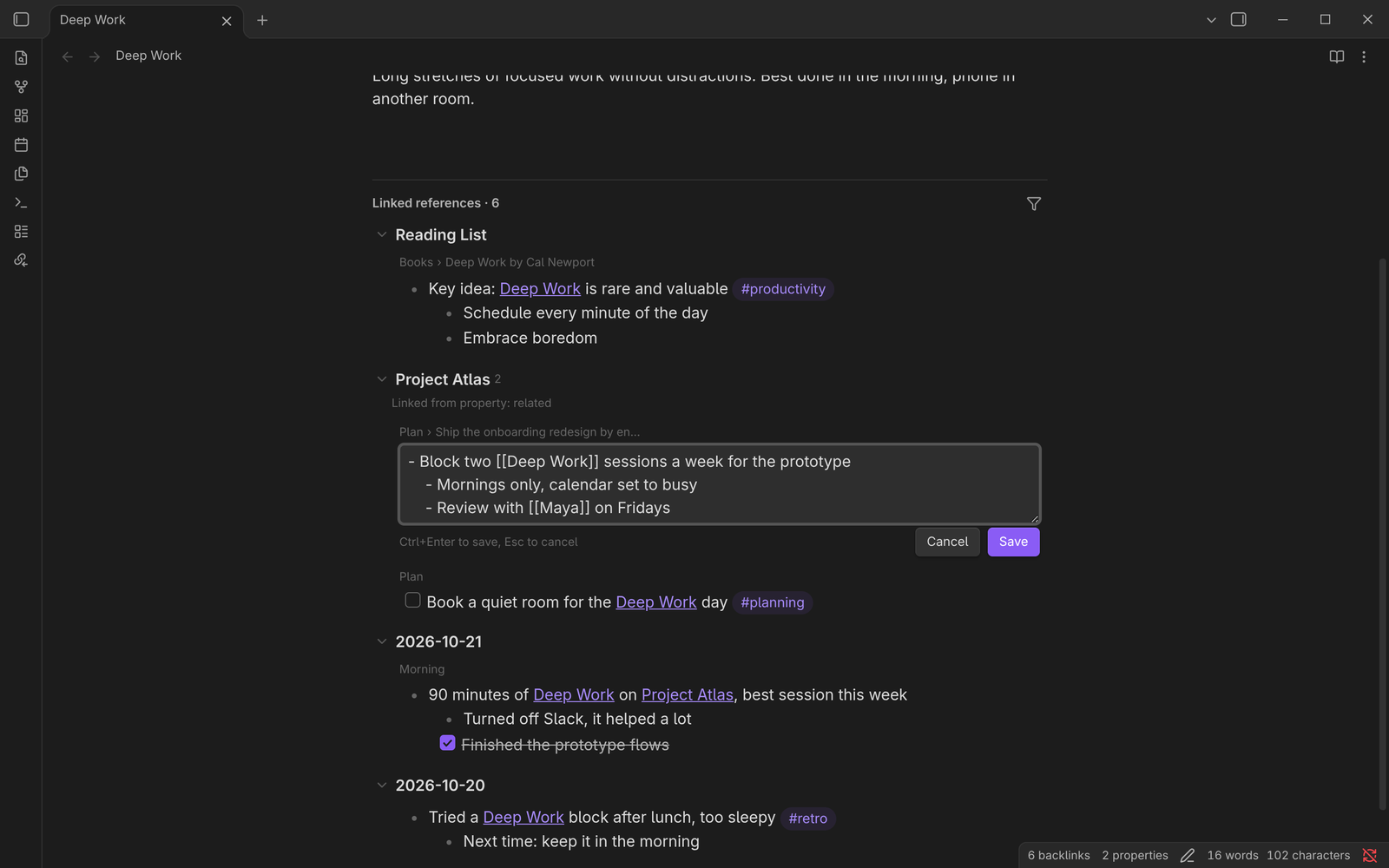
…. Items on the way to a reference are always open. - Edit in place. Click a block to edit its Markdown and write it back to the note. Cmd/Ctrl+Enter saves, Esc cancels, clicking elsewhere saves. If the note changed in the meantime and the block can't be found, nothing is written.
- Live Markdown. Links open and show hover previews, tasks can be ticked.
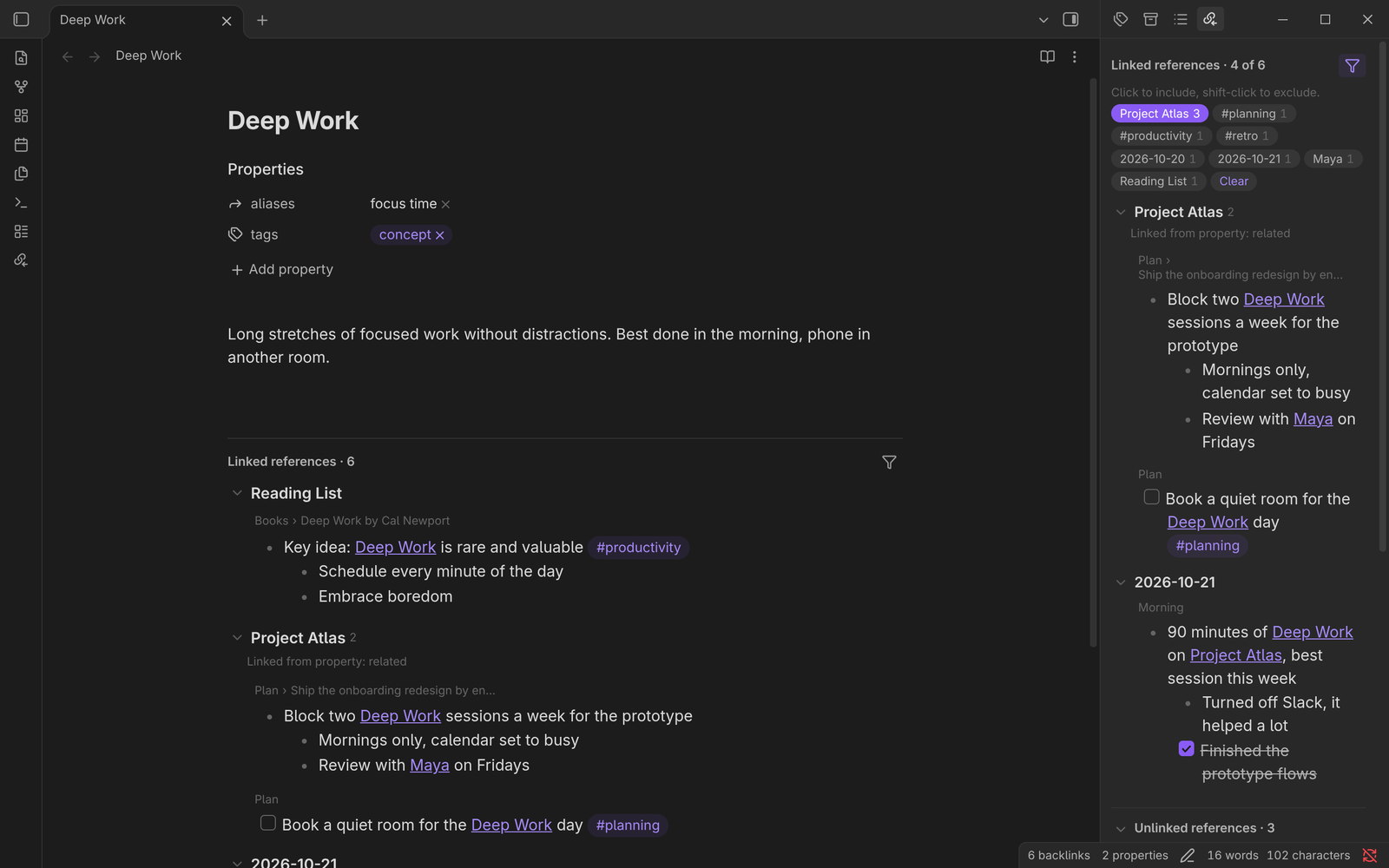
- Filters. Include or exclude references by the pages and tags they mention, or by the note they are in (click to include, shift-click to exclude).
- Order. Pages first, most recently modified first. Daily notes after them, newest first. Properties that link to the note are listed too.
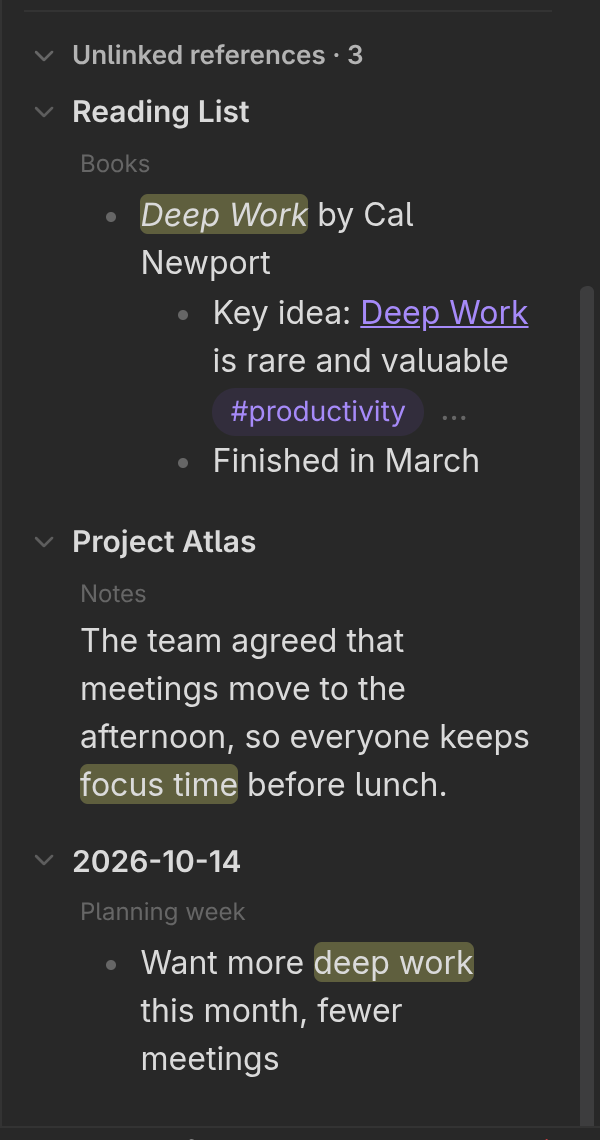
- Unlinked references. Plain-text mentions of the note's name or aliases, shown as blocks, with a Link button.
The references show at the bottom of each note, in Live Preview, source mode and Reading view. Turn this off with Show linked references under notes in the settings.
The sidebar view follows the active note. Open it from the ribbon or with the Open linked references command.
Screenshots
Click a block to edit it in place:
Filter by the pages and tags the references mention:
Unlinked references, with the mentions highlighted:
With the core Backlinks plugin
This plugin doesn't need the core Backlinks plugin, so you get the same links twice in the sidebar. Close the core tab with Close tab in the settings. Or turn the core plugin off in Settings → Core plugins, but then you lose the backlink count in the status bar. If you keep it on, turn off its Backlink in document option, or you get two lists under each note.
Credits
Started as a fork of Roam Backlinks by MatsuriMW. The block model (list item subtrees, breadcrumbs, folding, the guarded write-back) is ported from it. The rest is a rewrite with its own view instead of patching Obsidian's backlinks pane.
MatsuriMW agreed to the fork. Thanks!
License
Contributing
PRs and issues are welcome. A few rules, because I want to keep the plugin small:
- Open an issue first for anything bigger than a bug fix, so we can agree on it before you write code.
- Keep PRs small and focused. One fix or one feature per PR.
- No big features or new dependencies that make the plugin heavier. If it doesn't help with linked references, it probably doesn't belong here.
- Don't send AI-generated PRs you haven't read and tested yourself. Using AI is fine, but you should understand every line and be able to explain it.
- Run
npm run buildandnpm run lintbefore you push, and test the change in a real vault.